Foremost: Block Apps & Focus
Earn Screen Time, Stop Reels
Designed for iPhone
In-app purchases
- Age rating+4
- CategoryProductivity
- DeveloperRoman Gurov
- LanguagesPortuguese+ 10 more
- Size69.6 MB
Links to the official App Store page
Download.org hosts no file of Foremost: Block Apps & Focus. The button opens its official App Store page, published by Roman Gurov. Listing last checked on Nov 12, 2026.
Screenshots

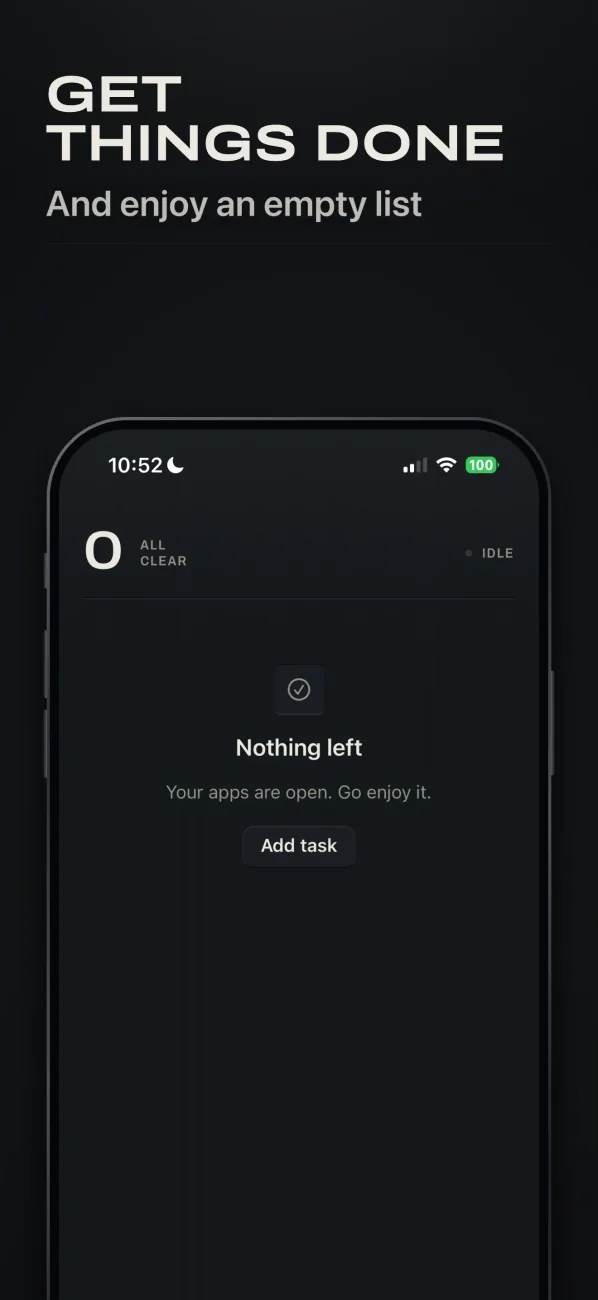
About
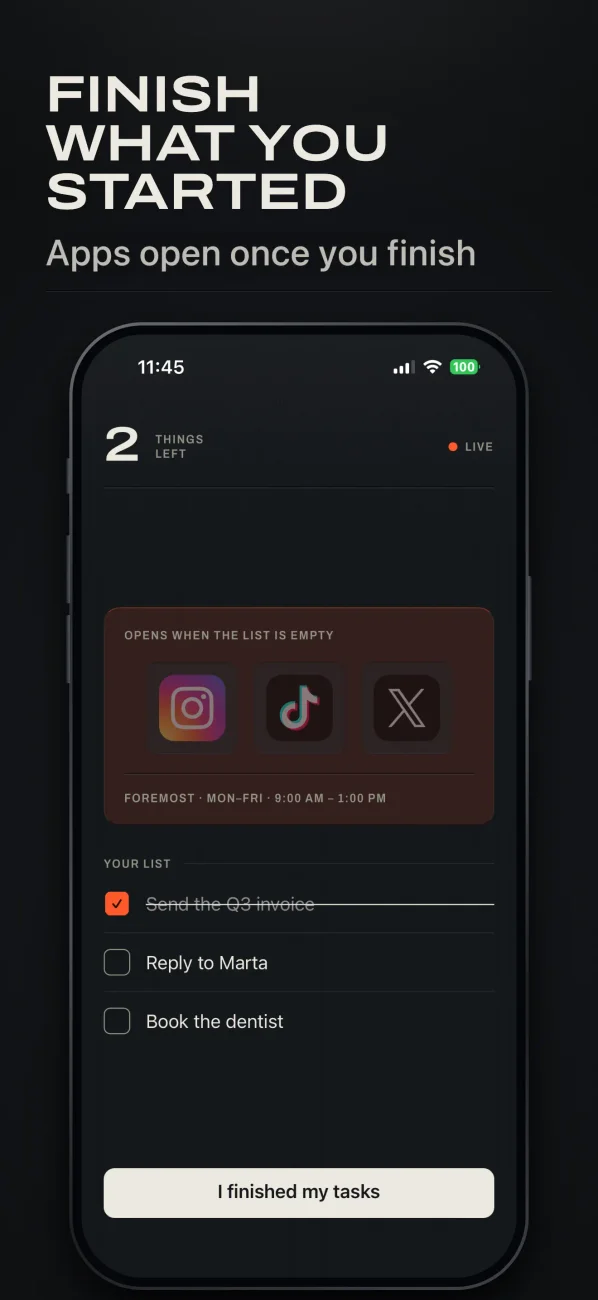
Finish the thing you keep postponing. Foremost holds your distracting apps until the tasks on your own list are done. No timer to wait out, no Ignore button.
A timer gives you an empty hour. Foremost gives that hour a job: your apps come back the moment the last task is closed.
THE THREE MODES
• Foremost — the apps hold until your list is empty. Your list is the key.
• Strict Block — the apps hold for the whole window you set, and there is nothing to press.
• Limit — each app opens a set number of times a day, for as long as you allow.
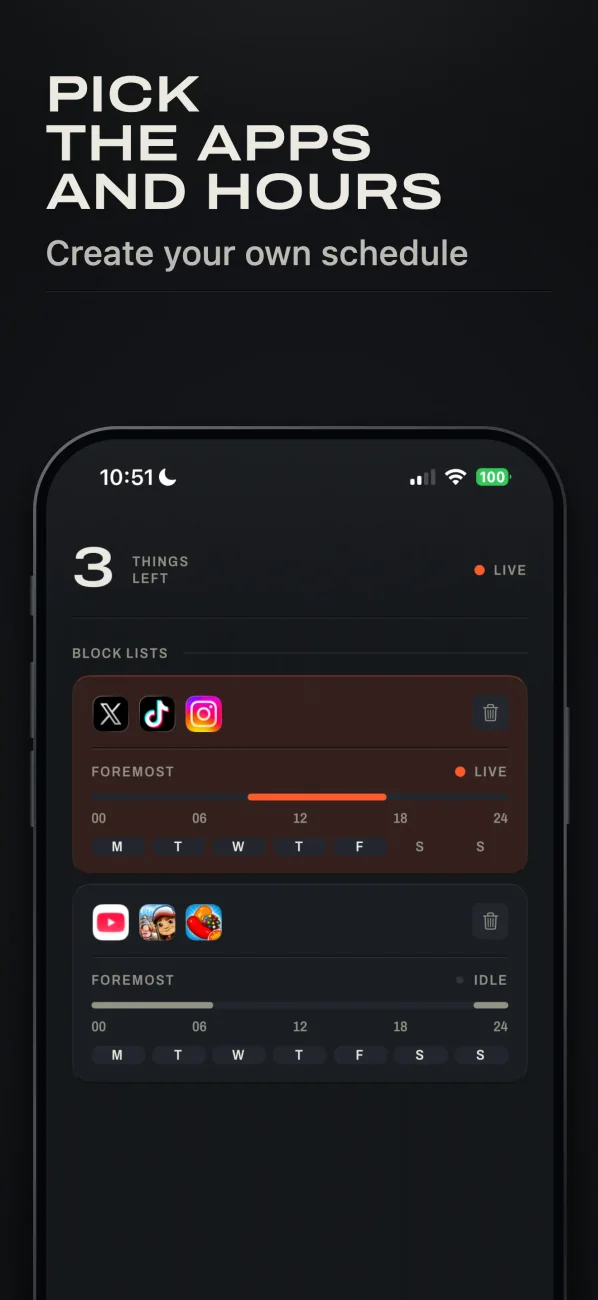
A block list is the apps you pick, the days it runs and the hours it covers. A window may run through midnight into the next morning.
YOUR TASKS STAY WHERE THEY ARE
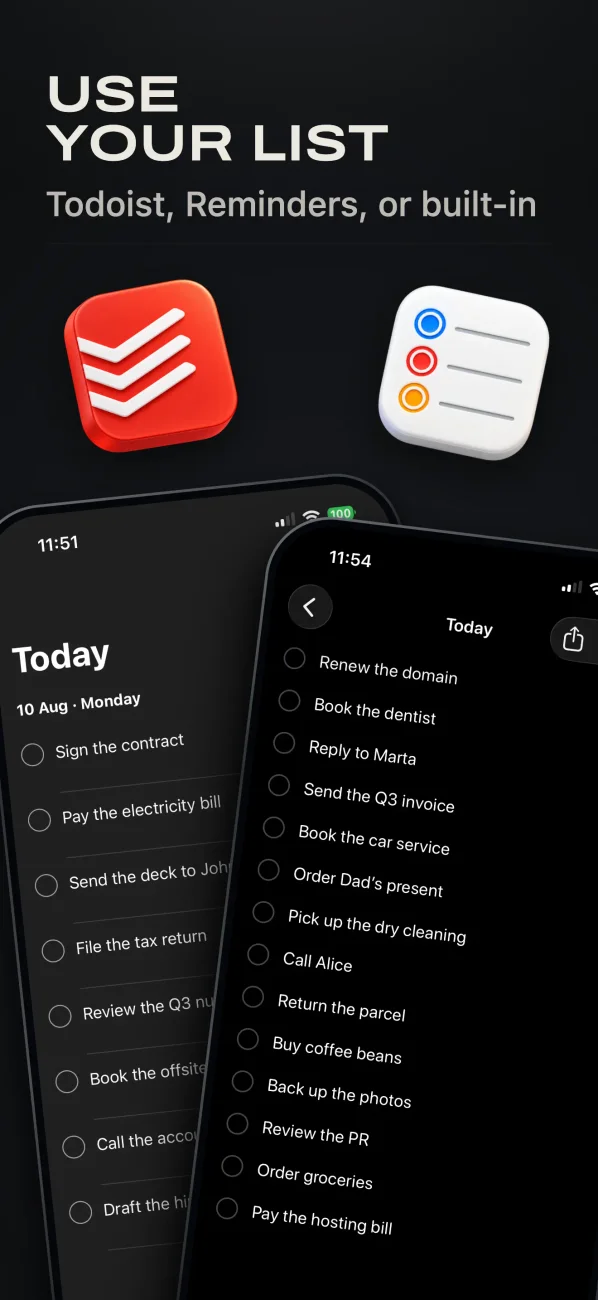
• Todoist — pick a project or a filter. Tick a task off on another device and it counts here too. Once the list is empty, your apps can come back on their own.
• Apple Reminders — pick a list. Tick a reminder off anywhere, then open Foremost and it counts again.
• Nothing to connect yet? Type your tasks straight into Foremost.
WHAT FOREMOST IS NOT
Not a screen time tracker: no hour counts, no weekly reports. Not parental controls: it runs on your own phone, over apps you chose yourself. It does not block websites. And it never sees what you do inside an app, only whether your list still has something on it.
Blocking is built on Apple's Screen Time APIs, so it holds whether or not Foremost is open, and it survives a restart.
Blocking needs Foremost Pro. It comes as a yearly or a monthly plan, and both start with a 7-day free trial.
Terms of Use (EULA): https://www.apple.com/legal/internet-services/itunes/dev/stdeula/
Terms of Service: https://foremostapp.com/terms-of-service
What’s new
Version 1.0.1 · Aug 28, 2026
• Smoother first run
• Small fixes throughout
Thanks for using Foremost.
App privacy
What Roman Gurov declares on the App Store about how this app handles data.
-
Data used to track you
May be used to track you across apps and websites owned by other companies.
- Purchases
- Identifiers
- Usage data
-
Data linked to you
May be collected and linked to your identity.
- Purchases
- Contact info
- User content
- Identifiers
- Usage data
- Diagnostics
- Other data
Privacy practices may vary, for example with the features you use or your age.
Information
- Seller
- Roman Gurov
- Category
- Productivity
- Version
- 1.0.1
- Updated
- Aug 28, 2026
- Released
- Aug 23, 2026
- Size
- 69.6 MB
- Requires
- iOS 16.0 or later
- Age rating
- +4
- In-app purchases
- Yes
- Languages
- Portuguese, German, Traditional Chinese, Korean, Spanish, French, Dutch, English, Italian, Japanese, Russian
- Copyright
- © 2026 Roman Gurov
You might also like
-
 Parental Control Screen TimeApp Blocker & Family Location
-
 ZapFazProductivity
-
 Spark Break: Screen Time DetoxDoomscrolling & App Blocker
-
 App Blocker: StayBriefScreen Time & Focus Timer
-
 Pactroll: App BlockerStop the delete-reinstall loop
-
 Zapi AppProductivity
-
 Colibex CRMProductivity
-
 Zamanda JoiasProductivity
-
 Блок - Блокировка отвлеченийProductivity
-
 PureFocus: Effortless FocusSounds, Pomodoro & SOS Mode