Forms Mobile for Google Forms
Survey, Poll & Quiz Maker
Designed for iPhone, iPad
Free
- Age rating4+
- CategoryProductivity
- DeveloperKhanh Tung Le
- LanguagesEnglish+ 1 more
- Size13.4 MB
Links to the official App Store page
Download.org hosts no file of Forms Mobile for Google Forms. The button opens its official App Store page, published by Khanh Tung Le. Listing last checked on Nov 23, 2026.
Screenshots


About
Build, reorder, grade, and analyze your Google Forms natively on iPhone and iPad.
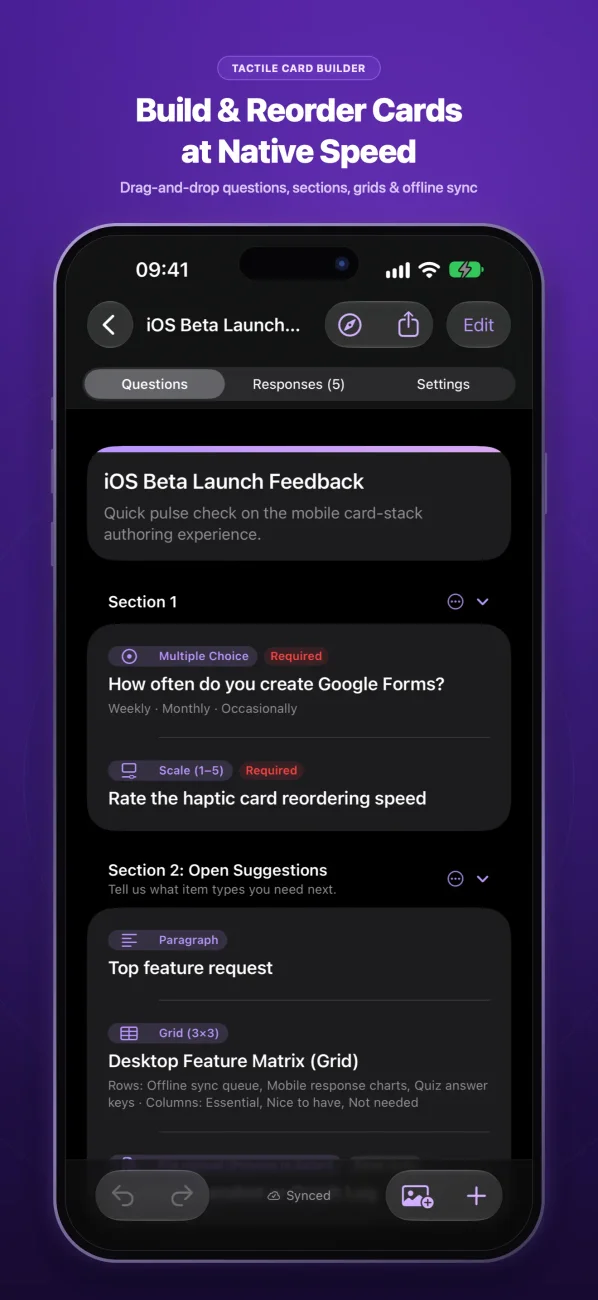
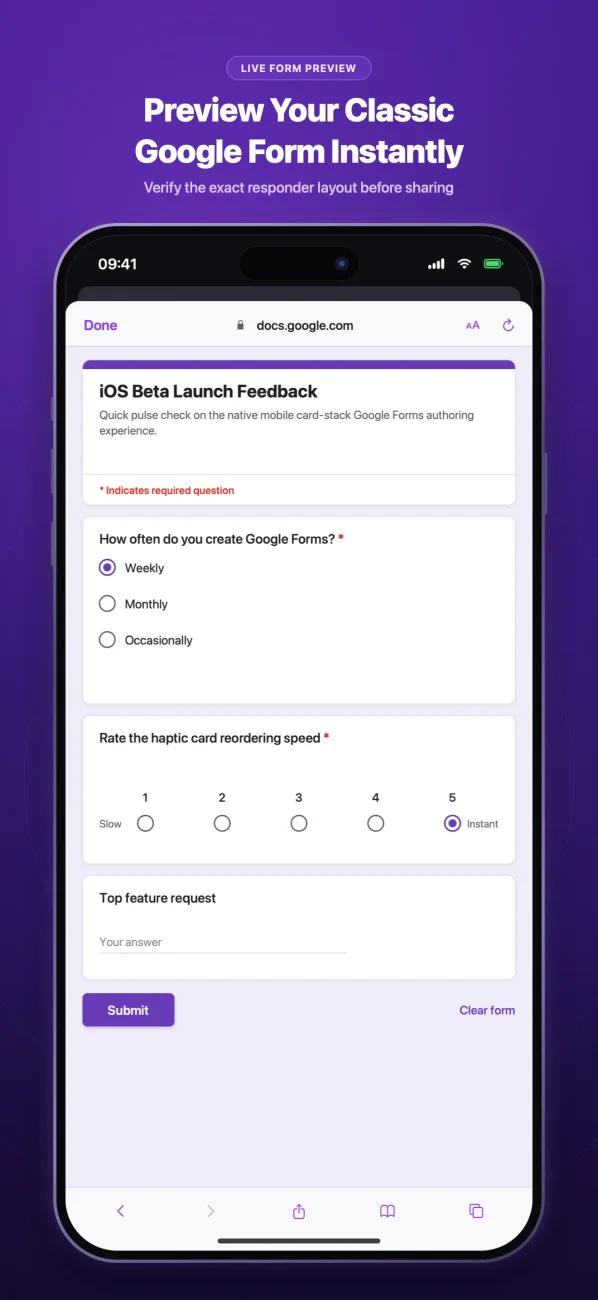
Forms Mobile brings a fast, tactile SwiftUI card-stack workspace to your existing Google Forms—whether you are preparing a classroom quiz, collecting event RSVPs, running customer surveys, or reviewing live response charts on the go.
NATIVE CARD-STACK BUILDER & INSPECTOR
• Create forms from ready-to-use templates (Blank, Quiz, Event RSVP, Feedback) or edit existing Drive forms.
• Drag-and-drop question cards, swipe to mark Required, and pinch to collapse multi-section outlines.
• Configure Multiple Choice, Checkboxes, Dropdown, Short/Paragraph Text, Linear Scale, Rating, Date/Time, Question Grids, and Images.
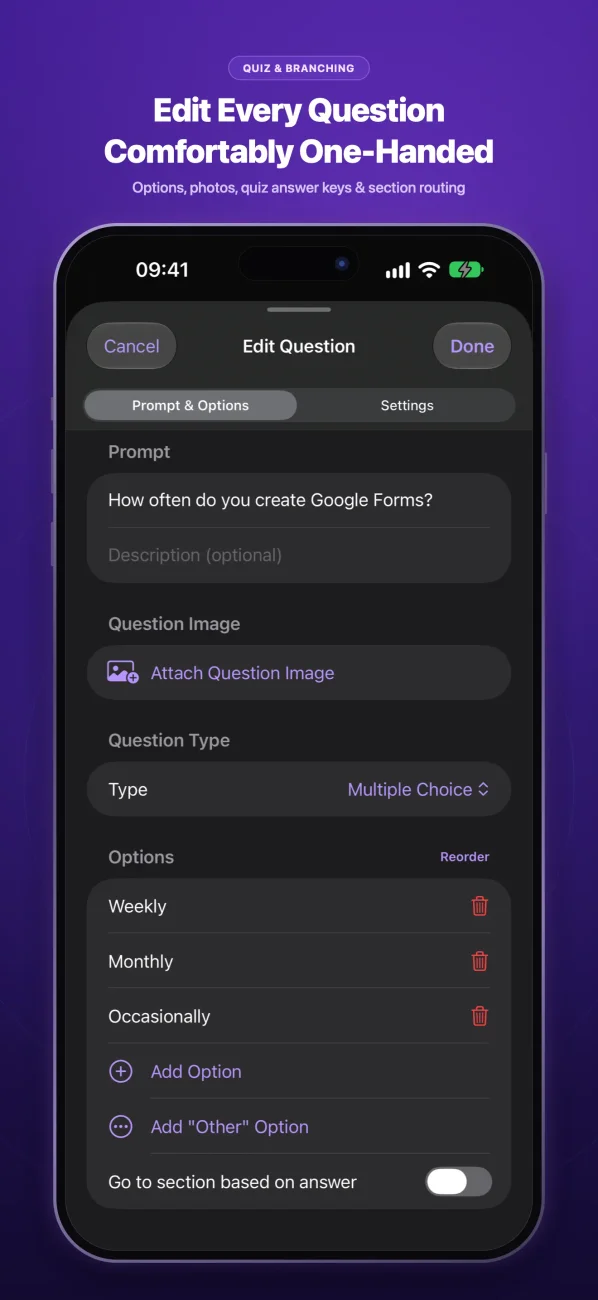
• Set Quiz point values, answer keys, feedback, and option-based section branching in a thumb-friendly bottom sheet.
OFFLINE-SAFE SYNC & OPTIMISTIC CONCURRENCY
• Edit confidently on flights or spotty connections—changes queue locally and sync automatically via Google Forms batchUpdate.
• Dual revision checks protect co-edited forms from accidental overwrites.
SWIFT CHARTS ANALYTICS, CSV & QR SHARING
• Inspect live choice distributions and response summaries with native Swift Charts, or flick through individual submissions.
• Receive instant push notifications when new form responses arrive and track live submission counts on your Lock Screen and Dynamic Island with Live Activities.
• Export responses to UTF-8 CSV for Numbers, Excel, or Google Sheets in one tap.
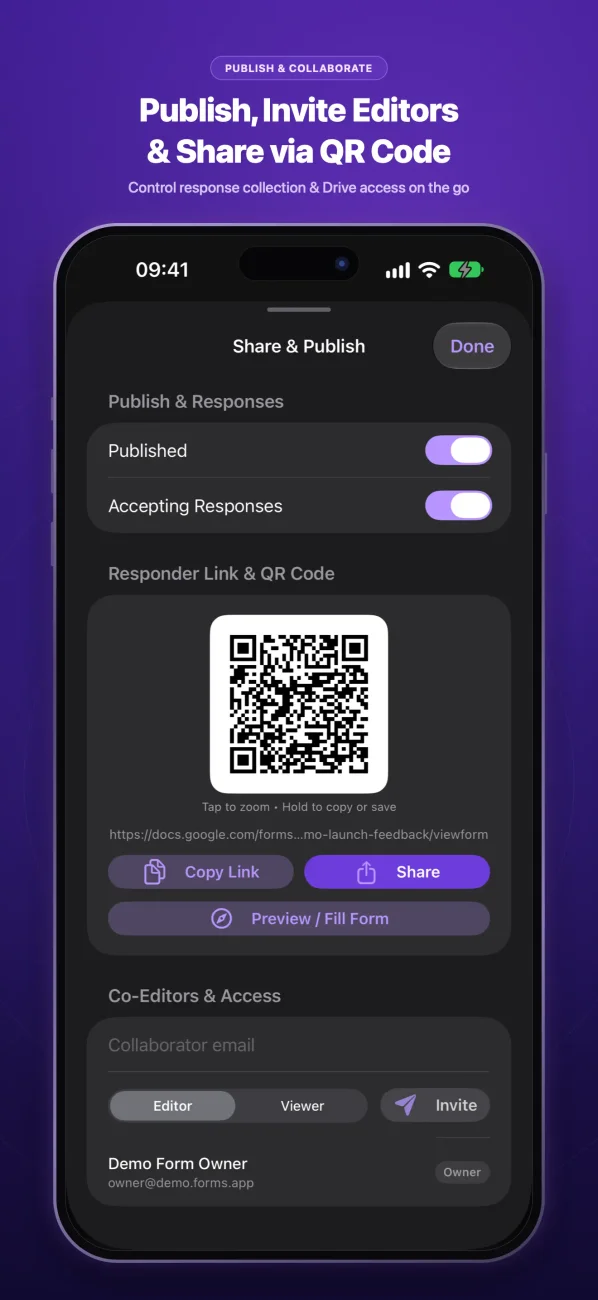
• Manage granular publish/accepting-responses controls, invite Drive collaborators, and share high-resolution responder QR codes.
PRIVACY FIRST
• Connects directly to your Google Account using least-privilege drive.file OAuth (with optional Drive sync when browsing older forms).
• Zero ad SDKs, zero cross-app tracking, and no proprietary cloud database storing your forms.
Disclaimer: Forms Mobile is an independent third-party client built on the official Google Forms and Google Drive APIs. Forms Mobile is not affiliated with, endorsed, or sponsored by Google LLC. Google Forms and Google Drive are trademarks of Google LLC.
What’s new
Version 1.0.6 · Nov 21, 2026
• Fixed a sync error (HTTP 400) when configuring section branching on Multiple Choice, Dropdown, or "Other" options, or after merging sections.
• Added automatic self-healing recovery so any previously queued edits sync seamlessly on update.
• Improved privacy-safe anonymous diagnostic reporting to detect sync and sharing friction faster.
App privacy
What Khanh Tung Le declares on the App Store about how this app handles data.
-
Data not linked to you
May be collected but is not linked to your identity.
- Location
- Contact info
- User content
- Identifiers
- Usage data
- Diagnostics
Privacy practices may vary, for example with the features you use or your age.
Information
- Seller
- Khanh Tung Le
- Category
- Productivity
- Version
- 1.0.6
- Updated
- Nov 21, 2026
- Released
- Nov 6, 2026
- Size
- 13.4 MB
- Requires
- iOS 18.0 or later
- Age rating
- 4+
- Price
- Free
- Languages
- English, Vietnamese
- Copyright
- © 2026 Khanh Tung
You might also like
-
 Formz: Google Forms BuilderSurvey, Quiz & Poll Maker
-
 Droidcon Uganda 2026Productivity
-
 Forms App for Google DocsAI Form Builder, Survey & Quiz
-
 Formms: AI Form BuilderSurvey, quiz & poll maker
-
 Link to GooglebookLink your iPhone to Googlebook
-
 Quenza ClassicCraft Your Care
-
 Form - for Google FormsCreate Forms & View Responses
-
 Mindly 2 – Mind MappingThink visually. Map ideas.
-
 Creative PreviewProductivity
-
 Streqa: Daily Habit TrackerDaily Routine Habit Diary Pro