
Framebite: Video Translator
Subtitles, Transcripts & Audio
Designed for iPhone, iPad
Free · In-app purchases
- Age rating17+
- CategoryProductivity
- DeveloperSolvoCraft LLC
- LanguagesEnglish+ 7 more
- Size12.2 MB
Links to the official App Store page
Download.org hosts no file of Framebite: Video Translator. The button opens its official App Store page, published by SolvoCraft LLC. Listing last checked on Nov 24, 2026.
Screenshots
About
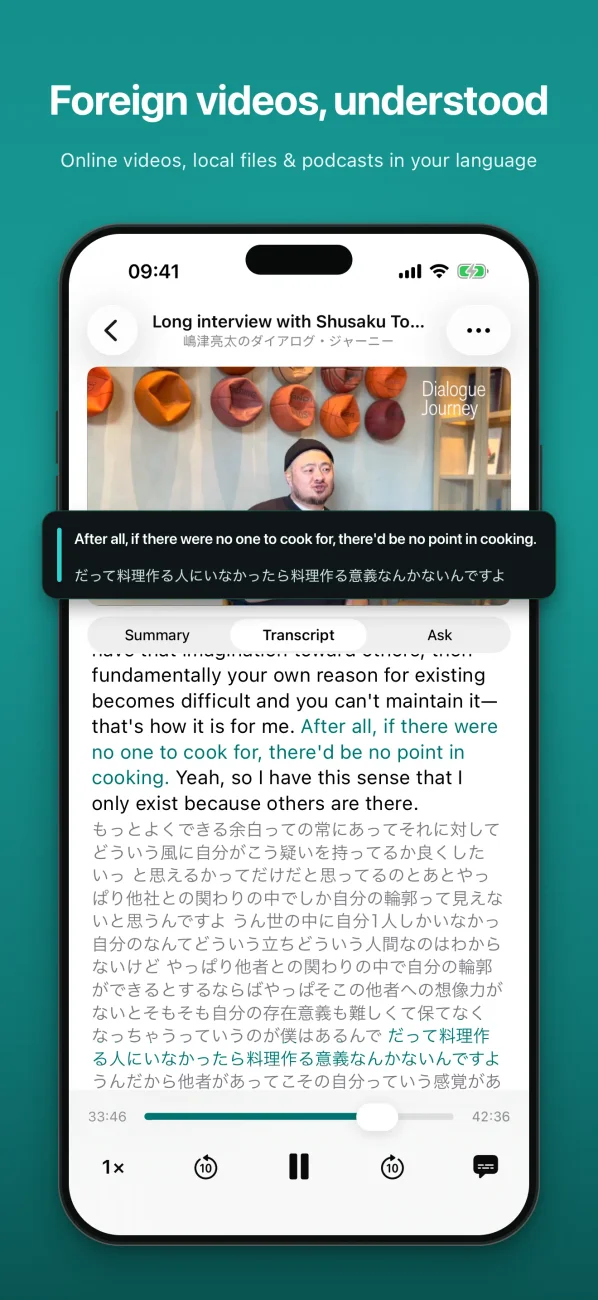
Watch foreign-language videos, listen to podcasts, and understand your own recordings — without pausing to look up words. Framebite works with YouTube videos, your own video and audio files, and podcasts, turning even uncaptioned audio up to 5 hours long into dual subtitles and a searchable transcript in your language.
What you can do:
• Dual subtitles, right on the video
Your language above, the original below — in portrait and full screen. Switch to translation only or original only anytime. When a video already includes creator subtitles in your language, Framebite pairs them with the original at no cost in points.
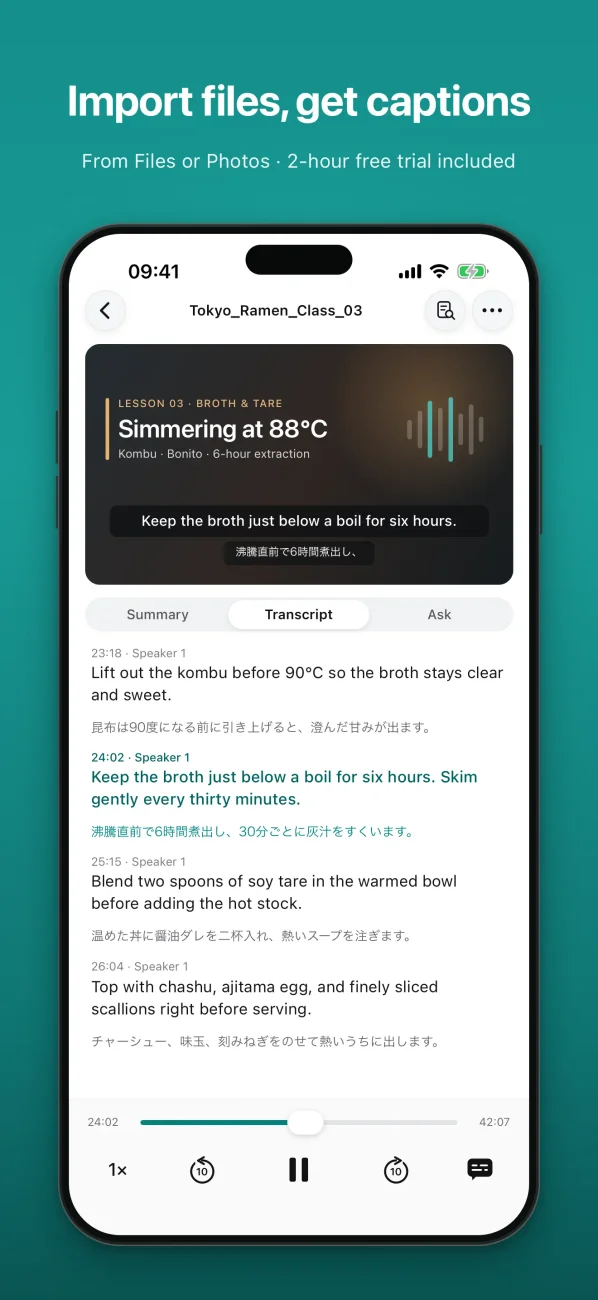
• Turn uncaptioned videos and recordings into bilingual transcripts
Import lectures, courses, meetings, or clips from Files or Photos. Framebite transcribes the speech into accurate dual subtitles and a readable transcript. Only the audio is uploaded; your video stays on your device. Shares the 2-hour Free trial with podcasts; more requires Plus or Pro.
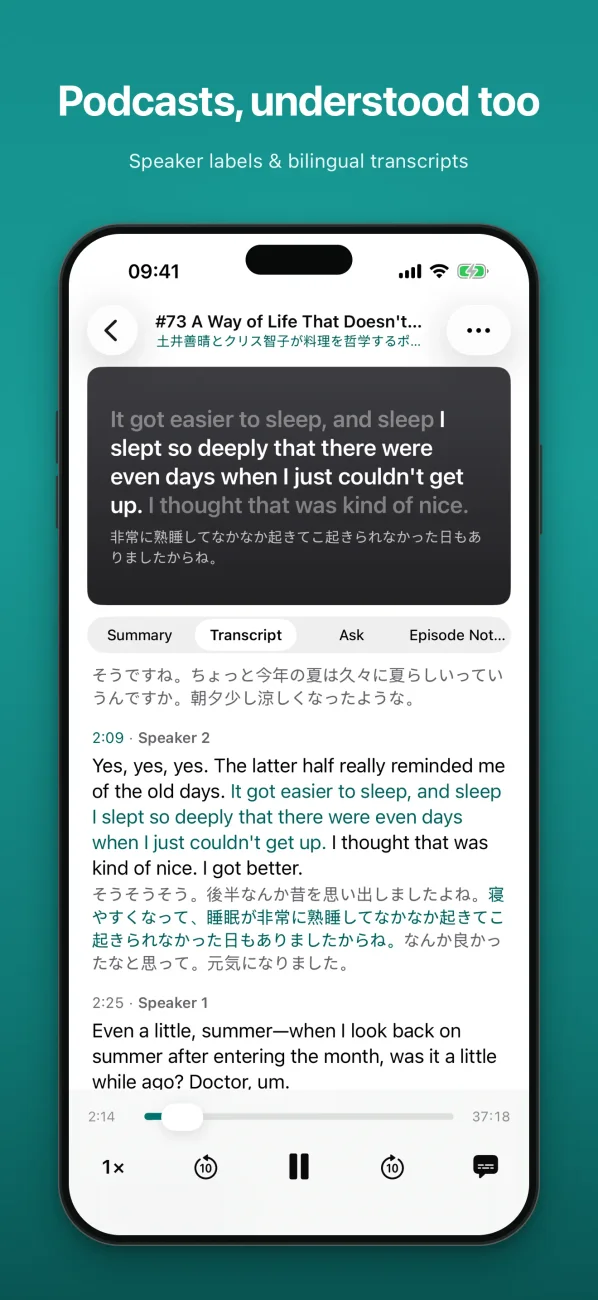
• Stop guessing on foreign-language podcasts
Search shows, browse charts, and listen on the Lock Screen or in the background. Turn audio-only episodes into speaker-labeled bilingual transcripts and synced captions so you never lose the thread. Includes a 2-hour Free trial; more requires Plus or Pro.
• Read like an article, jump to any sentence
Fragmented captions are grouped into clean paragraphs that highlight as playback moves. Open full-screen mode to read without playing, search any keyword, or tap any sentence to play from there.
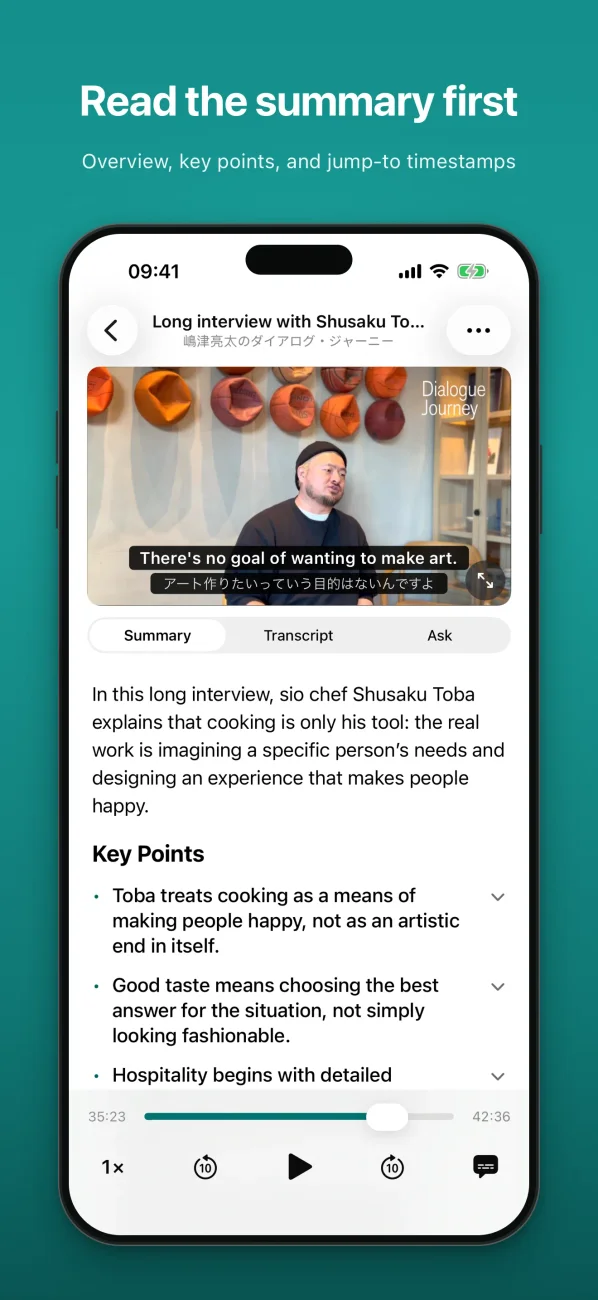
• Grasp long talks in seconds
Get an overview, key points, and timestamped chapters for hour-long interviews and lectures — jump straight to the parts that matter.
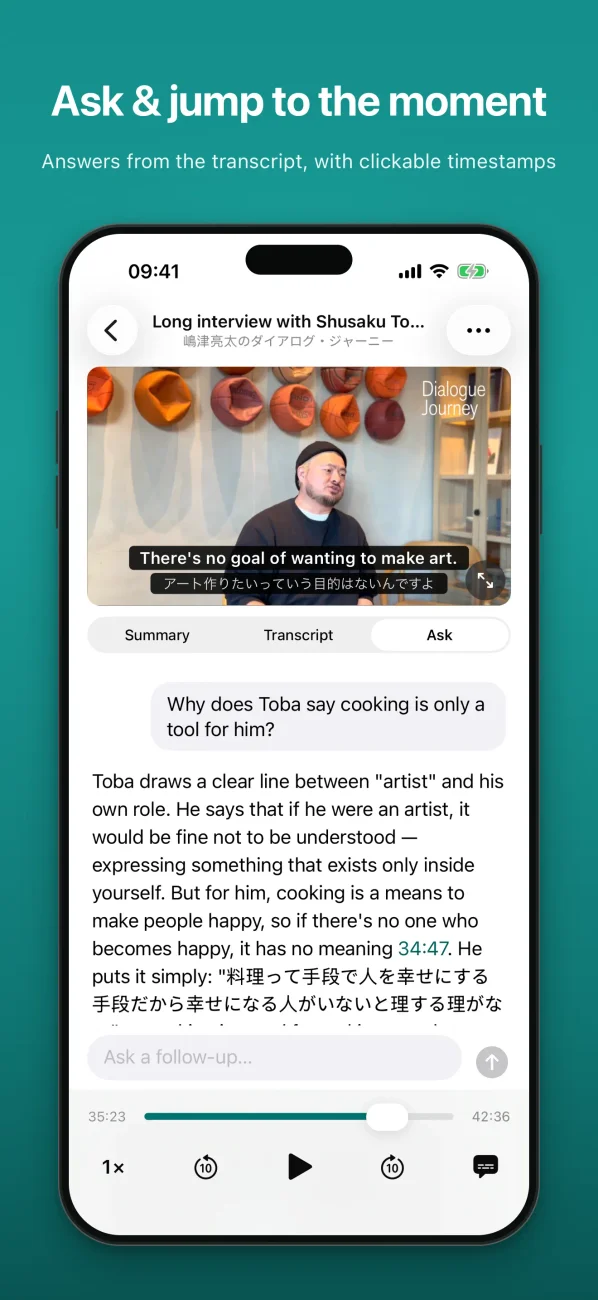
• Ask questions, verify every answer
Ask about unfamiliar terms or specific details and get answers tied to timestamps you can tap to check. Long-press any transcript paragraph or summary point to ask about it.
Getting started:
• YouTube videos: tap Share and choose Framebite, or copy and paste a link.
• Your own files: tap + on Home to import from Files or Photos.
• Podcasts: open the Podcasts tab to find a show and play an episode.
Translate into 18 languages, including English, Chinese, Japanese, Korean, Spanish, Portuguese, French, and German. Works on iPhone and iPad.
Plans:
Free includes 300 points per week. Plus includes 6,000 points per month. Pro includes 25,000 points per month. Summaries, subtitle translation, and Q&A share the same points. Generating captions for podcast episodes and imported files: Free includes a one-time 2-hour trial; Plus includes 5 hours per month; Pro includes 20 hours per month. Supports single videos or audio up to 5 hours long. Sign in to use subtitle translation, summaries, and Q&A.
The same account works in the Framebite Chrome extension on your computer, with the same plan and points.
Plus and Pro are auto-renewing subscriptions. Cancel anytime in your App Store account settings.
Terms of Use: https://framebite.app/terms/
Privacy Policy: https://framebite.app/privacy/
What’s new
Version 1.3 · Nov 23, 2026
• Import your own video and audio files from Files or Photos. Generate captions, then use dual subtitles, the transcript, summary, and Q&A. Free includes a one-time 2-hour trial, shared with podcast episodes.
• Full-screen transcript and search: read paragraph by paragraph in full screen and search inside the transcript.
• When a video has creator-provided subtitles in your language, they now appear together with the original, at no cost in points.
• If a video is already in your translation language, Framebite suggests changing the language.
• The app is now available in Spanish, Portuguese (Brazil), and French.
• Added the Plus plan, and increased Pro caption generation to 20 hours per month.
App privacy
What SolvoCraft LLC declares on the App Store about how this app handles data.
-
Data linked to you
May be collected and linked to your identity.
- Purchases
- Contact info
- User content
- Browsing history
- Identifiers
- Usage data
- Diagnostics
-
Data not linked to you
May be collected but is not linked to your identity.
- Usage data
Privacy practices may vary, for example with the features you use or your age.
Information
- Seller
- SolvoCraft LLC
- Category
- Productivity
- Version
- 1.3
- Updated
- Nov 23, 2026
- Released
- Nov 2, 2026
- Size
- 12.2 MB
- Requires
- iOS 18.0 or later
- Age rating
- 17+
- Price
- Free
- In-app purchases
- Yes
- Languages
- English, French, Japanese, Korean, Portuguese, Simplified Chinese, Spanish, Traditional Chinese
- Copyright
- © 2026 SolvoCraft LLC
You might also like
-
 Sheeba AIAI Video Dubbing & Translation
-
 Video Translator by TranslyBilingual Subtitle Editor
-
 Ai Voice Translator, Video DubCamera & Video Translator
-
 ThisDay: Planner & RemindersTasks, habits and reminders
-
 Transcribe Audio & VideoTranscribe. Translate. Learn.
-
 VidDub - AI Video TranslatorAuto video translate & dub
-
 Bank Statement Conversionbank statement converter
-
 Zingo: Live TranslateSubtitles on videos & meetings
-
 Paraphrase Tool: Rewrite TextAI Rewriter, Reword, Proofread
-
 Live Translator: AI SubtitlesReal-Time Captions & Translate