Frameling: 2D Animation Maker
Draw a flipbook frame by frame
Designed for iPhone, iPad
Free · In-app purchases
- Age rating4+
- CategoryGraphics & Design
- DeveloperCHENG QIAO
- LanguagesEnglish
- Size53.7 MB
Links to the official App Store page
Download.org hosts no file of Frameling: 2D Animation Maker. The button opens its official App Store page, published by CHENG QIAO. Listing last checked on Nov 25, 2026.
Screenshots


About
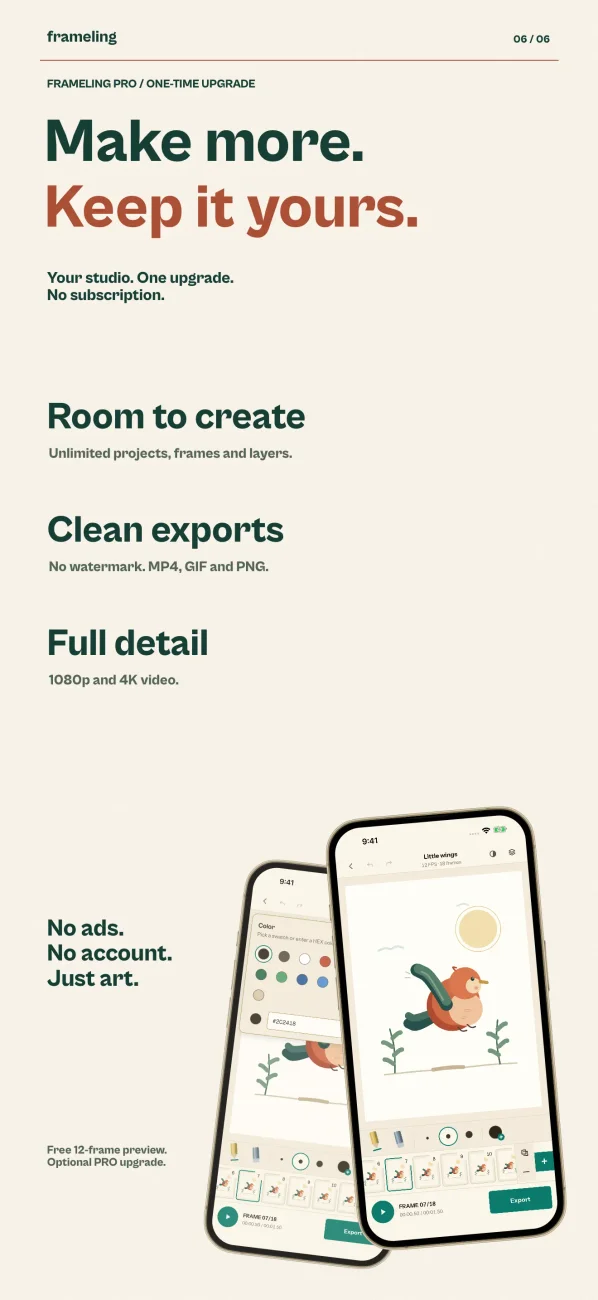
Draw a picture. Tap plus. Draw the next one. Press Play and it moves.
Frameling is a focused frame-by-frame animation app with no ads, no account,
and no subscription. Open it and start drawing.
DRAW, THEN WATCH IT MOVE
Every animation starts with one drawing. Add a frame, draw again, and Frameling
plays them back in order. A few frames are enough to see motion.
TRY THE EDITOR
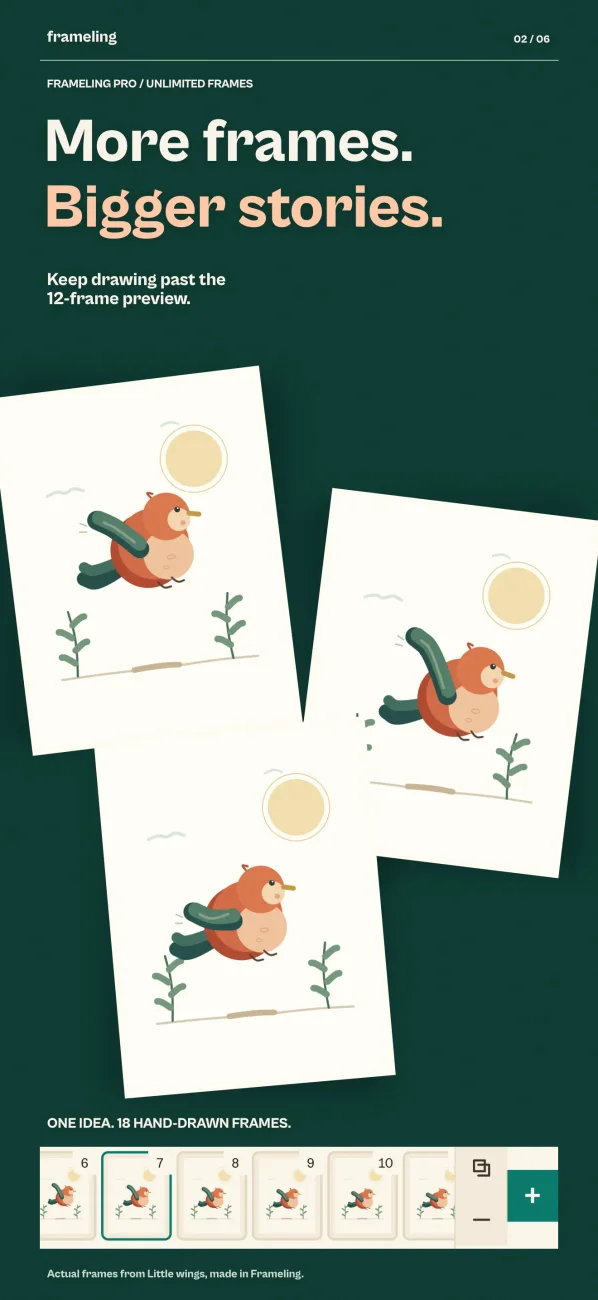
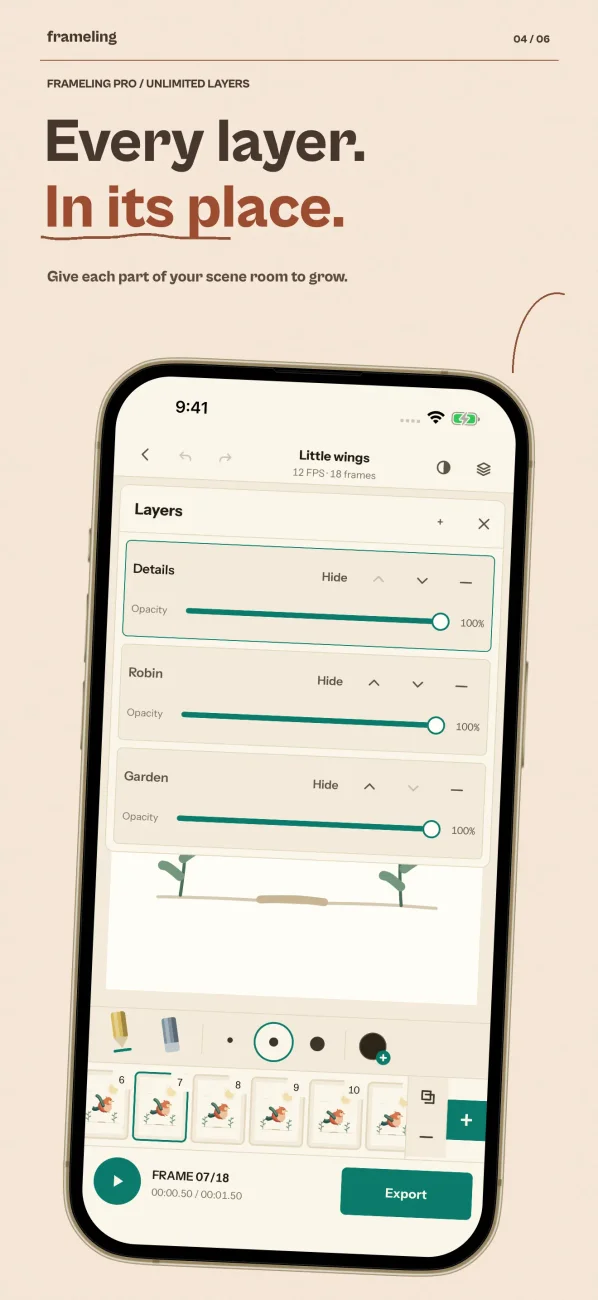
The free editor preview gives you one animation with up to 12 frames (a full
second at 12 FPS), 2 layers, and free 720p MP4 and GIF export with a subtle
"Made with Frameling" watermark. You can draw, use onion skin, adjust brush
size and color, preview playback, and share your animation before deciding
whether Frameling PRO fits your workflow.
FRAME-BY-FRAME MADE SIMPLE
Onion skin shows the frame before in warm pink and the frame after in cool blue,
so you can place each new drawing with confidence. Reorder or duplicate frames
when timing changes.
UNLOCK ONCE
Frameling PRO removes the project, frame, and layer limits, removes the export
watermark, and unlocks every export format. It is one purchase, not a
subscription.
EXPORT WITHOUT A WATERMARK
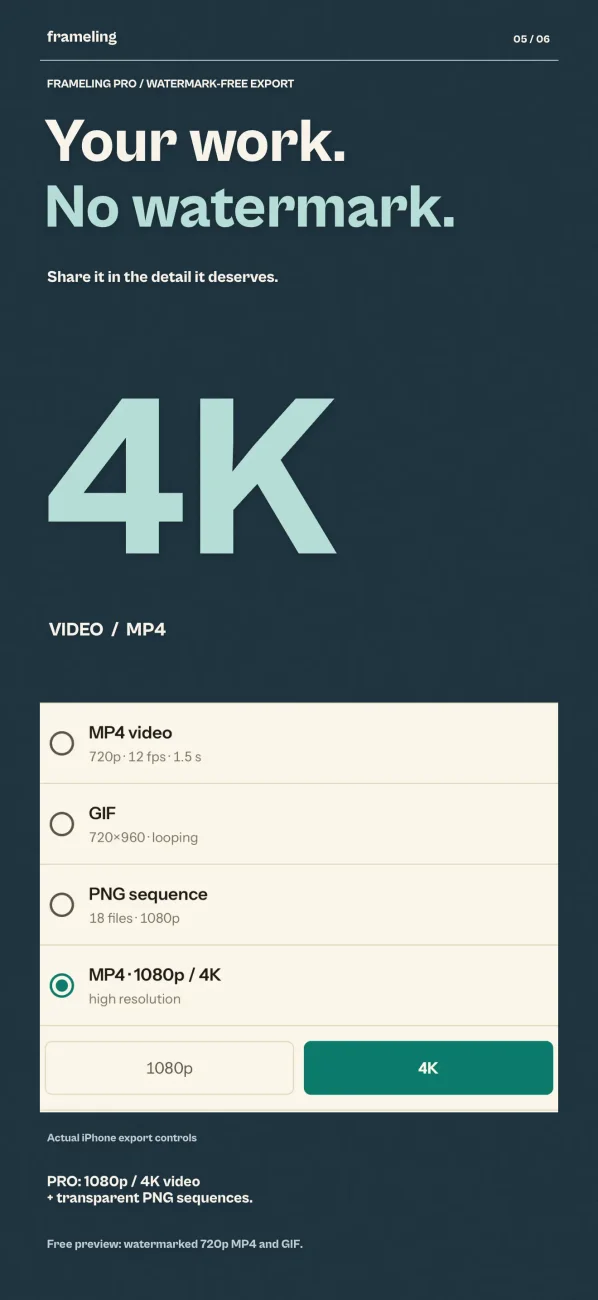
Free preview exports 720p MP4 and GIF with a subtle watermark. PRO exports
watermark-free 720p MP4 and animated GIF, plus 1080p/4K MP4 video and
transparent PNG frame sequences through the iOS share sheet.
NO ADS. NO SUBSCRIPTION.
Not one banner. Not one interstitial. Not one weekly charge. The business model
is a small editor preview followed by a single optional PRO unlock.
WORKS OFFLINE
Drawing, playback, project editing, and unlocked export work on-device. Frameling
does not need an account and does not upload your drawings to a Frameling server.
Use Frameling for cartoons, stick figures, flipbooks, walk cycles, doodle loops,
simple sprite frames, storyboards, and short hand-drawn animation.
Questions or a bug to report? The support link below reaches a real person.
What’s new
Version 1.2.1 · Nov 24, 2026
• Refreshed starter templates: jump right in with three hand-drawn scenes — Little wings, Sailing boat, and Cozy campfire.
• Clearer export controls and reliability improvements across iPhone and iPad.
App privacy
What CHENG QIAO declares on the App Store about how this app handles data.
-
Data not linked to you
May be collected but is not linked to your identity.
- Purchases
- Usage data
Privacy practices may vary, for example with the features you use or your age.
Information
- Seller
- CHENG QIAO
- Category
- Graphics & Design
- Version
- 1.2.1
- Updated
- Nov 24, 2026
- Released
- Aug 25, 2026
- Size
- 53.7 MB
- Requires
- iOS 16.4 or later
- Age rating
- 4+
- Price
- Free
- In-app purchases
- Yes
- Languages
- English
- Copyright
- © 2026 Cheng Qiao
You might also like
-
 GutterlyDraw comics, panel by panel
-
 Animation & GIF Maker: FlipnibDraw Anime, Cartoons & Doodles
-
 Art AnimatorFrame by frame 2D animation
-
 GlyphSnap AI: Photo to FontDraw letters. Generate fonts.
-
 Animatya - Animation CreatorFlipbook 2D Animation Drawing
-
 wibbli - Flipbook Animationanimate, draw GIFs & stickers
-
 Fliplo: Frame-by-Frame AnimateDraw, Animate & Export GIFs
-
 Font Maker: My HandwritingHandwriting Keyboard & TTF
-
 iPaint - Paint AnimatorDrawing Animation Studio Maker
-
 Flipmation - FlipbookGraphics & Design