Art Animator
Frame by frame 2D animation
Designed for iPhone, iPad
Free · In-app purchases
- Age rating4+
- CategoryGraphics & Design
- DeveloperMalook Shah
- LanguagesEnglish+ 20 more
- Size15.1 MB
Links to the official App Store page
Download.org hosts no file of Art Animator. The button opens its official App Store page, published by Malook Shah. Listing last checked on Nov 14, 2026.
Screenshots


About
ArtAnimator is a powerful, easy-to-use 2D animation studio. Draw frame by frame, layer by layer, and turn your sketches into animations you can share anywhere.
DRAW WITH POWERFUL TOOLS
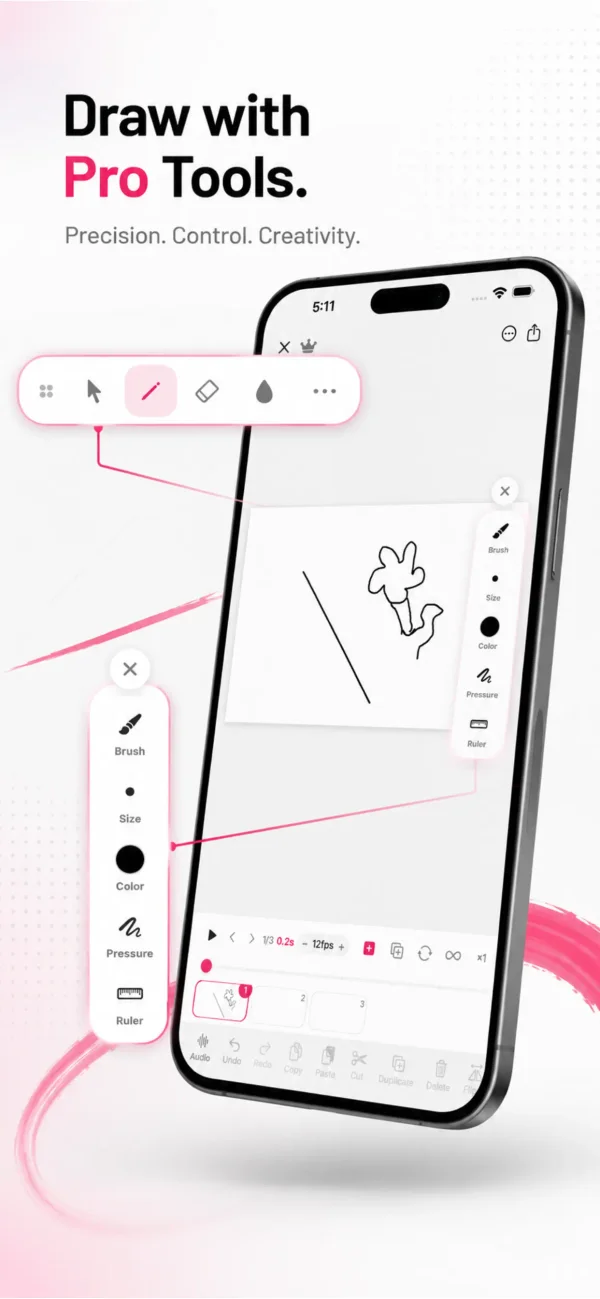
• Pen, eraser, fill, line, rectangle, circle, and speed lines
• Smooth zoom and pan, grid overlay, and adjustable brushes
• Unlimited undo and redo
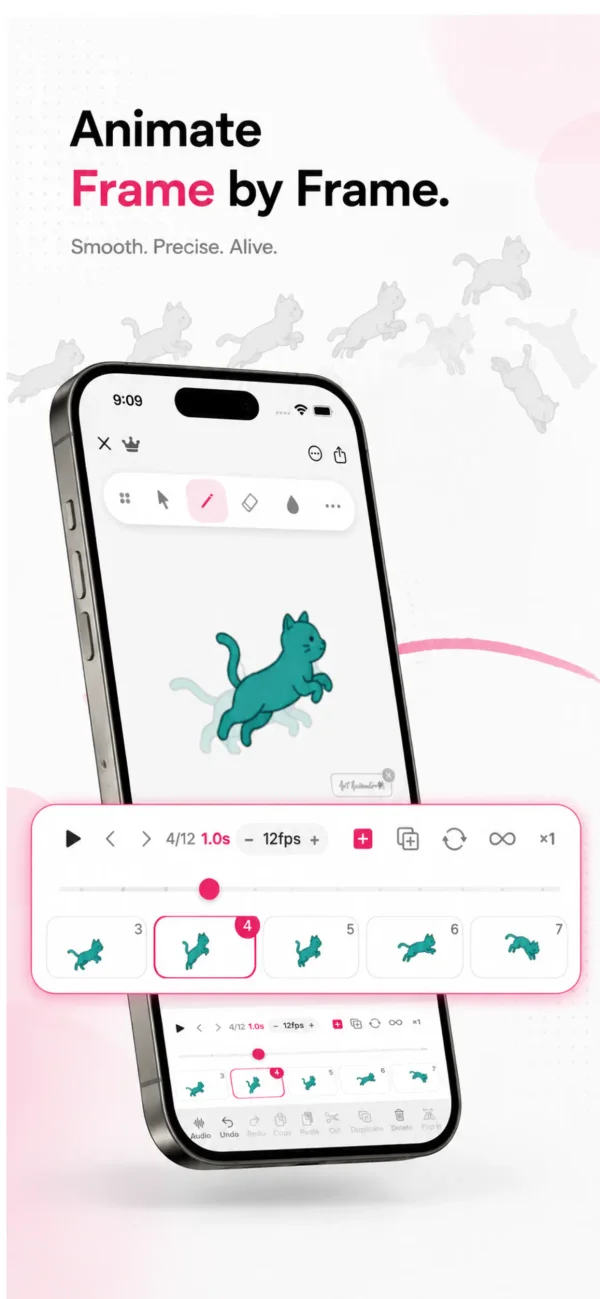
ANIMATE FRAME BY FRAME
• Frame timeline with add, delete, and duplicate
• Onion skin to see previous and next frames while you draw
• Instant playback at your chosen frame rate
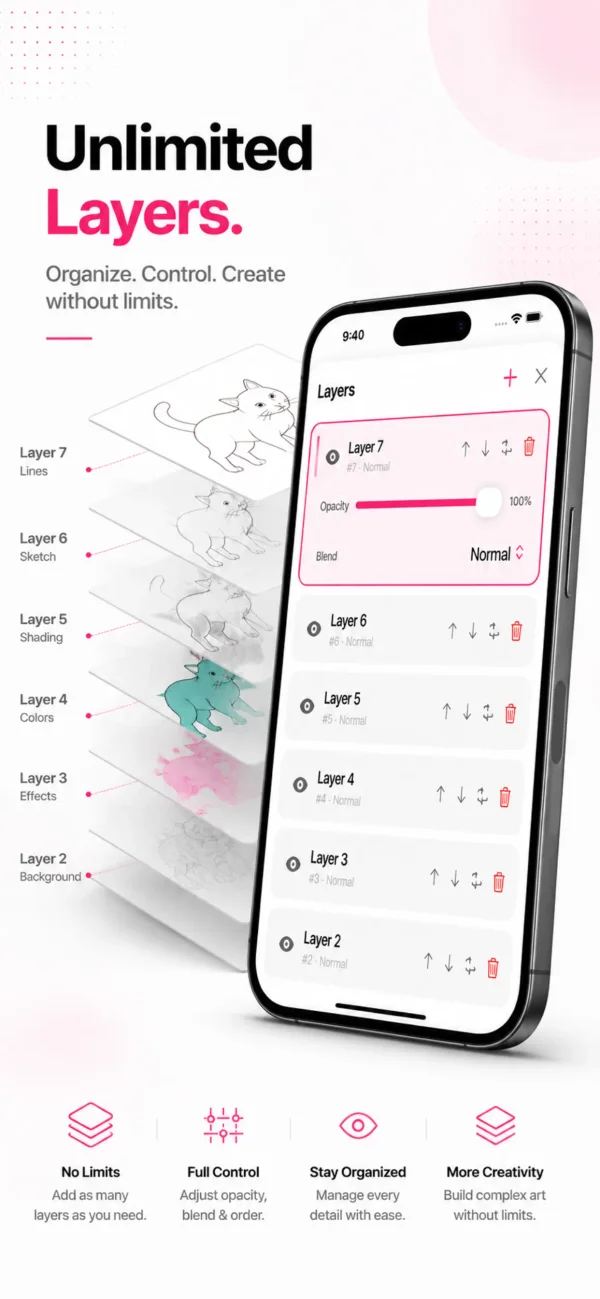
WORK IN LAYERS
• Multiple layers per frame
• Visibility, opacity, reorder, and merge controls
• Import reference images, with AI background removal
ADD SOUND
• Record with your microphone or import audio files
• Up to 6 audio tracks with volume and mute controls
• Audio stays in sync during playback and export
EXPORT AND SHARE
• MP4 video export
• GIF export
• PNG image sequence saved straight to your photo library
MADE FOR EVERYONE
• Simple enough for beginners, capable enough for experienced animators
• Available in 22 languages
• Clean, distraction-free dark interface
Whether you're sketching a quick doodle loop or building a full cartoon scene with sound, ArtAnimator gives you everything you need to bring your ideas to life — right on your phone or tablet.
Download ArtAnimator and start animating today!
Terms of Use (EULA): https://www.apple.com/legal/internet-services/itunes/dev/stdeula/
Privacy Policy: https://sites.google.com/view/privacy-policy-for-artanimator/home
What’s new
Version 3.0.0 · Nov 11, 2026
The biggest update yet: a new timeline, new tools, and a much faster canvas.
NEW TIMELINE
• Pull the timeline up to see every layer as its own row, with audio and camera underneath
• Hold a drawing across frames: draw a background once and it stays on every frame
• Drag frames and holds with handles; the timeline scrolls by itself at the edges
• Long-press a frame for copy, paste and more. The classic timeline is still in the ⋮ menu
NEW TOOLS
• Linked copies: duplicate a shape as a linked copy, then recolour, resize, rotate or flip one and every copy follows
• Scatter effect (More Tools → Effects): rain, snow, leaves or any drawing falling, flying and spinning across your frames
• Lip sync: pick a sound and the mouth shapes are placed on the frames for you
• Lock a shape or a whole layer so it can't be changed by mistake
• Paste a drawing onto many frames at once, or duplicate it on every frame
• Choose the nudge step for precise moves
• See when each project was made and how long you've worked on it
FASTER AND SMOOTHER
• Drawing, zooming, playback and saving are much quicker and gentler on the battery
• Your work is saved whenever you leave the app, with extra safety saves while you draw
• Music from other apps keeps playing while you animate
ALSO NEW
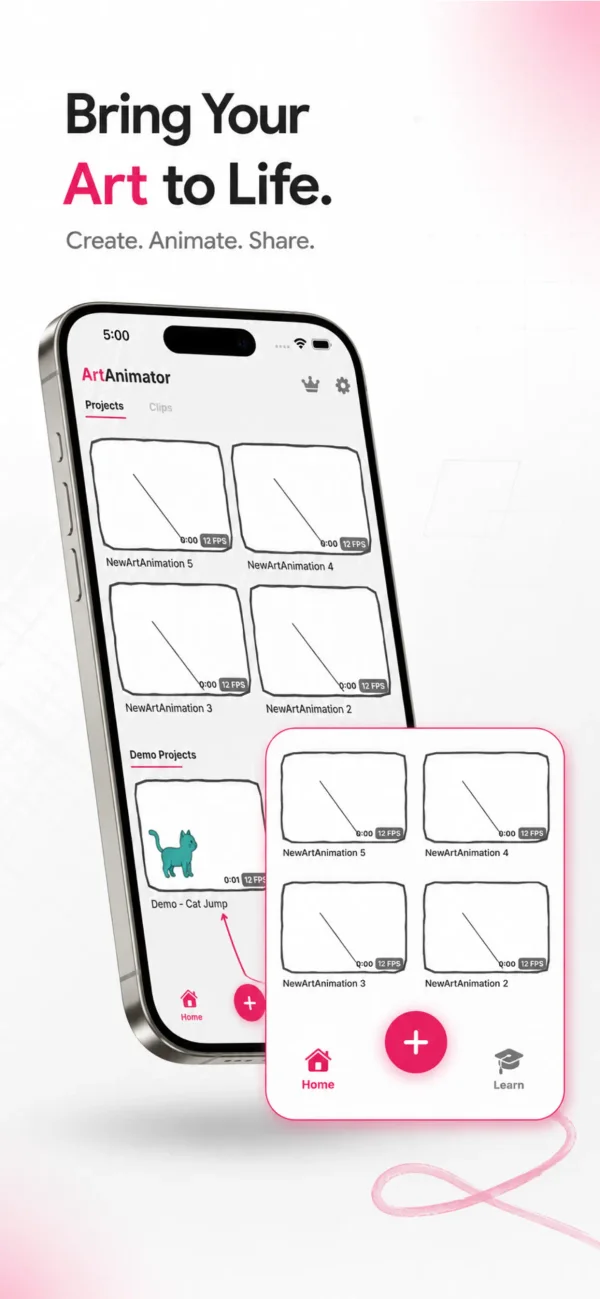
• Home gallery with project previews and search
• Frames Viewer to see and manage every drawing of a layer
• New full-page export and share screens
• Zoom, pan and rotate the canvas freely
• Many fixes for text, fill, shapes, images and brushes
App privacy
What Malook Shah declares on the App Store about how this app handles data.
-
Data not linked to you
May be collected but is not linked to your identity.
- Identifiers
- Usage data
- Diagnostics
Privacy practices may vary, for example with the features you use or your age.
Information
- Seller
- Malook Shah
- Category
- Graphics & Design
- Version
- 3.0.0
- Updated
- Nov 11, 2026
- Released
- Aug 19, 2026
- Size
- 15.1 MB
- Requires
- iOS 17.0 or later
- Age rating
- 4+
- Price
- Free
- In-app purchases
- Yes
- Languages
- English, Arabic, Filipino, French, German, Hindi, Indonesian, Italian, Japanese, Korean, Polish, Portuguese + 9 more
- Copyright
- © 2026 codeBage
You might also like
-
 FlipSprout: Flipbook AnimationCartoon & Animation Maker
-
 Frameling: 2D Animation MakerDraw a flipbook frame by frame
-
 LogoInstaDescribe it, get logos
-
 Maquette Studio: Art Mannequin3D Pose Reference for Drawing
-
 Atelier — Draw & AnimateDraw, Animate, Edit, Create
-
 iPaint - Paint AnimatorDrawing Animation Studio Maker
-
 Spritesheet MakerPixel Animation & Spritesheets
-
 Fliplo: Frame-by-Frame AnimateDraw, Animate & Export GIFs
-
 Lineova: Drawing & PaintingSketch, Vector Art & Animate
-
 TileodileGeometric pattern & SVG studio