Frames - RAW Editor
Choose, edit and show photos
Designed for iPhone, iPad, Mac
Free · In-app purchases
- Age rating4+
- CategoryPhoto & Video
- DeveloperChristian Stangier
- LanguagesEnglish+ 2 more
- Size301.6 MB
Links to the official App Store page
Download.org hosts no file of Frames - RAW Editor. The button opens its official App Store page, published by Christian Stangier. Listing last checked on Nov 24, 2026.
Screenshots
About
Review and edit RAW photographs on Mac, iPhone and iPad. On Apple TV, browse your Photos library and play slideshows.
1 · BRING IN A SHOOT
Browse Apple Photos and folders in one catalogue. When you import from a memory card, Frames checks for duplicates and pairs RAW files with their JPEGs. Your originals stay unchanged.
2 · CHOOSE THE KEEPERS
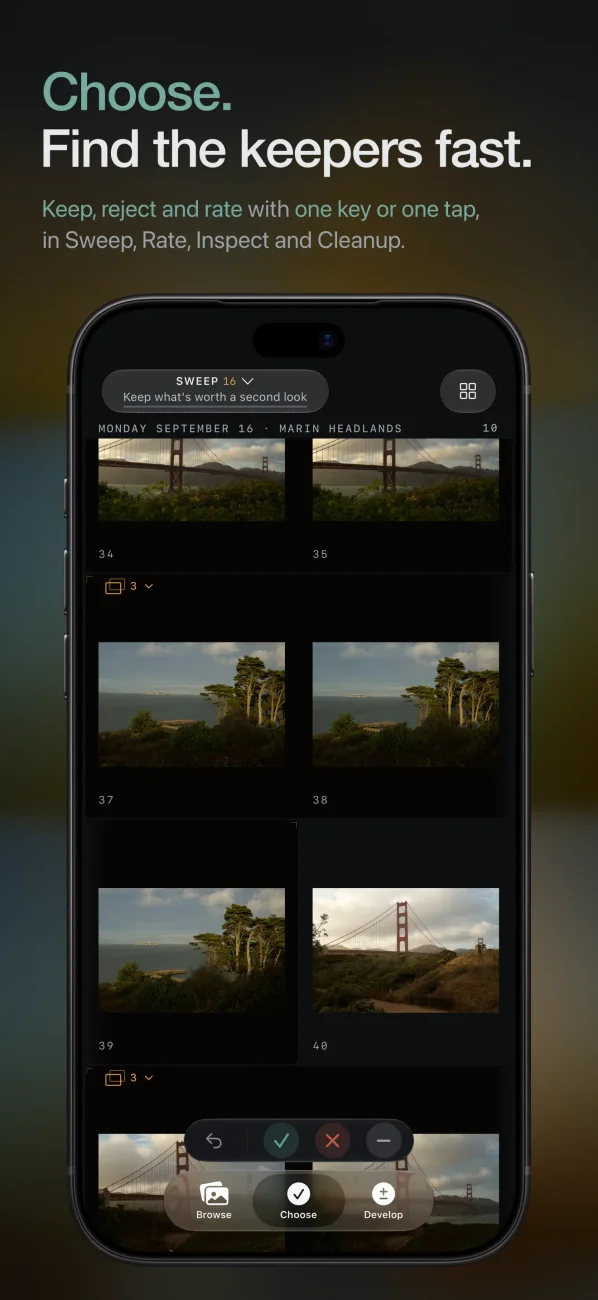
Keep or reject a photograph with one key or tap. Rate your favourites, then compare up to six side by side. Zoom in on all six together or turn on focus peaking to check sharpness. You choose when to delete rejected photographs in Cleanup. Search by subject, text in the image, caption or keyword. Save a search or add a caption and keywords to a whole selection.
3 · DEVELOP YOUR PHOTOGRAPHS
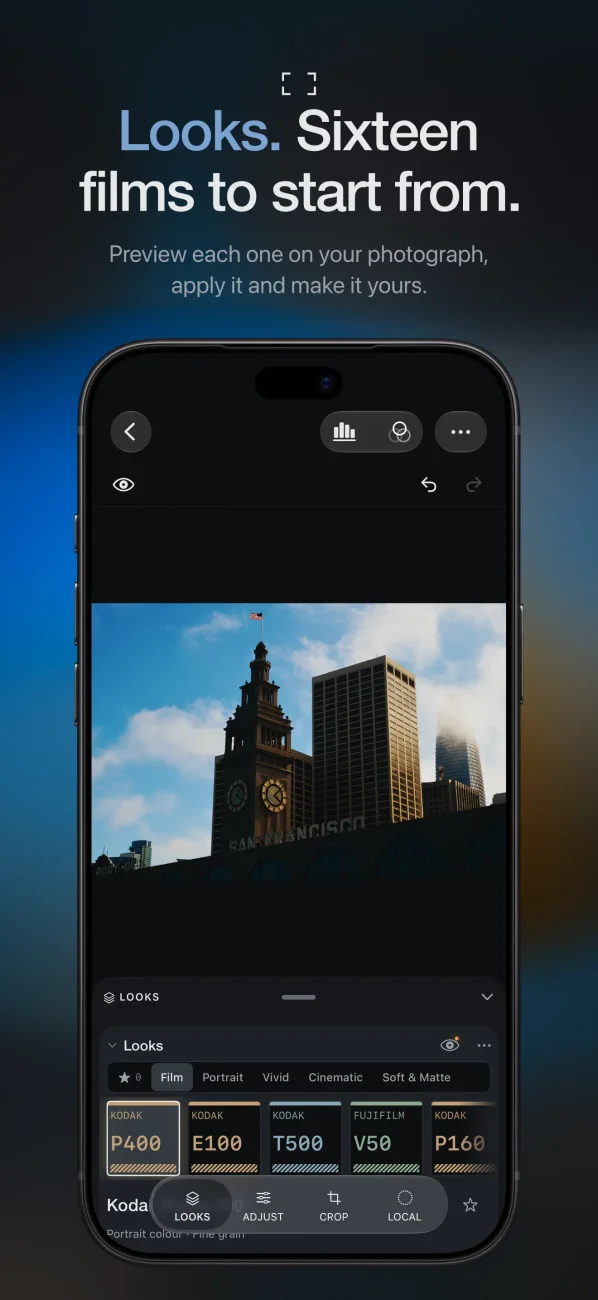
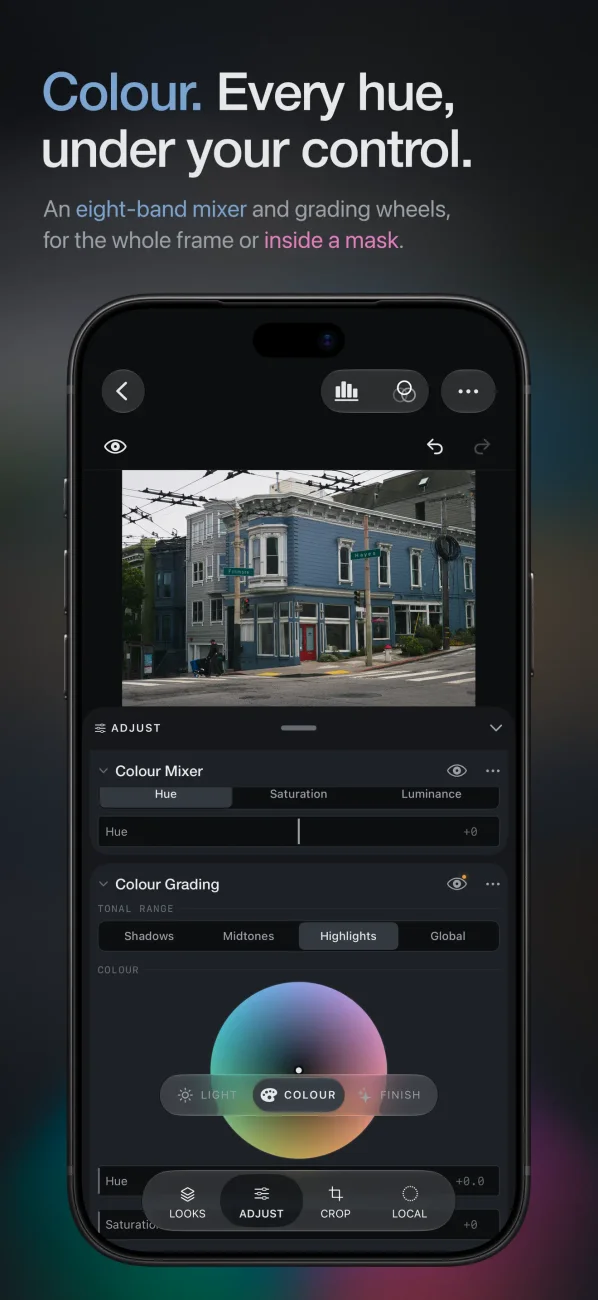
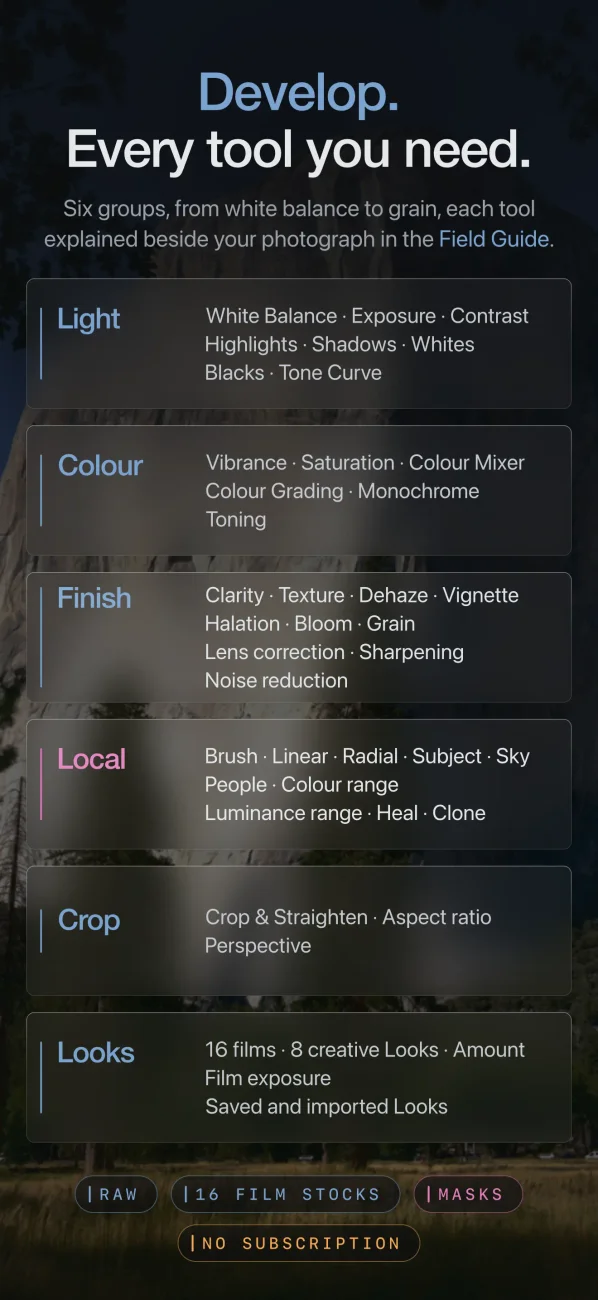
Start with Auto Tone or adjust exposure and white balance yourself. Shape the tone curve, adjust eight colour ranges and grade shadows, midtones and highlights separately. Crop, straighten, correct perspective and apply a lens profile. Explore sixteen films and eight creative Looks, try a colour filter in Monochrome, or add grain, halation and bloom. Use a reference photograph to match the rest of a shoot. Redesigned Develop cards group related controls and keep each tool’s actions in its own menu.
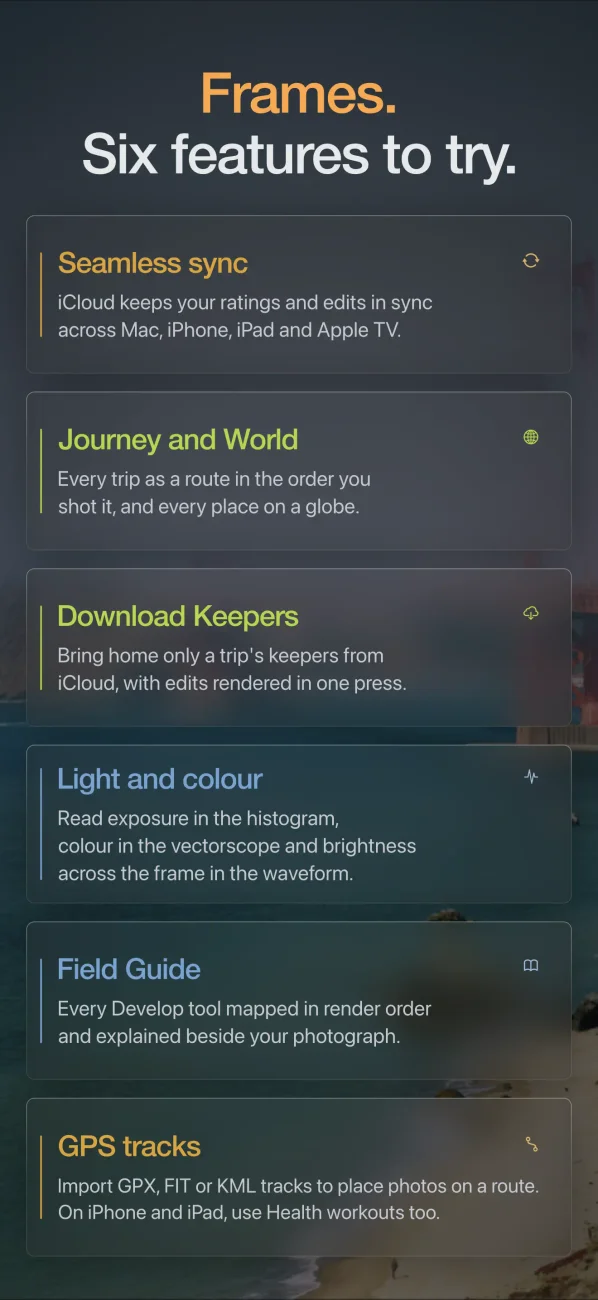
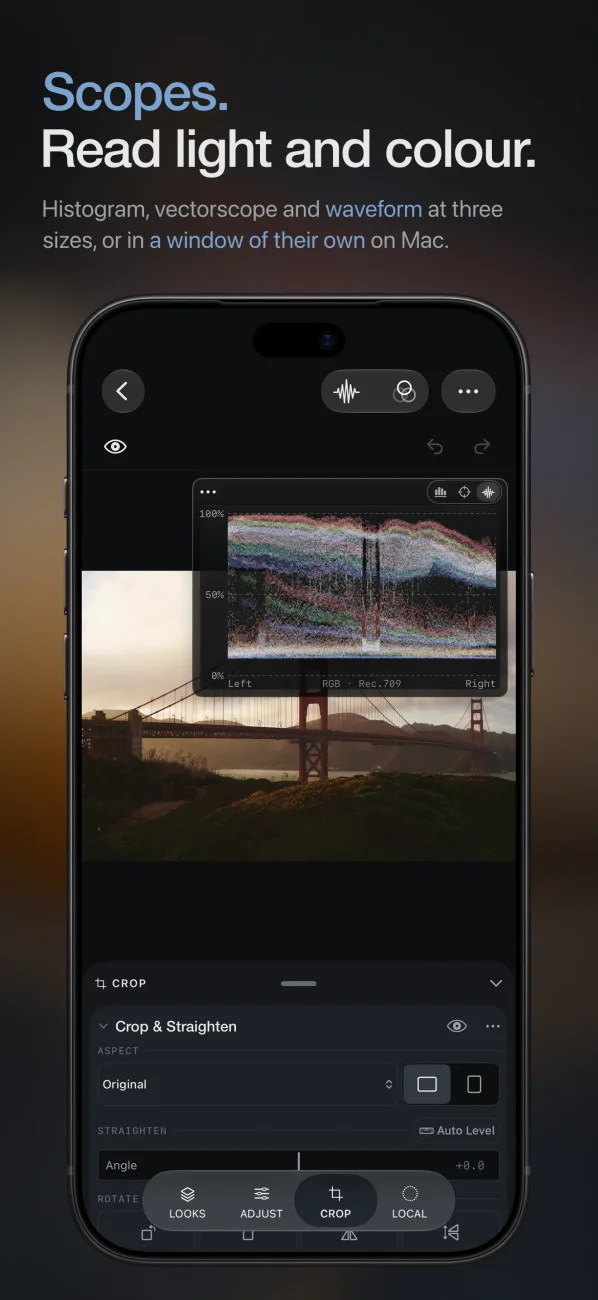
Check colour and exposure with the histogram, vectorscope and waveform. See where shadows or highlights have lost detail directly on the photograph. The Develop Field Guide explains the tools as you edit.
4 · EDIT PART OF A PHOTOGRAPH
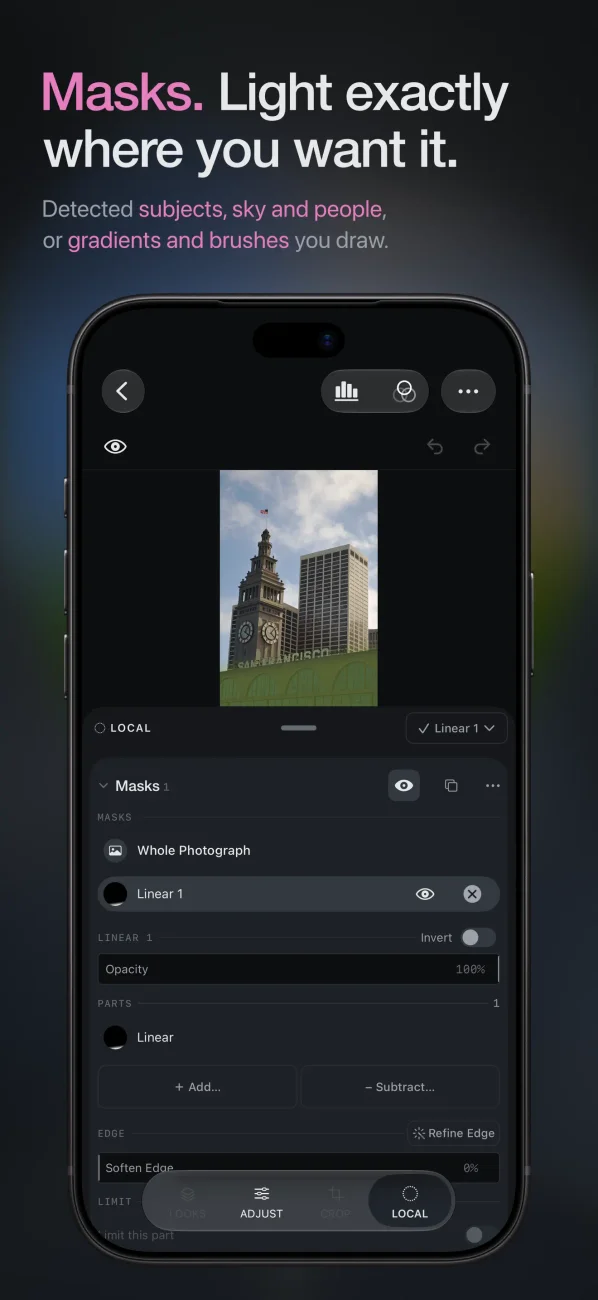
Brush over an area, draw a gradient or select a range of colours or brightness values. Make a mask for a person, their face or hair, the sky or the background. Combine masks, subtract one area from another or keep only the overlap. Refine edges with a brush. Heal or clone out dust spots. Save several versions alongside ORIGINAL, or apply the same edits to a selection.
5 · SHOW AND SHARE
Play a full-screen slideshow with captions and transitions. Soft proof before exporting, save a preset for your preferred file size and colour space, or share a contact sheet. Export JPEG, HEIF, 16-bit TIFF or PNG. You can also publish your edits to Apple Photos.
REVISIT YOUR TRAVELS
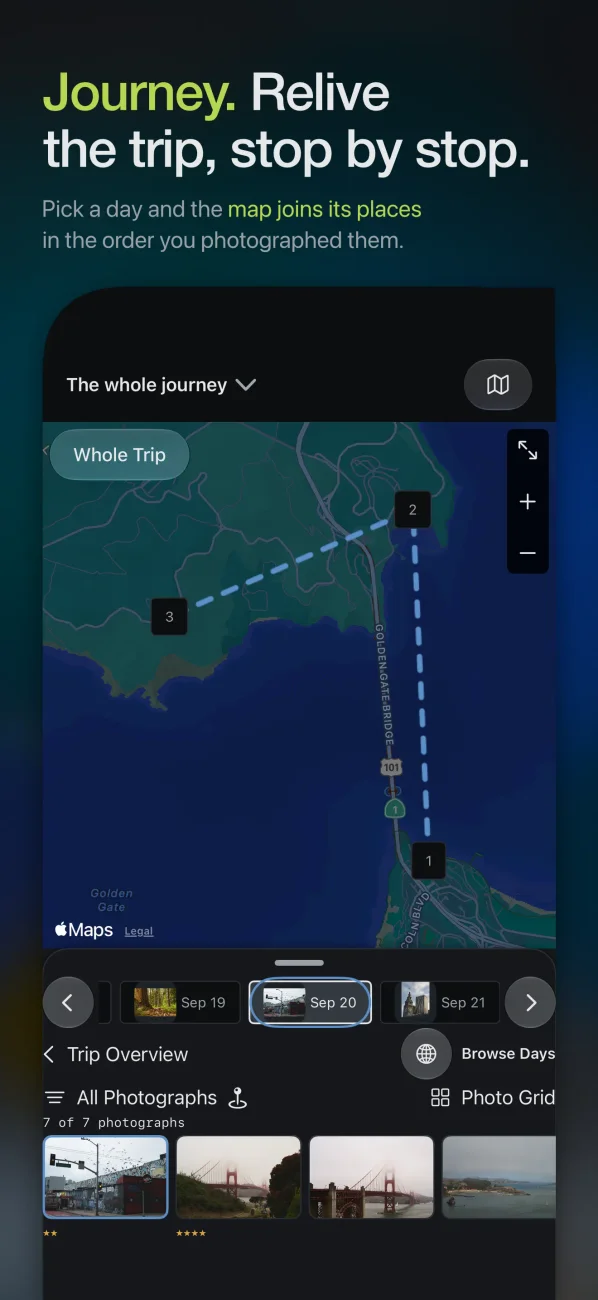
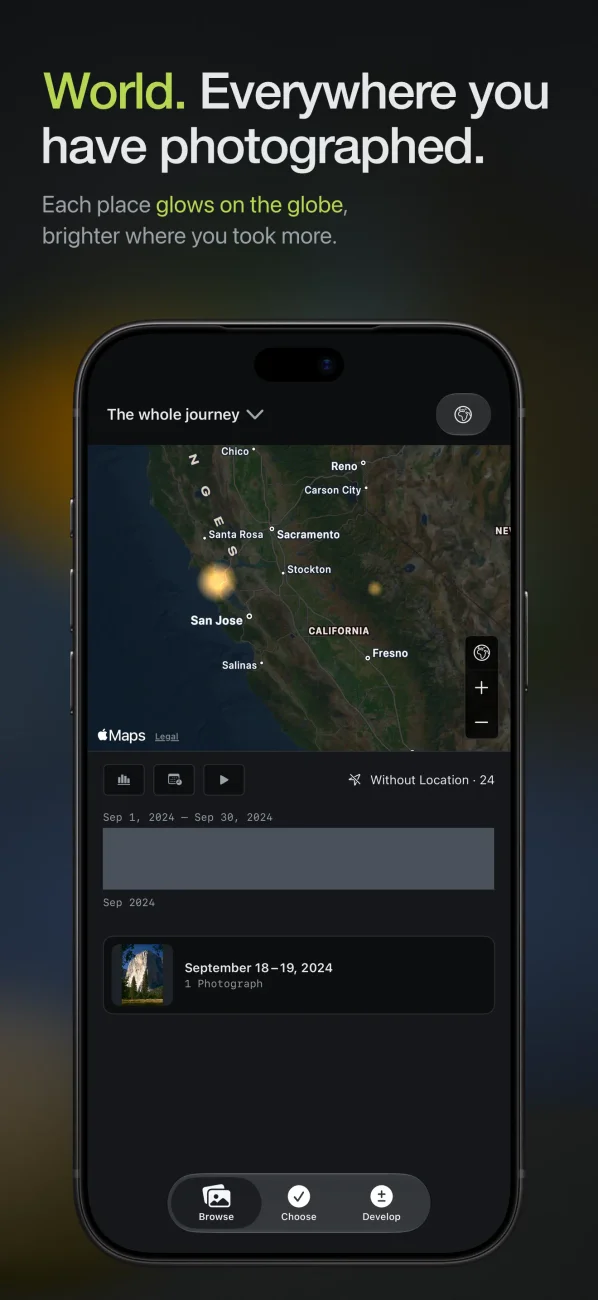
Find the photographs you kept from a trip and download their originals together. Journey maps your stops in order. Browse a month, trip or day, or choose a date range. In World, select a date range to see where you took those photographs. Add locations from a GPX, FIT or KML track.
ACROSS YOUR DEVICES
Sync ratings, edits, collections and Looks through your private iCloud account. Frames syncs these changes without uploading your photographs. Find tools and manual topics in the command palette. Choose what appears in Library and Slideshow widgets by source, order and rating. Frames works with Shortcuts, Siri, Spotlight and Handoff.
ON IPHONE AND IPAD
Paint masks with Apple Pencil on iPad. Add locations to your photos from a workout route in Health. Follow the progress of background imports and exports in a Live Activity. Add widgets to the iPhone Lock Screen or start a presentation with the Action button. Sky masks and object selection require iOS 27 or iPadOS 27. On iPhone Duo, unfold the phone to edit with the tools beside the photograph.
TRY FRAMES
Try every feature free for 30 days. One purchase at the launch price covers Mac, iPhone, iPad and Apple TV. There’s no subscription or separate Frames account. Your catalogue and edits stay on your device when the trial ends.
What’s new
Version 1.5.1 · Nov 23, 2026
This update fixes and refines editing, Journey and widgets.
• Clipping warnings now work with film Looks and show the highlights a film rolls off.
• Widgets set to Fill now always fill their tile.
• On iPad, iPhone in landscape and iPhone Duo, scopes can dock in Develop’s panel. Compare’s back button returns to the grid.
• The Develop Field Guide is easier to browse, and Develop starts with its help buttons on. Turn them off in Settings › General.
• Journey shows when a Browse date filter limits its months, and Filter to These Dates sets the Browse date filter. The day view is tidier.
This update also includes performance and stability improvements.
App privacy
What Christian Stangier declares on the App Store about how this app handles data.
-
Data not collected
The developer does not collect any data from this app.
Privacy practices may vary, for example with the features you use or your age.
Information
- Seller
- Christian Stangier
- Category
- Photo & Video
- Version
- 1.5.1
- Updated
- Nov 23, 2026
- Released
- Sep 15, 2026
- Size
- 301.6 MB
- Requires
- iOS 26.1 or later
- Age rating
- 4+
- Price
- Free
- In-app purchases
- Yes
- Languages
- English, German, Spanish
- Copyright
- © 2026 Christian Stangier
You might also like
-
 Snap RAWSimple 24MP Raw Camera
-
 NeoPixel Photo EditorAll-In-One Photo Editor
-
 mincam - Low-Res CameraSave space with tiny files
-
 Honesmith Optics: RAW CameraManual • Metering • ProRAW
-
 Blenda: RAW Photo EditorPhotos in your iCloud storage
-
 멜룬 Melune: 필름카메라 · 감성 필터Photo & Video
-
 LightEditor RAWOpen-source RAW photo editor
-
 DeWT AI Photo EnhancerSharper, Cleaner, Better Image
-
 ShutterLabPro Camera for iPhone
-
 Birder Camera by Radiant PhotoBird Al Photo & Video Editor