- Age rating4+
- CategoryPhoto & Video
- DeveloperJIN KIM
- LanguagesEnglish+ 15 more
- Size37.1 MB
Links to the official App Store page
Download.org hosts no file of ShutterLab. The button opens its official App Store page, published by JIN KIM. Listing last checked on Nov 16, 2026.
Screenshots

About
Turn your iPhone into a professional camera.
Shutter Lab is a high-end camera app designed for photography enthusiasts and professionals. Go beyond auto mode and take full control of every setting to achieve the exact results you want.
Powerful Manual Controls
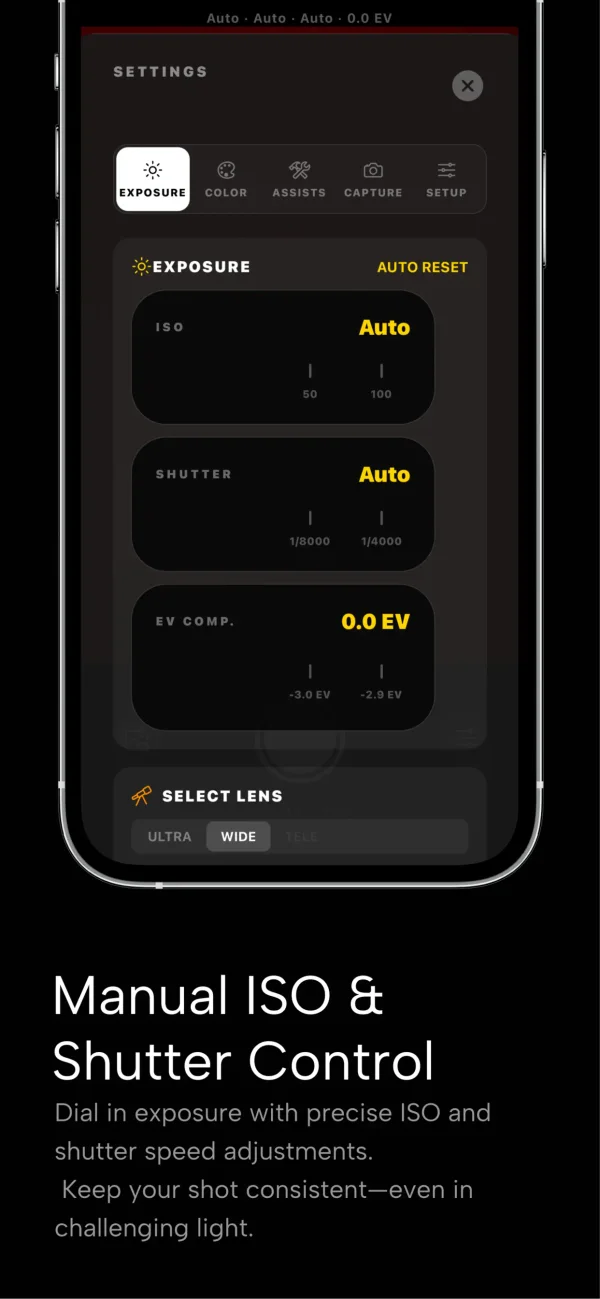
Precise ISO, shutter speed, and exposure (EV) adjustments
Manual focus
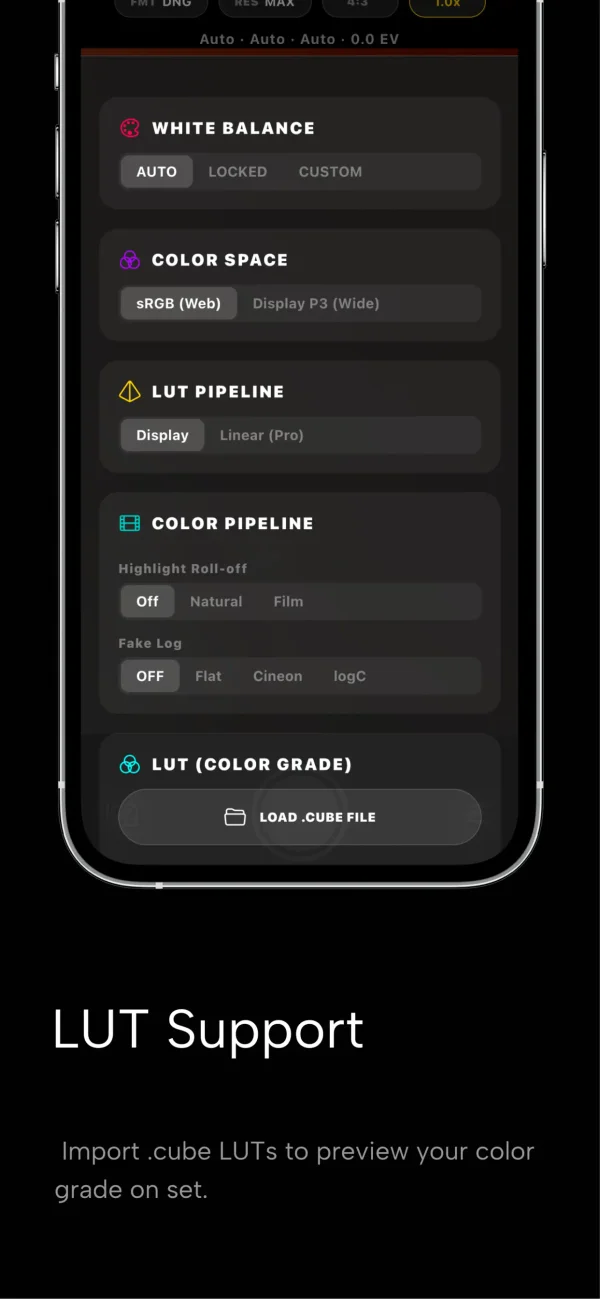
White balance control
Lens selection (Ultra Wide / Wide / Tele)
Professional Image Pipeline
RAW / HEIC / JPEG / TIFF support
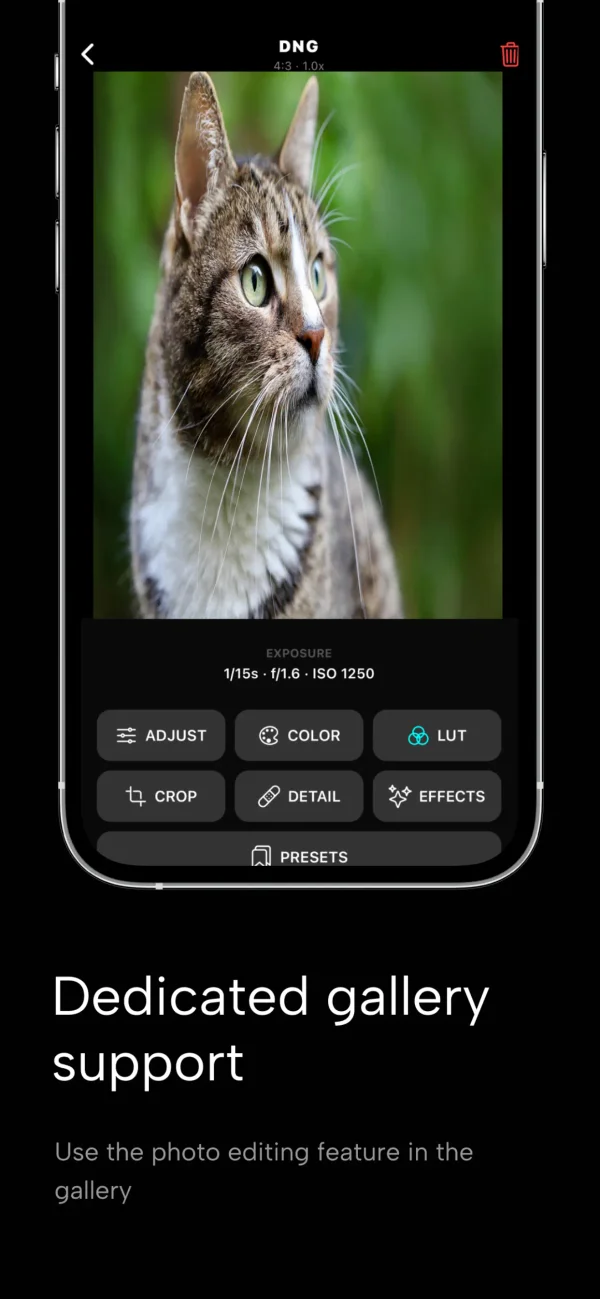
LUT color grading
Display P3 and sRGB
Highlight roll-off
Fake Log support
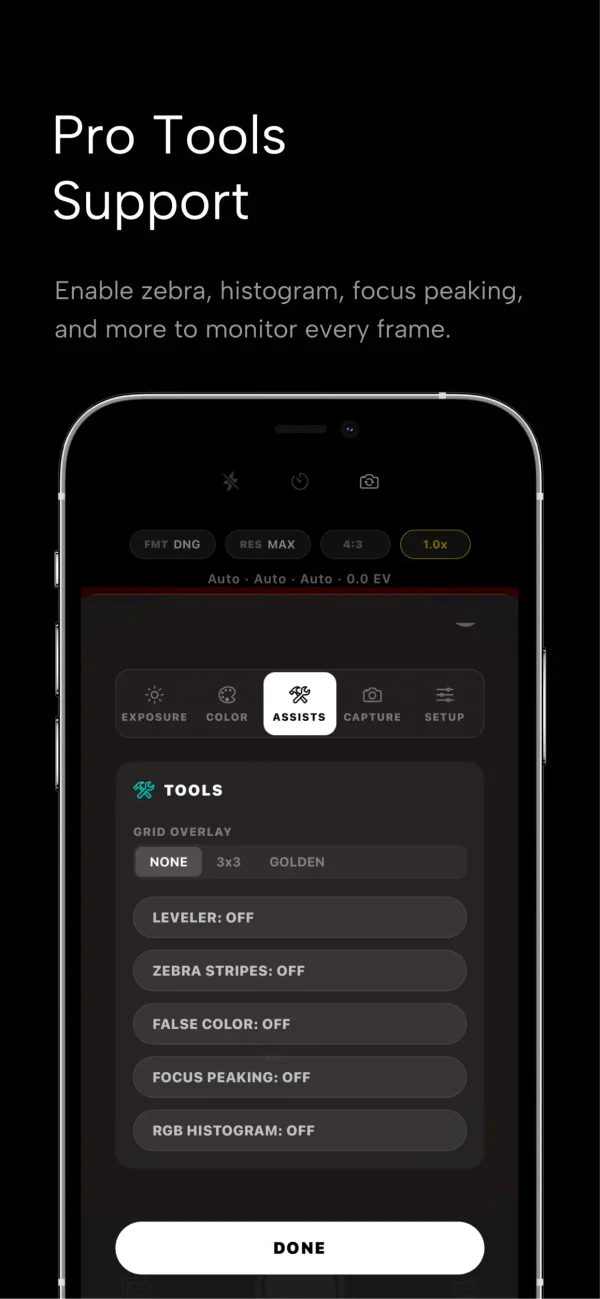
Advanced Shooting Tools
Exposure bracketing
Focus peaking
Zebra stripes
RGB histogram
Grid and leveler
Fully Customizable Shooting Environment
HUD configuration
Adjustable UI opacity
Custom presets
Smart HDR
Stabilization
Why Shutter Lab?
Shutter Lab is more than just a camera app. It leverages the full capability of your iPhone sensor to deliver a DSLR-like shooting experience.
Go beyond capturing photos — create your work of art.
What’s new
Version 1.3.0 · Sep 27, 2026
Introducing the ShutterLab RAW Engine.
• New: SLR Engine, ShutterLab’s own RAW engine (experimental). Turn it on in Settings to develop Bayer DNG photos with its own demosaicing, highlight reconstruction, sensor-aware noise reduction and lens corrections. Turning it on also enables 32F processing.
• Choose from five SL color profiles: Natural, Neutral, Vivid, Portrait and Film. SL Neutral stays flat for editing.
• New SLR Develop tool in the editor: pick a profile for each photo and fine-tune RAW noise reduction, color noise, defringing, highlight reconstruction, vignetting and chromatic aberration correction.
• With SLR, white balance is adjusted in the camera’s RAW color space, and exposure and highlight edits use the headroom in the RAW file before the profile’s tone curve is applied.
• Press and hold the compare button on the preview to see the same photo developed by the standard iOS RAW decoder.
• Keep shooting while photos are being saved. Processing and saving continue in the background, and the status bar shows how many photos are still saving.
• Processing precision and output options now appear only on the editor’s tool screen.
• Fixes: canceling an edit no longer changes how a photo is rendered, the gallery updates when new photos finish saving, and a failed Photos library copy is no longer reported as a failed capture.
SLR Engine works with Bayer DNG photos captured in ShutterLab. ProRAW and other formats continue to use the standard iOS decoder. SLR results differ from the standard rendering, and development can take longer.
App privacy
What JIN KIM declares on the App Store about how this app handles data.
-
Data not collected
The developer does not collect any data from this app.
Privacy practices may vary, for example with the features you use or your age.
Information
- Seller
- JIN KIM
- Category
- Photo & Video
- Version
- 1.3.0
- Updated
- Sep 27, 2026
- Released
- Feb 11, 2026
- Size
- 37.1 MB
- Requires
- iOS 15.1 or later
- Age rating
- 4+
- Price
- Free
- Languages
- English, Arabic, French, German, Hindi, Indonesian, Italian, Japanese, Korean, Portuguese, Russian, Spanish + 4 more
- Copyright
- © 2026 ko_joji666
You might also like
-
 SnapCam: Manual RAW CameraFilm Simulation & Halation
-
 ProCam:Professional RAW CameraHDR ProMovie 4K RAW,DualCamera
-
 ProCam - Manual Video RecorderProfessional 4k HDR SLR Camera
-
 Manual Camera – Focus, ISO, WBSlow shutter, Pro RAW photo
-
 Lumina: Manual CameraFocus, ISO, Shutter & RAW
-
 Pro Camera RAW: Modus ProCamManual DSLR Camera, ProRAW
-
 Manual Camera Pro + RAW PhotoFilter Editor・MUSE Cam Presets
-
 KinoCamera: Video Camera ProManual Cam: RAW, Luts, Presets
-
 ProCamera. Professional CameraPro HDR, RAW+ Manual Video Cam
-
 Yamera (Manual Camera)Manual Focus, Exposure and WB.