
Frankensheet
Contact sheets & frame boards
Designed for iPhone, iPad, Mac
Free · In-app purchases
- Age rating4+
- CategoryPhoto & Video
- DeveloperGreg Raine
- LanguagesEnglish+ 4 more
- Size15.2 MB
Links to the official App Store page
Download.org hosts no file of Frankensheet. The button opens its official App Store page, published by Greg Raine. Listing last checked on Nov 26, 2026.
Screenshots
About
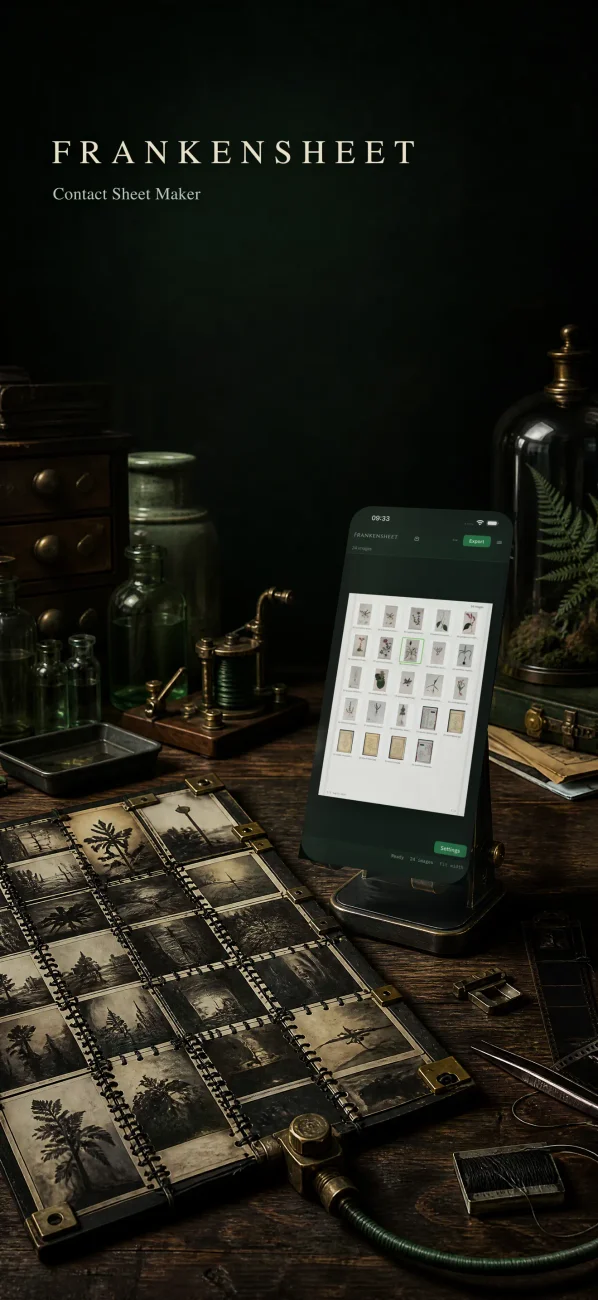
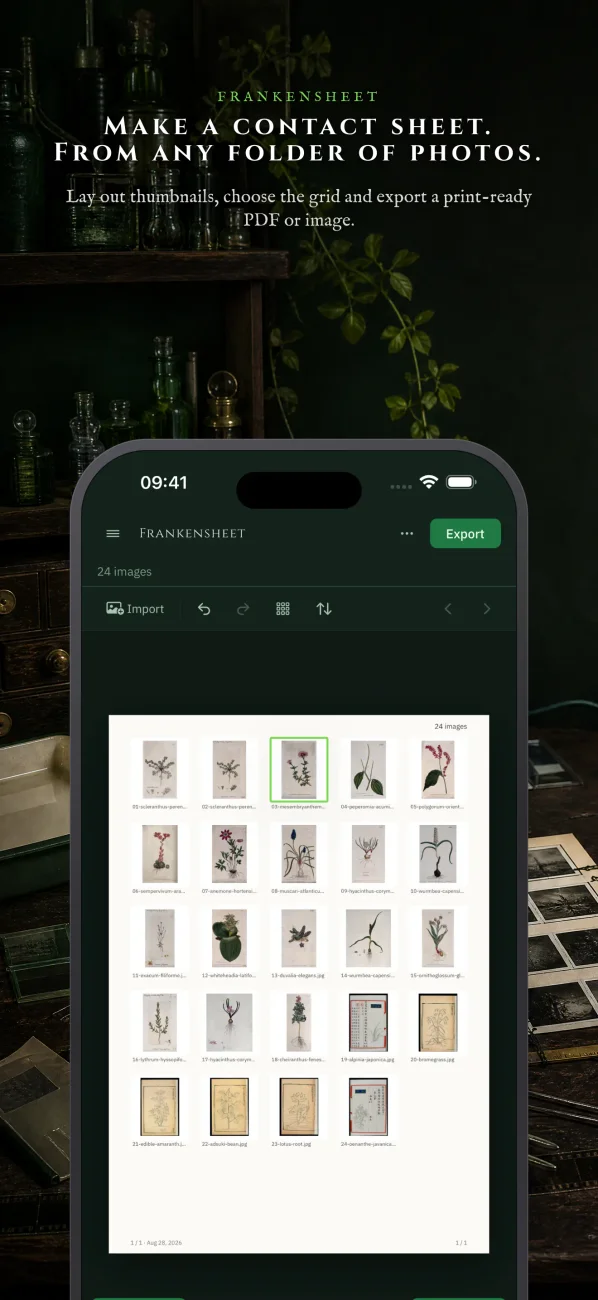
Frankensheet turns a folder of images, or a video, into a printable contact sheet in seconds. Point it at a folder and you have a grid — no catalogue, no import step, no waiting.
• Contact sheets from any folder of images
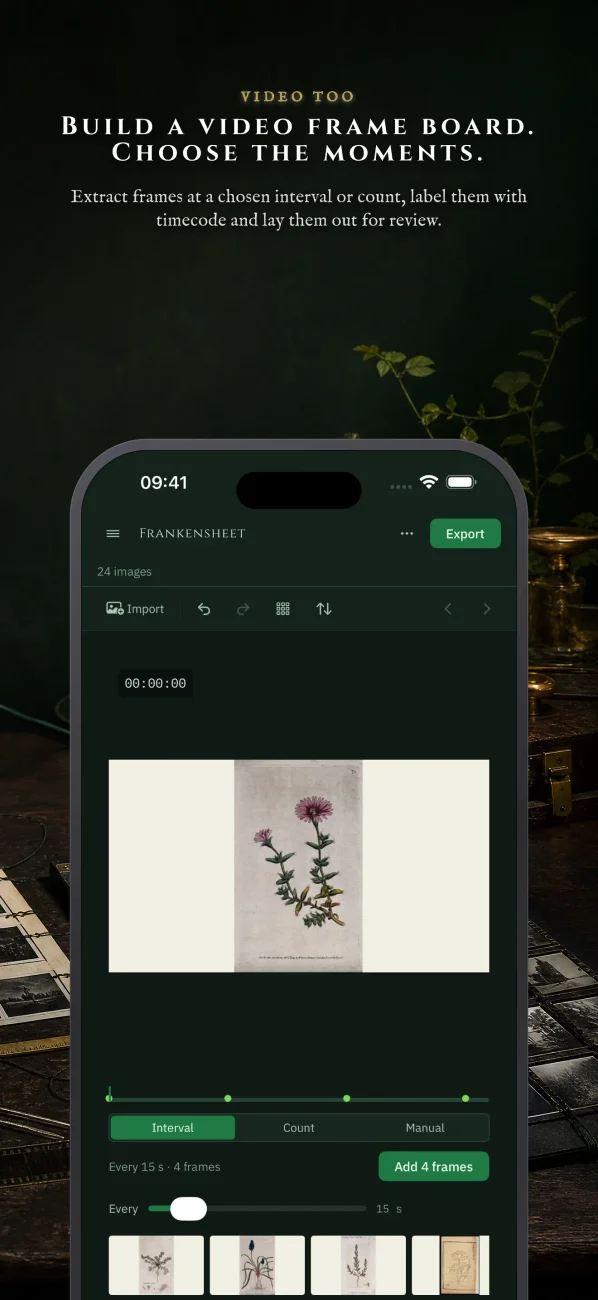
• Frame boards from video — sample a clip at an interval and lay the frames out (Pro)
• Export to PNG or JPEG at up to 150 DPI — or to PDF with selectable text, up to 1200 DPI (Pro)
• Control the grid, margins, gutters and page size in millimetres
• Captions from the filename, and from EXIF — shutter, aperture, ISO, capture date (Pro)
• Live preview that is the same code as the export, so what you see is what you get
Free exports one sheet of up to 30 images as PNG or JPEG at up to 150 DPI. It is a complete tool for one job: not time-limited, and never watermarked.
A one-time Pro unlock adds PDF export with selectable text, video frame boards, multi-page and batch sheets, unlimited images, export up to 1200 DPI, headers and footers, EXIF caption tokens, custom templates and Shortcuts. No subscription, and still no watermark.
Frankensheet collects anonymous usage and crash diagnostics to fix bugs; it never sees your images or file contents.
What’s new
Version 1.3.1 · Nov 24, 2026
More reliable templates, captions and exports.
• Long entries use spare width while keeping space around neighbouring text, page numbers and logos.
• Save and restore the sort field and direction with your template. Template details show the page and grid that Apply uses.
• Insert a token where you are editing, or replace selected text, without changing the other caption lines.
• Switch measurement units while keeping the exact paper dimensions and preset.
App privacy
What Greg Raine declares on the App Store about how this app handles data.
-
Data not linked to you
May be collected but is not linked to your identity.
- Usage data
- Diagnostics
Privacy practices may vary, for example with the features you use or your age.
Information
- Seller
- Greg Raine
- Category
- Photo & Video
- Version
- 1.3.1
- Updated
- Nov 24, 2026
- Released
- Aug 5, 2026
- Size
- 15.2 MB
- Requires
- iOS 17.0 or later
- Age rating
- 4+
- Price
- Free
- In-app purchases
- Yes
- Languages
- English, French, German, Japanese, Spanish
- Copyright
- © 2026 Greg Raine
You might also like
-
 Pano: NAS Video PlayerTag, play & protect media
-
 Gridproof: Contact SheetsCull, rate and proof photos
-
 Sheetly: Contact Sheet PDFPhoto proof sheets to print
-
 Mosaic: Photo Collage & LayoutAuto layout that finds faces.
-
 PaperSnips: Photo Print LayoutSmall photos on one A4 page
-
 Framely - Extract FramesSave video frames as photos
-
 FilmArchive-Film PhotographyFilm scanner & darkroom timer
-
 FrameShot: Video to FramesEvery frame at your interval
-
 Contact Sheet MakerProof Sheets for Photos
-
 Video to Photo: Frame GrabPhoto & Video