
Frontline - Shift Calendar
Firefighters, EMS & Police
Designed for iPhone, iPad
Free · In-app purchases
- Age rating4+
- CategoryProductivity
- DeveloperCode3Tek
- LanguagesEnglish
- Size86.6 MB
Links to the official App Store page
Download.org hosts no file of Frontline - Shift Calendar. The button opens its official App Store page, published by Code3Tek. Listing last checked on Nov 25, 2026.
Screenshots


About
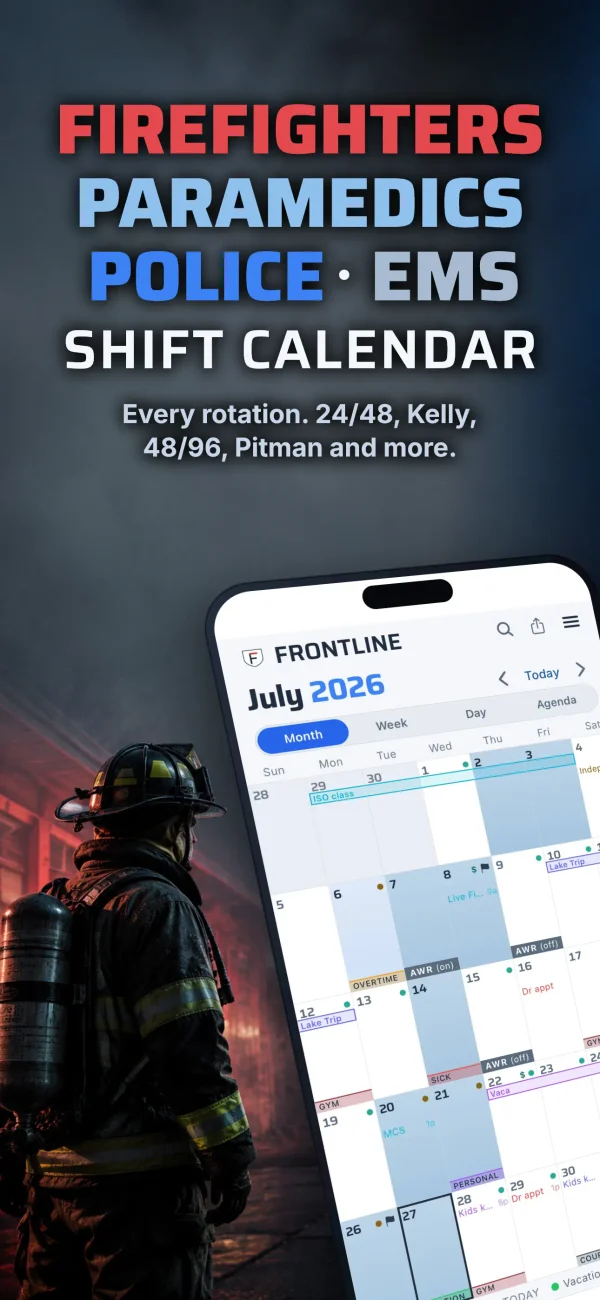
Frontline is the shift calendar built for first responders - Firefighters, EMS, Police and 911 Dispatch.
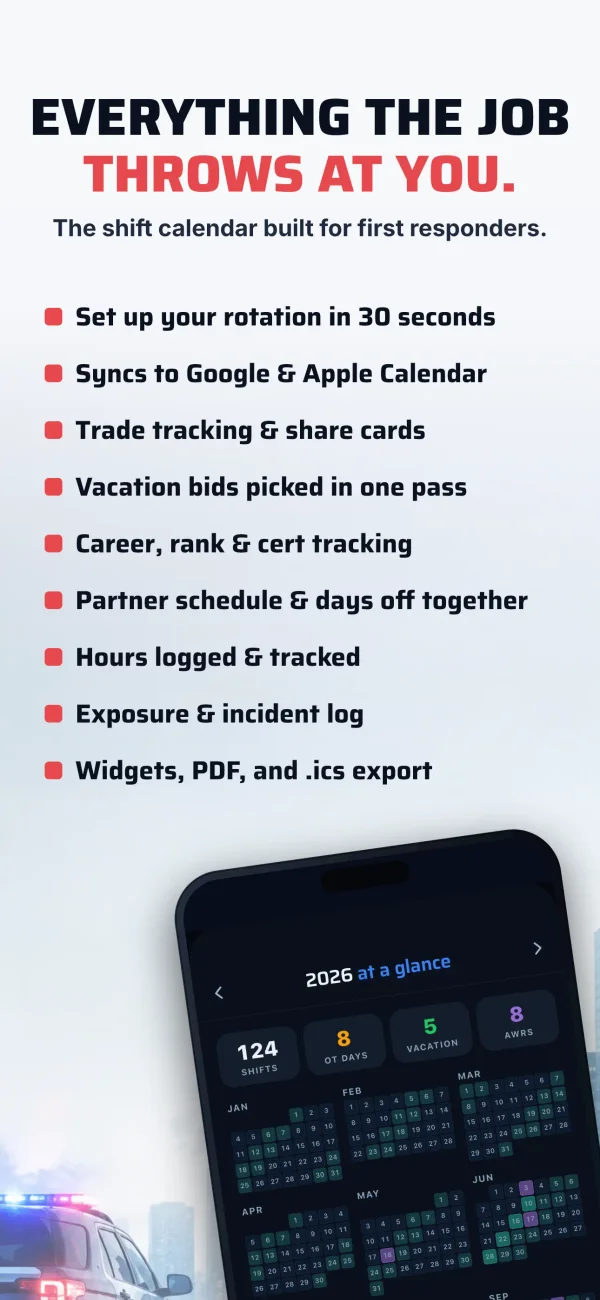
Set up your rotation in about 30 seconds, then see your whole month at a glance. Frontline knows the schedules crews actually work - 24/48, 48/96, 24/72, 1/3/2/3, Kelly, Pitman, 4-on/4-off, DuPont and more - so you pick yours and you're done. No setup headache.
Not on a rotation? Straight days, a 9/80, a regular work week - Fire Marshals, inspectors, detectives, SROs, retirees, spouses and office staff all have a setup, or you can skip work days entirely and just use the calendar.
BUILT FOR THE WAY YOU WORK
- Large month calendar. Your on-duty days, events and reminders at a glance, in a dark design made for night shift.
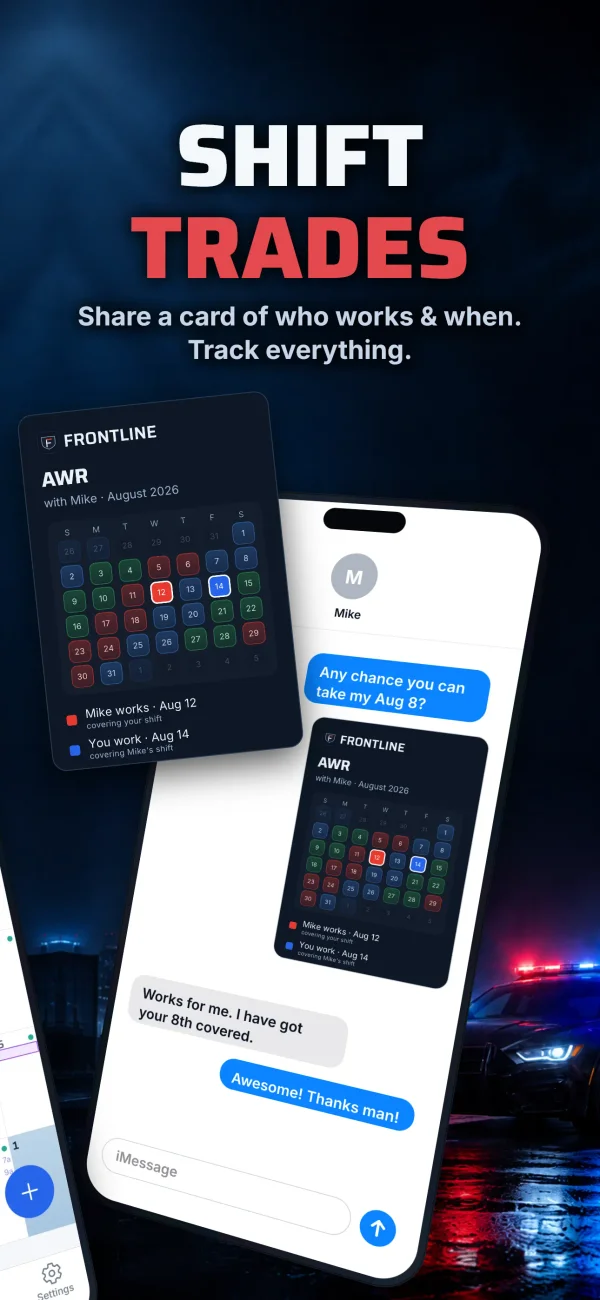
- Shift trades. Log who's covering, track who owes who, and text a clean trade card that makes it obvious to everyone involved.
- Events and quick adds. Court, training, overtime, appointments, sick, vacation - color-coded, with reminders that fire before your shift.
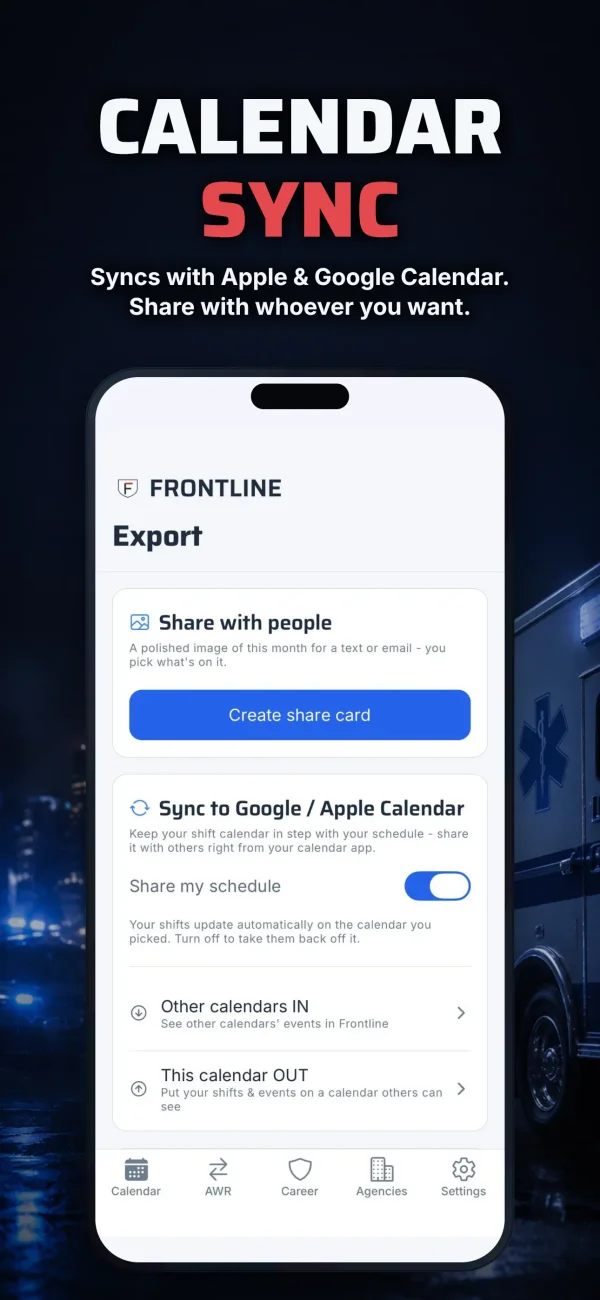
- Share your rotation. Send your schedule to a new hire or your spouse with a code to scan or a link to text - they get your work days on their phone in one tap.
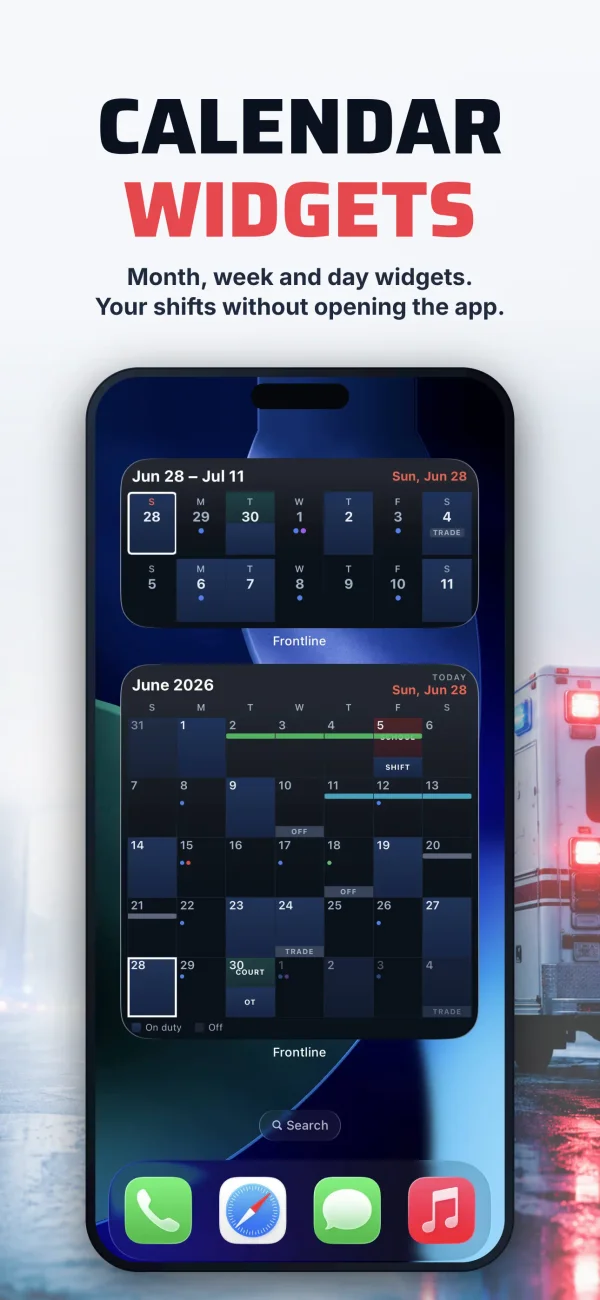
- Home-screen widgets. Your month or your week, always on.
- Hours tracked. Log OT, sick, vacation and comp by the day, and see the totals.
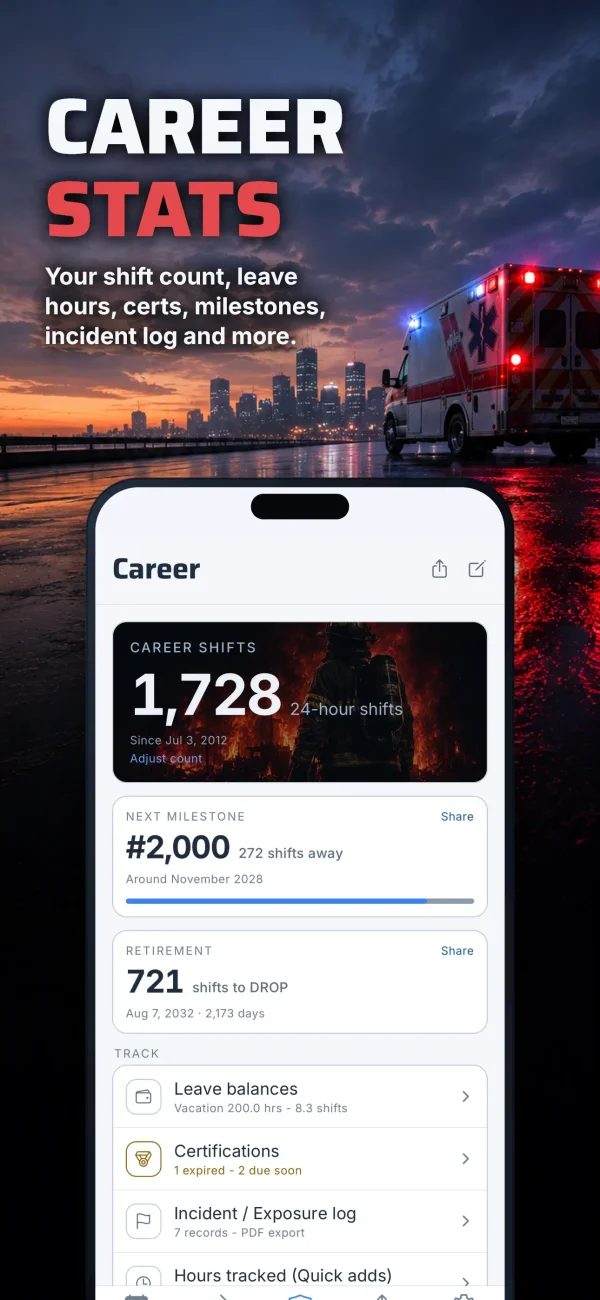
- Career tracking. Career shift count, rank history, milestones, and the day you clear probation.
- Print and export. A clean PDF of your month, or send your shifts to your other calendars.
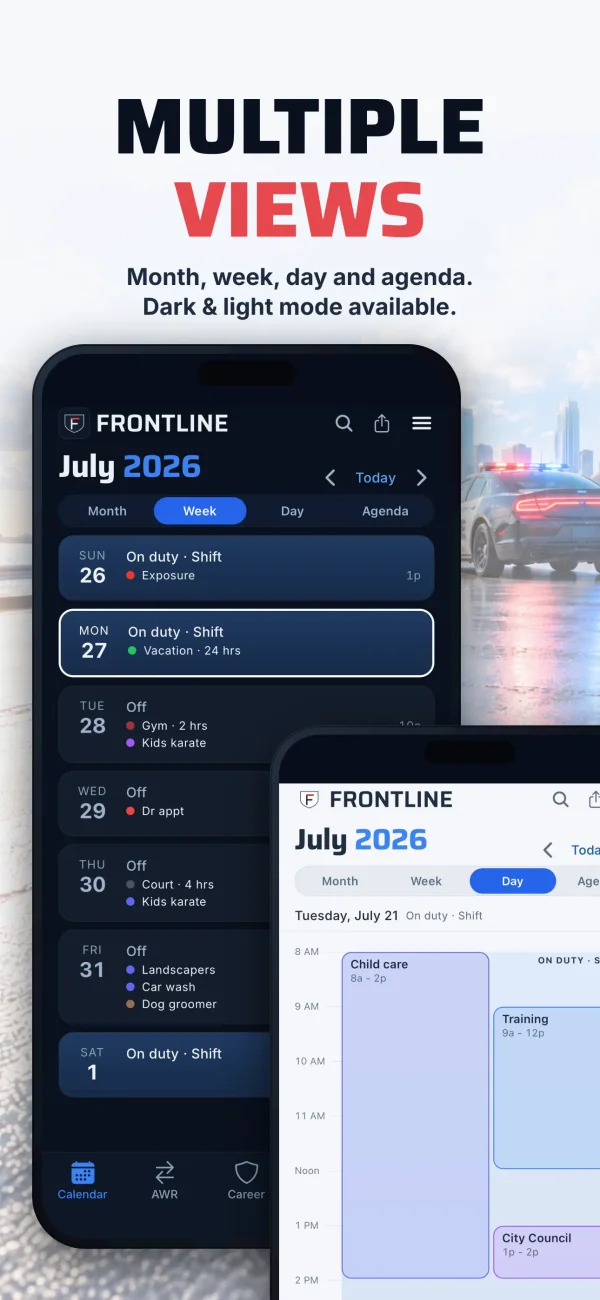
- Dark and light. Night-shift ready either way.
FRONTLINE PRO
- Leave balances. Vacation, sick and comp counted down in shifts as you use them and up on every payday. Set your own accrual rate and cap, and get warned before you hit the ceiling and stop earning.
- Vacation bids. Tap every day you picked, across the whole year, and stamp them all in one pass.
- Calendar sync. Keep your shifts on your Google or Apple calendar so your family sees them without you texting a screenshot.
- Account sync. The same schedule on your phone, your tablet and the web app. Sign in with your email, Apple or Google, and a new phone picks up right where you left off.
- More calendar views. Week, day timeline and agenda.
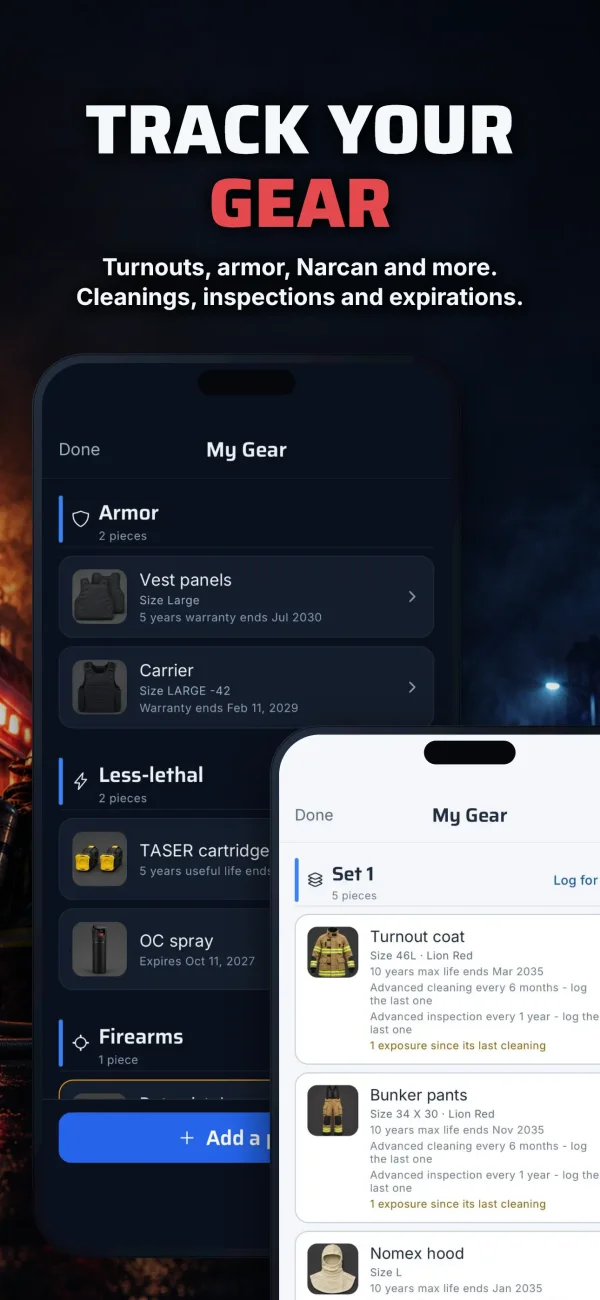
- Certifications. CPR, ACLS, HazMat and the rest, counting down in shifts, with reminders before anything lapses.
- Incident and exposure log. A fast, private, date-stamped record of the calls that matter - cancer presumption, bloodborne exposure, a court date years out. Export it as a clean PDF.
- Partial trades and hours owed. Trade part of a shift instead of the whole thing, and see exactly how many hours you owe each person.
- Partner schedule. Your next day off together, and every day you both work, in a color you pick.
- Month, week and day widgets, unlimited share cards, and PDF exports by week, day or year.
Free includes the full rotation calendar, events and quick adds, shift trades, rotation sharing, hours tracking, career tracking, the week widget, and month PDF and calendar-file export.
Frontline Pro unlocks the rest, as a one-time Lifetime purchase or a yearly subscription.
Frontline Agencies: if your academy, training school or department runs its schedule on Frontline, join with the code they give you, and your classes, class board, messages and files sit right beside your shifts. Directors: frontlinecalendar.com/agencies
Made by Code 3 Tek. Built by a Fire Captain who got tired of clunky schedules.
Privacy Policy: https://frontlinecalendar.com/privacy/
Terms of Use (EULA): https://www.apple.com/legal/internet-services/itunes/dev/stdeula/
What’s new
Version 1.19.0 · Nov 24, 2026
Messages, for Frontline Agencies. If your academy or paramedic program uses Frontline Agencies, open it on the Agencies tab and tap Messages. Read and reply to your class board, ask your program staff a question in private, and send them a photo or a file, like a doctor's note. Staff get rooms of their own. Your director can read every message, and Frontline tells you so the first time you open it. Not in an agency? Nothing changes for you.
Agency alerts reach your phone even when Frontline is closed: schedule changes, new messages and time card reminders. Each agency has its own Notifications switch on its page.
Files. Every file your program attached to a class, in one place. Sort by date or by class, or search. Tap Files under All classes on your agency's page.
My department and current tasks. Pick the department you work for, and see the tasks your program assigns you. Tap Mark done when you finish one.
Leave balances. Shifts banked now counts a day off at the category's Default hours when you set one, like "10.0 shifts at 17 hrs". Leave you log after typing in a balance now comes off that balance.
Duplicate event. Open an event and tap Duplicate event to copy it to another day.
Shift color for days off. Mark a day Off and pick the Shift color, and it keeps the same color as your on days, to match your department's staffing calendar. Tap a day, then Customize.
Address search. Start typing an address on an event or logged hours and pick the right place from the list, so Maps takes you to the right door. Tap the blue pin beside an address to open it in Maps.
Week starts on. Start your weeks on Monday, or any day you like, in Settings under Calendar look. The month, the Week view, your widgets, PDFs and share cards all follow it.
Fixes. Agencies you set to Off no longer flash on the calendar when the app opens. A mistyped join code now says the code is not right.
App privacy
What Code3Tek declares on the App Store about how this app handles data.
-
Data linked to you
May be collected and linked to your identity.
- Health and fitness
- Purchases
- Contact info
- User content
- Identifiers
- Usage data
-
Data not linked to you
May be collected but is not linked to your identity.
- Diagnostics
- Other data
Privacy practices may vary, for example with the features you use or your age.
Information
- Seller
- Code 3 Tek LLC
- Category
- Productivity
- Version
- 1.19.0
- Updated
- Nov 24, 2026
- Released
- Jul 19, 2026
- Size
- 86.6 MB
- Requires
- iOS 16.4 or later
- Age rating
- 4+
- Price
- Free
- In-app purchases
- Yes
- Languages
- English
- Copyright
- © Code 3 Tek LLC
You might also like
-
 ShiftDadHabit tracker for shift work
-
 DutyWire Police Shift CalendarTools for First Responder Life
-
 Fire Shift CalendarWork Schedule Planner
-
 IAFF Foundation Pro-CalendarCustom Colored Shift Calendar
-
 Spark - Shift CalendarCustomize, Organize, Plan Life
-
 FireWorks App ProAll-in-One Platform for USA FD
-
 BlueShifts Police CalendarOff-Duty & Shift Organizer
-
 ShiftWave: Shift CalendarRotating Work Schedule Planner
-
 FireSync Shift CalendarFull-Featured Calendar
-
 Rescue ShiftShift Calendar for Responders