
- Age rating4+
- CategorySimulation
- DeveloperPosition Games Limited
- LanguagesEnglish
- Size43.3 MB
Links to the official App Store page
Download.org hosts no file of FSXFollow. The button opens its official App Store page, published by Position Games Limited. Listing last checked on Nov 24, 2026.
Screenshots



About
FSXFollow is the live moving-map and instrument companion for Microsoft Flight Simulator 2024, X-Plane 11/12 and Prepar3D. Watch your flight unfold on iPhone, iPad or Mac as it happens — with the simulator running in another room or another house.
Real-time UDP telemetry at 10 Hz. Live MSFS cockpit panels rendered in-app. METAR and TAF with on-device hazard scanning. AI-narrated cruise mode on iOS 26. A 79,000-airport offline database with 3D satellite runway previews. Full two-way control of the simulator.
WHAT'S INSIDE
Gauges: real MSFS instrument panels running live in the app — PFD, ND/MFD, EICAS, MCDU, FCU, SAI and more for the A320 Neo, 737 MAX, 747-8 and 787-10. SimConnect variables stream over UDP into the DOM. MFD/ND panels use Apple Maps for terrain context.
A320 MCDU: six authentic Airbus FMS pages — INIT, F-PLN, PROG, PERF, RAD NAV, FUEL PRED — with live position, waypoint distance, ETE, course-to-steer and radio frequencies.
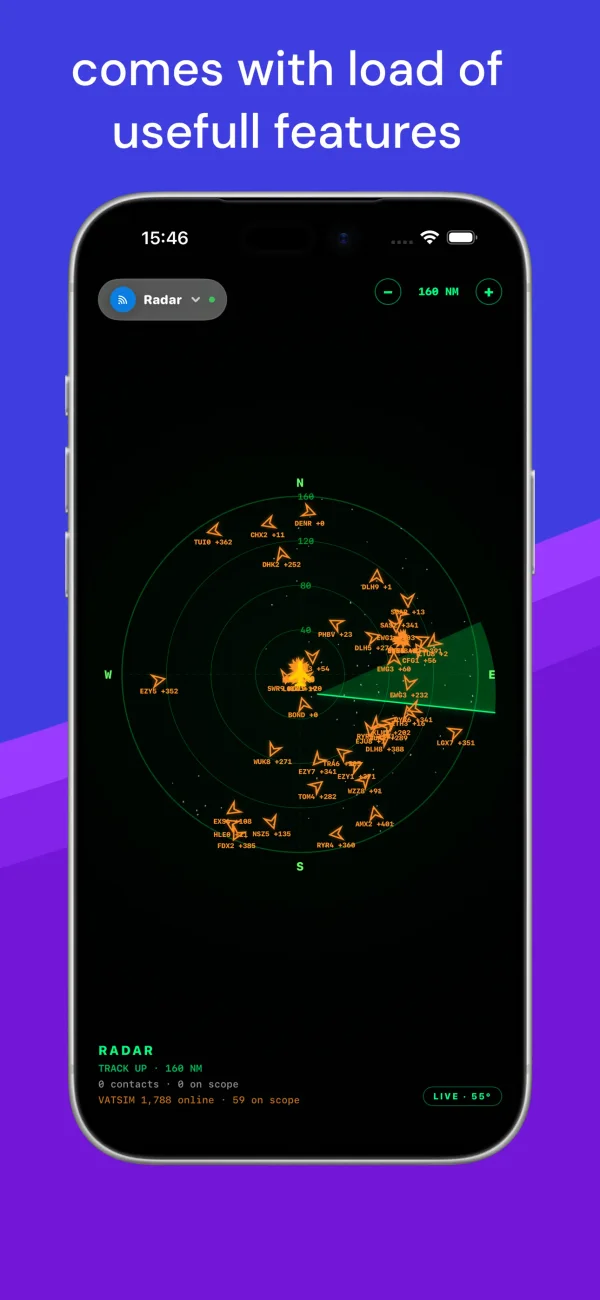
Radar: phosphor-green CRT traffic scope, track-up, with concentric range rings and a sweep. AI aircraft show as triangles oriented by heading with a relative-altitude callout. Runways drawn for every airport in range.
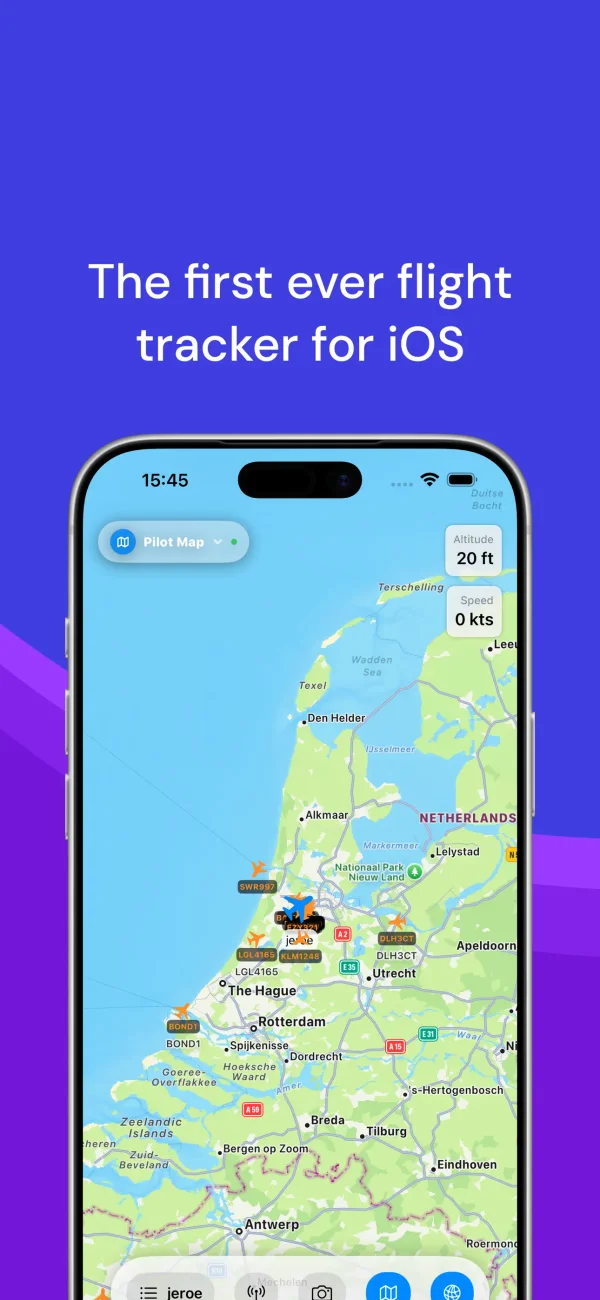
VATSIM: opt-in overlay of live VATSIM traffic on the Pilot Map and Radar. Polled every 15 seconds from the VATSIM v3 feed — 1,300+ pilots online at peak. Orange aircraft icons + callsigns distinct from simulator AI.
Planner: build a route by searching 11,000 navaids and 79,000 airports. One tap auto-fills VOR/NDB waypoints between departure and arrival along the great-circle path.
Stream: 1 Hz live screenshot feed from your simulator's camera, fullscreen.
Pilot Map: live position, AI + VATSIM traffic, facilities (airports, NDBs, VORs), flight-plan polyline.
Flight Plan: every waypoint of your loaded route with the upcoming one highlighted. From/To populated from the ground environment and FMS even before a static plan loads.
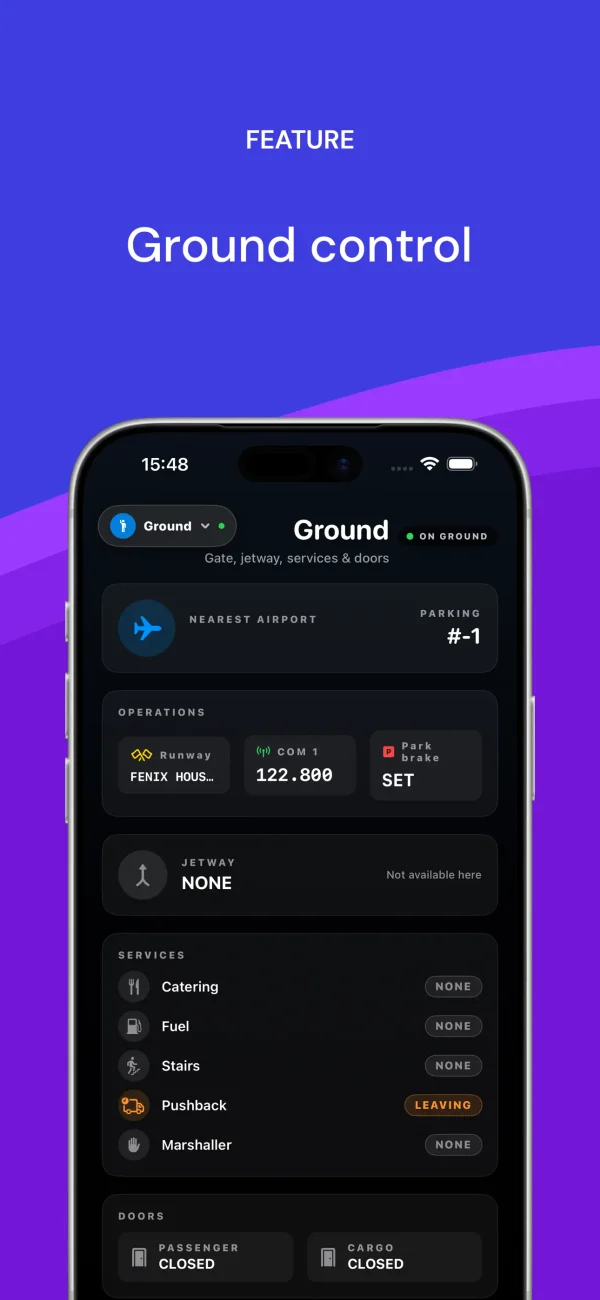
Ground: jetway status, parking spot, COM 1, assigned runway, doors, and services (catering, fuel, stairs, pushback, marshaller).
Weather: nearest METAR and TAF — wind, visibility, ceiling, flight category, decoded cloud layers. On-device ML scans the raw METAR for hazards (thunderstorms, freezing precipitation, wind shear, gust factor).
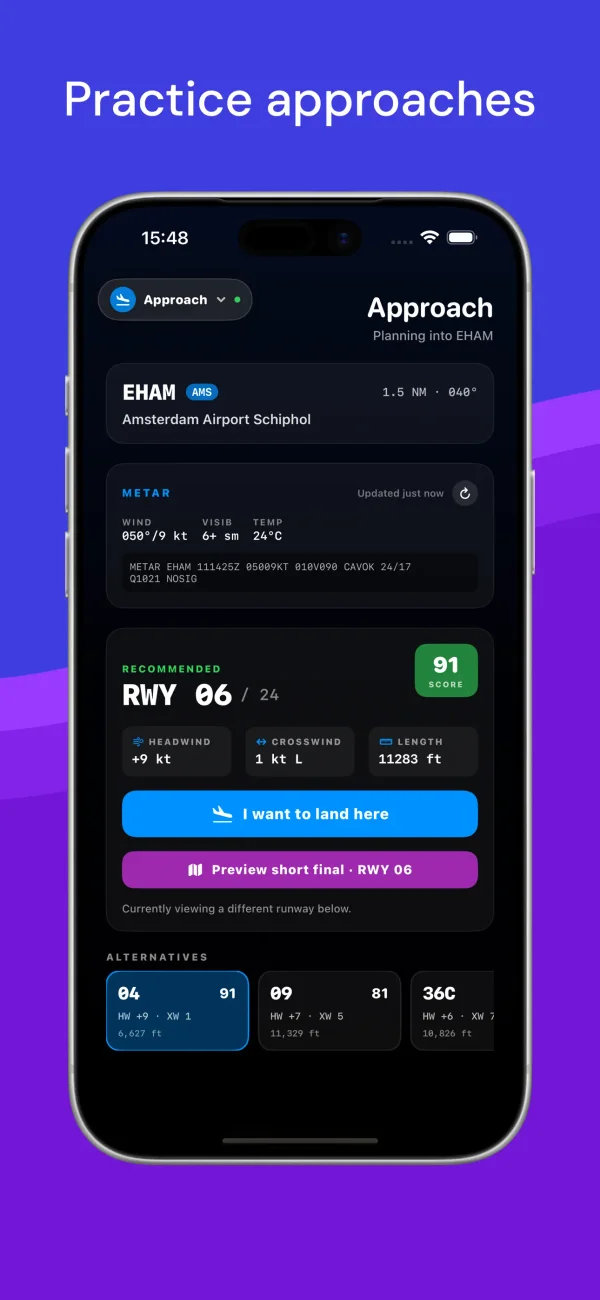
Approach: real-time runway picker scored on headwind, crosswind, length, and gust factor. "I want to land here" expands a glideslope advisory with distance, ETA, TOD, descent rate, target Vref, and on/high/low profile status. 3D satellite preview of short final tilted along the approach axis.
Takeoff: optimal departure runway plus expected ground roll, 50 ft distance, density altitude, climb gradient, and runway margin.
Cruise: live narration of the area below your aircraft using on-device reverse geocoding and Apple's Foundation Models on iOS 26+.
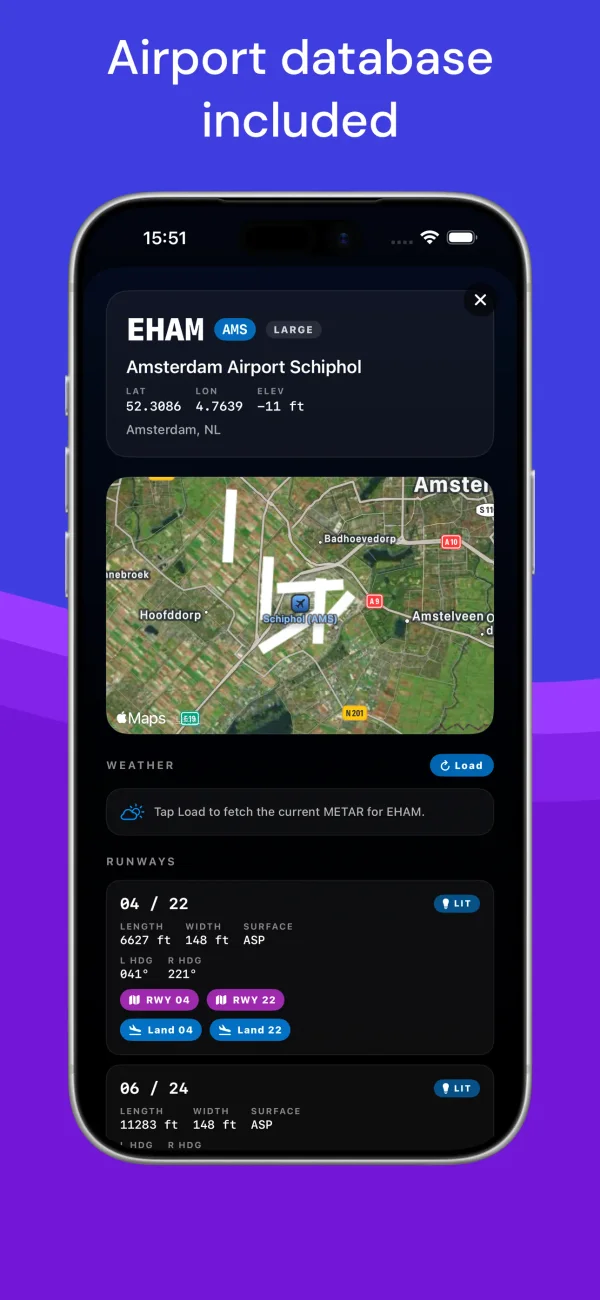
Airports: search 79,000 worldwide airports by ICAO, IATA, or name. Each detail page shows runways, frequencies, a labeled hybrid map with white runway polylines, the current METAR, and a per-runway 3D satellite preview.
Six-Pack Instruments: airspeed, attitude, altimeter, heading, turn coordinator, vertical speed — dark cockpit theme.
IFE: cabin-style flight display with a cloud-dodger mini-game (Game Center leaderboards).
Control: send sim commands — gear, flaps, autopilot, lights, brakes, thrust + / − — over UDP.
Siri: ask "altitude in FSXFollow", "land here", or "open [mode]" — no setup.
Camera: switch the simulator's view (cockpit/external/drone) and instrument-panel presets.
Multi-platform: a single SwiftUI app on iPhone, iPad and Mac.
EASY SETUP
1. Install the free Windows client from positiongames.com (required for MSFS, FSX, FS2004 and Prepar3D — X-Plane works natively).
2. Start a flight in your sim.
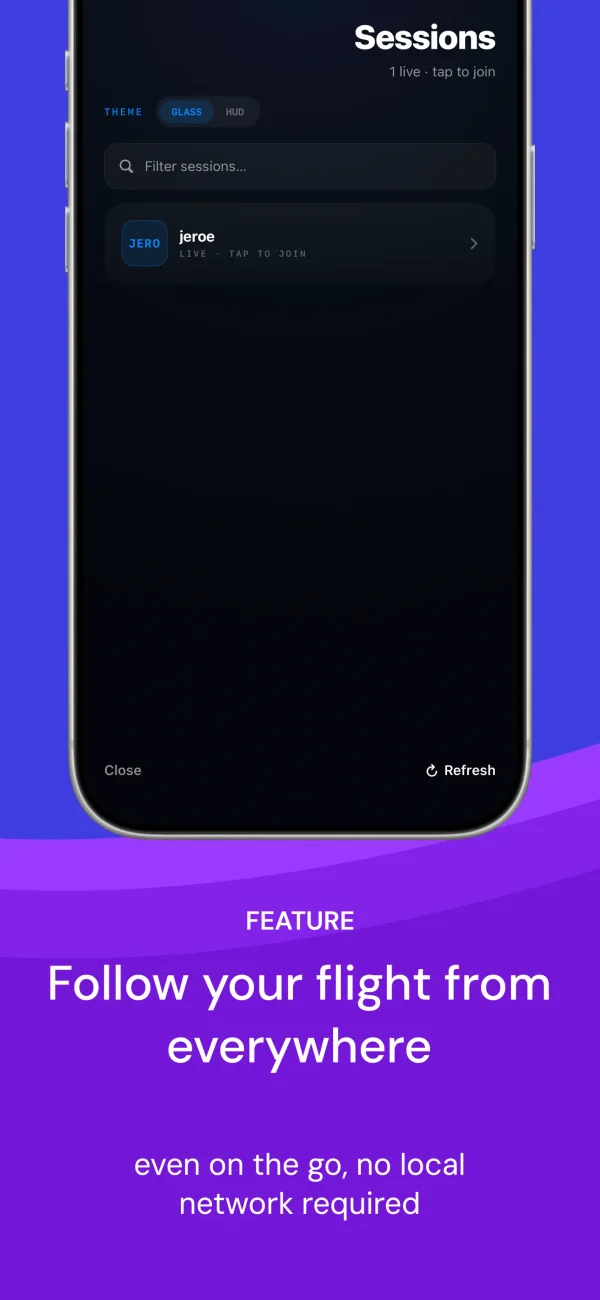
3. Open FSXFollow on any Apple device and pick your session.
No IP addresses, no LAN gymnastics. Track your flight from anywhere with internet.
Have a great flight!
What’s new
Version 2105 · Nov 24, 2026
- UX improvements
- Bug Fixes
Thank you for your support.
App privacy
What Position Games Limited declares on the App Store about how this app handles data.
-
Data not linked to you
May be collected but is not linked to your identity.
- Diagnostics
- Other data
Privacy practices may vary, for example with the features you use or your age.
Information
- Seller
- Position Games Limited
- Category
- Simulation
- Version
- 2105
- Updated
- Nov 24, 2026
- Released
- Jul 2, 2010
- Size
- 43.3 MB
- Requires
- iOS 17.6 or later
- Age rating
- 4+
- Price
- $4.99
- Languages
- English
- Copyright
- © PositionGames
You might also like
-
 Flight Simulator CompanionFS Companion
-
 Freerun ARParkour in AR
-
 Manual Car Driving SimulatorExtreme City Drift Racing
-
 PocketSky by SayIntentionsAIThe SI Mobile Experience
-
 OptiFlightDesign your own flight map
-
 Relaxing Tangle ProA fun app full of surprises
-
 Dad's Monster HouseGames
-
 Romantic HOLIC: Otome GameDating Sim & Chat Love Story
-
 RFS - Real Flight Simulator3D Airplane Pilot & Plane Sim
-
 GeoFS - Flight SimulatorWorldwide Satellite Images