
FSXFollow
Live MSFS Cockpit & Moving Map
iPhone, iPad için tasarlandı
₺249,99
- Yaş sınırı4+
- KategoriSimülasyon
- GeliştiriciPosition Games Limited
- Dillerİngilizce
- Boyut43,3 MB
Resmi App Store sayfasına bağlanır
Download.org, FSXFollow için hiçbir dosya barındırmaz. Düğme, uygulamanın App Store üzerindeki sayfasını açar; uygulamayı orada Position Games Limited yayınlar. Sayfanın son kontrolü: 24.11.2026.
Ekran görüntüleri



Hakkında
Geliştirici bu metni dilinizde sunmamış.
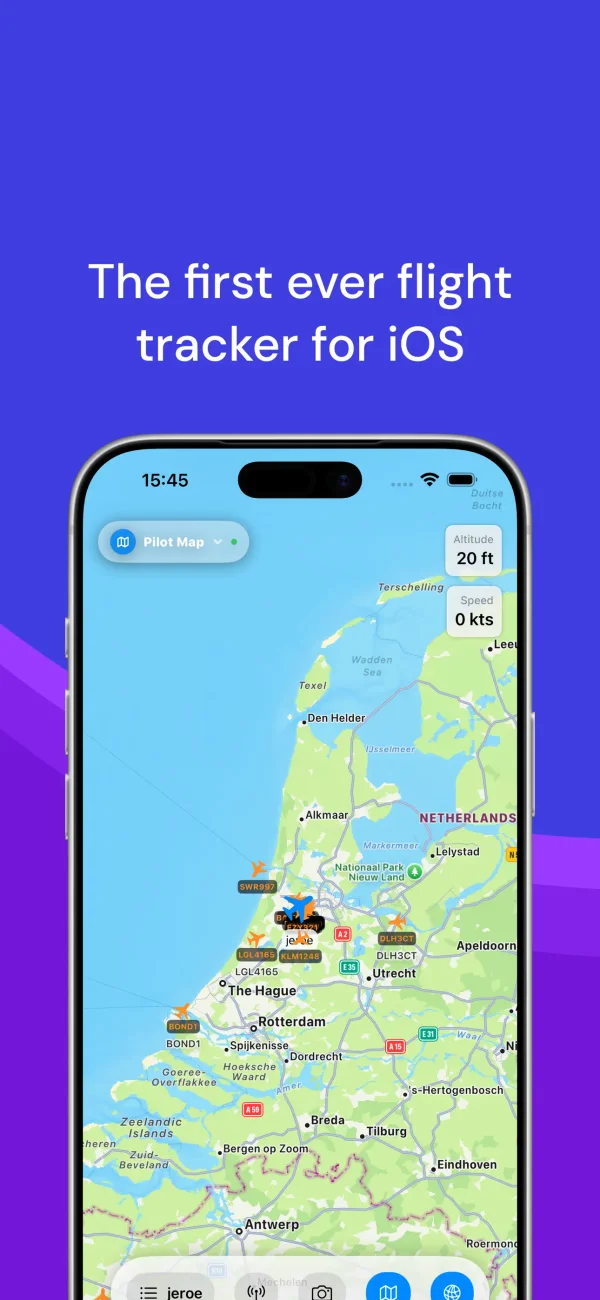
FSXFollow is the live moving-map and instrument companion for Microsoft Flight Simulator 2024, X-Plane 11/12 and Prepar3D. Watch your flight unfold on iPhone, iPad or Mac as it happens — with the simulator running in another room or another house.
Real-time UDP telemetry at 10 Hz. Live MSFS cockpit panels rendered in-app. METAR and TAF with on-device hazard scanning. AI-narrated cruise mode on iOS 26. A 79,000-airport offline database with 3D satellite runway previews. Full two-way control of the simulator.
WHAT'S INSIDE
Gauges: real MSFS instrument panels running live in the app — PFD, ND/MFD, EICAS, MCDU, FCU, SAI and more for the A320 Neo, 737 MAX, 747-8 and 787-10. SimConnect variables stream over UDP into the DOM. MFD/ND panels use Apple Maps for terrain context.
A320 MCDU: six authentic Airbus FMS pages — INIT, F-PLN, PROG, PERF, RAD NAV, FUEL PRED — with live position, waypoint distance, ETE, course-to-steer and radio frequencies.
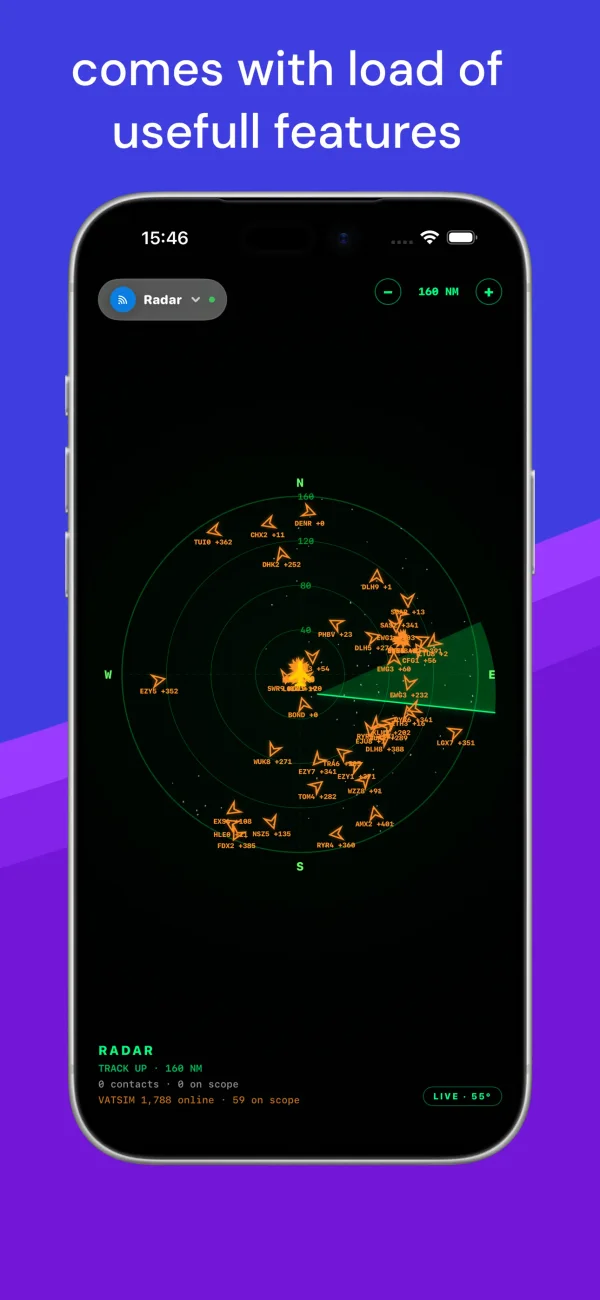
Radar: phosphor-green CRT traffic scope, track-up, with concentric range rings and a sweep. AI aircraft show as triangles oriented by heading with a relative-altitude callout. Runways drawn for every airport in range.
VATSIM: opt-in overlay of live VATSIM traffic on the Pilot Map and Radar. Polled every 15 seconds from the VATSIM v3 feed — 1,300+ pilots online at peak. Orange aircraft icons + callsigns distinct from simulator AI.
Planner: build a route by searching 11,000 navaids and 79,000 airports. One tap auto-fills VOR/NDB waypoints between departure and arrival along the great-circle path.
Stream: 1 Hz live screenshot feed from your simulator's camera, fullscreen.
Pilot Map: live position, AI + VATSIM traffic, facilities (airports, NDBs, VORs), flight-plan polyline.
Flight Plan: every waypoint of your loaded route with the upcoming one highlighted. From/To populated from the ground environment and FMS even before a static plan loads.
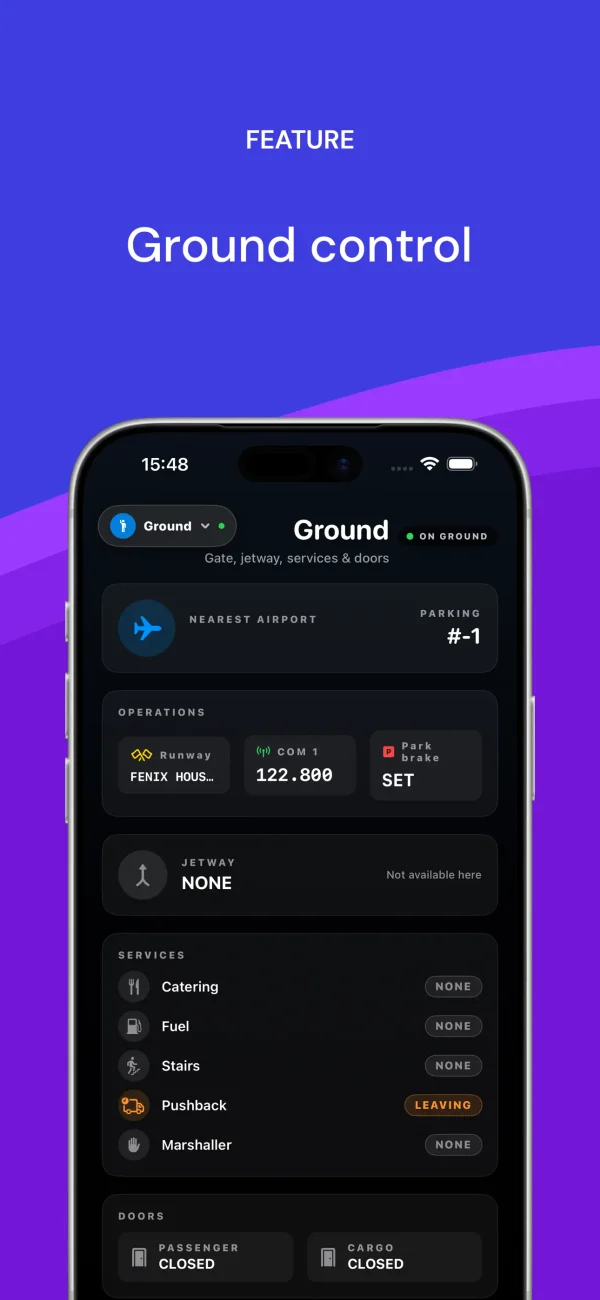
Ground: jetway status, parking spot, COM 1, assigned runway, doors, and services (catering, fuel, stairs, pushback, marshaller).
Weather: nearest METAR and TAF — wind, visibility, ceiling, flight category, decoded cloud layers. On-device ML scans the raw METAR for hazards (thunderstorms, freezing precipitation, wind shear, gust factor).
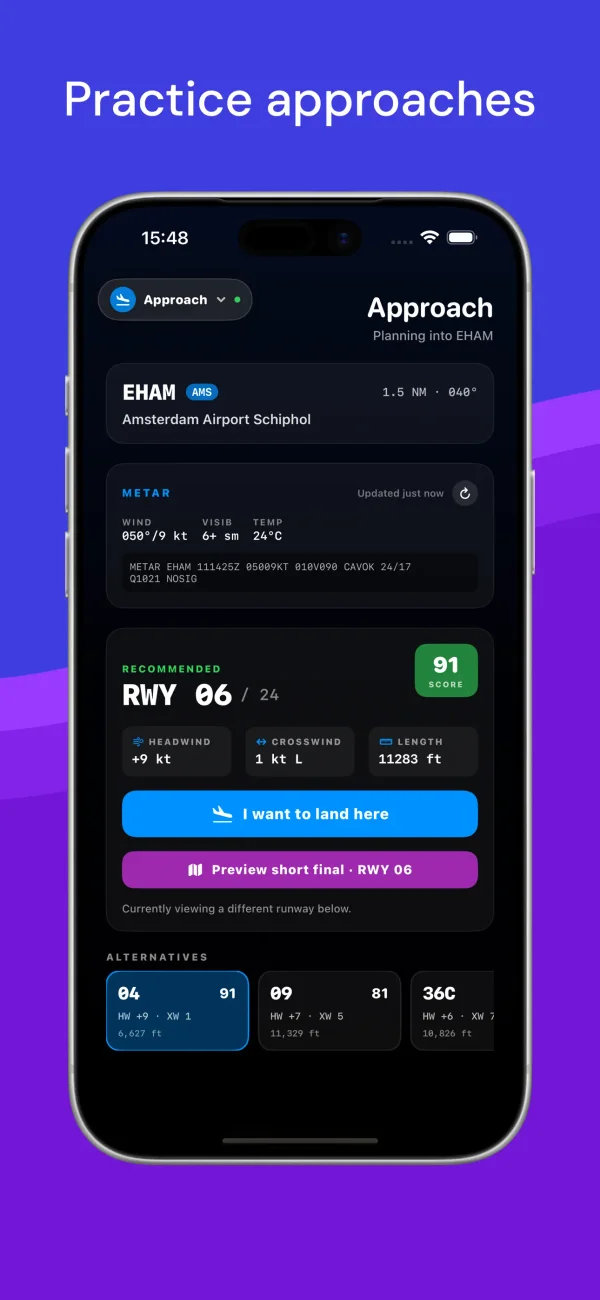
Approach: real-time runway picker scored on headwind, crosswind, length, and gust factor. "I want to land here" expands a glideslope advisory with distance, ETA, TOD, descent rate, target Vref, and on/high/low profile status. 3D satellite preview of short final tilted along the approach axis.
Takeoff: optimal departure runway plus expected ground roll, 50 ft distance, density altitude, climb gradient, and runway margin.
Cruise: live narration of the area below your aircraft using on-device reverse geocoding and Apple's Foundation Models on iOS 26+.
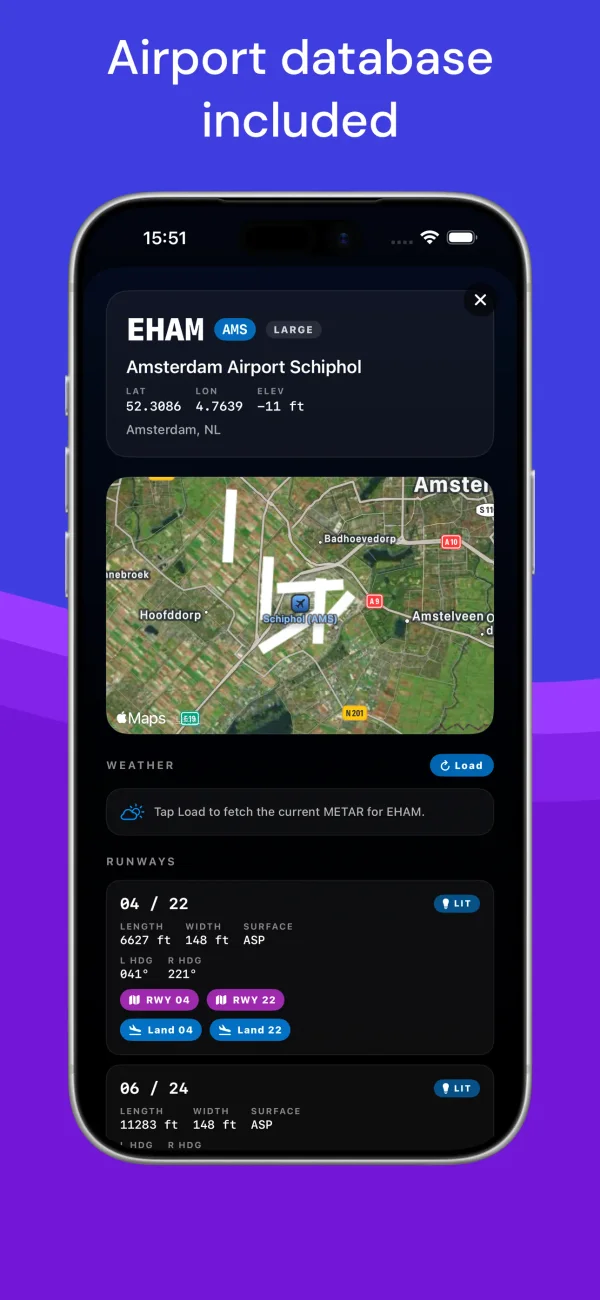
Airports: search 79,000 worldwide airports by ICAO, IATA, or name. Each detail page shows runways, frequencies, a labeled hybrid map with white runway polylines, the current METAR, and a per-runway 3D satellite preview.
Six-Pack Instruments: airspeed, attitude, altimeter, heading, turn coordinator, vertical speed — dark cockpit theme.
IFE: cabin-style flight display with a cloud-dodger mini-game (Game Center leaderboards).
Control: send sim commands — gear, flaps, autopilot, lights, brakes, thrust + / − — over UDP.
Siri: ask "altitude in FSXFollow", "land here", or "open [mode]" — no setup.
Camera: switch the simulator's view (cockpit/external/drone) and instrument-panel presets.
Multi-platform: a single SwiftUI app on iPhone, iPad and Mac.
EASY SETUP
1. Install the free Windows client from positiongames.com (required for MSFS, FSX, FS2004 and Prepar3D — X-Plane works natively).
2. Start a flight in your sim.
3. Open FSXFollow on any Apple device and pick your session.
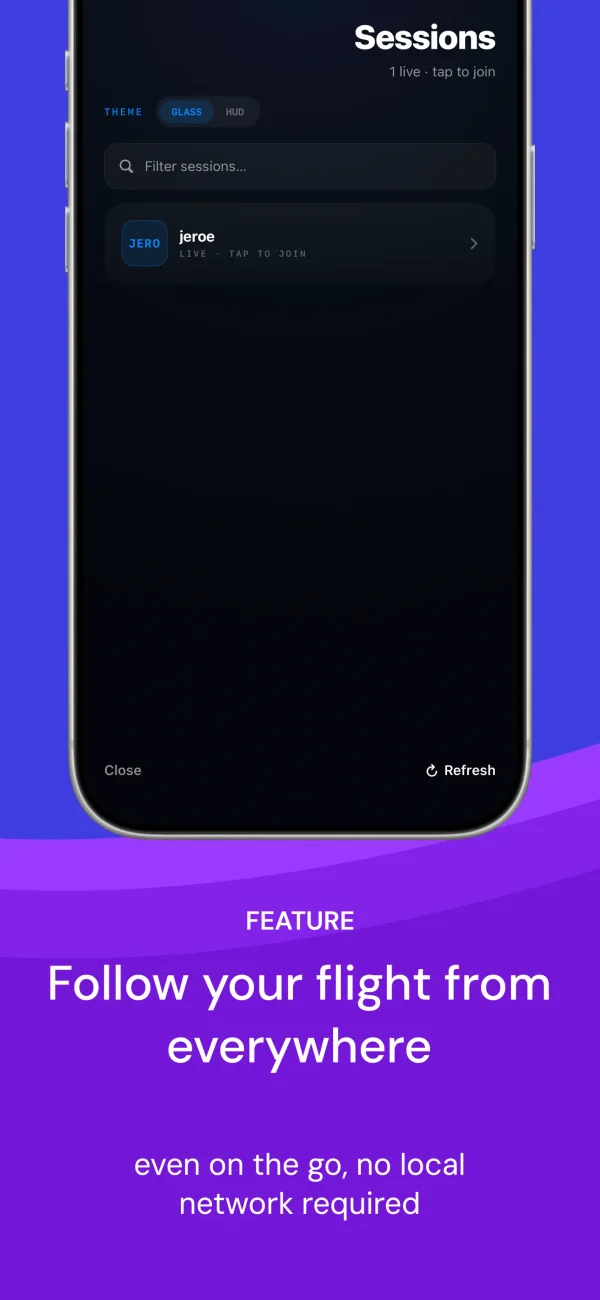
No IP addresses, no LAN gymnastics. Track your flight from anywhere with internet.
Have a great flight!
Yenilikler
Sürüm 2105 · 24.11.2026
- UX improvements
- Bug Fixes
Thank you for your support.
Uygulama gizliliği
Bu uygulamanın verileri nasıl işlediği hakkında Position Games Limited tarafından App Store üzerinde yapılan beyan.
-
Sizinle ilişkilendirilmeyen veriler
Toplanabilir ancak kimliğinizle ilişkilendirilmez.
- Tanılama
- Diğer veriler
Gizlilik uygulamaları, örneğin kullandığınız özelliklere veya yaşınıza göre değişiklik gösterebilir.
Bilgiler
- Satıcı
- Position Games Limited
- Kategori
- Simülasyon
- Sürüm
- 2105
- Güncellendi
- 24.11.2026
- Yayın tarihi
- 02.07.2010
- Boyut
- 43,3 MB
- Gereksinim
- iOS 17.6 veya sonrası
- Yaş sınırı
- 4+
- Fiyat
- ₺249,99
- Diller
- İngilizce
- Telif hakkı
- © PositionGames
Bunları da beğenebilirsiniz
-
 Flight Simulator CompanionSimülasyon
-
 Freerun ARSpor
-
 Manual Car Driving SimulatorYarış
-
 PocketSky by SayIntentionsAISimülasyon
-
 OptiFlightStrateji
-
 Rahatlatıcı Arapsaçı Pro50 simülasyon ve oyun
-
 Dad's Monster HouseOyunlar
-
 Aşkkolik: Otome Aşk OyunuSeçimli hikaye ve görsel roman
-
 RFS - Real Flight SimulatorAirplane Pilot & Flying Sim
-
 GeoFS - Flight SimulatorSimülasyon