Future Timer: Date Alarm
Schedule reminders days ahead
Designed for iPhone, iPad
In-app purchases
- Age rating4+
- CategoryUtilities
- DeveloperTSUBASA FUKUCHI
- LanguagesJapanese+ 1 more
- Size13.2 MB
Links to the official App Store page
Download.org hosts no file of Future Timer: Date Alarm. The button opens its official App Store page, published by TSUBASA FUKUCHI. Listing last checked on Nov 12, 2026.
Screenshots
About
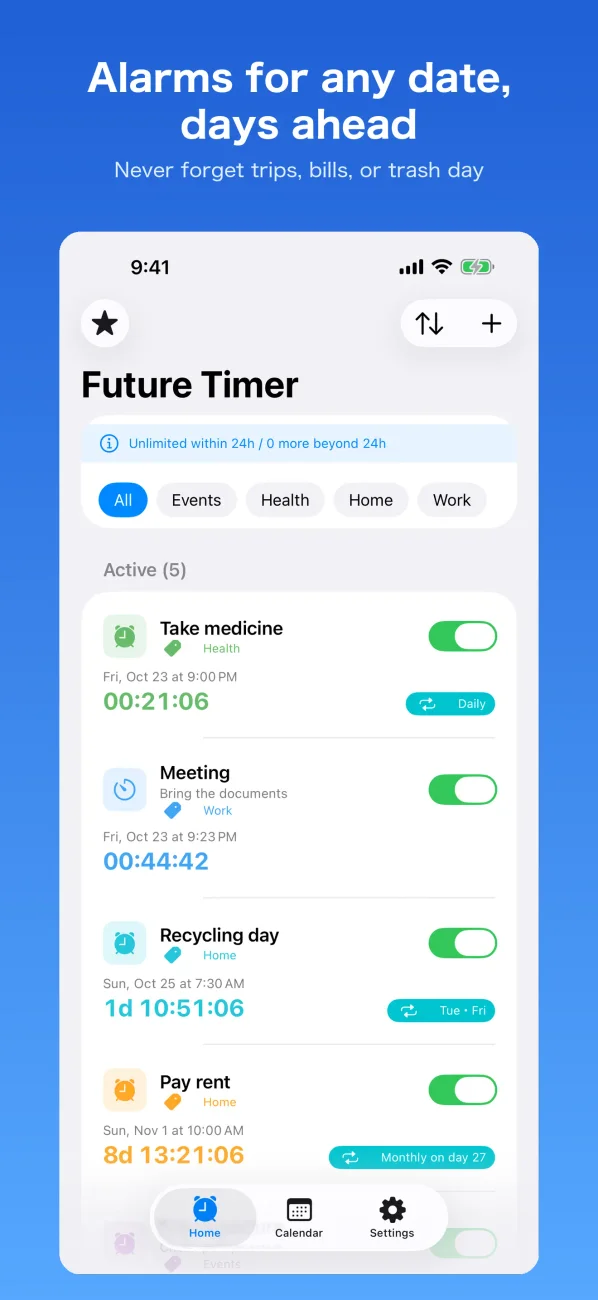
"Next Tuesday at 3pm." "3 days from now at 7am." "The 25th of every month." Schedule alarms for any date, days or months ahead.
The built-in Clock app can't set an alarm for a specific date. Future Timer can.
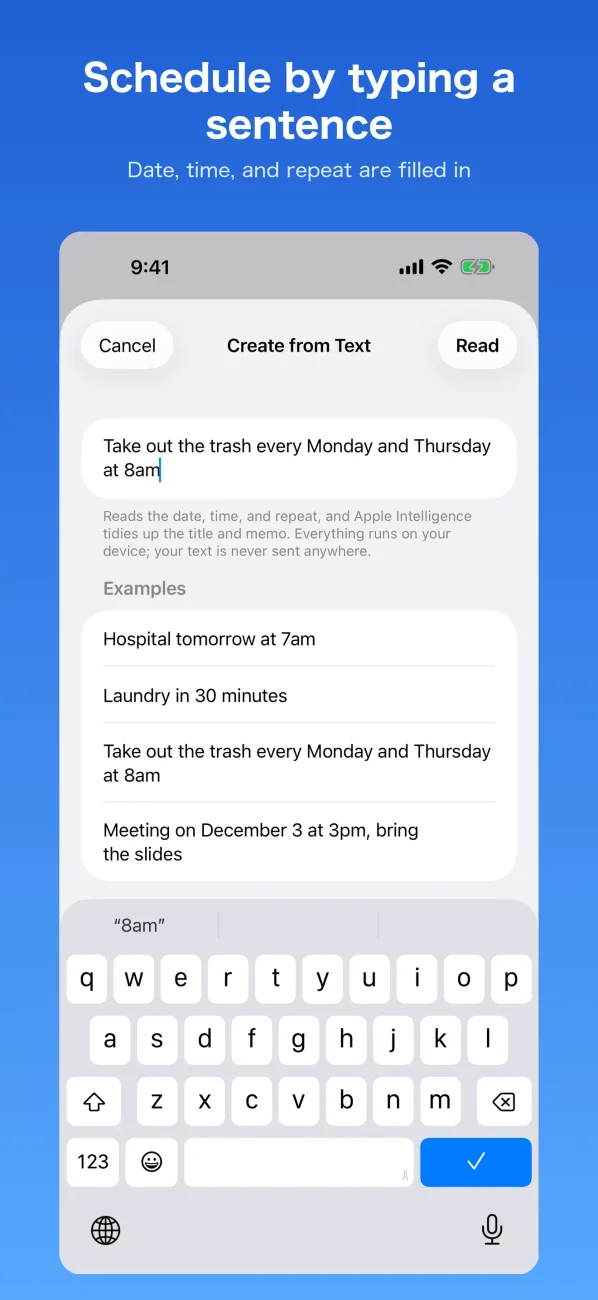
Now you can even schedule just by typing a sentence.
■ Features
[Date Alarms] Pick a date and time, from a few hours to months ahead.
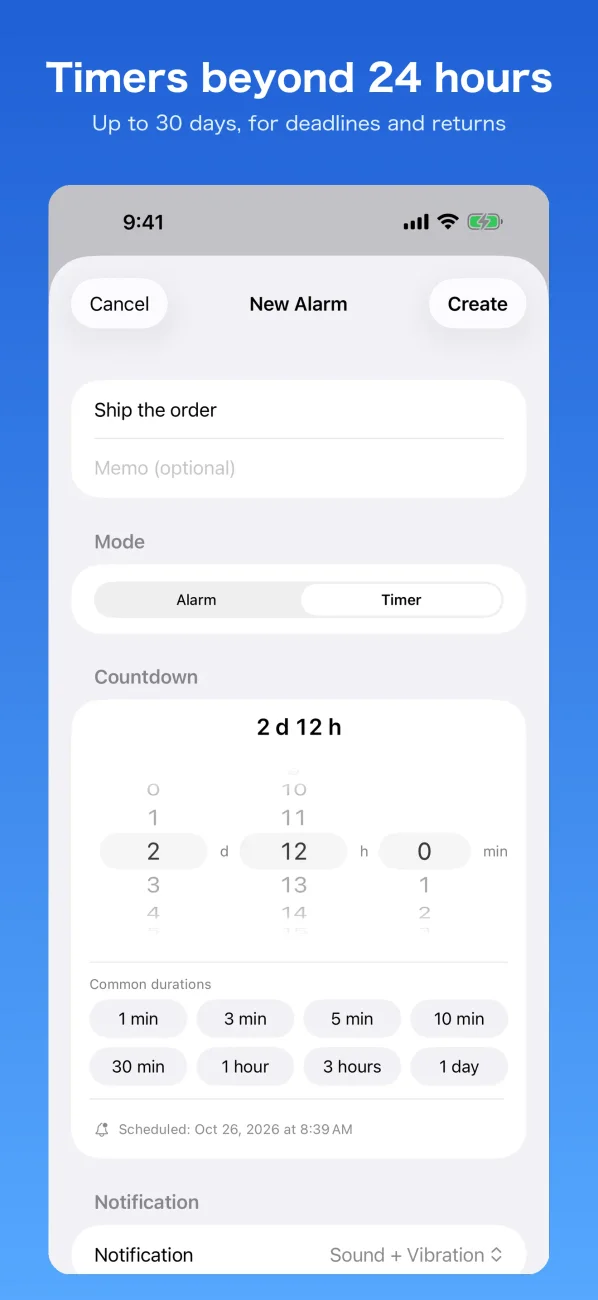
[Timers] Enter days, hours, and minutes; the countdown starts when you save.
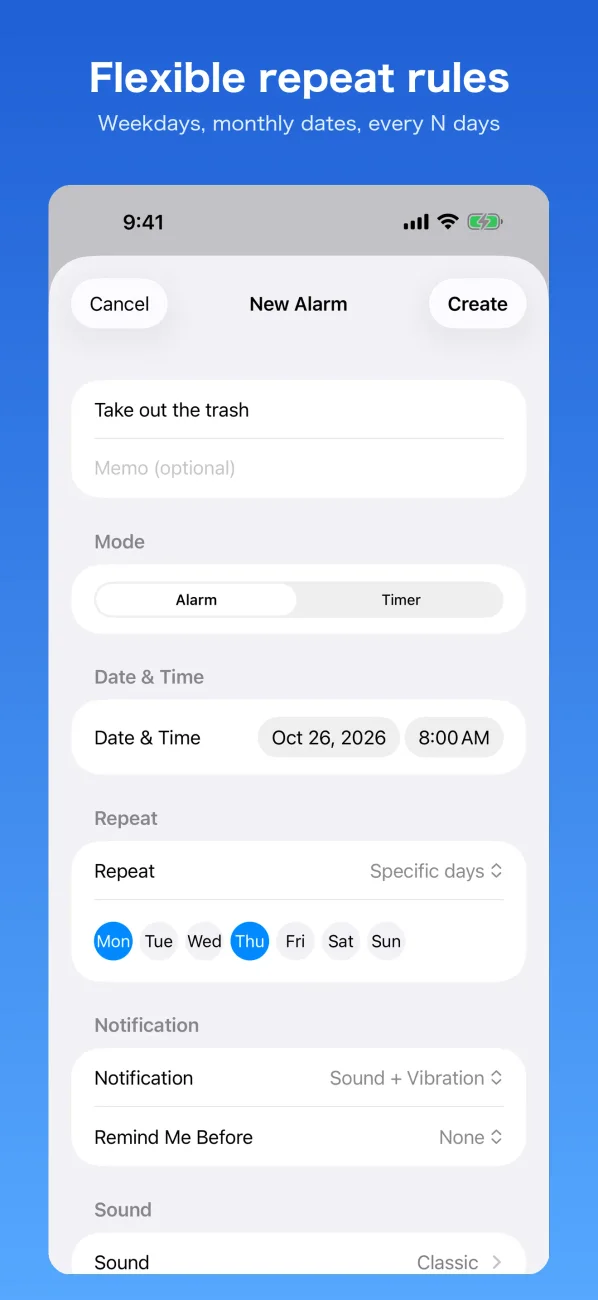
[Create from Text] Type "Trash every Monday and Thursday at 8am" and the date, time, repeat, and title are filled in. On devices with Apple Intelligence, AI also tidies up the title and memo, all on device.
[Repeats] Daily, weekdays, weekends, specific days, a monthly date, or every N days. Optionally skip Japanese national holidays.
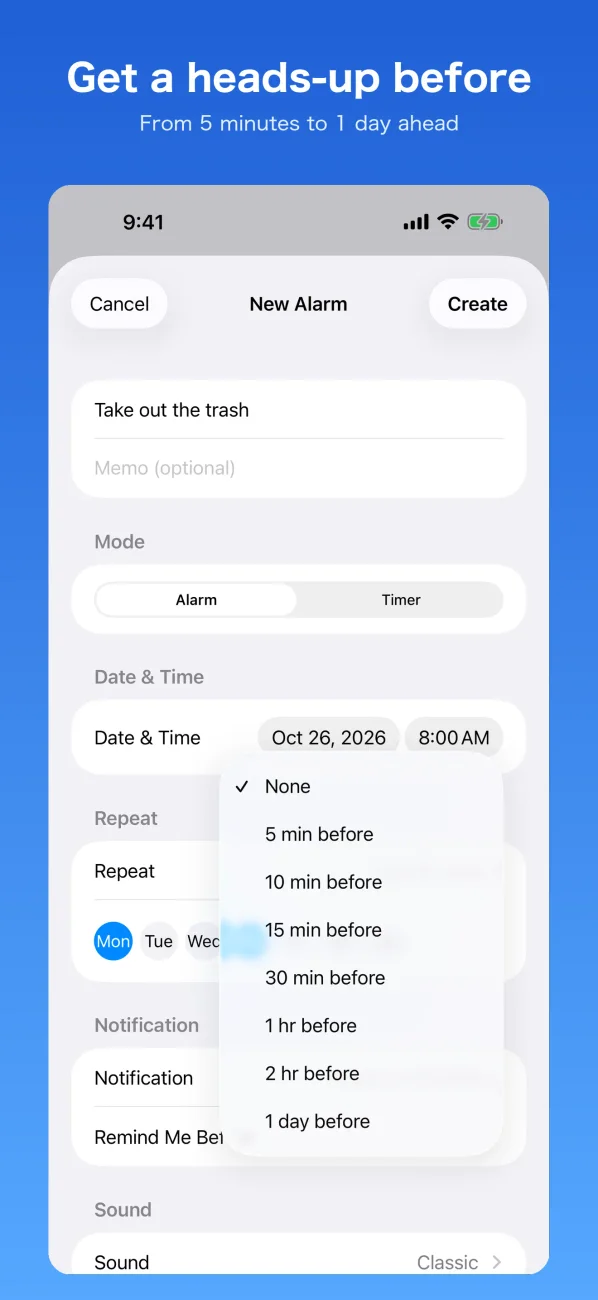
[Remind Me Before] Get a heads-up from 5 minutes to 1 day before.
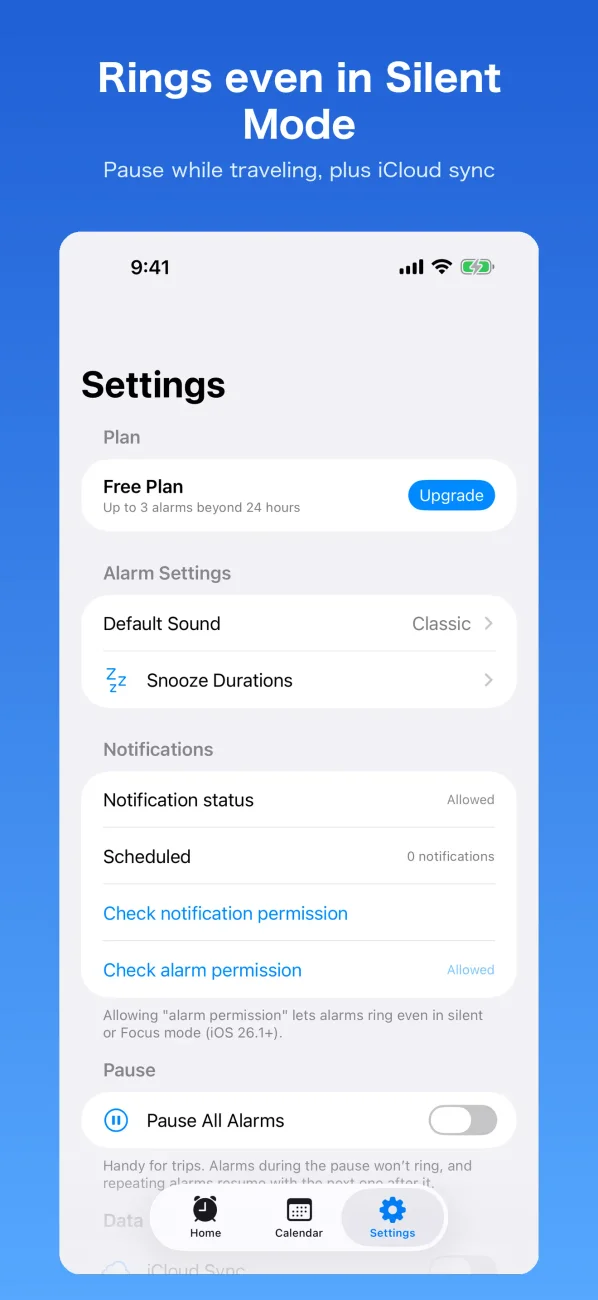
[Pause] Pause alarms during a trip or vacation; only alarms in that period are skipped.
[Rings in Silent Mode] On iOS 26.1 or later, allow alarm permission and alarms ring even in Silent or Focus mode.
[Snooze & Sounds] Choose snooze times, notification type, and sounds, including your own.
[Templates] Save the alarms you use most and schedule them in one tap.
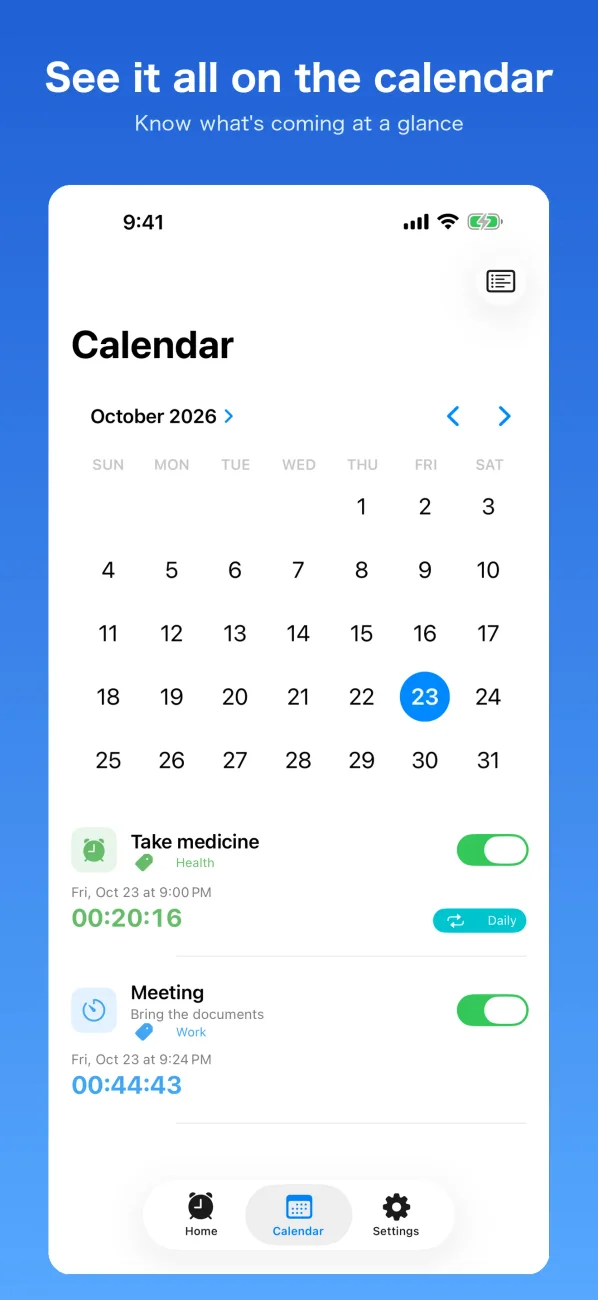
[Calendar & Next 7 Days] See your alarms on a calendar and at a glance for the week.
■ Widgets, Apple Watch, Siri
• Home and Lock Screen widgets show the time left. The medium widget has 30-min Timer and Skip buttons.
• Apple Watch: see your next alarm, start a 30-minute timer, stop alarms, and add a watch-face complication.
• Siri & Shortcuts: say "Schedule with Future Timer" and describe it.
■ Free and Premium
• Free: unlimited alarms within 24 hours, and up to 3 alarms more than 24 hours ahead
• Premium (monthly or yearly): unlimited alarms, no ads
Payment is charged to your Apple ID at confirmation of purchase. Subscriptions renew automatically unless canceled at least 24 hours before the end of the current period. Manage or cancel anytime in your Apple ID settings.
Terms of Use (EULA): https://www.apple.com/legal/internet-services/itunes/dev/stdeula/
Privacy Policy: https://fukusefeb-dev.github.io/timer-alarm-privacy/
What’s new
Version 1.6.0 · Oct 31, 2026
• Create from Text: type something like "Dentist next Tuesday at 3pm" and the date, repeat, and title are filled in. On devices with Apple Intelligence, AI also tidies up the title and memo, all on device.
• Remind Me Before: get a notification 5 minutes to 1 day before an alarm.
• Skip Japanese Holidays for repeating alarms.
• Pause: stop alarms during a trip or vacation.
• My Templates: save the alarms you use most and schedule them in one tap.
• The medium widget now has 30-min Timer and Skip buttons, and your next alarm can appear on your Apple Watch face.
• Siri: say "Schedule with Future Timer" to schedule from text.
• Category suggestions and a Next 7 Days summary.
• Fixed an issue where stopping a repeating alarm from a notification could skip the next one.
• Fixed an issue where snoozing a repeating alarm stopped it from repeating.
• Improved English text in widgets and some screens.
App privacy
What TSUBASA FUKUCHI declares on the App Store about how this app handles data.
-
Data linked to you
May be collected and linked to your identity.
- Purchases
- Identifiers
- Usage data
Privacy practices may vary, for example with the features you use or your age.
Information
- Seller
- TSUBASA FUKUCHI
- Category
- Utilities
- Version
- 1.6.0
- Updated
- Oct 31, 2026
- Released
- Mar 15, 2026
- Size
- 13.2 MB
- Requires
- iOS 17.0 or later
- Age rating
- 4+
- In-app purchases
- Yes
- Languages
- Japanese, English
- Copyright
- © 2026 Tsubasa
You might also like
-
 未来タイマー:日時アラームUtilities
-
 Toki - Date & Time AlarmAlarm for any date and time
-
 カスタムアラームUtilities
-
 簡単目覚まし時計Utilities
-
 Must-Ring: Calendar AlarmAppointment & Task Reminders
-
 Akaru: Alarm Clock & CalendarWake Up for Shifts & Workdays
-
 Rouse: Alarms Routines TimersCountdowns & Voice Coaching
-
 AlarmCal:Daily Routine PlannerSmart Alarm & Schedule Planner
-
 Date Alarm & Shift CalendarSpecific day reminders, silent
-
 Countdown Calendar TimersTimer, Reminder & Calendar