
Future Timer: Date Alarm
Schedule reminders days ahead
Được thiết kế cho iPhone, iPad
Miễn phí · Mua hàng trong ứng dụng
- Độ tuổi4+
- Danh mụcTiện Ích
- Nhà phát triểnTSUBASA FUKUCHI
- Ngôn ngữTiếng Nhật+ 1 ngôn ngữ khác
- Kích thước13,2 MB
Liên kết đến trang App Store chính thức
Download.org không lưu trữ tệp nào của Future Timer: Date Alarm. Nút này mở trang ứng dụng trên App Store, nơi TSUBASA FUKUCHI phát hành ứng dụng. Trang được kiểm tra lần cuối: 12/11/2026.
Ảnh chụp màn hình
Giới thiệu
Nhà phát triển chưa cung cấp nội dung này bằng ngôn ngữ của bạn.
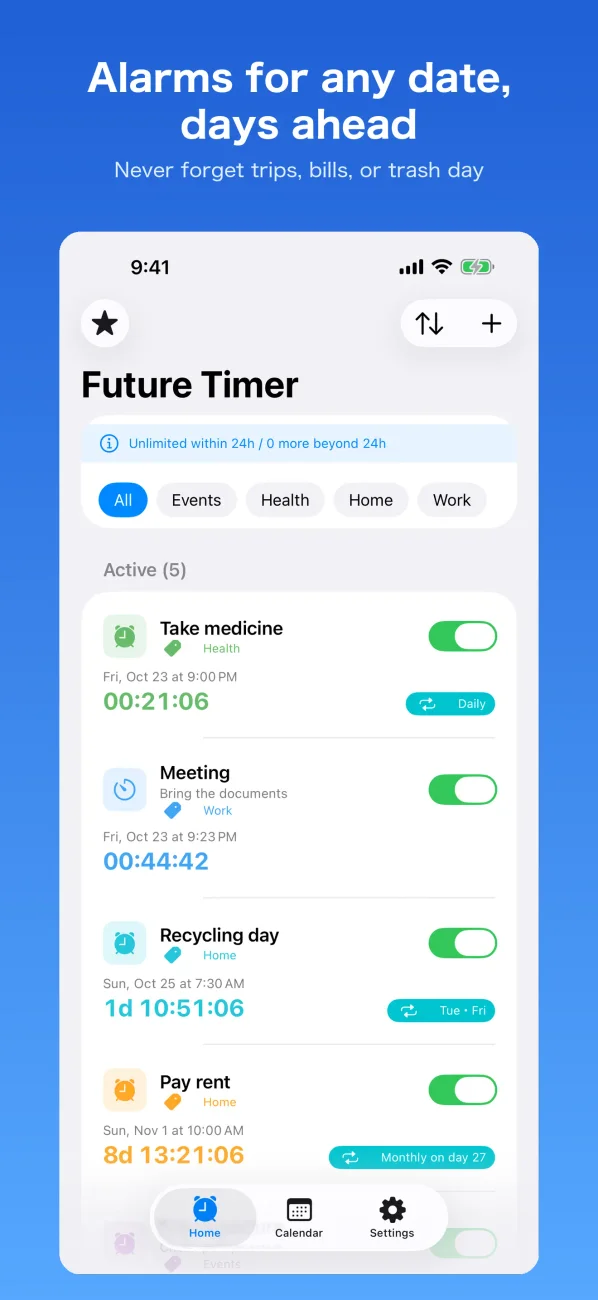
"Next Tuesday at 3pm." "3 days from now at 7am." "The 25th of every month." Schedule alarms for any date, days or months ahead.
The built-in Clock app can't set an alarm for a specific date. Future Timer can.
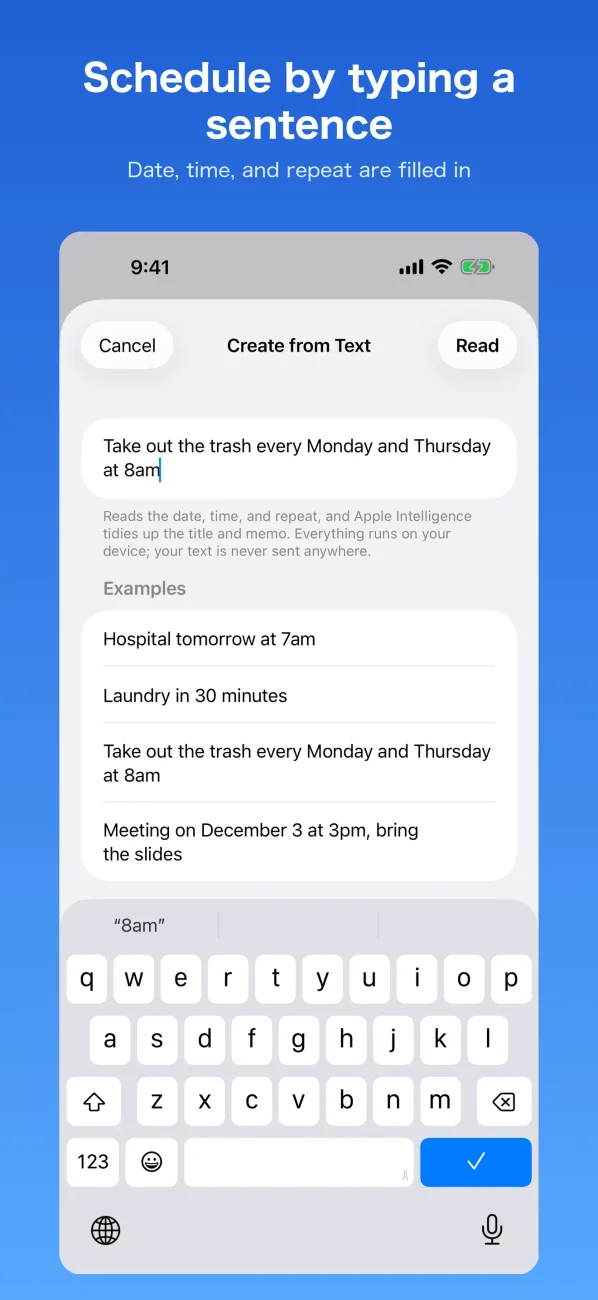
Now you can even schedule just by typing a sentence.
■ Features
[Date Alarms] Pick a date and time, from a few hours to months ahead.
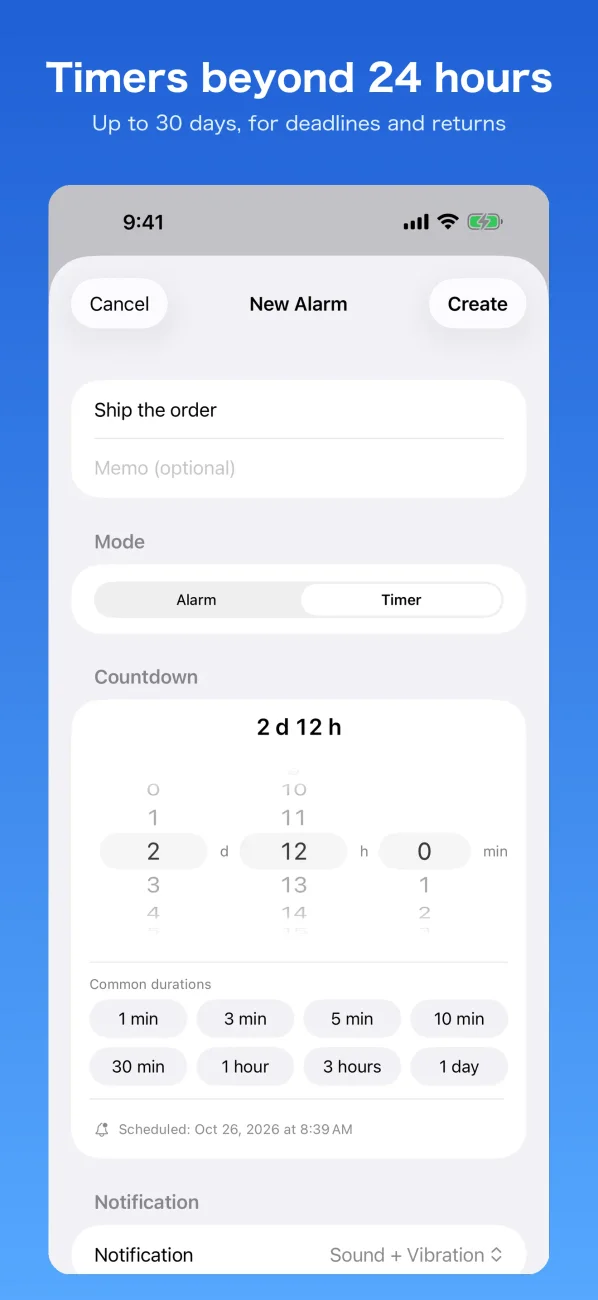
[Timers] Enter days, hours, and minutes; the countdown starts when you save.
[Create from Text] Type "Trash every Monday and Thursday at 8am" and the date, time, repeat, and title are filled in. On devices with Apple Intelligence, AI also tidies up the title and memo, all on device.
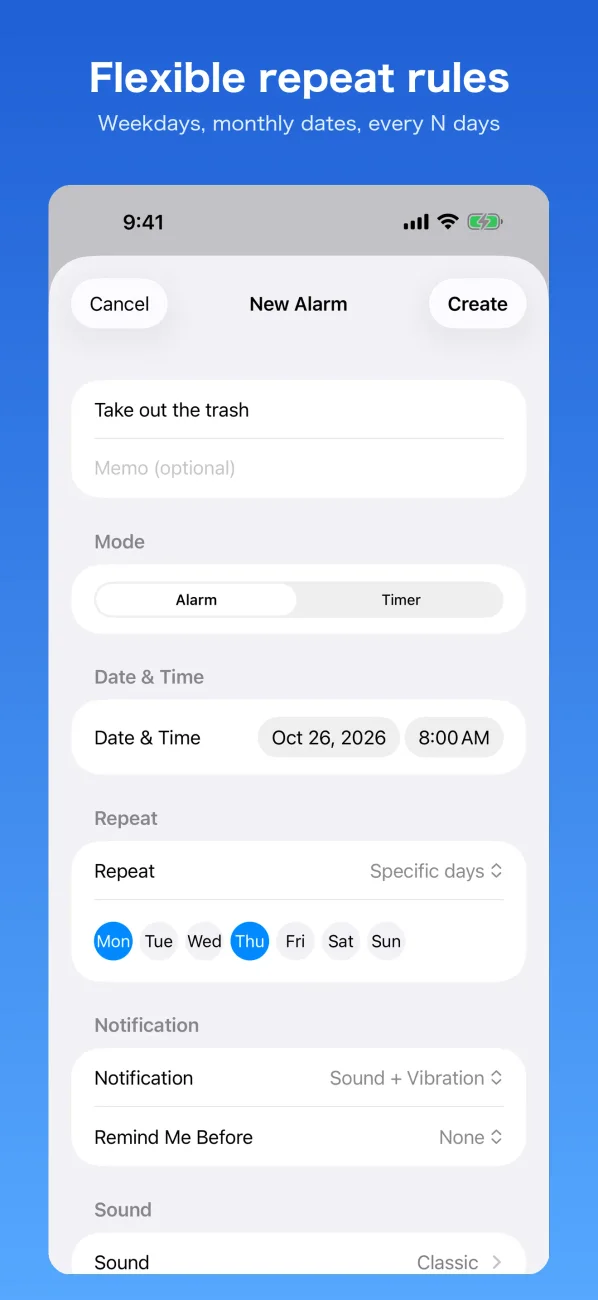
[Repeats] Daily, weekdays, weekends, specific days, a monthly date, or every N days. Optionally skip Japanese national holidays.
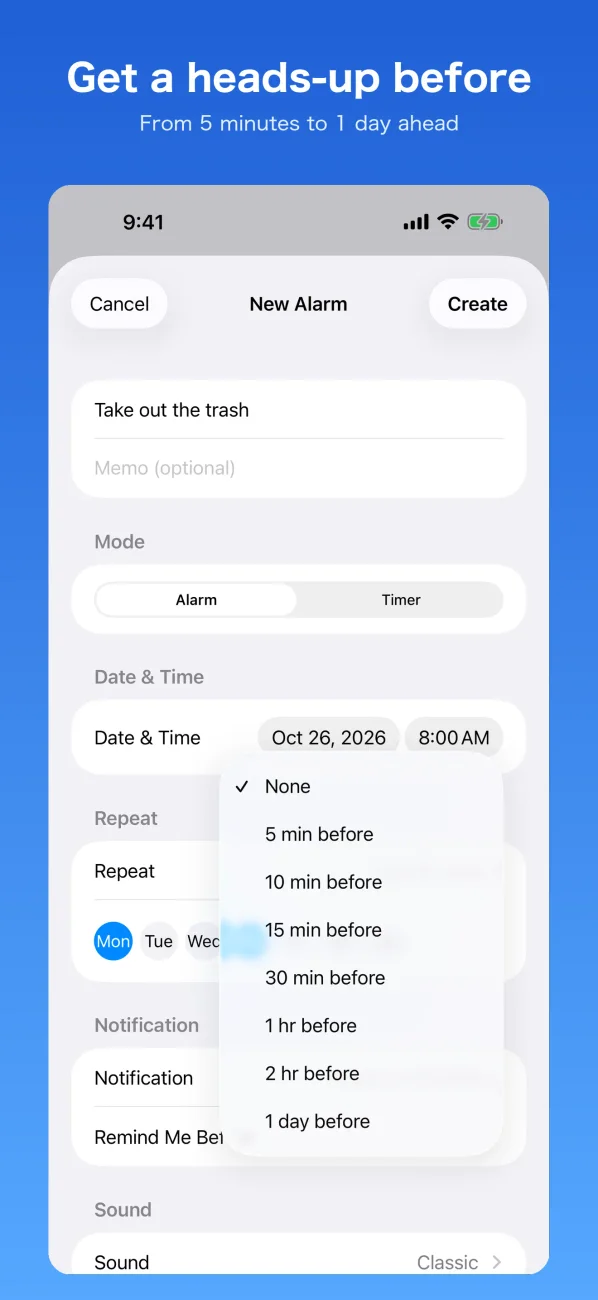
[Remind Me Before] Get a heads-up from 5 minutes to 1 day before.
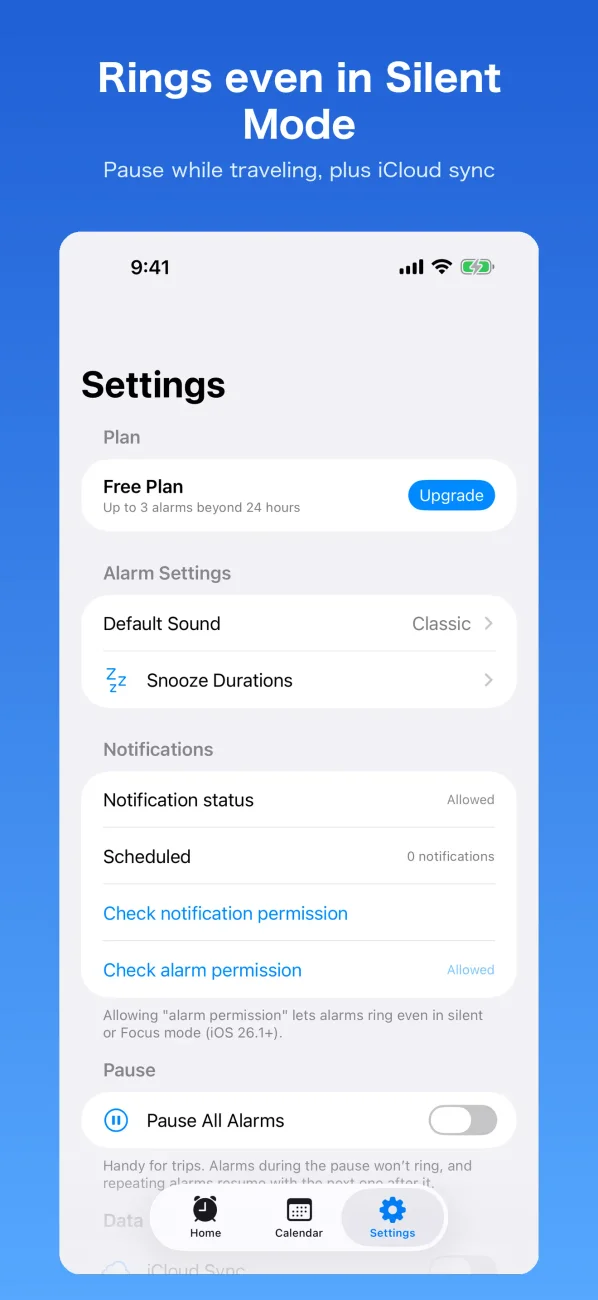
[Pause] Pause alarms during a trip or vacation; only alarms in that period are skipped.
[Rings in Silent Mode] On iOS 26.1 or later, allow alarm permission and alarms ring even in Silent or Focus mode.
[Snooze & Sounds] Choose snooze times, notification type, and sounds, including your own.
[Templates] Save the alarms you use most and schedule them in one tap.
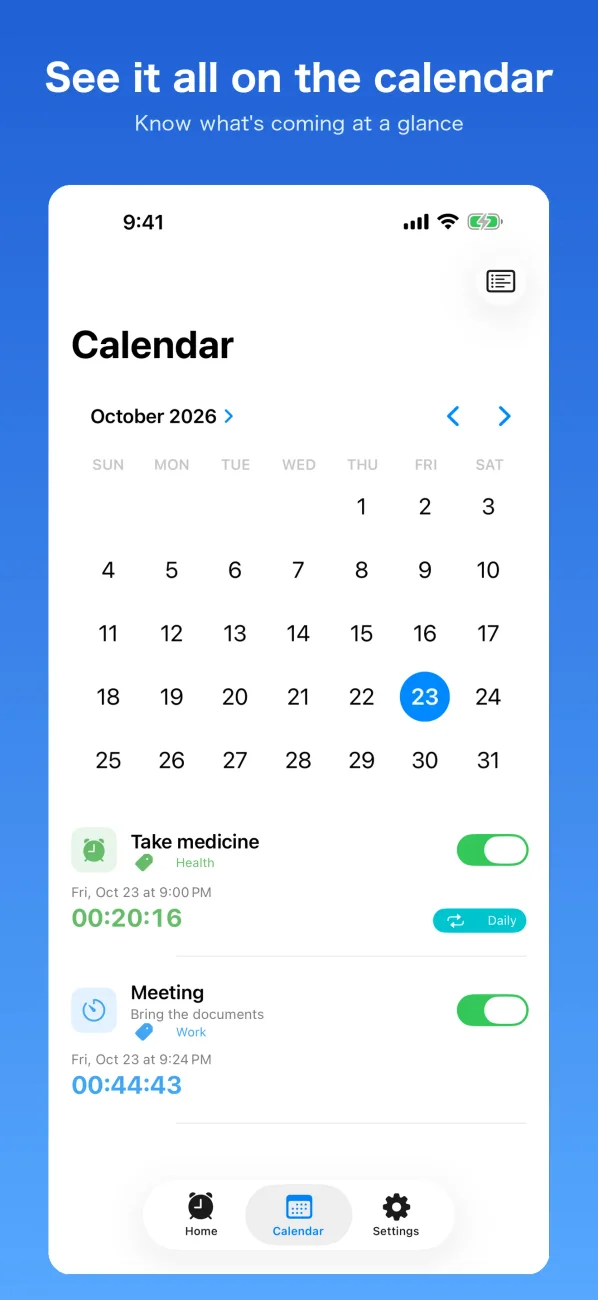
[Calendar & Next 7 Days] See your alarms on a calendar and at a glance for the week.
■ Widgets, Apple Watch, Siri
• Home and Lock Screen widgets show the time left. The medium widget has 30-min Timer and Skip buttons.
• Apple Watch: see your next alarm, start a 30-minute timer, stop alarms, and add a watch-face complication.
• Siri & Shortcuts: say "Schedule with Future Timer" and describe it.
■ Free and Premium
• Free: unlimited alarms within 24 hours, and up to 3 alarms more than 24 hours ahead
• Premium (monthly or yearly): unlimited alarms, no ads
Payment is charged to your Apple ID at confirmation of purchase. Subscriptions renew automatically unless canceled at least 24 hours before the end of the current period. Manage or cancel anytime in your Apple ID settings.
Terms of Use (EULA): https://www.apple.com/legal/internet-services/itunes/dev/stdeula/
Privacy Policy: https://fukusefeb-dev.github.io/timer-alarm-privacy/
Có gì mới
Phiên bản 1.6.0 · 31/10/2026
• Create from Text: type something like "Dentist next Tuesday at 3pm" and the date, repeat, and title are filled in. On devices with Apple Intelligence, AI also tidies up the title and memo, all on device.
• Remind Me Before: get a notification 5 minutes to 1 day before an alarm.
• Skip Japanese Holidays for repeating alarms.
• Pause: stop alarms during a trip or vacation.
• My Templates: save the alarms you use most and schedule them in one tap.
• The medium widget now has 30-min Timer and Skip buttons, and your next alarm can appear on your Apple Watch face.
• Siri: say "Schedule with Future Timer" to schedule from text.
• Category suggestions and a Next 7 Days summary.
• Fixed an issue where stopping a repeating alarm from a notification could skip the next one.
• Fixed an issue where snoozing a repeating alarm stopped it from repeating.
• Improved English text in widgets and some screens.
Quyền riêng tư của ứng dụng
Những gì TSUBASA FUKUCHI khai báo trên App Store về cách ứng dụng này xử lý dữ liệu.
-
Dữ liệu liên kết với bạn
Có thể được thu thập và liên kết với danh tính của bạn.
- Mục mua
- Mã định danh
- Dữ liệu sử dụng
Phương thức đảm bảo quyền riêng tư có thể khác nhau, chẳng hạn như tuỳ theo các tính năng bạn sử dụng hoặc độ tuổi của bạn.
Thông tin
- Người bán
- TSUBASA FUKUCHI
- Danh mục
- Tiện Ích
- Phiên bản
- 1.6.0
- Cập nhật
- 31/10/2026
- Phát hành
- 15/03/2026
- Kích thước
- 13,2 MB
- Yêu cầu
- iOS 17.0 trở lên
- Độ tuổi
- 4+
- Giá
- Miễn phí
- Mua hàng trong ứng dụng
- Có
- Ngôn ngữ
- Tiếng Nhật, Tiếng Anh
- Bản quyền
- © 2026 Tsubasa
Có thể bạn cũng thích
-
 未来タイマー:日時アラームTiện Ích
-
 Toki - Date & Time AlarmTiện Ích
-
 カスタムアラームTiện Ích
-
 簡単目覚まし時計Tiện Ích
-
 Must-Ring: Calendar AlarmTiện Ích
-
 Akaru: Alarm Clock & CalendarTiện Ích
-
 Rouse: Alarms Routines TimersTiện Ích
-
 AlarmCal:Daily Routine PlannerTiện Ích
-
 Date Alarm & Shift CalendarTiện Ích
-
 Countdown Calendar TimersTiện Ích