Fuwari Speech Timer
Cue Messages That Rise on Time
Designed for iPhone
Free · In-app purchases
- Age rating4+
- CategoryProductivity
- DeveloperYutaka Taketoshi
- LanguagesEnglish+ 1 more
- Size2.5 MB
Links to the official App Store page
Download.org hosts no file of Fuwari Speech Timer. The button opens its official App Store page, published by Yutaka Taketoshi. Listing last checked on Nov 18, 2026.
Screenshots

About
Fuwari Speech Timer shows the words you choose, rising gently from the bottom of the screen at the moments you choose.
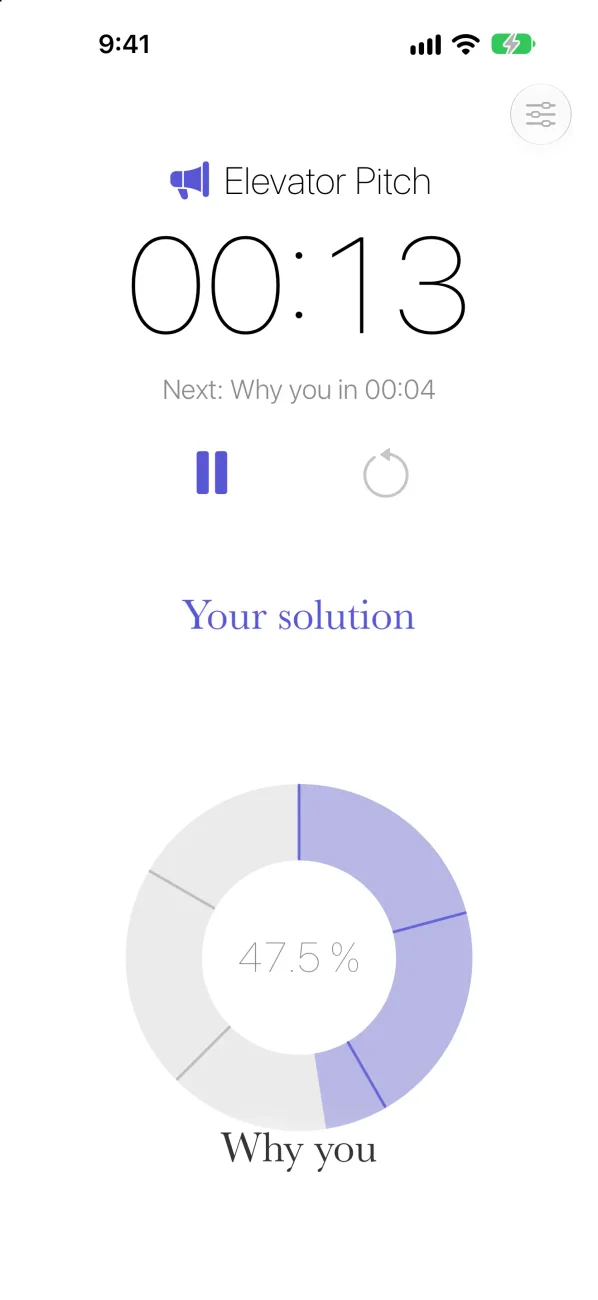
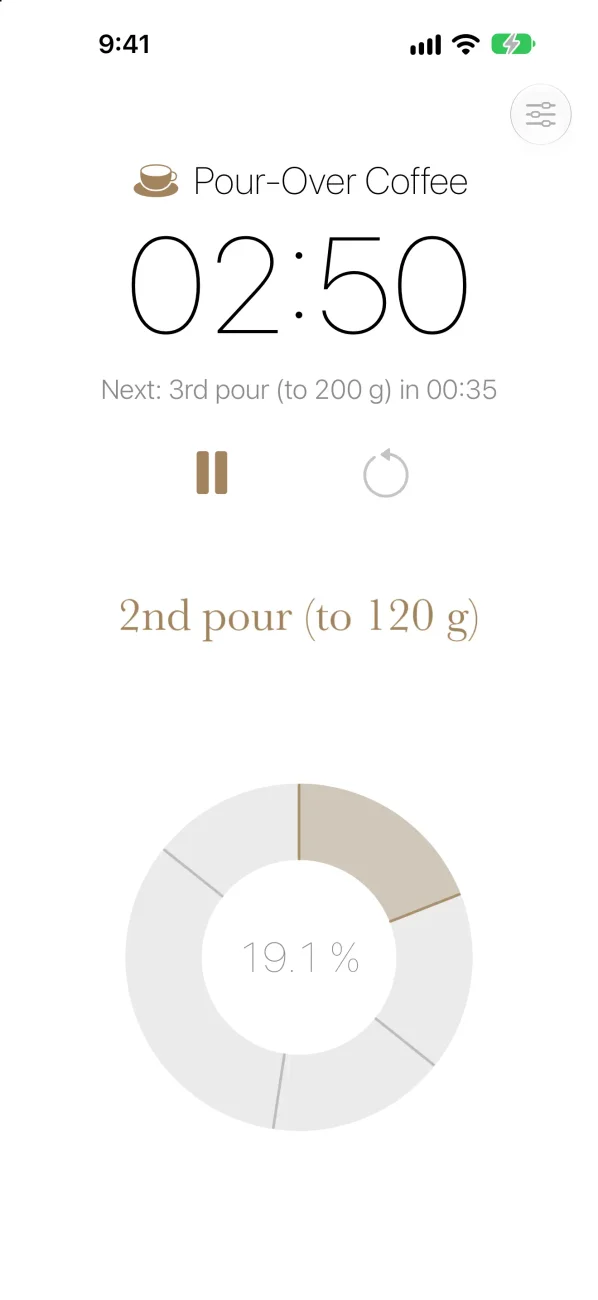
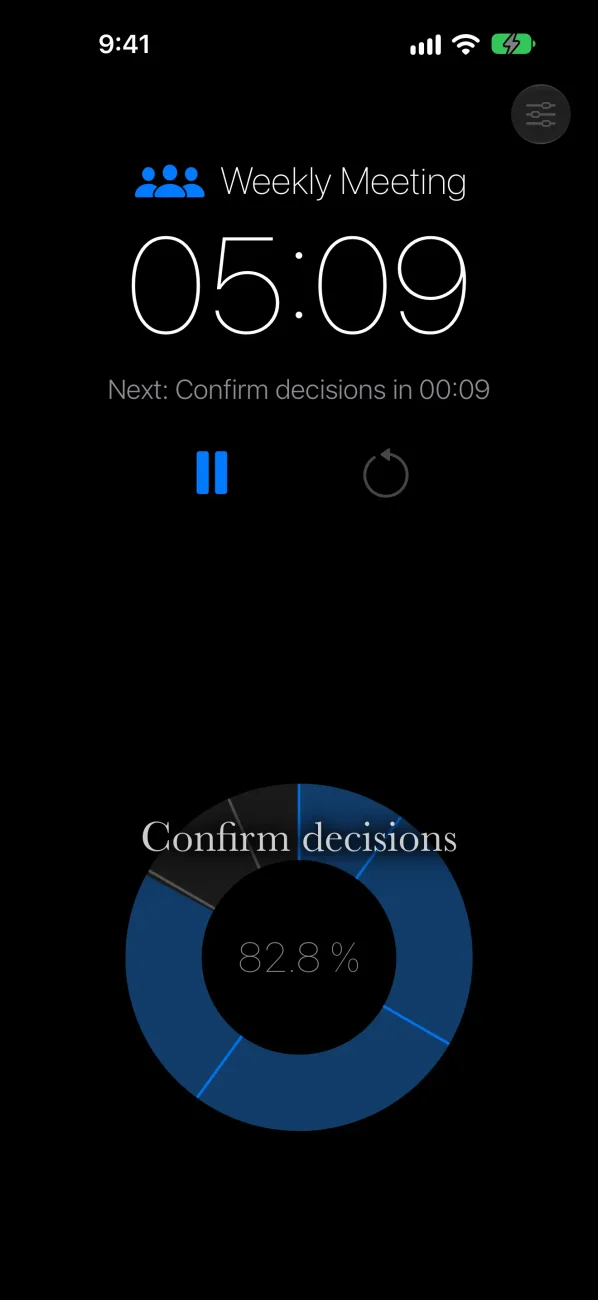
Set a message and a time for each checkpoint. A little before each checkpoint, its message starts rising, arrives right on time, and lets you know with a soft chime and a tap. The time left until the next checkpoint is always on screen, so you can stay on track without glancing at a clock.
GREAT FOR
- Presentations and speeches: know when to move to the next topic
- Meetings: keep each agenda item to its time
- Workouts: switch between work and rest in interval training (for example, 20 seconds on and 10 seconds off, repeated 8 times), cued by sound and haptics without looking at the screen
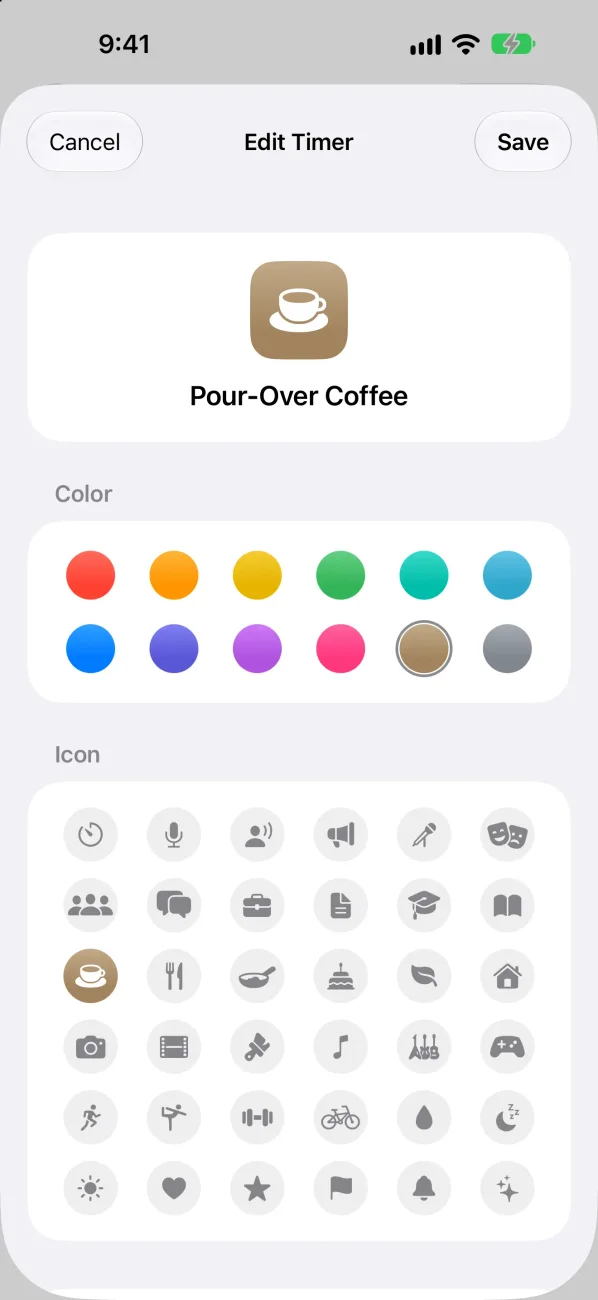
- Pour-over coffee: time the bloom and each pour
- Cooking, stretching, music practice, kids' morning routines and more
FEATURES
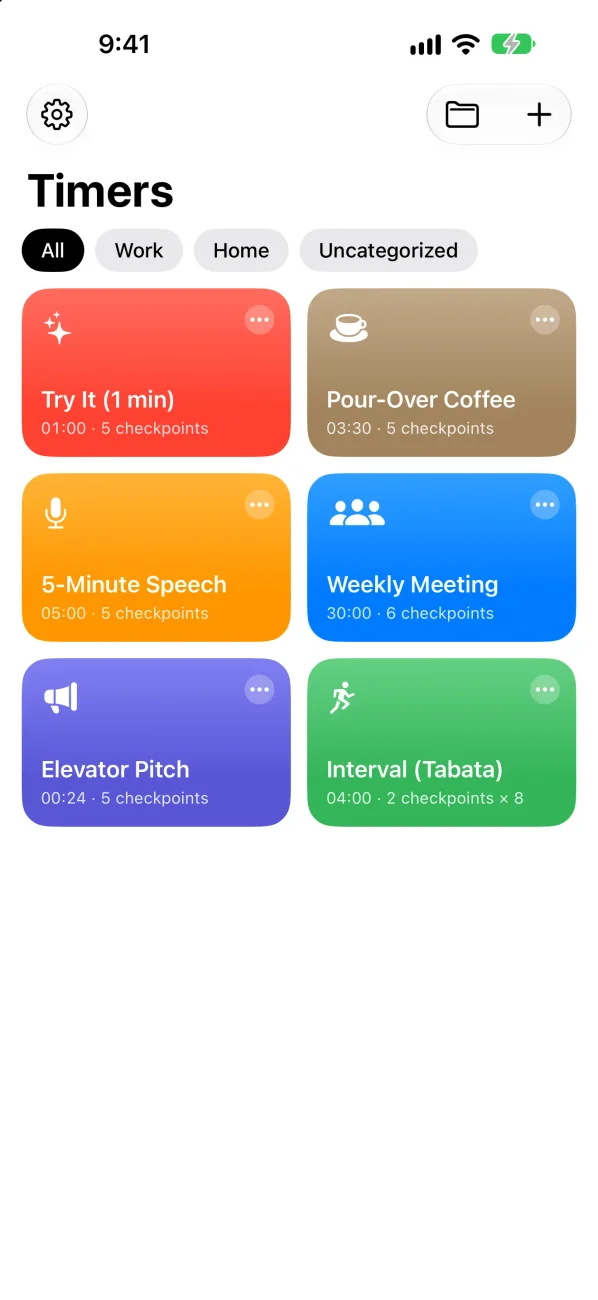
- Save as many timers as you need and start one with a tap
- Give each timer an icon (36 choices) and a color (12 colors), shown as tiles
- Organize timers into categories
- Choose, for each timer, how early messages start rising: 5 to 60 seconds before
- Set a repeat count, so interval training is as simple as "30 seconds × 8"
- A soft, vibraphone-like chime and haptics announce each arrival (no sound in silent mode)
- Notifications keep the chime and vibration coming even with the screen off
- After time is up, it keeps counting the overtime
- A ring with checkpoint marks shows your overall progress
- The screen stays on while the timer runs
- Dark Mode and VoiceOver support
FREE AND FULL VERSION
Every feature works in the free version, which saves up to 3 timers.
The Full Version, a one-time purchase, lets you save as many timers as you like. No subscription.
No ads. No data is collected.
What’s new
Version 2.0.0 · Oct 5, 2026
- Completely rebuilt the app
- Save timers, show them as tiles with icons and colors, and organize them into categories
- Rebuilt how messages rise: every message moves at the same speed and arrives right on its checkpoint
- Soft chimes and haptics announce each arrival, and the time to the next checkpoint is shown
- Counts overtime after time is up
- Set a repeat count for each timer
- Notifications chime and vibrate even with the screen off
- Removed ads
- The Full Version (one-time purchase) saves unlimited timers
- Now requires iOS 17 or later
App privacy
What Yutaka Taketoshi declares on the App Store about how this app handles data.
-
Data not collected
The developer does not collect any data from this app.
Privacy practices may vary, for example with the features you use or your age.
Information
- Seller
- Yutaka Taketoshi
- Category
- Productivity
- Version
- 2.0.0
- Updated
- Oct 5, 2026
- Released
- Mar 10, 2020
- Size
- 2.5 MB
- Requires
- iOS 17.0 or later
- Age rating
- 4+
- Price
- Free
- In-app purchases
- Yes
- Languages
- English, Japanese
- Copyright
- ©2020-2026 Taketoshi Yutaka
You might also like
-
 PodomodoAI To-Do List & Focus Timer
-
 Streakpad: Habit TrackerGoals, Streaks & Daily Notes
-
 SAKUMEMO! - Sort,Todo&ShoppingJot it down the moment it hits
-
 Habi: Simple Habit TrackerProductivity
-
 Sundae: ADHD Visual TimerVisual focus & study timer
-
 Dotted: Habit NotebookShared tracker & photo journal
-
 ToDoBuff ~ToDo×SchedulingProductivity
-
 ToDo Calendar ProReminders, To-Do List & Tasks
-
 BLNOTEProductivity
-
 BreakTime - work break timerTime management, stay focused