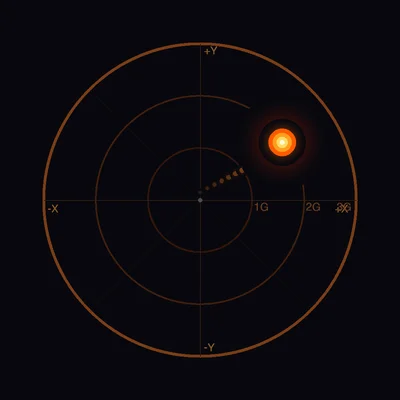
G-Force Meter+ Accelerometer
Car G Forces, 0-60 & Braking
Designed for iPhone
Free
- Age rating17+
- CategoryProductivity
- DeveloperKyu-Hee Jang
- LanguagesEnglish
- Size83.4 MB
Links to the official App Store page
Download.org hosts no file of G-Force Meter+ Accelerometer. The button opens its official App Store page, published by Kyu-Hee Jang. Listing last checked on Nov 22, 2026.
Screenshots
About
G-Force Meter+ Accelerometer shows the G-force your phone feels right now on every axis, then turns each drive, ride or run into a result you can read: press Start, press Stop, and a session card shows the peak G, the average G and how hard you cornered, accelerated and braked.
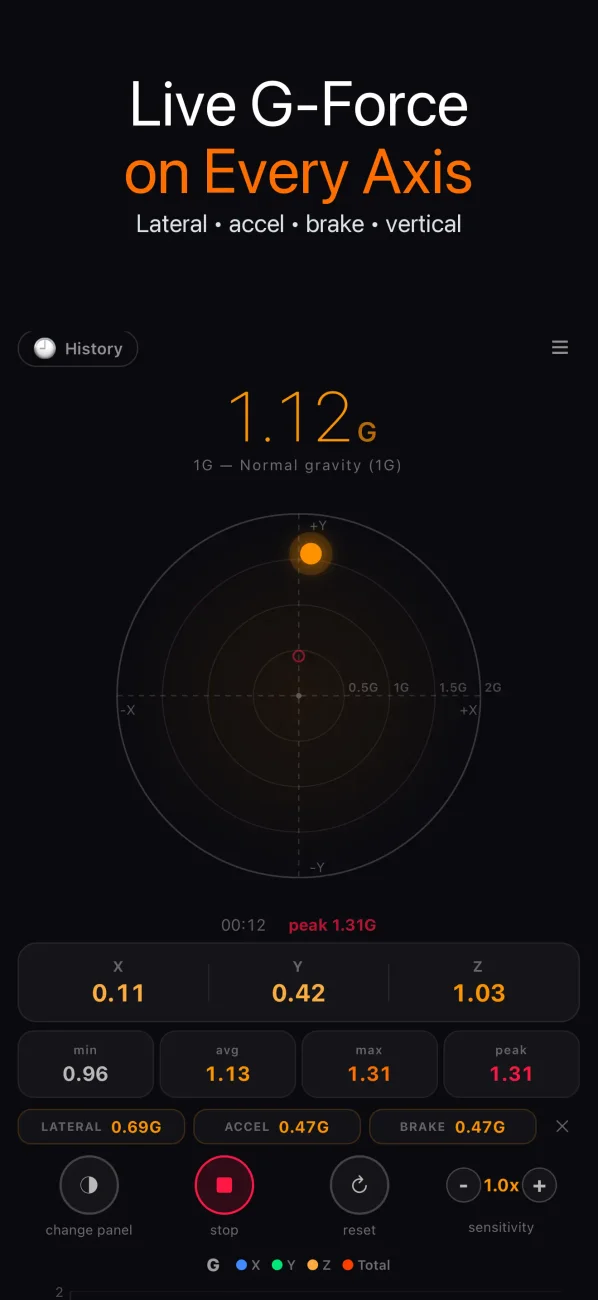
▶ Live G-force on every axis
• Total G on a round gauge with a moving dot for the direction of the force
• Lateral (X), longitudinal (Y) and vertical (Z) values side by side
• Min, average, max and peak while you record, plus peak chips for lateral, accel and brake
• A scrolling chart of X, Y, Z and total G, or a sentence that explains the current G level
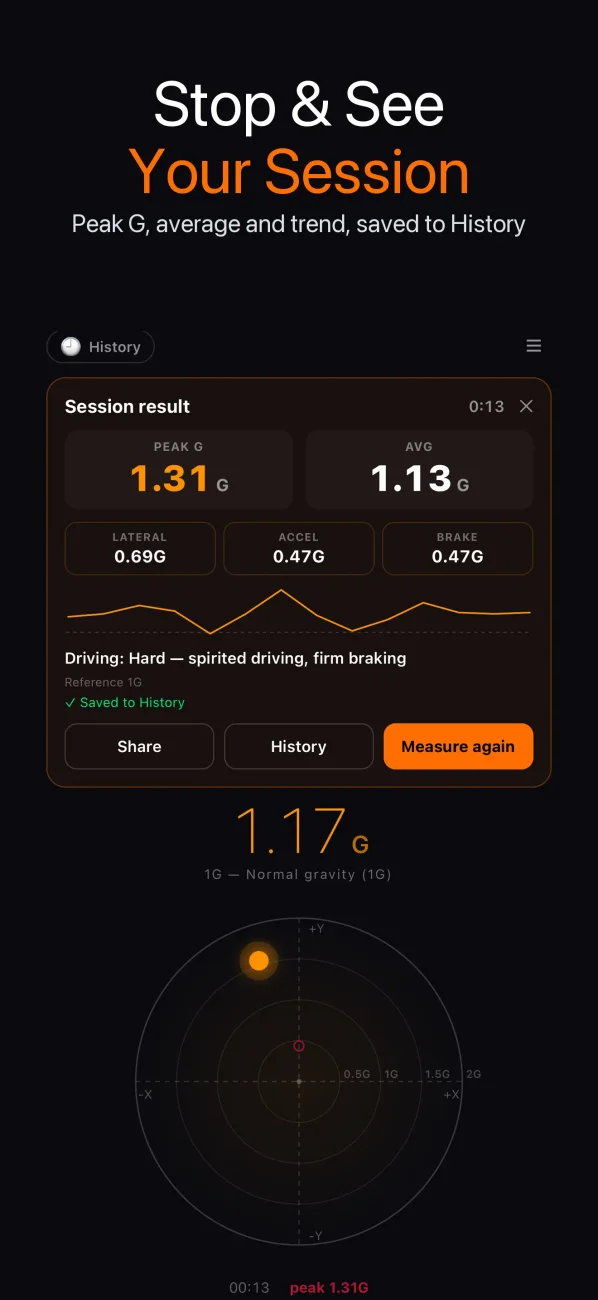
▶ Stop and see the session
Press Stop and a Session result card appears:
• Duration, peak G and average G
• Peak lateral, peak accel and peak brake
• A second-by-second G trend line (the first 10 minutes of a session)
• With the Car activity selected, a plain-language reading of the drive, from Gentle to Very hard, based on the peak horizontal G
Every finished session is saved to History automatically (the last 20). A session shorter than 2 seconds is not saved. If you switch apps mid-session, recording pauses in the background and the same session resumes when you return, and a session cut off when the system closes the app is recovered into History on the next launch. Share a result as text in one tap.
▶ History and personal bests
Open History from the top of the Meter screen: personal bests, every session with its G trend, your race runs and rolling runs. Export sessions, runs or rolling intervals as CSV. A statistics report CSV unlocks for 24 hours after a short ad.
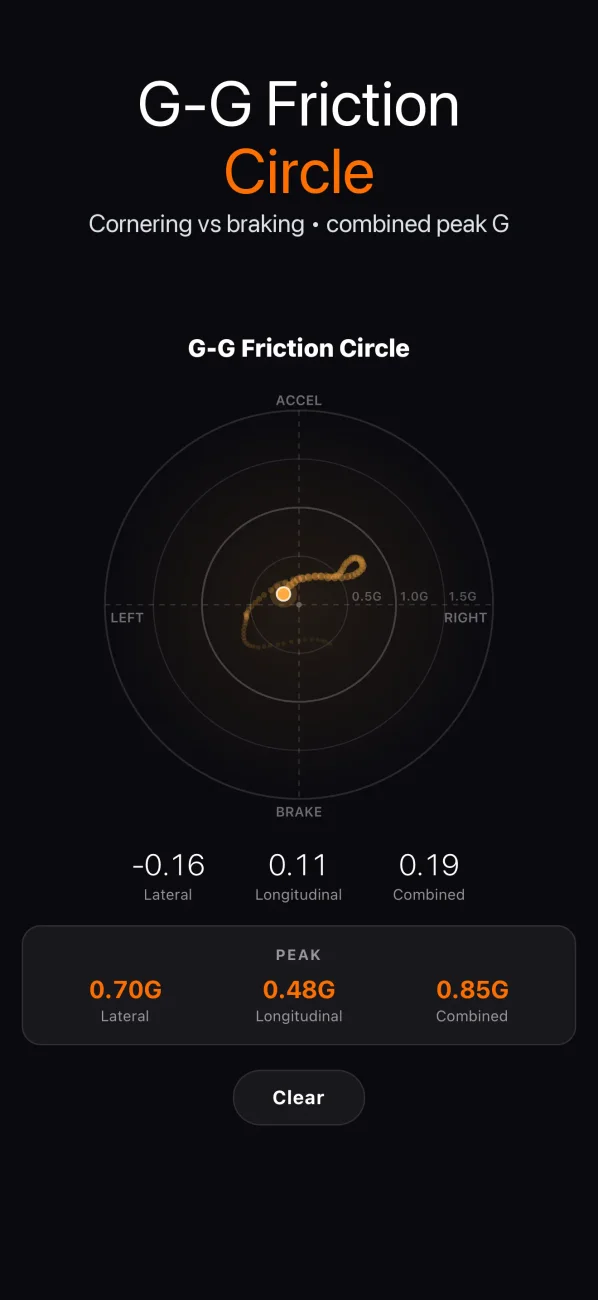
▶ G-G friction circle
A dedicated tab plots lateral against longitudinal G as a trail inside rings at 0.5, 1.0 and 1.5 G, with peak lateral, longitudinal and combined G, so you can see how much grip you used in corners and under braking.
▶ Race mode
• 0-60 mph launch timing with raw and rollout times
• 60-0 mph brake test with time, distance and speed shed, estimated from the motion sensors
• Rolling intervals: 60-120 mph, 100-200 km/h, 30-50 mph or your own range
• GPS cross-check with a GPS 0-60 time, a quarter mile time and trap speed. A good fix shows a GPS-verified badge, otherwise the result is labelled as a sensor estimate
• Regen profile for electric cars: braking events sorted by their strength into likely regen (gentle) and likely friction (hard), with their maximum G
▶ Set up for your car
• Dash or Holder mount, auto-level and Re-level now
• Reference 1G (resting reads 1.00 G) or 0G (resting reads 0.00 G)
• Display sensitivity from 0.5x to 2.0x for the live gauge; the result card always shows the true values
• Activity presets for Car, Roller-coaster, Sport, Elevator and Aircraft explain what each G level means there
• A Guide tab with 8 tips on mounting, reading each axis and typical G in daily life
• The screen stays on while recording
• Interface in 30 languages
▶ Good to know
Readings come from the phone's motion sensor, so mount the phone firmly and level it before you record. Launch and braking times are estimates unless they carry the GPS-verified badge. Only drive-test where it is safe and legal.
For drivers checking how smooth or hard they drive, track-day and drag-strip fans, roller-coaster riders, and students who want to see physics in numbers.
What’s new
Version 1.0.38 · Nov 21, 2026
• G-G Plot: tap Save to keep the last ~8 seconds of trail and peaks; tap a saved chip to overlay it on the live trail and see the difference. Long-press a chip to delete it.
• Scale chips 0.5G / 1G / 2G for the friction circle.
• Mount = Holder: forward/back G now shows on the correct G-G axis.
• The trail and peaks stay when you visit another tab.
App privacy
What Kyu-Hee Jang declares on the App Store about how this app handles data.
-
Data used to track you
May be used to track you across apps and websites owned by other companies.
- Identifiers
- Usage data
-
Data not linked to you
May be collected but is not linked to your identity.
- Identifiers
- Usage data
- Diagnostics
Privacy practices may vary, for example with the features you use or your age.
Information
- Seller
- Kyu-Hee Jang
- Category
- Productivity
- Version
- 1.0.38
- Updated
- Nov 21, 2026
- Released
- Mar 10, 2026
- Size
- 83.4 MB
- Requires
- iOS 16.4 or later
- Age rating
- 17+
- Price
- Free
- Languages
- English
- Copyright
- Copyright © 2026 Simon Jang. All rights reserved.
You might also like
-
 Ekahau AnalyzerProductivity
-
 BimmerLinkProductivity
-
 Carly — OBD2 car scannerDiagnose, Code and Service
-
 Onshape 3D CADSpeed Up Your Product Design
-
 Google AI Edge GalleryPrivate, Fast, Offline AI
-
 BimmerCodeProductivity
-
 Locally AI by LM StudioLocal & Private AI Assistant
-
 Barcode ScannersProductivity
-
 Network Toolbox Net securityWiFi Cell LAN scanning tools
-
 KDE ConnectCommunication Between Devices