
- Age rating4+
- CategoryUtilities
- DeveloperGlen McCarty
- LanguagesEnglish
- Size6.6 MB
Links to the official App Store page
Download.org hosts no file of G Time. The button opens its official App Store page, published by Glen McCarty. Listing last checked on Nov 12, 2026.
Screenshots
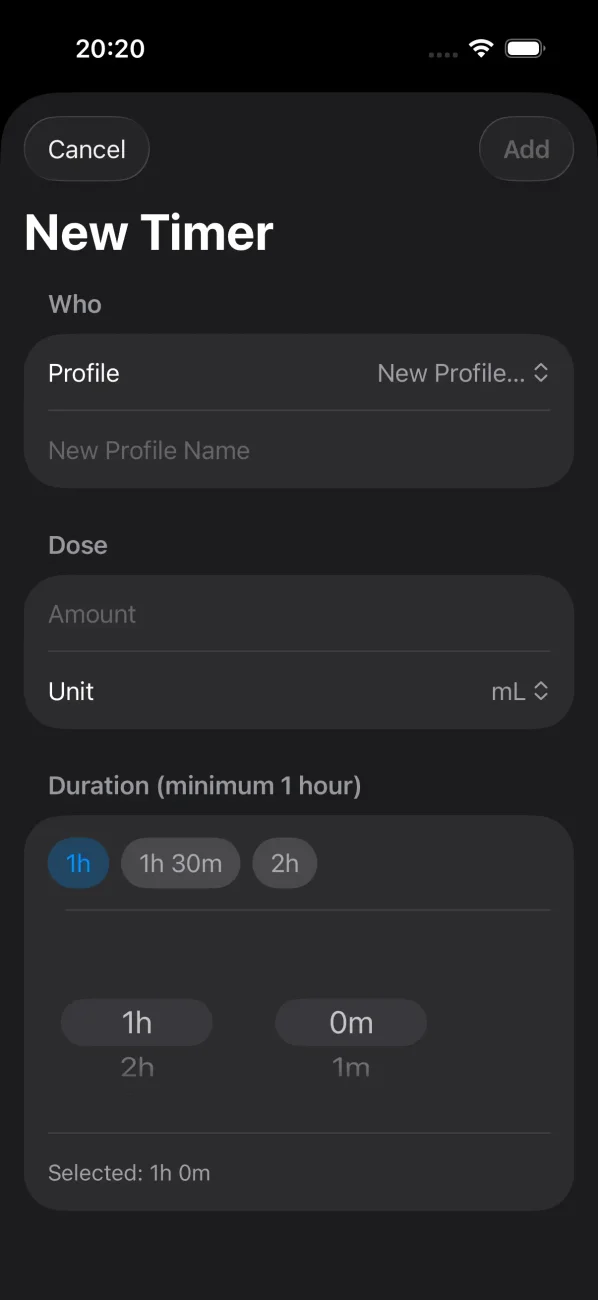
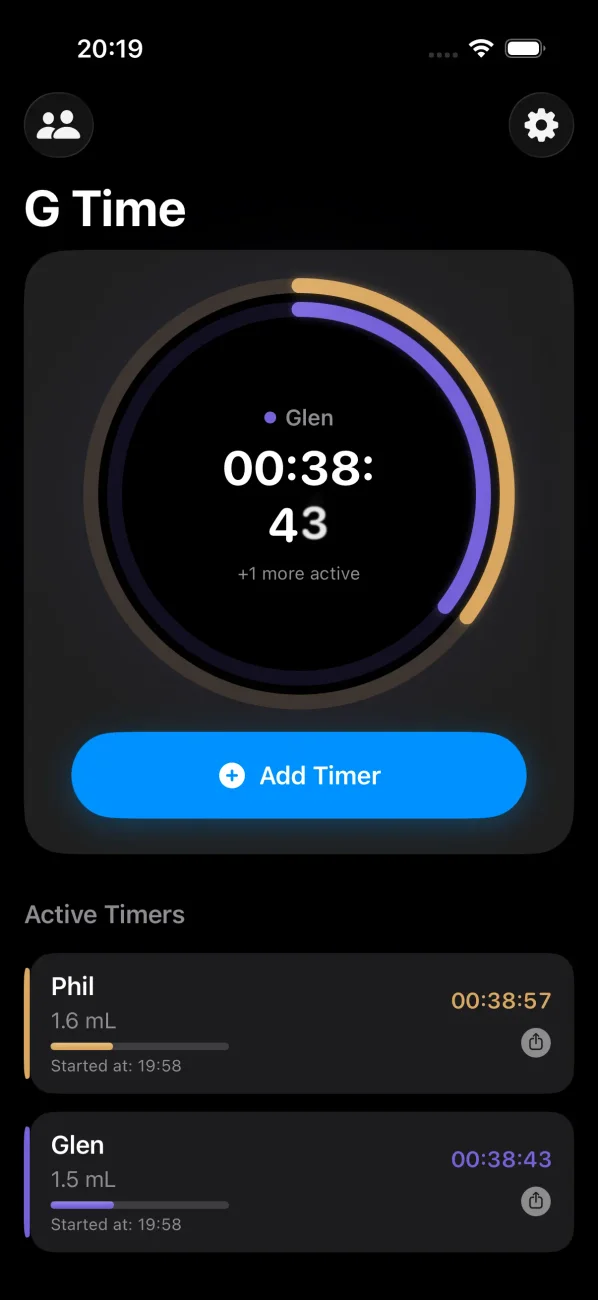
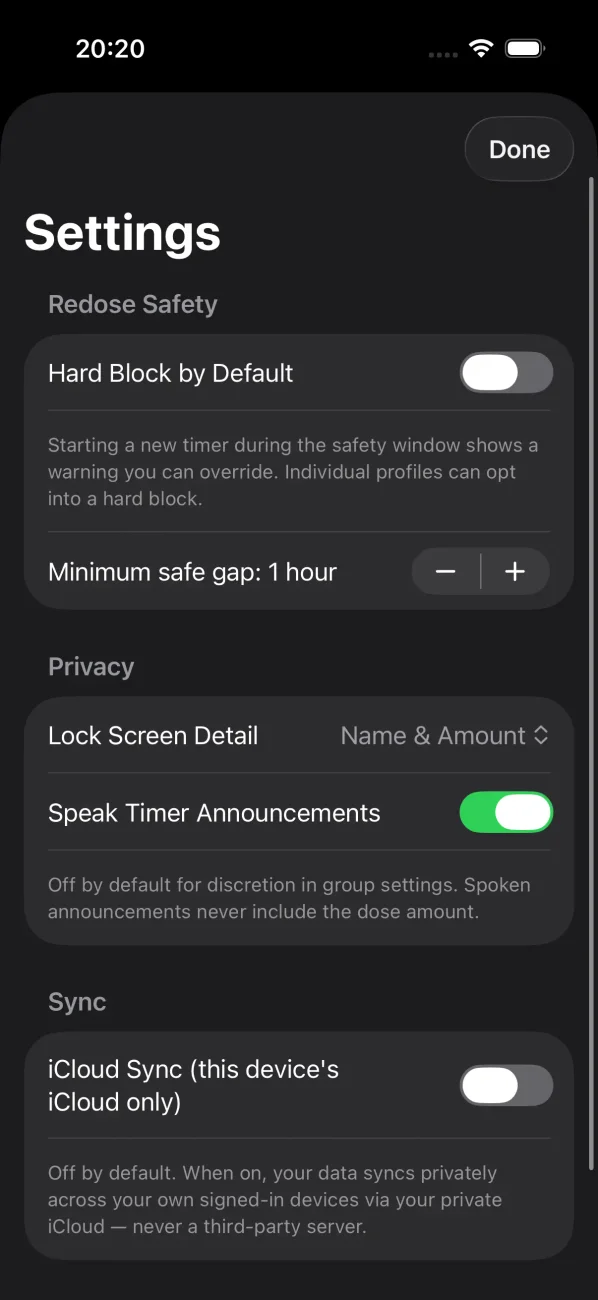
About
G Time is a personal interval timer built around one job: helping you (and the people you're with) leave enough time between whatever you're tracking.
Going again too soon is one of the easiest ways for a good night to turn into a bad one. G Time keeps a clear countdown to your next safe interval, tracks who did what and when, and gives you an honest picture of your own patterns over time — so you're deciding with information, not guesswork.
WHAT IT DOES
• Starts a clear, glanceable countdown the moment you log something, showing exactly when your safe interval is up
• Gives every person in your group their own profile, so timers and history never get mixed up on a shared phone
• Warns before you go again too early by default, with an optional stricter Hard Block for anyone who wants a firmer stop
• Keeps a real history over days and weeks, not just a single session
• Notices when a pattern is drifting — more frequent entries, bigger amounts, shorter gaps than usual — and says so in plain language, without judgment
• Stays discreet: lock screen notifications never show names or amounts by default, and spoken announcements are off unless you turn them on
• Lives on your device by default, with an optional private iCloud sync if you use more than one
WHO IT'S FOR
G Time is for anyone who wants a bit of structure and a second pair of eyes on timing, used solo or shared across a group on one phone. It's a personal organizer, not a medical device — it doesn't replace professional advice or knowing your own limits, it's just one more layer of structure around timing.
There are no ads, no required account, and no analytics trackers. G Time doesn't sell or share your data — full stop.
What’s new
Version 3.0 · Jul 21, 2026
This is a major update focused on the app's core job: actually catching it when someone goes again too soon.
• New: a real safety gate. Going again inside your interval now shows a warning — or is blocked outright, if you turn that on — instead of quietly going through
• New: usage insights that flag drifting patterns, like more entries in a session, rising amounts, or shorter gaps than usual, without judgment
• New: profiles, so every person in your group gets their own timer and history on a shared phone instead of one shared list
• Fixed: timers and history now persist properly, even if the app is closed or your phone restarts
• Fixed: lock screen notifications no longer show names or amounts by default — details only appear after you unlock and open the app
• Fixed: spoken announcements are off by default, and never include amounts
• New: a redesigned clock face — each active timer is its own ring, filling in as you get closer to your safe interval
• New: Live Activity support and a refreshed look throughout, including dark mode
• New: optional private iCloud sync, off by default
As always, G Time keeps your data on your device unless you choose to sync it, with no ads and nothing sold.
App privacy
What Glen McCarty declares on the App Store about how this app handles data.
-
Data not collected
The developer does not collect any data from this app.
Privacy practices may vary, for example with the features you use or your age.
Information
- Seller
- Glen McCarty
- Category
- Utilities
- Version
- 3.0
- Updated
- Jul 21, 2026
- Released
- Apr 23, 2025
- Size
- 6.6 MB
- Requires
- iOS 18.4 or later
- Age rating
- 4+
- Price
- $1.99
- Languages
- English
- Copyright
- © Glen McCarty
You might also like
-
 RIoT Control ProUtilities
-
 Smart Things: Universal RemoteSmartthings: TV & Home Control
-
 GetUp AlarmThe alarm you can't snooze
-
 Flight Time CalculatorUtilities
-
 GPS Live Earth - SpeedometerSpeed Tracker & Street View
-
 iTest.Phone Diagnostics Made Easy
-
 Solaire WiFi IQUtilities
-
 SSH Term - Secure Remote ShellServer Terminal Client & SFTP
-
 GlideUtilities
-
 SoFast RiderUtilities