
Gallery Optimizer
Video & Photo Space Saver
Designed for iPhone, iPad
Free · In-app purchases
- Age rating4+
- CategoryUtilities
- DeveloperGiuseppe Caccavale
- LanguagesEnglish+ 1 more
- Size7.2 MB
Links to the official App Store page
Download.org hosts no file of Gallery Optimizer. The button opens its official App Store page, published by Giuseppe Caccavale. Listing last checked on Nov 18, 2026.
Screenshots


About
RECLAIM YOUR STORAGE SPACE
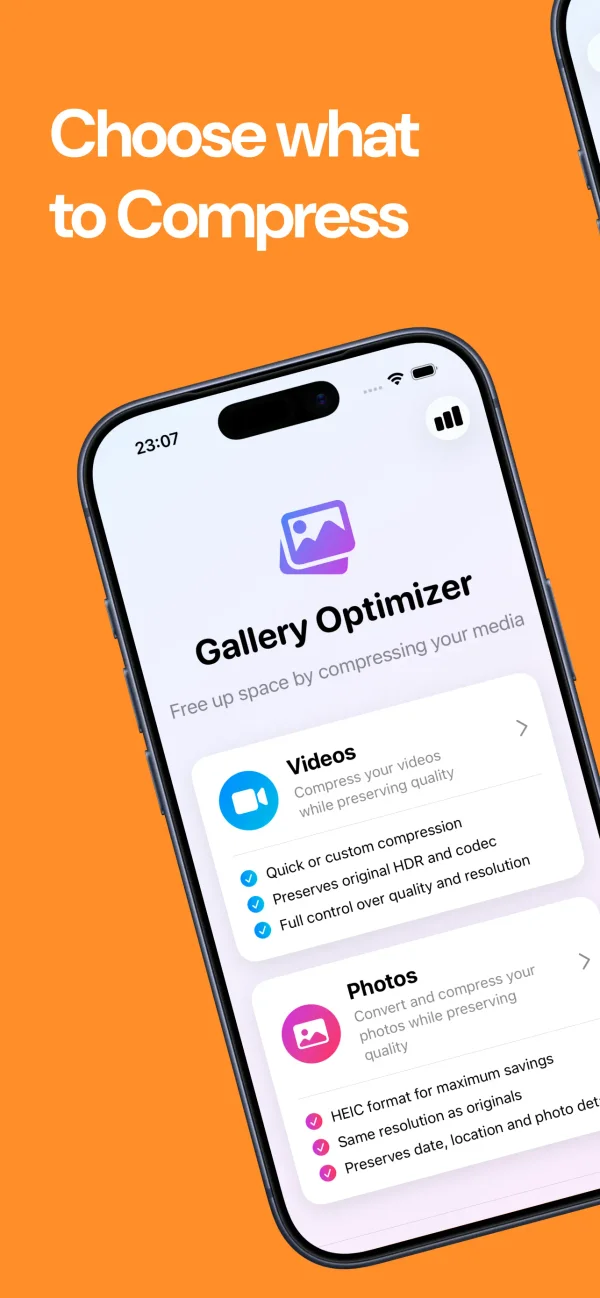
Gallery Optimizer helps you free up valuable storage on your iPhone by intelligently compressing videos and optimizing photos—all while preserving quality and your precious memories.
SMART VIDEO COMPRESSION
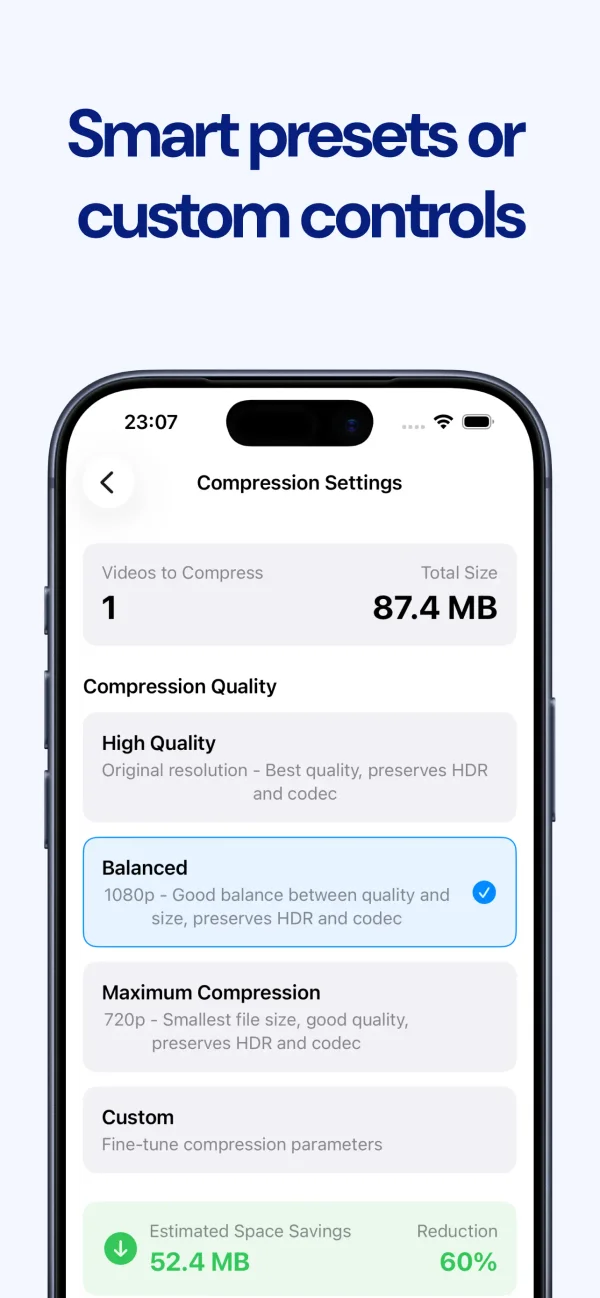
• Multiple quality presets: High Quality (4K), Balanced (1080p), or Maximum Compression (720p)
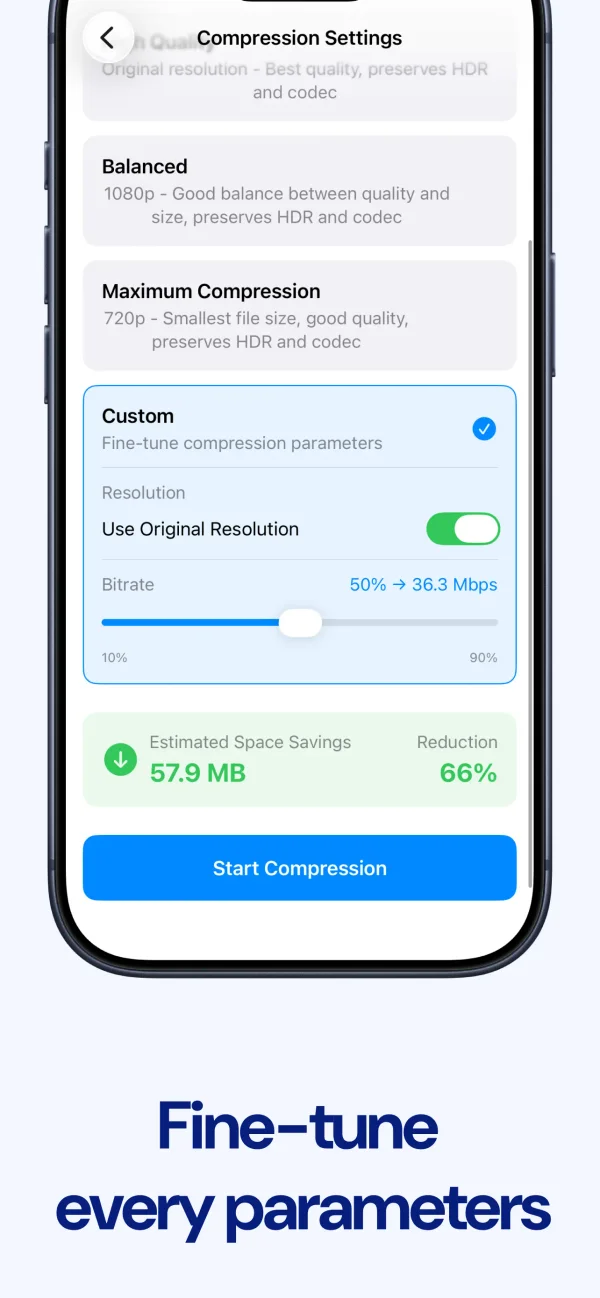
• Advanced custom controls for resolution, bitrate, and frame rate
• Automatically preserves HDR (HDR10/HLG) and original codec (HEVC/H.264)
• Maintains creation date, location, favorites, and all metadata
• Real-time compression progress with time estimates
• Typical space savings: 40-70% depending on settings
INTELLIGENT PHOTO OPTIMIZATION
• Convert photos to space-efficient HEIC format
• Quality presets: High (90%), Balanced (70%), or Maximum Compression (50%)
• Custom quality control from 10-100%
• Preserves original resolution, HDR, and wide color gamut
• Maintains GPS, camera settings, and lens information
• Typical space savings: 20-60% depending on format and quality
PRIVACY-FIRST DESIGN
• All processing happens locally on your device
• No cloud uploads or external servers
• Your photos and videos never leave your iPhone
• Full control over your media library
• Completely offline after initial setup
POWERFUL FEATURES
• Choose specific media or process your entire library
• See detailed statistics and track space saved over time
• Filter and sort by size, date, duration, or resolution
• Batch processing with pause/resume capability
• Automatic detection of already-optimized media
• Screen lock prevention during processing
• Clean, modern interface following Apple design guidelines
HOW IT WORKS
1. Grant photo library access
2. Choose between videos or photos
3. Select specific items or scan your entire library
4. Pick a quality preset or customize settings
5. Let Gallery Optimizer do the work
6. Optionally delete originals to reclaim space
PERFECT FOR
• Anyone running low on iPhone storage
• Users with large video and photo libraries
• Content creators managing 4K videos
• Travelers wanting to free up space for new memories
• Anyone wanting to optimize their photo library without quality loss
TECHNICAL EXCELLENCE
• Built with native Apple frameworks for optimal performance
• Supports all modern iPhone formats and codecs
• Concurrent processing for faster optimization
• Intelligent metadata preservation
• No subscriptions or hidden fees
NOTES
• iOS 18.0 or later required
• App must remain open during processing
• Original media can be optionally deleted after optimization
• Compression is permanent—keep backups of irreplaceable content
Download Gallery Optimizer today and take back control of your storage!
What’s new
Version 1.6 · Jan 3, 2026
- Compressed photos and videos are now organized into albums within the Photos app.
- Improved statistics graph.
- Fixed a bug in the "Find Duplicates" tool.
App privacy
What Giuseppe Caccavale declares on the App Store about how this app handles data.
-
Data not collected
The developer does not collect any data from this app.
Privacy practices may vary, for example with the features you use or your age.
Information
- Seller
- Giuseppe Caccavale
- Category
- Utilities
- Version
- 1.6
- Updated
- Jan 3, 2026
- Released
- Dec 2, 2025
- Size
- 7.2 MB
- Requires
- iOS 18.0 or later
- Age rating
- 4+
- Price
- Free
- In-app purchases
- Yes
- Languages
- English, Italian
- Copyright
- © Giuseppe Caccavale
You might also like
-
 TidyShotPhoto Organizer & Cleaner
-
 BaerClear: Photo CleanerDelete Duplicates, Free Space
-
 Photo Cleaner AI-Phone Cleanerswipe photo cleaner
-
 PhotoTri: Duplicate CleanerSwipe Photos, Free Up Storage
-
 Calcster: Secret Photo VaultVault to Hide Photos & Videos
-
 iSecret!Lite -Protected PhotosUtilities
-
 Clario: Storage OrganizerEffortless Photo Cleanup
-
 Albumly - Sort & Clean PhotosPhoto Sorter, Library Cleanup
-
 Presenze FPCUtilities