Game Controller for Smart TV
Play TV Games & Remote Control
Designed for iPhone, iPad
Free · In-app purchases
- Age rating4+
- CategoryUtilities
- Developer庆源 郭
- LanguagesEnglish
- Size10.7 MB
Links to the official App Store page
Download.org hosts no file of Game Controller for Smart TV. The button opens its official App Store page, published by 庆源 郭. Listing last checked on Nov 18, 2026.
Screenshots

About
Turn your iPhone or iPad into a convenient controller for compatible streaming devices and smart TVs. Game Controller combines everyday remote functions, touchpad navigation, quick channel access, and a dedicated game mode in one easy-to-use app.
Connect to a device on the same Wi-Fi network and start controlling your TV from your phone.
KEY FEATURES
• Complete Remote Control
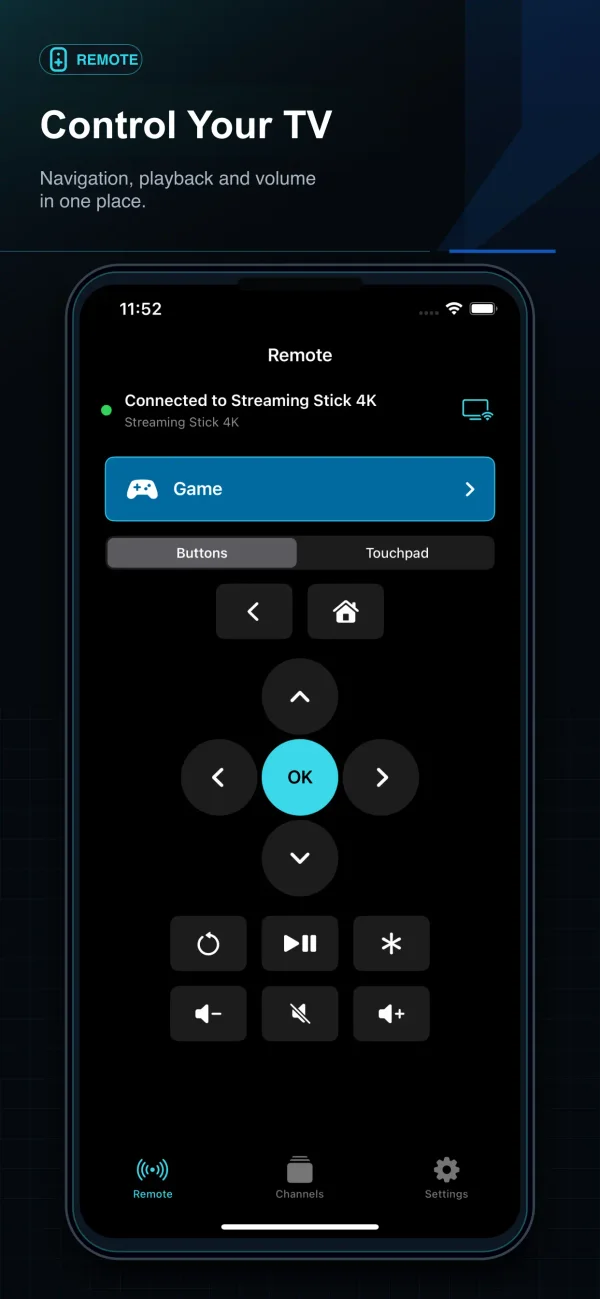
Navigate with directional buttons, confirm selections, return to the previous screen, go Home, control playback, adjust volume, and mute audio on supported devices.
• Responsive Touchpad
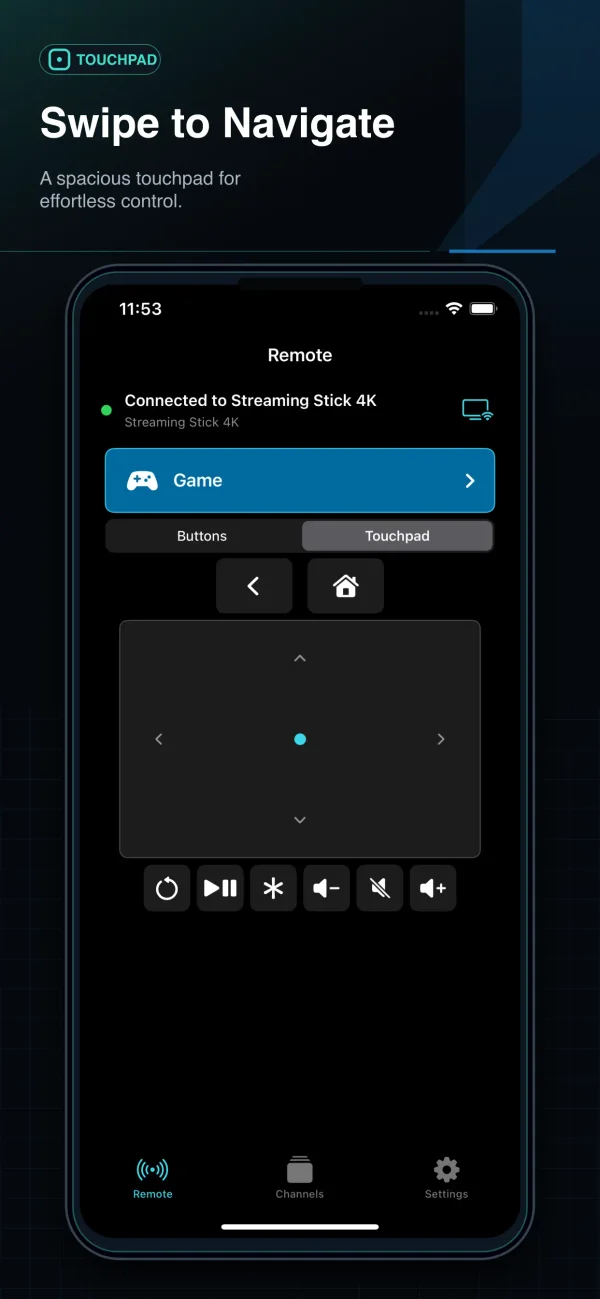
Swipe in any direction to move through menus and tap to select. Haptic feedback makes every gesture feel clear and responsive.
• Dedicated Game Mode
Use a virtual joystick for smooth multidirectional movement, including diagonal control in supported games. A separate action button provides quick access to in-game commands. You can also switch to a traditional button layout when playing games that work better with standard remote input.
• Channel Launcher
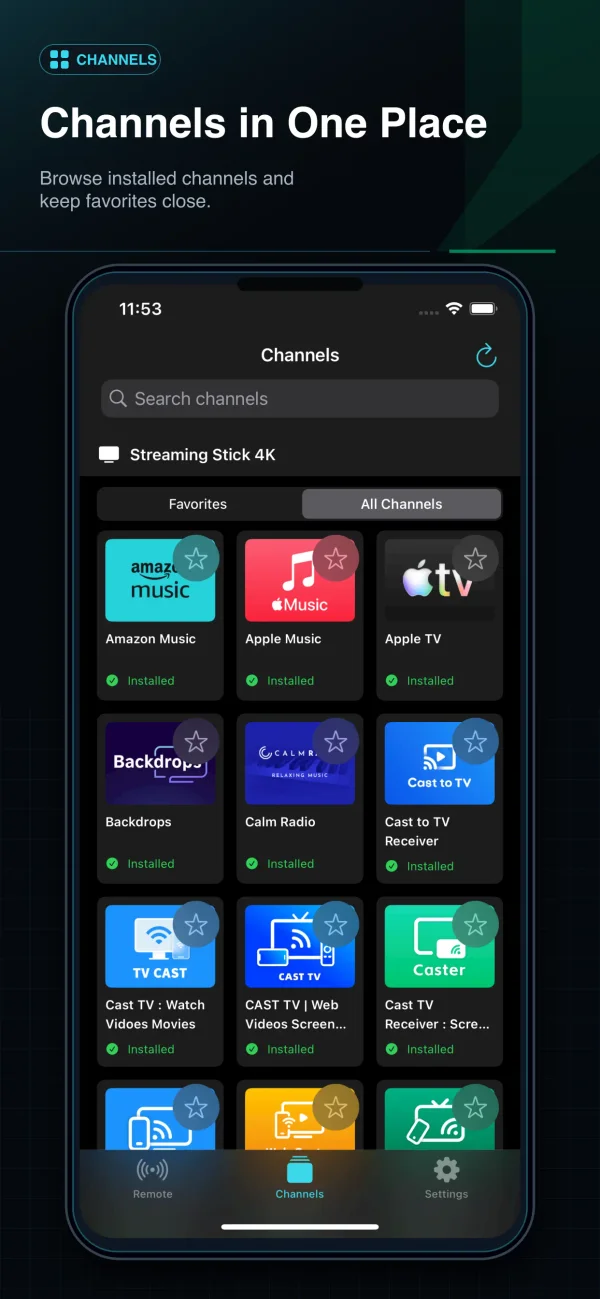
Browse the channels installed on your connected device and open them directly from your phone.
• Channel Favorites
Save frequently used channels for faster access without searching through the full list every time.
• Automatic Device Discovery
Quickly find compatible devices connected to your local Wi-Fi network. You can also refresh the device list whenever your network changes.
• Multiple Control Styles
Choose between physical-style buttons, touchpad gestures, and game controls to match what you are watching or playing.
Game Controller is designed for comfortable one-handed navigation, casual TV control, and more responsive gameplay. Whether you are browsing channels, watching entertainment, or playing a game, the controls you need stay close at hand.
REQUIREMENTS
• Your iPhone or iPad and the TV or streaming device must be connected to the same Wi-Fi network.
• Local Network access is required to discover and communicate with nearby devices.
• Some buttons and features may vary depending on the connected device or TV model.
Game Controller is an independent application and is not affiliated with, endorsed by, or sponsored by Roku, Inc. Roku is a trademark of Roku, Inc.
Terms of Use (EULA): https://www.apple.com/legal/internet-services/itunes/dev/stdeula/
Privacy Policy: https://chandlerbin-1213.github.io/rokugame.github.io/RokuPliotWeb/static/PrivacyPolicy/index.html
What’s new
Version 1.2 · Sep 8, 2026
• Added quick subscription access from the Remote and Channels screens.
• Improved automatic device discovery and connection reliability.
• Added detailed setup guides for compatible TV games.
• Refined Game Mode controls for smoother and more responsive gameplay.
• Improved the subscription and advertising experience.
• Fixed known issues and improved overall stability and performance.
App privacy
What 庆源 郭 declares on the App Store about how this app handles data.
-
Data used to track you
May be used to track you across apps and websites owned by other companies.
- Usage data
-
Data linked to you
May be collected and linked to your identity.
- Usage data
Privacy practices may vary, for example with the features you use or your age.
Information
- Seller
- 庆源 郭
- Category
- Utilities
- Version
- 1.2
- Updated
- Sep 8, 2026
- Released
- Aug 24, 2026
- Size
- 10.7 MB
- Requires
- iOS 16.0 or later
- Age rating
- 4+
- Price
- Free
- In-app purchases
- Yes
- Languages
- English
- Copyright
- © GuoQY2026
You might also like
-
 PhonePad - Game ControllerMake your iPhone a gamepad
-
 WiFi Devices QuickSee supported local services
-
 Remote Mouse: Deck PointerKeyboard & Trackpad for PC
-
 Managed Device ControlMDM
-
 Wi-Fi Sound ShareUtilities
-
 SnapFill - Fast Bill Of SalesUtilities
-
 Console Controller - CustomizePhone into Custom Controller
-
 V-Pad: Virtual GamepadYour phone is the gamepad
-
 CoolBaby GO: Drive Your WaySmart Remote for Your Ride
-
 Mono: AI Voice Memo AssistantLess Replaying, More Replying