
GenieNote: Notes & Calculator
Handwriting, Sketch & Planner
Designed for iPhone, iPad
Free · In-app purchases
- Age rating4+
- CategoryProductivity
- DeveloperLeo Rivas-Micoud
- LanguagesEnglish+ 4 more
- Size7.0 MB
Links to the official App Store page
Download.org hosts no file of GenieNote: Notes & Calculator. The button opens its official App Store page, published by Leo Rivas-Micoud. Listing last checked on Nov 14, 2026.
Screenshots

About
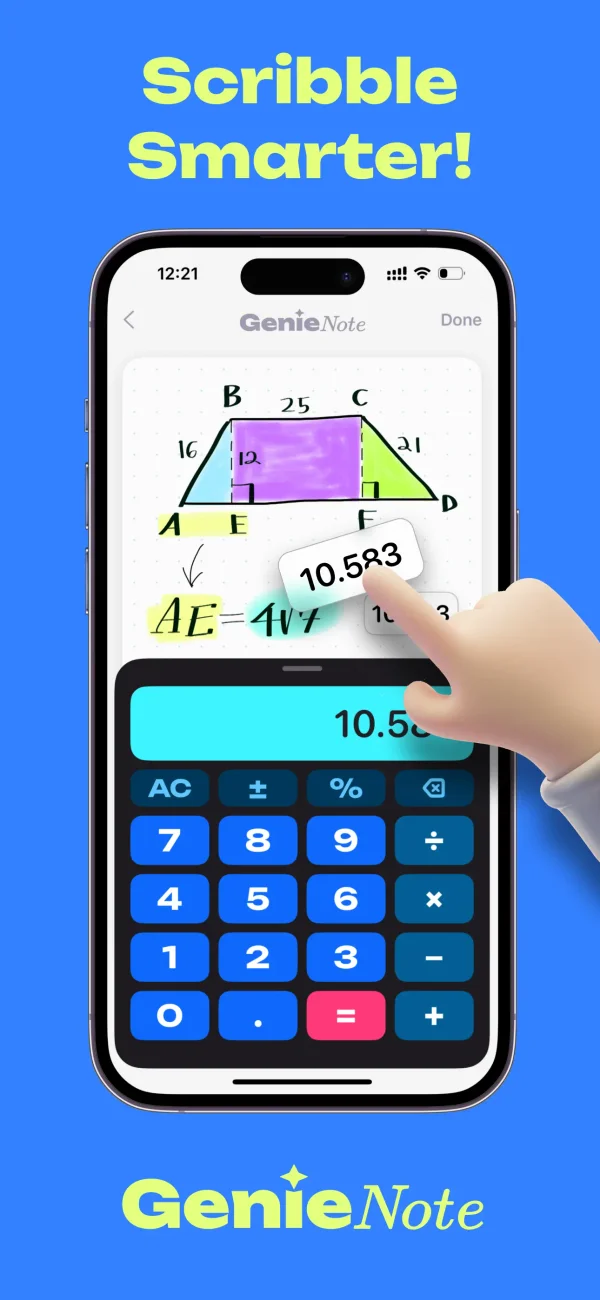
Scribble Smarter!!
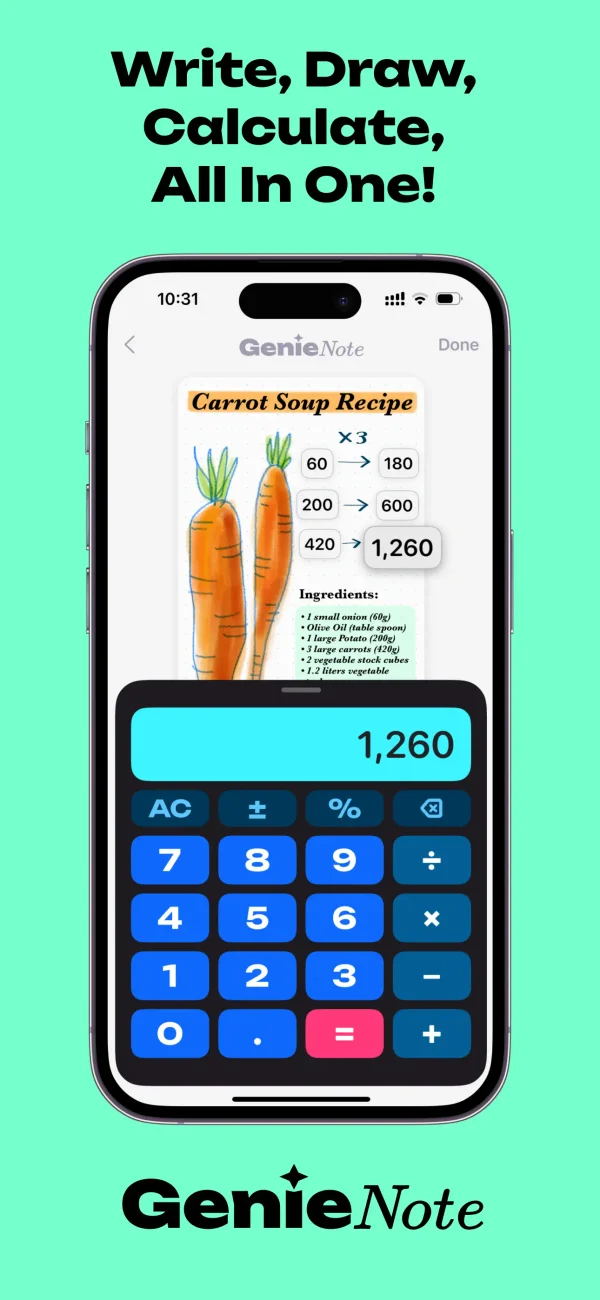
Write, sketch, and calculate — all on one canvas. GenieNote turns your iPhone and iPad into a freeform workspace where handwritten notes, a smart calculator, photo stickers, and sticky labels live together on the same page.
HANDWRITE & SKETCH FREELY
• Natural ink with Apple Pencil or your finger
• Smart canvas: pinch to zoom, pan, and resize freely
• Quick-access pen, highlighter, eraser, and color presets
BUILT-IN CALCULATOR
• Basic arithmetic with ± and % (more functions coming soon)
• Drag results onto the page as floating number stickers
• Double-tap any saved number to label it ("budget", "total"…)
• Drag any number back into the calculator to reuse it
• Pro tip: tap an operator (like +), then tap any number on the canvas for instant copy & paste
STICKY MEMO LABELS
• Place anywhere, resize from any corner
• Choose background color, text color, size, and font
PHOTO COLLAGES & STICKERS
• Add photos from your library or camera
• Automatic background removal turns photos into stickers
• Fine-tune cutouts by hand with the eraser
• Mix photos with sketches for one-of-a-kind pages
MADE FOR REAL LIFE
• Class notes: formulas, diagrams, and instant math — great for STEM and test prep
• Budgets & expenses: shopping lists, travel costs, and running totals without leaving the page
• Recipes: ingredients, steps, portions, and conversions in one place
• Events & projects: plan parties, track tasks and costs, brainstorm freely
• Fitness & meals: log workouts, calories, and goals
• Journaling: mind maps, story layouts, and visual goal boards
• DIY: sketch plans, note measurements, and estimate materials
• Travel & daily planning: itineraries, checklists, and daily budgets
WHY GENIENOTE?
• Visual memory: keep key figures right next to your sketches
• Zero context switching: no more jumping between a notes app and a calculator
• For students, planners, engineers, designers — anyone who thinks in words AND numbers
Universal app: runs great on iPhone and iPad, optimized for Apple Pencil.
What’s new
Version 1.0.6 · Aug 11, 2026
This update makes GenieNote dramatically lighter and faster:
• Major storage cleanup: the app now automatically removes gigabytes of leftover data that older versions could accumulate — many users will see its storage footprint shrink dramatically
• Deleting a note now frees up space immediately
• Saving is faster and more reliable, especially in notes with many photos
• Fixed: cut-out photo stickers losing their transparent background after reopening a note
• Notes trapped by older versions may automatically reappear in your list — welcome back! (If you had deleted them, deleting them again now sticks.)
Thanks for using GenieNote — questions or ideas? We'd love to hear from you.
App privacy
What Leo Rivas-Micoud declares on the App Store about how this app handles data.
-
Data not linked to you
May be collected but is not linked to your identity.
- Location
- Identifiers
- Usage data
- Diagnostics
Privacy practices may vary, for example with the features you use or your age.
Information
- Seller
- Leo Rivas-Micoud
- Category
- Productivity
- Version
- 1.0.6
- Updated
- Aug 11, 2026
- Released
- Jul 7, 2025
- Size
- 7.0 MB
- Requires
- iOS 17.6 or later
- Age rating
- 4+
- Price
- Free
- In-app purchases
- Yes
- Languages
- English, French, Japanese, Simplified Chinese, Spanish
- Copyright
- © 2025 Leo Rivas
You might also like
-
 CalcDrawHandwriting Calculator
-
 NotelitDraw, write & organize notes
-
 NoteSam: Handwritten NotesPrivate handwriting notebook
-
 WriteTex - Math OCR & LaTeXHandwriting to Markdown/LaTex
-
 FindDrop: Screenshot ShelfSave links, photos & notes
-
 POUCHESLayout numbers on your desk
-
 埋めもProductivity
-
 Folium: PDF & HandwritingTake Notes, Sign, Fill & Edit
-
 Quick Add Reminders & CalendarReminders & events in seconds
-
 Chigiri — Tear-off NotesScribble fast. Tear it off.