
- Age rating4+
- CategoryUtilities
- DeveloperAR Robots S.A.
- LanguagesEnglish
- Size76.1 MB
Links to the official App Store page
Download.org hosts no file of GET!Threads. The button opens its official App Store page, published by AR Robots S.A. Listing last checked on Nov 12, 2026.
Screenshots




About
If you are involved in the embroidery business, GET!Threads is the must-have toolbox you've always wanted, but never knew how much you needed it until you start using it.
• Select the thread colors and get the code for each one according to the thread lines you have – an essential step for every embroidery project. With this app, do it in seconds – literally faster than any other method out there.
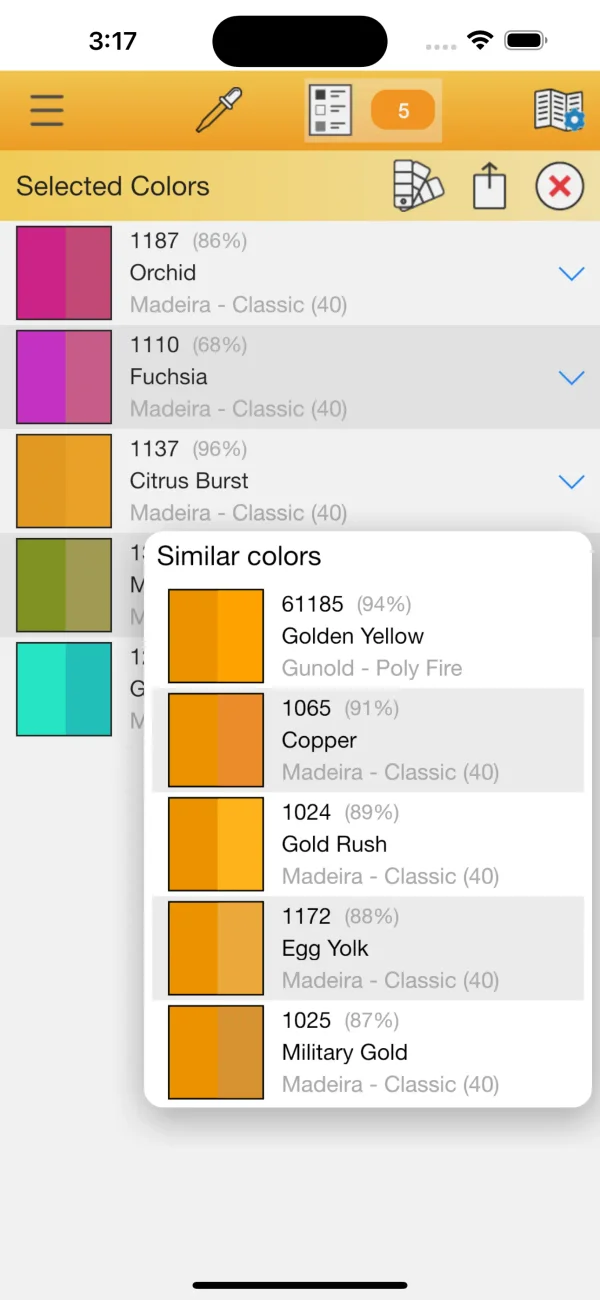
• Not only is this tool the most productive, but it's also the most effective. Its precise color matching method ensures you find the most similar colors accurately. Visualize the selected colors and their close matches graphically, along with their corresponding codes, for easy comparison.
• Choose colors from a variety of sources: thread charts, color palettes, photos, or even from your mobile phone or tablet camera. This is the only app that lets you capture colors with your phone’s camera and instantly shows you the corresponding thread line color codes in real-time. That's right – see the codes as you move the camera!
• Find equivalent or closest matching colors across various thread lines, so you can convert color codes from a line you don't have to the one you regularly use. Say goodbye to conversion charts forever.
•.Create a list of favorite colors – the ones you usually have in stock, whether they belong to the same thread line or different ones, ensuring search results only list the codes among the colors you’ve selected.
• Add new thread lines, whether they are standard commercial lines or your own custom thread lines. Edit (add, delete, or change) the codes and colors of these lines. Import files with the complete definition of a thread line not present in the system library, or enter each color and its code manually.
• A module "Color Code Conversion" makes it easy to convert any color code from one thread line to find the 5 closest matches in a different thread line. It also allows converting all the codes from one thread line to their corresponding thread codes in a single operation.
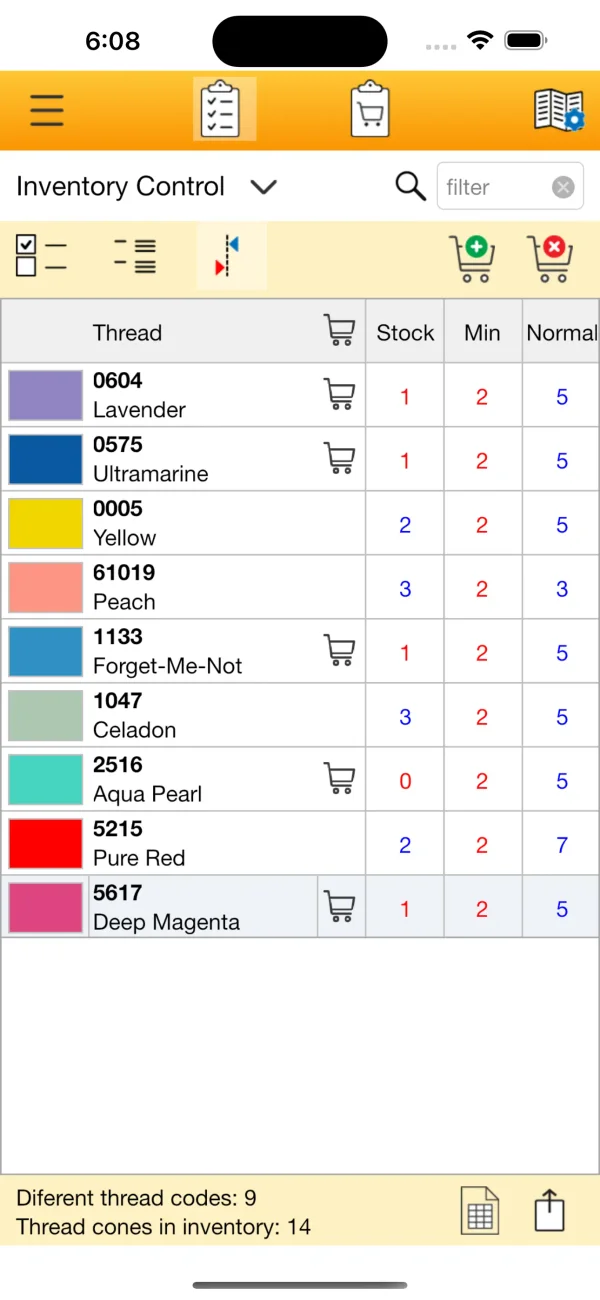
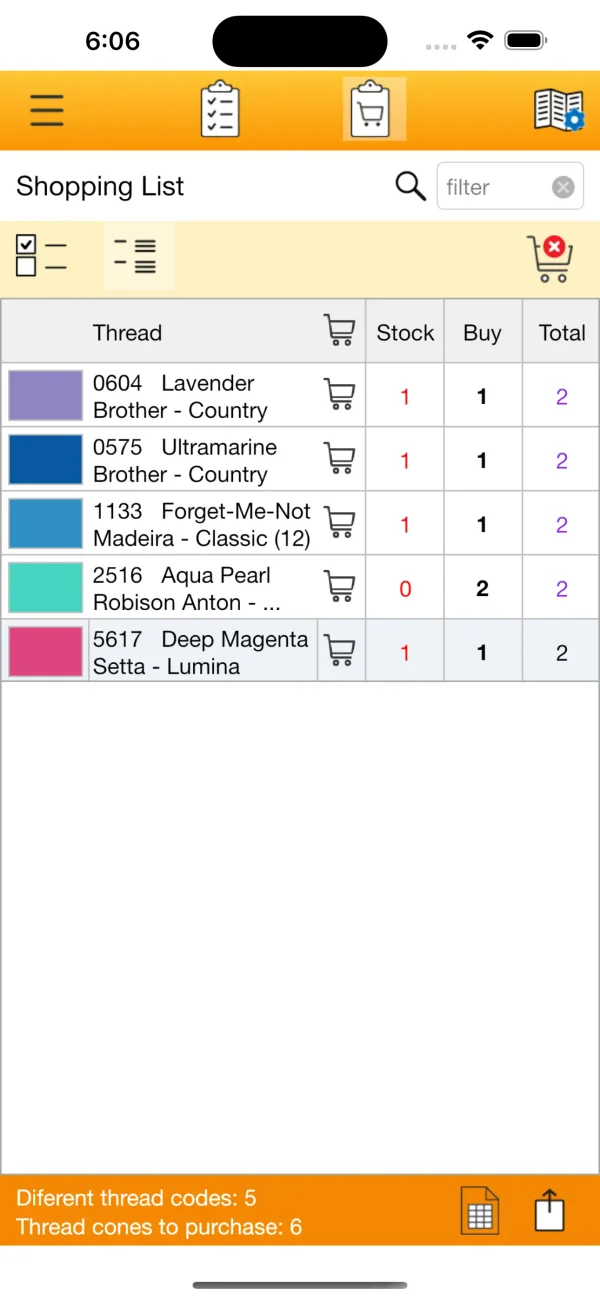
• A module "Inventory Control" makes it very easy to keep the thread cone inventory record up to date. This is as simple as making an initial upload of the number of cones of each color code (the codes defined as favorites are those that will be managed), and then the corresponding movements can be recorded, adding more cones when a purchase is made and subtracting cones when they are passed to production. The number of threads will always be updated, and it is extremely easy to create shopping lists automatically or according to any criteria.
What’s new
Version 2.20 · Apr 23, 2025
Bugs fixes.
App privacy
What AR Robots S.A. declares on the App Store about how this app handles data.
-
Data linked to you
May be collected and linked to your identity.
- Contact info
- Identifiers
Privacy practices may vary, for example with the features you use or your age.
Information
- Seller
- AR Robots S.A.
- Category
- Utilities
- Version
- 2.20
- Updated
- Apr 23, 2025
- Released
- Sep 24, 2024
- Size
- 76.1 MB
- Requires
- iOS 11.0 or later
- Age rating
- 4+
- Price
- Free
- Languages
- English
- Copyright
- © (C) Copyright 2025, AR Robots S.A.
You might also like
-
 EZ CreatorUtilities
-
 X Stitch Floss FinderCross Stitch Floss Converter
-
 Artist ToolUtilities
-
 Cross Stitch: Embroidery MakerPattern keeper & design club
-
 Brother My Design SnapTransfer image to your machine
-
 Cross Stitch Pattern MakerNeedlepoint & xstitch design
-
 xTool StudioUtilities
-
 QuiltingCalcUtilities
-
 xTool Creative Space MobileUtilities
-
 WhatTheFontMagical font identifier