- 対象年齢4+
- カテゴリユーティリティ
- 開発元AR Robots S.A.
- 言語英語
- サイズ76.1 MB
App Storeの公式ページにリンクしています
Download.orgはGET!Threadsのファイルを一切ホストしていません。ボタンを押すと、AR Robots S.A.が公開しているApp Storeのアプリページが開きます。ページの最終確認:2026/11/12。
スクリーンショット




概要
開発元はこのテキストをお使いの言語で提供していません。
If you are involved in the embroidery business, GET!Threads is the must-have toolbox you've always wanted, but never knew how much you needed it until you start using it.
• Select the thread colors and get the code for each one according to the thread lines you have – an essential step for every embroidery project. With this app, do it in seconds – literally faster than any other method out there.
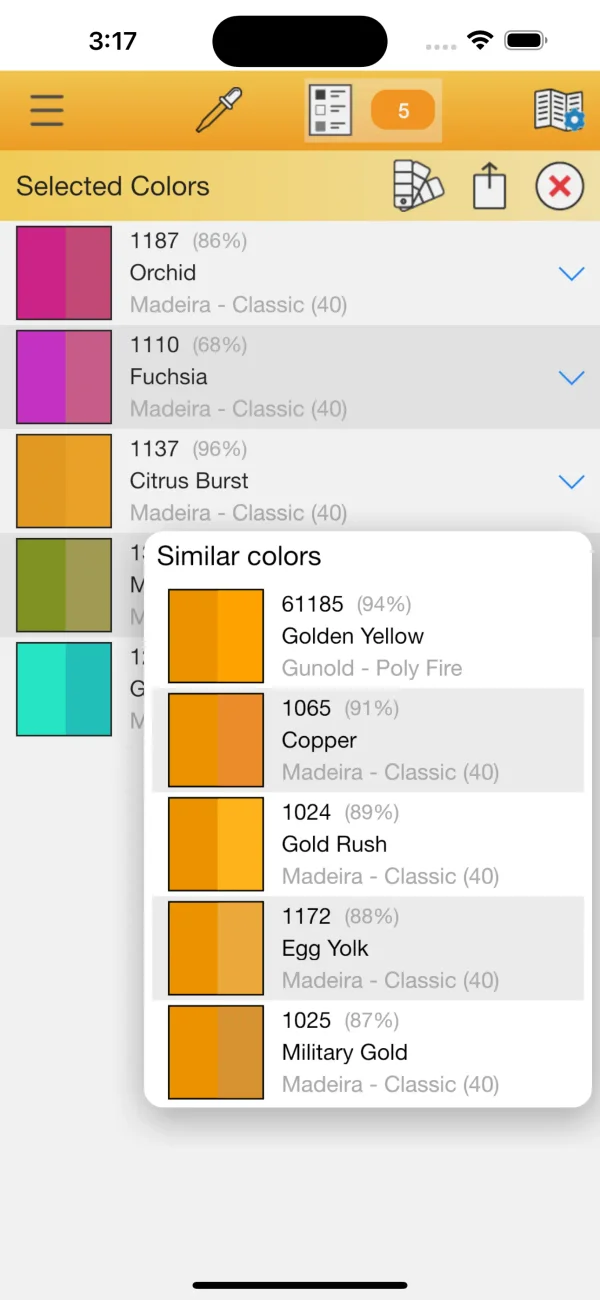
• Not only is this tool the most productive, but it's also the most effective. Its precise color matching method ensures you find the most similar colors accurately. Visualize the selected colors and their close matches graphically, along with their corresponding codes, for easy comparison.
• Choose colors from a variety of sources: thread charts, color palettes, photos, or even from your mobile phone or tablet camera. This is the only app that lets you capture colors with your phone’s camera and instantly shows you the corresponding thread line color codes in real-time. That's right – see the codes as you move the camera!
• Find equivalent or closest matching colors across various thread lines, so you can convert color codes from a line you don't have to the one you regularly use. Say goodbye to conversion charts forever.
•.Create a list of favorite colors – the ones you usually have in stock, whether they belong to the same thread line or different ones, ensuring search results only list the codes among the colors you’ve selected.
• Add new thread lines, whether they are standard commercial lines or your own custom thread lines. Edit (add, delete, or change) the codes and colors of these lines. Import files with the complete definition of a thread line not present in the system library, or enter each color and its code manually.
• A module "Color Code Conversion" makes it easy to convert any color code from one thread line to find the 5 closest matches in a different thread line. It also allows converting all the codes from one thread line to their corresponding thread codes in a single operation.
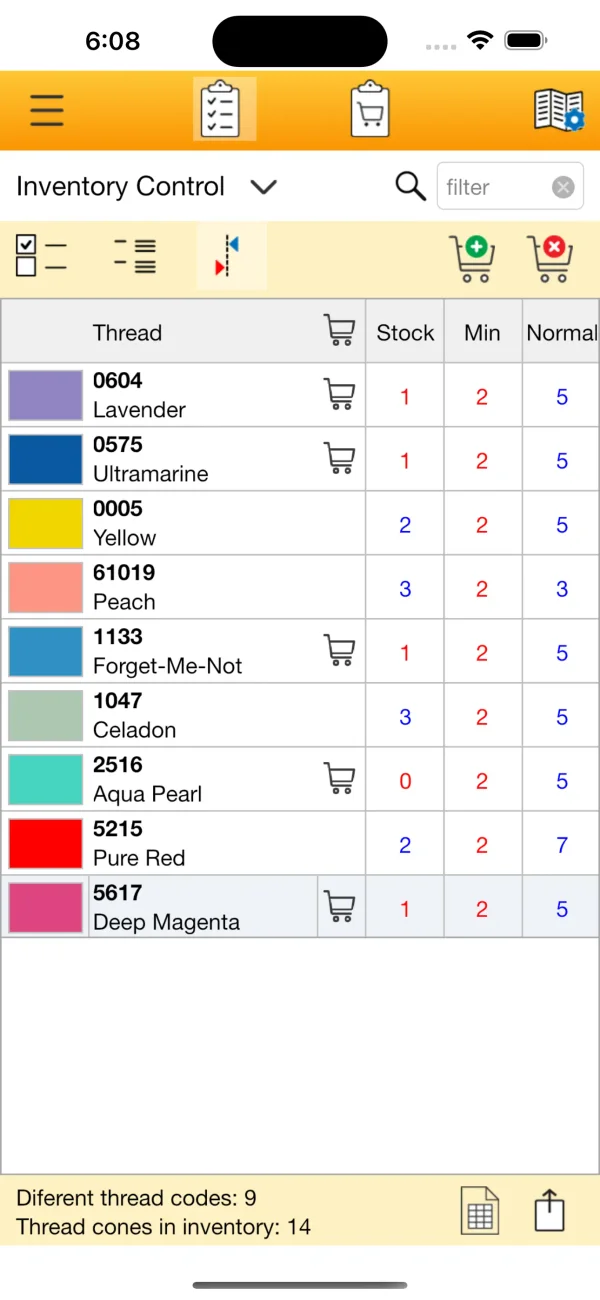
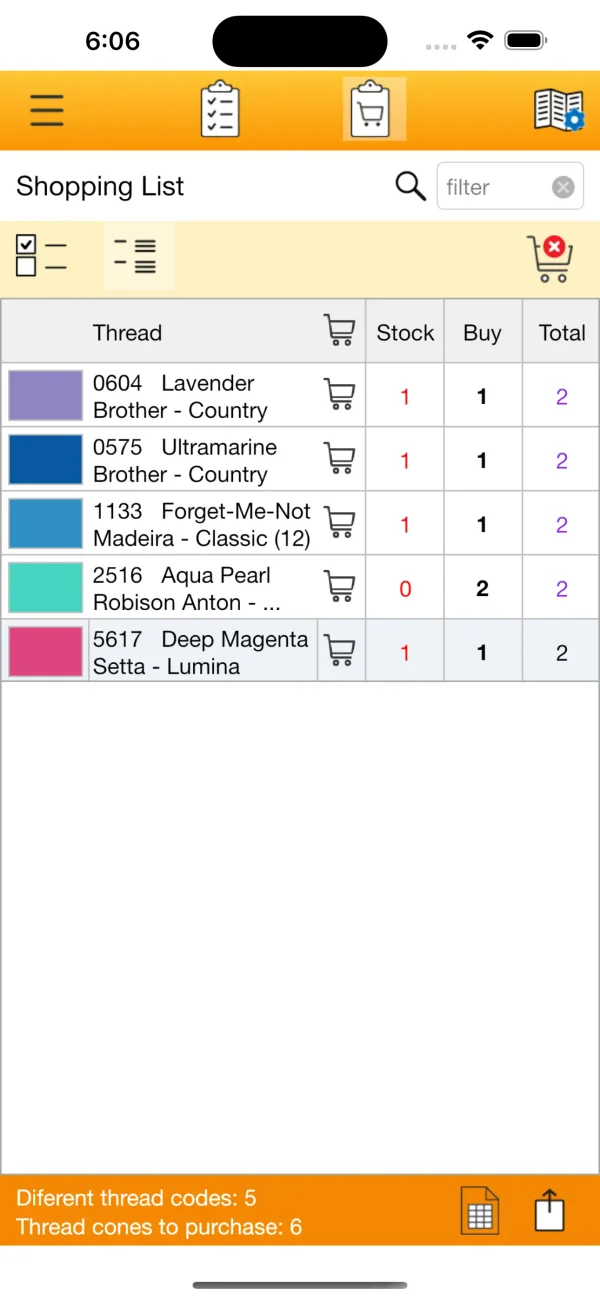
• A module "Inventory Control" makes it very easy to keep the thread cone inventory record up to date. This is as simple as making an initial upload of the number of cones of each color code (the codes defined as favorites are those that will be managed), and then the corresponding movements can be recorded, adding more cones when a purchase is made and subtracting cones when they are passed to production. The number of threads will always be updated, and it is extremely easy to create shopping lists automatically or according to any criteria.
新機能
バージョン 2.20 · 2025/4/23
Bugs fixes.
アプリのプライバシー
このアプリのデータの取り扱いについて、AR Robots S.A.がApp Storeで申告している内容です。
-
ユーザーに関連付けられたデータ
収集され、ユーザーの識別情報に関連付けられる場合があります。
- 連絡先情報
- ID
プライバシーの取り扱いは、ご利用の機能やお客様の年齢などに応じて異なる場合があります。
情報
- 販売元
- AR Robots S.A.
- カテゴリ
- ユーティリティ
- バージョン
- 2.20
- 更新日
- 2025/4/23
- リリース
- 2024/9/24
- サイズ
- 76.1 MB
- 必要条件
- iOS 11.0以降
- 対象年齢
- 4+
- 価格
- 無料
- 言語
- 英語
- 著作権
- © (C) Copyright 2025, AR Robots S.A.