GIF Slideshow MP4 Maker
Make GIFs, Slideshow and Video
Designed for iPhone, iPad
Free · In-app purchases
- Age rating4+
- CategoryPhoto & Video
- DeveloperSandeep Bhandari
- LanguagesEnglish+ 15 more
- Size12.5 MB
Links to the official App Store page
Download.org hosts no file of GIF Slideshow MP4 Maker. The button opens its official App Store page, published by Sandeep Bhandari. Listing last checked on Nov 17, 2026.
Screenshots

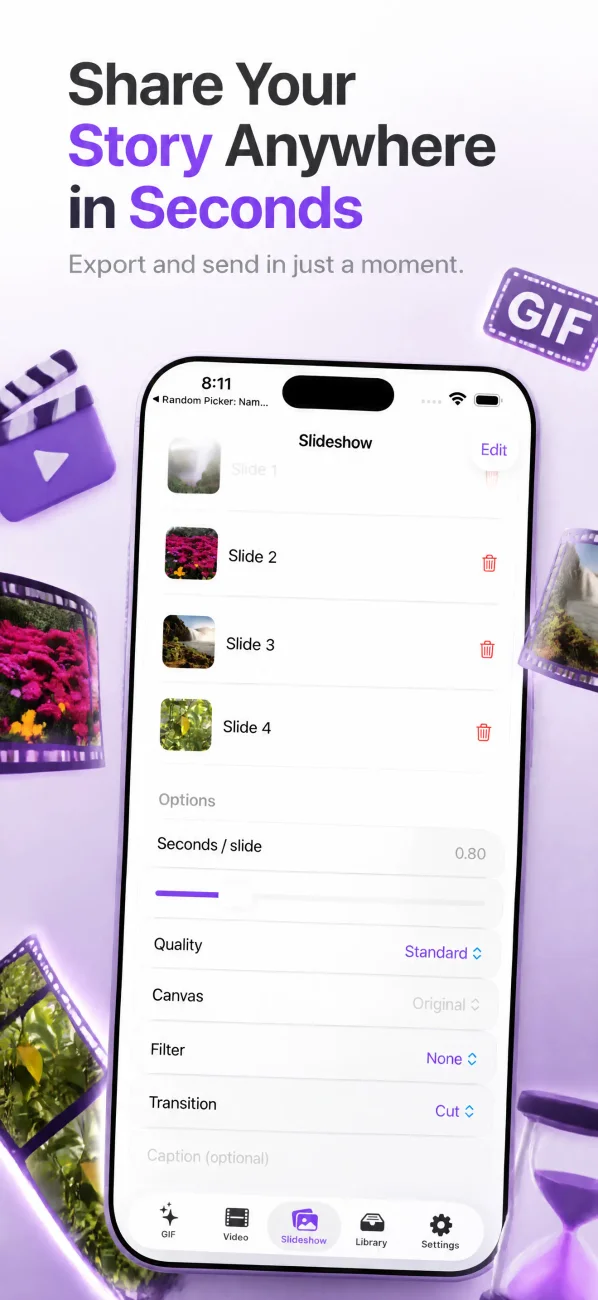
About
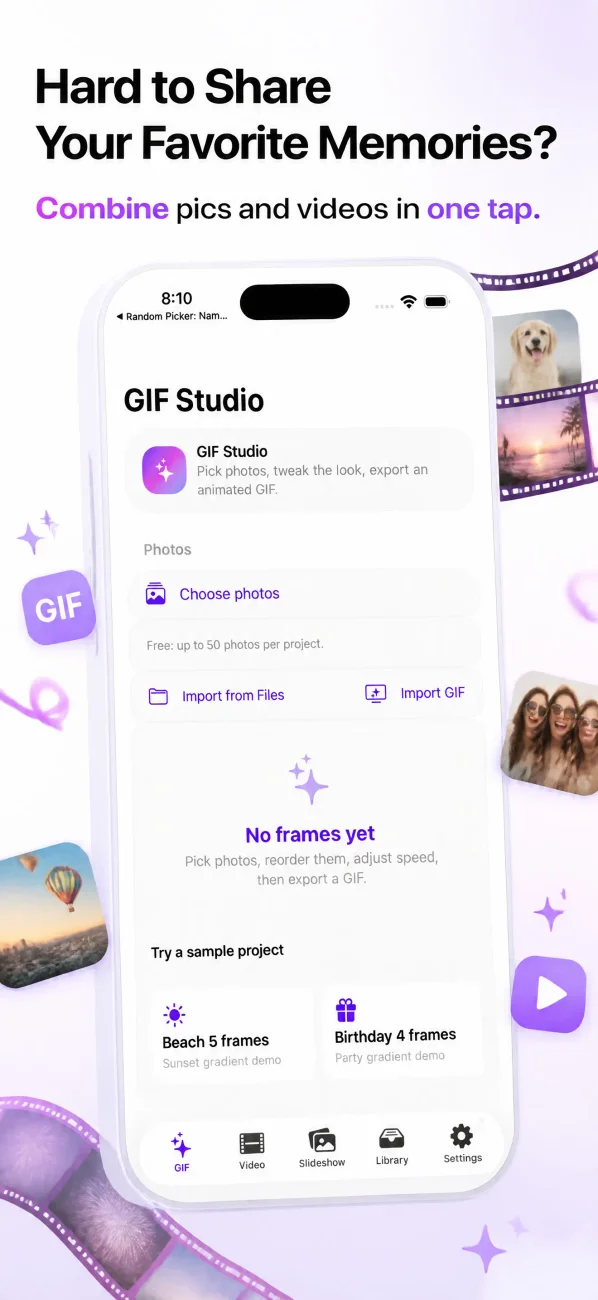
Turn scattered photos and clips into a GIF, slideshow, or short video without wrestling with complicated editors. Make something shareable fast, then save it to Photos or send it right away.
GIF Slideshow MP4 Maker helps you turn photos or a video into a GIF or MP4 slideshow on your phone.
WHY PEOPLE CHOOSE IT
Everything happens right on your device, with no account required. You can start from your own photos, pick a video for video to GIF conversion, or try built-in sample projects like Beach, Birthday, and Dog Boomerang the moment you open the app. There is also a smart suggestion that can offer a boomerang from your recent Live Photos, which is handy when you want a quick GIF for a message, a reaction, a birthday post, a pet moment, or a simple photo slideshow for sharing.
FEATURES
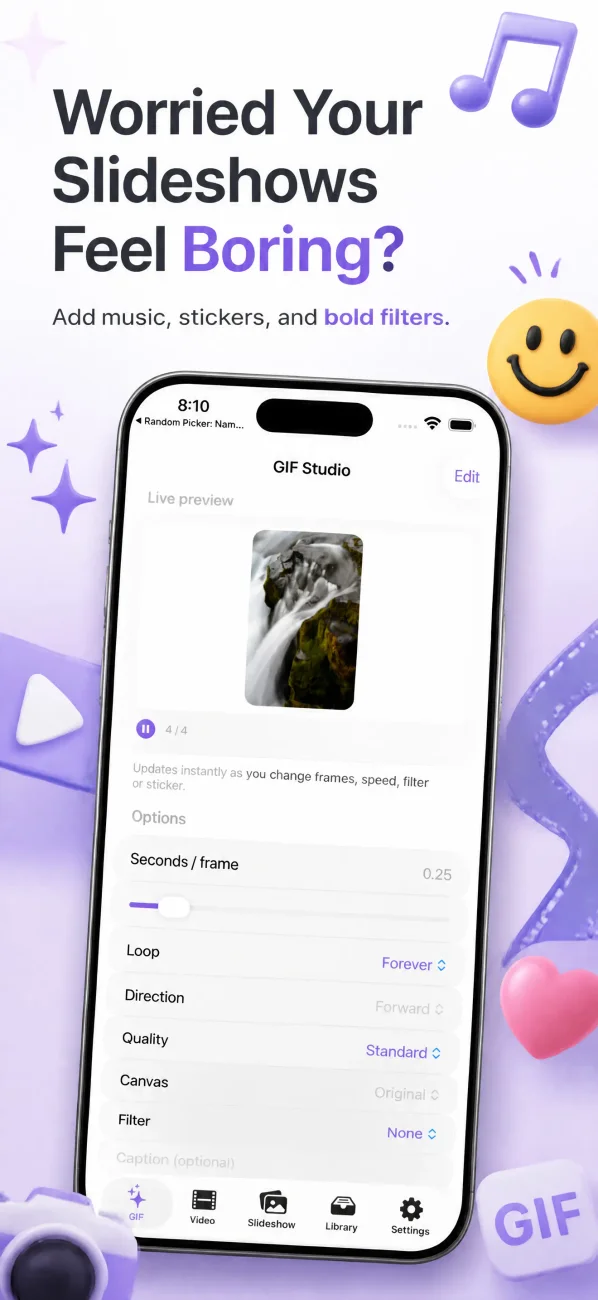
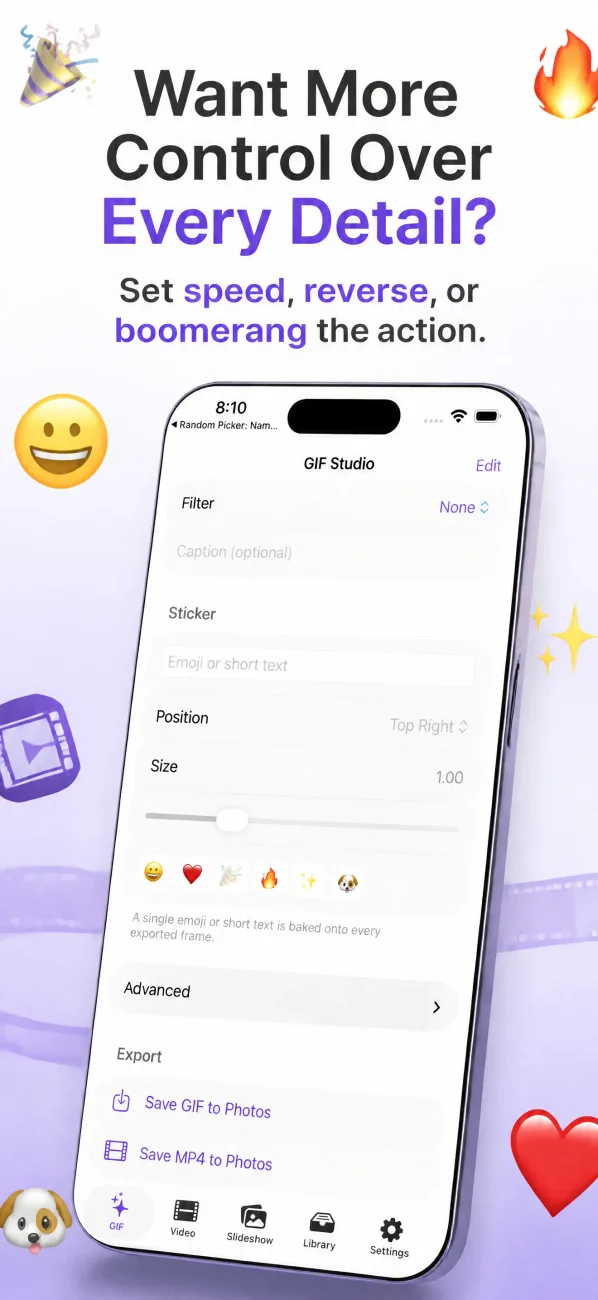
Build a GIF from photos by adding images in multiple batches, then reorder frames, duplicate a frame, delete one, or long-press to give a single frame its own timing. Choose playback that fits the moment with Forward, Reverse, or Boomerang, set the loop to Forever, Once, 3x, or 5x, and export as a GIF or MP4. Pick a canvas that suits where you want to post with Original, 1:1, 9:16, 4:5, or 16:9.
Style your GIF maker or slideshow with quick looks and finishing touches that are easy to see before you export. Add a caption overlay, reuse recent captions, place an emoji sticker, and adjust brightness, contrast, and saturation. You can also choose filters like Mono, Sepia, and Vivid, then save to Photos or use the Share option as soon as the export is done. If something goes wrong, Try Again reruns the same export.
Turn a video into a GIF by picking a clip from Photos, choosing how many moments to capture, and exporting in the direction and loop style you want. For MP4 slideshow projects, add photos, set slide timing, and choose transitions like Cut or Crossfade. You can also add music from your files, and pick black, white, or blur for the background fill when your canvas shape does not match your photos.
PERFECT WHEN
Make a boomerang GIF from recent Live Photos, turn a saved clip into a looping reaction GIF, or create a clean slideshow video from vacation shots. It is useful when you want a square post, a vertical story-style layout, a quick birthday montage with a caption, or a pet slideshow with music that is ready to save and share. The Library tab also keeps past exports close by for quick re-share later.
Paid features
Premium removes ads and the export watermark, and adds more ways to fine-tune your result. That includes Reverse and Boomerang playback in GIF modes, extra filters, more transitions like Push Left, Zoom In, and Ken Burns, up to 3 emoji sticker layers, higher quality exports, and audio trim and fade controls for slideshow videos. Free use still includes all core creation flows, and you can watch a short ad to unlock a limited number of higher-quality exports.
Permissions
Photo access is used to pick photos and videos, and to save your finished GIF or slideshow back to Photos.
Pick your photos or video and make a GIF, slideshow, or MP4 in minutes.
Terms of Use (EULA) - http://www.apple.com/legal/itunes/appstore/dev/stdeula
What’s new
Version 1.3 · Aug 11, 2026
Bug fixes and enhancements
App privacy
What Sandeep Bhandari declares on the App Store about how this app handles data.
-
Data used to track you
May be used to track you across apps and websites owned by other companies.
- Identifiers
- Usage data
-
Data linked to you
May be collected and linked to your identity.
- Identifiers
- Usage data
-
Data not linked to you
May be collected but is not linked to your identity.
- Diagnostics
Privacy practices may vary, for example with the features you use or your age.
Information
- Seller
- Sandeep Bhandari
- Category
- Photo & Video
- Version
- 1.3
- Updated
- Aug 11, 2026
- Released
- Aug 29, 2017
- Size
- 12.5 MB
- Requires
- iOS 26.0 or later
- Age rating
- 4+
- Price
- Free
- In-app purchases
- Yes
- Languages
- English, Arabic, Dutch, French, German, Hindi, Italian, Japanese, Korean, Polish, Portuguese, Russian + 4 more
- Copyright
- © Indrani Solutions
You might also like
-
 Photo Slideshow Video CofeshowFamily Photo Videos with Music
-
 Useful Video EditorSplit, trim & merge videos
-
 HiyoriPhoto & Video
-
 動画分割&結合Photo & Video
-
 Img2GifGIF maker from your photos
-
 VideoGif - GIF Maker ConverterAdjust Width and Frame Rate
-
 Memories: Baby Monthly VideoFirst Year Photo Diary & Films
-
 GenanaYou see it. Now show it.
-
 Tweedle CamYou & what you see in one shot
-
 My360°CloudPanorama To Video - PanoViewer