
Useful Video Editor
Split, trim & merge videos
Designed for iPhone, iPad, iPod touch
In-app purchases
- Age rating4+
- CategoryPhoto & Video
- Developerkatapu.net
- LanguagesJapanese+ 43 more
- Size91.3 MB
Links to the official App Store page
Download.org hosts no file of Useful Video Editor. The button opens its official App Store page, published by katapu.net. Listing last checked on Nov 23, 2026.
Screenshots



About
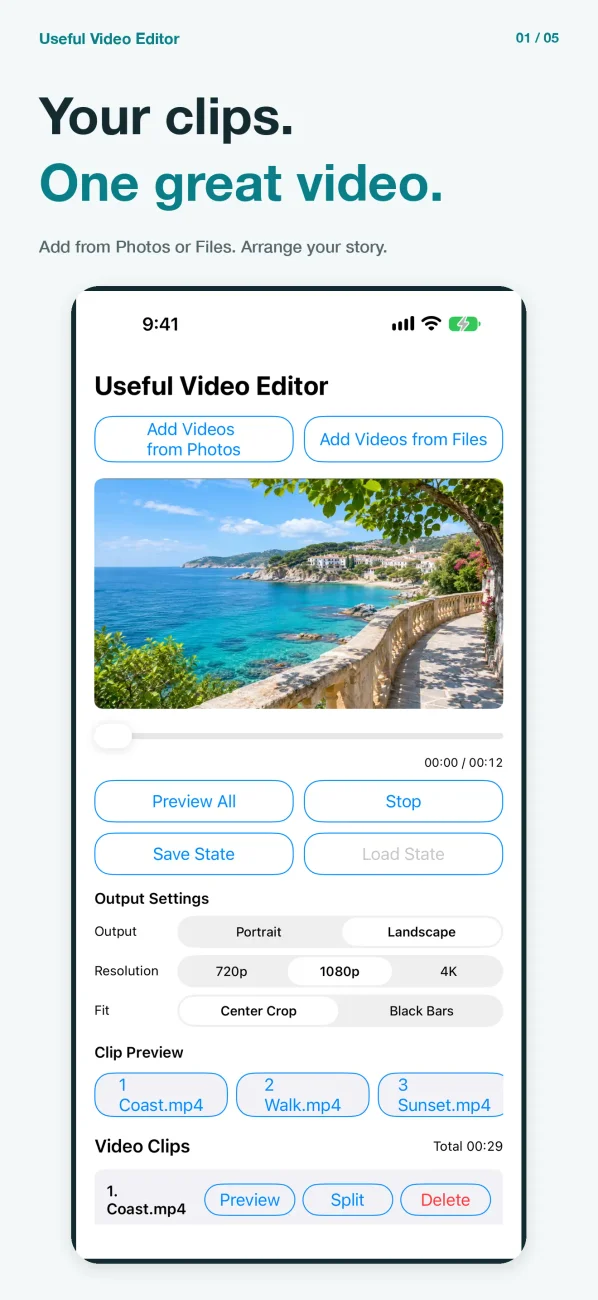
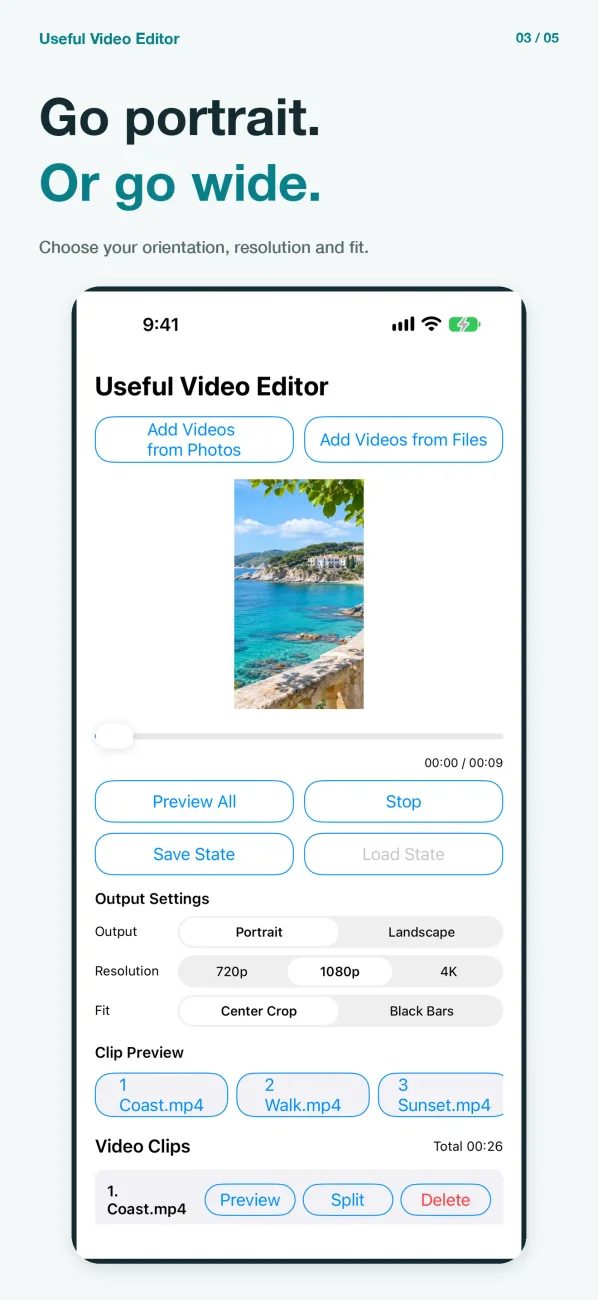
Useful Video Editor is a simple video editing app that lets you import multiple videos, keep only the parts you need, and export them as one finished video.
Import videos from Photos or Files, preview them, and adjust the start point and the length you want to use. You can trim unwanted parts from the beginning or end, split a video at a chosen point, or delete clips you do not need before merging.
It is useful when you want to combine short videos, remove unwanted parts from a recording, or rearrange several clips into one video.
In addition to the full preview, each video and each clip has its own individual preview. You can check each part in place while editing without scrolling through the whole project to find it.
Clip order can be changed with the up and down buttons. You can also save the current editing state, load it later, and continue from where you left off.
When editing is finished, export the merged video and save it to Photos.
Main features:
- Import multiple videos
- Adjust the start point and length of each video
- Split a video at a chosen point
- Delete unwanted clips
- Reorder clips
- Individual preview and full preview
- Save and load editing state
- Export the merged video and save it to Photos
How to use:
1. Tap "Add Video" and select the videos you want to connect.
2. Imported videos are merged in the order shown in the list.
3. Adjust the start point and length of each video as needed.
4. If you want to split a video, split it at the chosen point.
5. Delete unwanted clips and reorder the clips as needed.
6. Check the result with the individual preview or full preview.
7. Tap "Export Video" to save the merged video.
What’s new
Version 1.1.1 · Nov 20, 2026
• Improved compatibility with iOS 27.2 and iPhone Duo.
• Added a button to clear all videos from your current edit. A confirmation dialog appears before clearing, and your original videos are not deleted.
• Adjusted ad display and improved stability.
• Updated the App Store screenshots.
App privacy
What katapu.net declares on the App Store about how this app handles data.
-
Data used to track you
May be used to track you across apps and websites owned by other companies.
- Identifiers
-
Data linked to you
May be collected and linked to your identity.
- Purchases
- Location
- Identifiers
- Usage data
-
Data not linked to you
May be collected but is not linked to your identity.
- Purchases
- Location
- Identifiers
- Usage data
- Diagnostics
- Other data
Privacy practices may vary, for example with the features you use or your age.
Information
- Seller
- Katagiri Kikaku Corporation
- Category
- Photo & Video
- Version
- 1.1.1
- Updated
- Nov 20, 2026
- Released
- May 5, 2026
- Size
- 91.3 MB
- Requires
- iOS 15.6 or later
- Age rating
- 4+
- In-app purchases
- Yes
- Languages
- Japanese, Arabic, Italian, Indonesian, Ukrainian, Urdu, Dutch, Oriya, Catalan, Kannada, Greek, Croatian + 32 more
- Copyright
- © Katagiri Kikaku Corp.
You might also like
-
 Video Merger: Join ClipsCombine Photos & Videos
-
 VideoConcatenationCombine videos and images
-
 Merge & Tidy VideosMerge videos, free your space
-
 GIF Slideshow MP4 MakerMake GIFs, Slideshow and Video
-
 Merge Photos & VideosSlideshow & Movie Maker
-
 SnipFuse: Cut & Join VideosRemove Middles. Join Clips.
-
 Video Trimmer, Merger & JoinerTrim, Merge & Join Videos
-
 Photo Importer + SD Card CullPick the best RAW & JPEG shots
-
 MovieToImagePhoto & Video
-
 Swipe Photo Cleaner - SwooshDelete Clutter, Reclaim Space