
GigScroll
Teleprompter for musicians
Designed for iPhone, iPad, iPod touch
Free · In-app purchases
- Age rating12+
- CategoryMusic
- DeveloperZach Swift
- Size4.1 MB
Links to the official App Store page
Download.org hosts no file of GigScroll. The button opens its official App Store page, published by Zach Swift. Listing last checked on Nov 15, 2026.
Screenshots
About
Forget fumbling with paper lyrics on stage. GigScroll is the hands-free lyric teleprompter designed for live performers, worship leaders, and gigging musicians who need their lyrics to flow as smoothly as their performance.
WHAT MAKES GIGSCROLL DIFFERENT
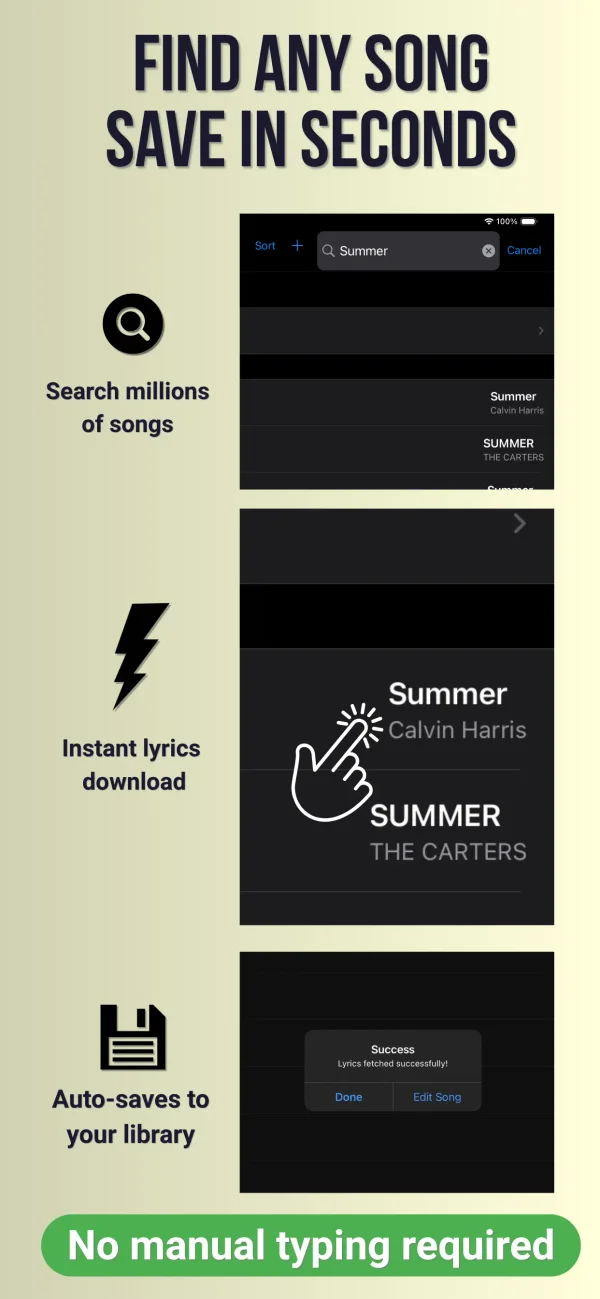
• INSTANT LYRIC SEARCH - Find any song from millions of tracks and save lyrics in seconds. No manual typing. No copying and pasting.
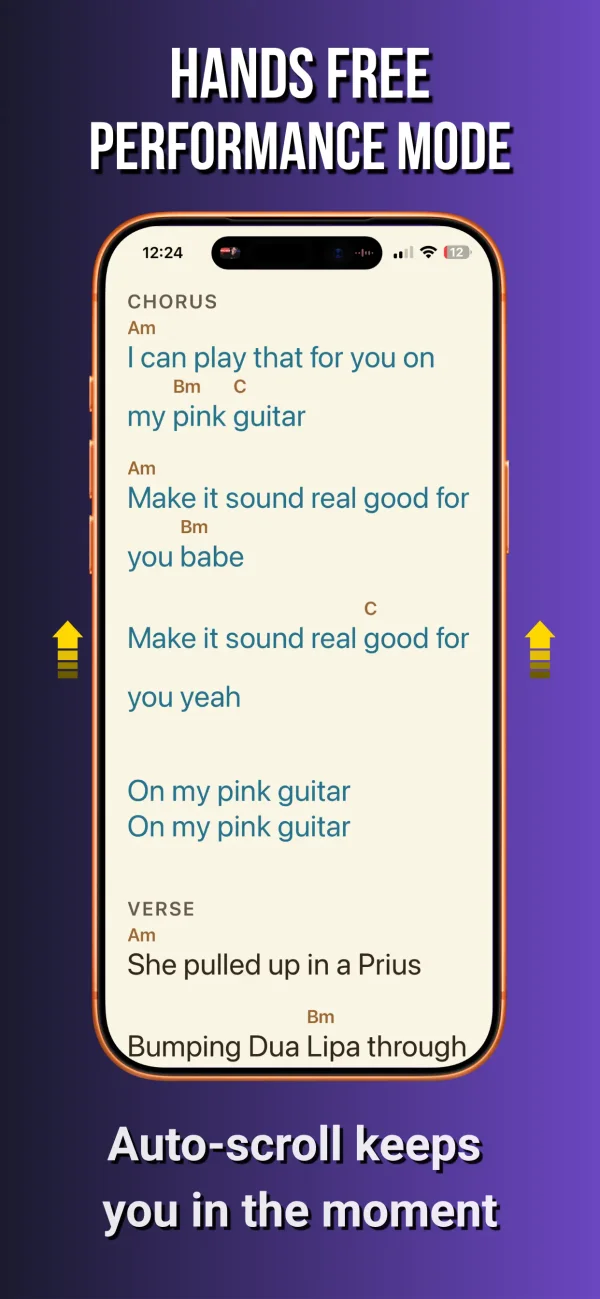
• TRUE AUTO-SCROLL - Set your tempo and let GigScroll do the work. Adjustable speed controls keep lyrics flowing at the perfect pace.
• CHORDS ABOVE LYRICS (NEW) - Add chord names with simple [Am][G][C] brackets and they render above the right syllable - the way real chord sheets look. Color-coded section labels (CHORUS, VERSE, BRIDGE) make navigation effortless mid-song.
• PER-SONG TRANSPOSITION (NEW) - Shift every chord up or down in real time with proper enharmonic spelling. Your choice is saved per song.
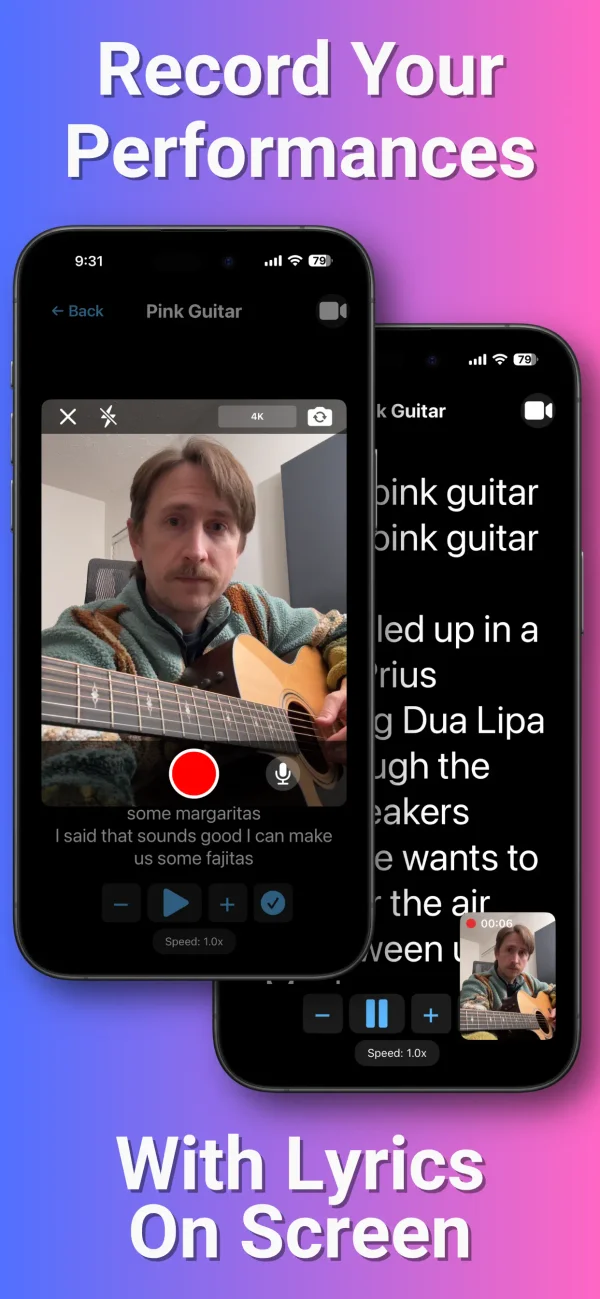
• VIDEO RECORDING - Record video with the iOS camera while seeing the lyric teleprompter during performance.
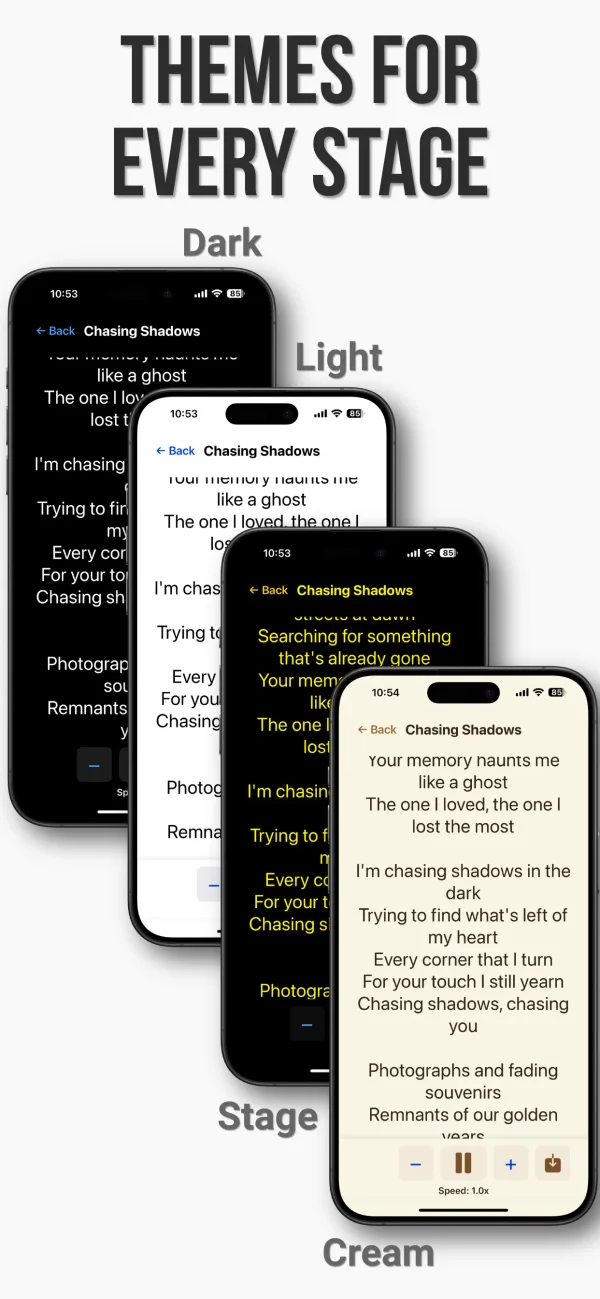
• STAGE-READY THEMES - High-contrast Stage Mode cuts through stage lights. Plus Cream, Dark, and Light themes for any lighting condition.
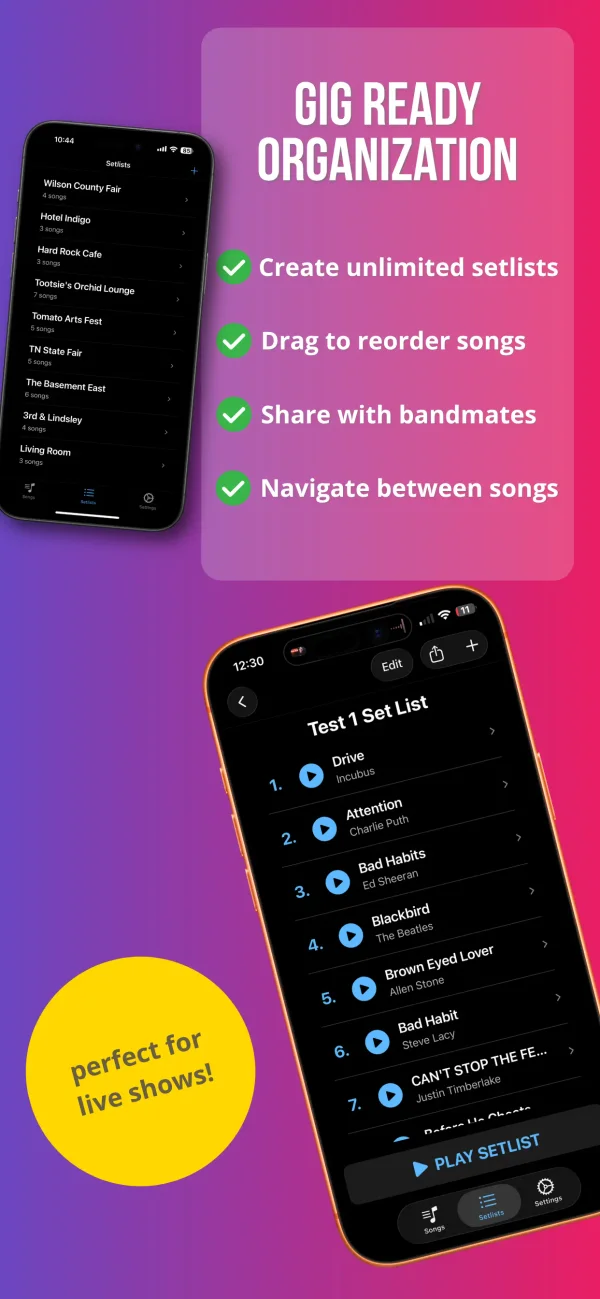
• PROFESSIONAL SETLIST MANAGEMENT - Organize songs by gig or venue. Navigate between songs with one tap. Per-song play buttons let you start the setlist on any song.
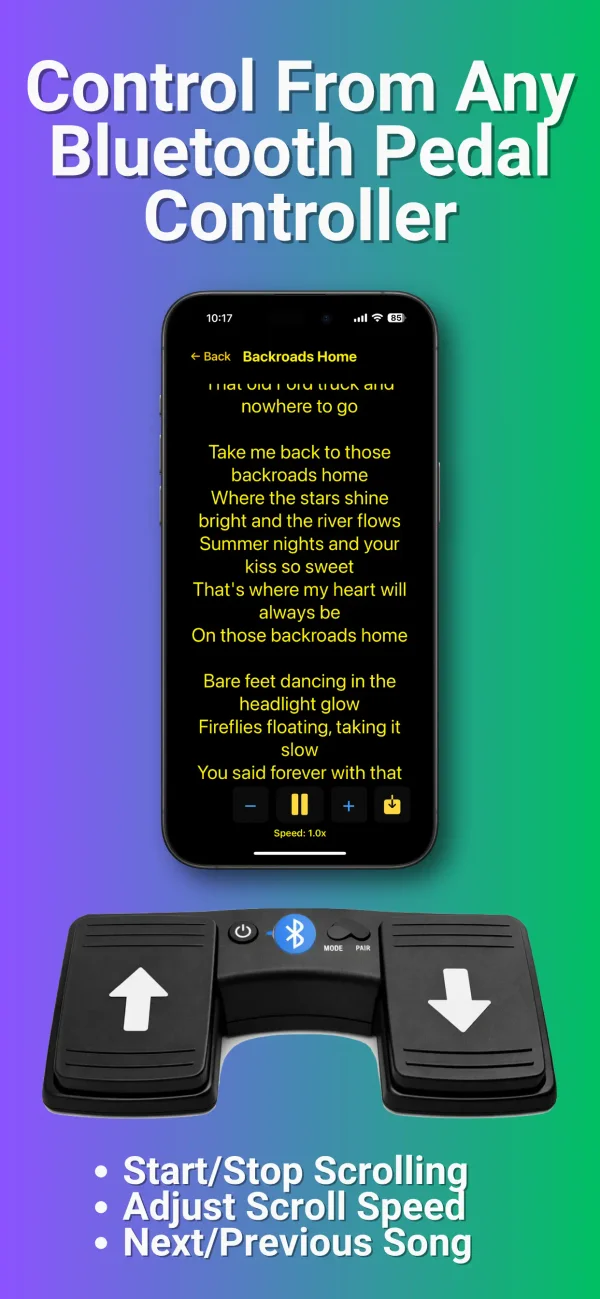
• BLUETOOTH FOOT PEDAL SUPPORT - Connect any Bluetooth remote pedal to control scrolling, change speed, and move between songs - hands free.
• BACKUP & SHARING - Export your library or share individual setlists with bandmates.
FEATURES MUSICIANS LOVE
ChordPro Formatting (Optional, Opt-In Per Song)
→ Industry-standard ChordPro markup, edited via a tap-friendly menu - no syntax to memorize
→ Inline chord brackets render above the lyric syllable they belong to
→ Section directives shown as muted small-caps headers
→ Per-theme chorus highlighting (toggle on in Settings)
→ Performance comments ({c: kick in band}) shown in muted italic
→ Plain-text songs still work exactly as before
Transposition
→ Semitone +/− buttons, editable numeric field, and key picker
→ Enharmonic spelling follows the destination key signature
→ Slash chords (G/B) transposed correctly
→ Capo and key info shown as badges in Performance
Performance Mode
→ Drag the lyrics to reposition mid-song without tapping first, even when controls are auto-hidden
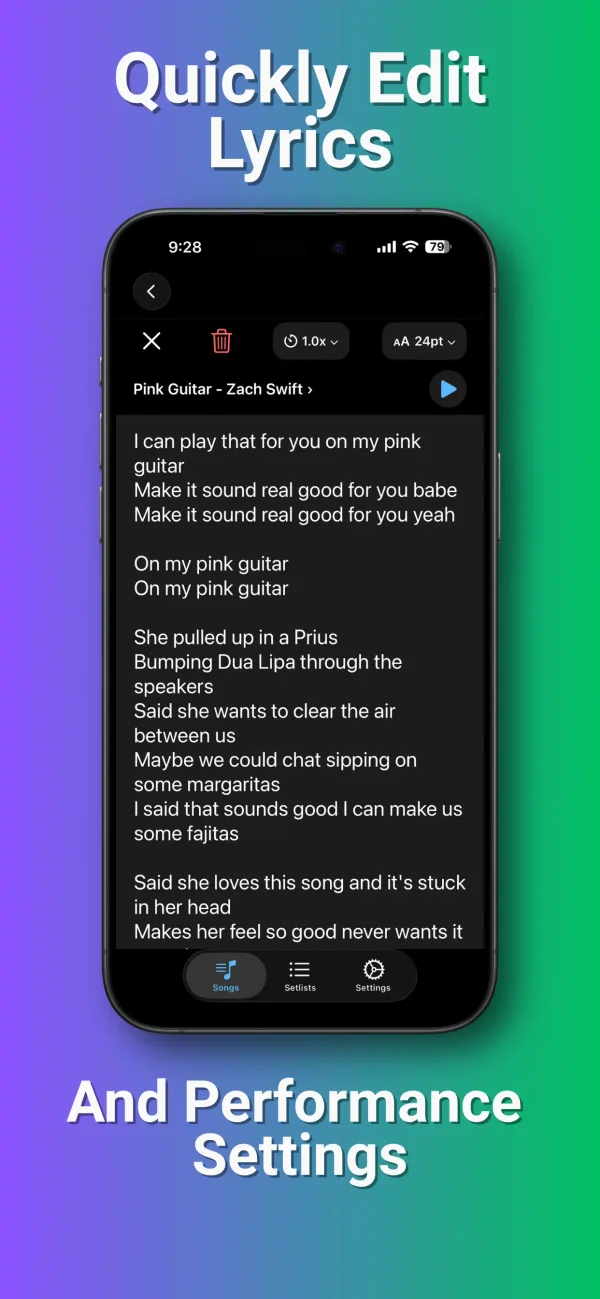
→ Large text, adjustable per-song font sizes
→ Auto-scroll with +/- speed controls; save custom speeds per song
→ Left-align or center-align lyrics (Settings)
→ Foot pedal control for hands-free operation
Setlist Organization
→ Unlimited setlists, drag-and-drop song ordering
→ Per-song play buttons (no more tapping Next ten times when something interrupts your set)
→ Song position tracking, one-tap song navigation
Customization & Data
→ 4 themes (Light, Dark, Stage, Cream); 5 font choices
→ Export/import .gigscroll backup files
→ Share setlists with band members
→ All data stays on your device - full privacy
PERFECT FOR
• Live Performers - Eyes on the audience, not on paper
• Worship Leaders - Lead with lyrics and chords flowing at your pace
• Cover Bands - Organized setlists per venue; transpose to any singer's range
• Solo Artists & Songwriters - Never miss a lyric; record performances in-app
• Guitar / Piano Players - Real ChordPro with chord-above-lyric rendering
• Content Creators - Lyrics or video script on screen while you record
DESIGNED FOR PERFORMERS
GigScroll was built by musicians, for musicians. Every feature serves one purpose: helping you deliver flawless performances without the distraction of managing paper lyrics or fumbling with complicated apps.
GET STARTED IN SECONDS
1. Search for a song
2. Tap to save the lyrics
3. (Optional) Add chord brackets and section markers via the editor's ChordPro menu
4. Create a setlist
5. Hit play and perform
Download GigScroll and transform how you perform live.
What’s new
Version 1.10.0 · Sep 23, 2026
1.10.0
- Setlist export to PDF - Print your set list out so the rest of your band can have the song list
- Choose between Replacing, Skipping, or Keeping both when importing gigscroll back up file with songs already in your library
- New {chorus} syntax - re-renders the last {soc} {eoc} block with lyrics and chords - So you can repeat the chorus without copying and pasting the whole thing over and over.
App privacy
What Zach Swift declares on the App Store about how this app handles data.
-
Data not collected
The developer does not collect any data from this app.
Privacy practices may vary, for example with the features you use or your age.
Information
- Seller
- Zach Swift
- Category
- Music
- Version
- 1.10.0
- Updated
- Sep 23, 2026
- Released
- Oct 21, 2025
- Size
- 4.1 MB
- Requires
- iOS 15.6 or later
- Age rating
- 12+
- Price
- Free
- In-app purchases
- Yes
- Copyright
- © 2025 Zachary Swift
You might also like
-
 LivePrompter 2A live musician's teleprompter
-
 QMe Teleprompter Lyrics ChordsSetlists, charts, auto scroll
-
 Gig Hard! Autoscrolling LyricsSetlist Teleprompter for Bands
-
 Lyrics: LiveSongwriting, live performances
-
 StageLyricsLive Lyrics, Chords & Setlists
-
 GigBag Song Setlist ManagerLive Performance Toolkit
-
 Songbookly: Songbook & SetlistLyrics & Chords for Musicians
-
 Setlist HelperHelping musician manage songs
-
 Bandfix: Songbook & SetlistsThe Modern Gig Binder
-
 MeloRep: Repertoire & SetlistLyrics, Chords & Gig Manager