- 対象年齢12+
- カテゴリミュージック
- 開発元Zach Swift
- サイズ4.1 MB
App Storeの公式ページにリンクしています
Download.orgはGigScrollのファイルを一切ホストしていません。ボタンを押すと、Zach Swiftが公開しているApp Storeのアプリページが開きます。ページの最終確認:2026/11/15。
スクリーンショット
概要
開発元はこのテキストをお使いの言語で提供していません。
Forget fumbling with paper lyrics on stage. GigScroll is the hands-free lyric teleprompter designed for live performers, worship leaders, and gigging musicians who need their lyrics to flow as smoothly as their performance.
WHAT MAKES GIGSCROLL DIFFERENT
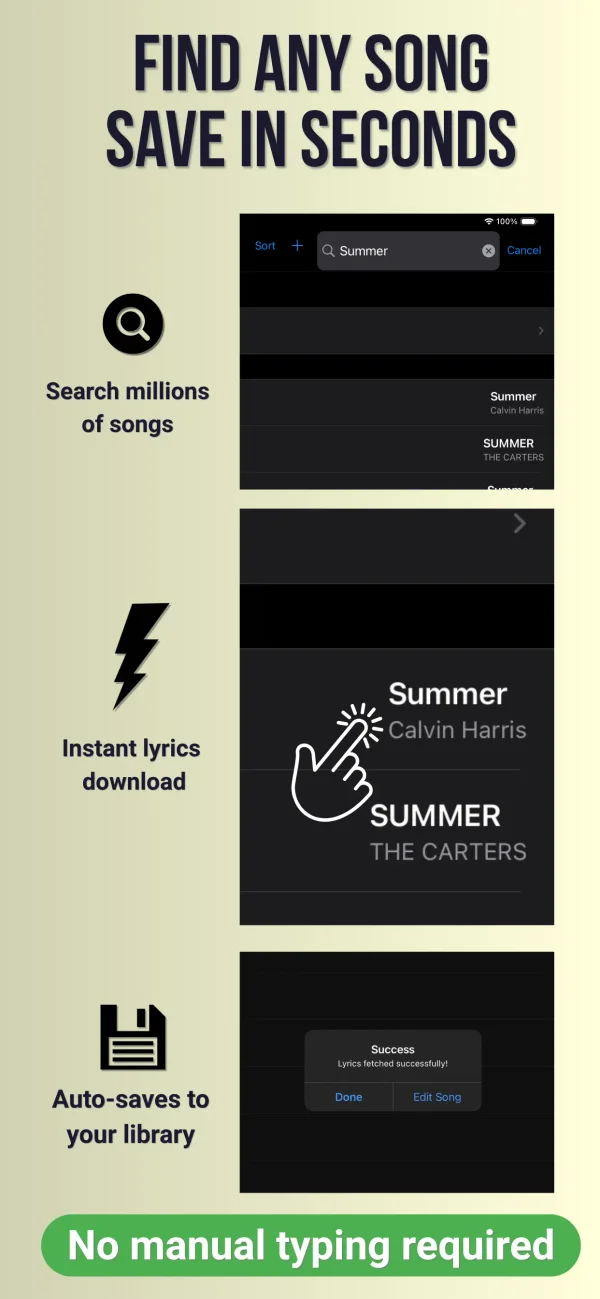
• INSTANT LYRIC SEARCH - Find any song from millions of tracks and save lyrics in seconds. No manual typing. No copying and pasting.
• TRUE AUTO-SCROLL - Set your tempo and let GigScroll do the work. Adjustable speed controls keep lyrics flowing at the perfect pace.
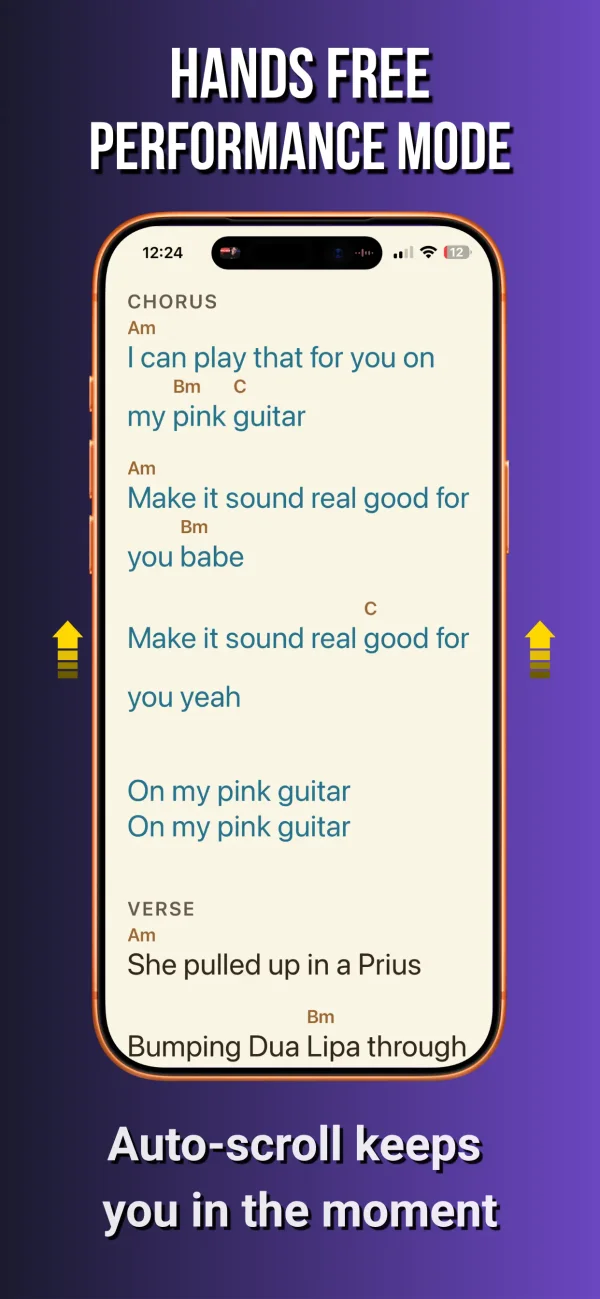
• CHORDS ABOVE LYRICS (NEW) - Add chord names with simple [Am][G][C] brackets and they render above the right syllable - the way real chord sheets look. Color-coded section labels (CHORUS, VERSE, BRIDGE) make navigation effortless mid-song.
• PER-SONG TRANSPOSITION (NEW) - Shift every chord up or down in real time with proper enharmonic spelling. Your choice is saved per song.
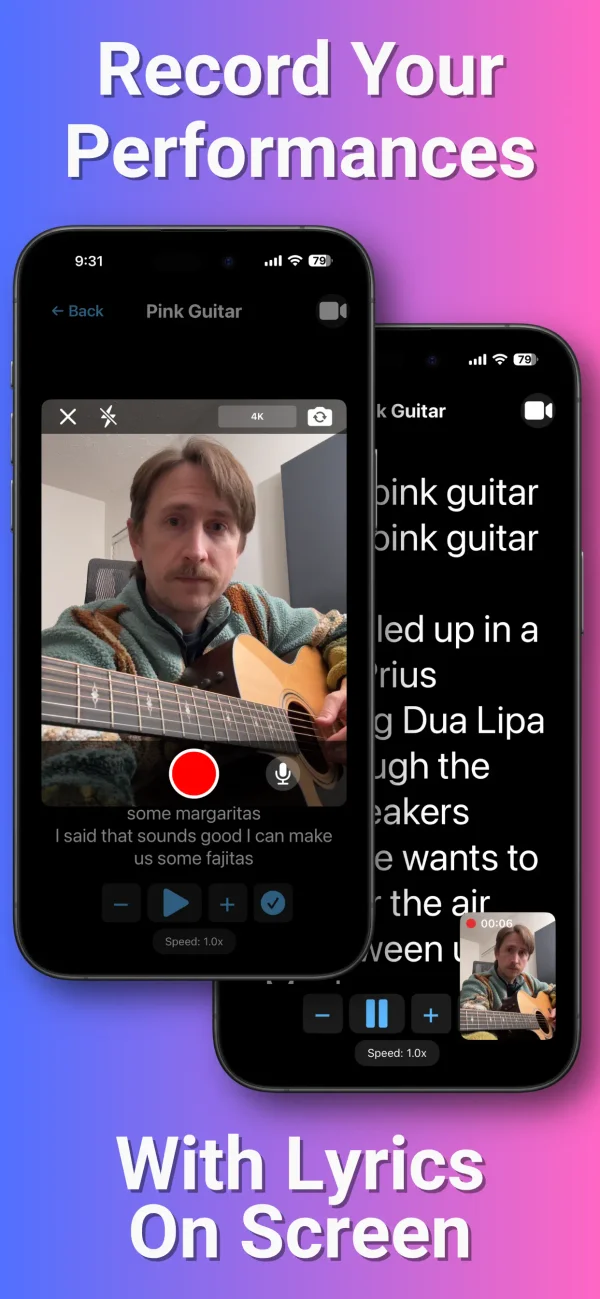
• VIDEO RECORDING - Record video with the iOS camera while seeing the lyric teleprompter during performance.
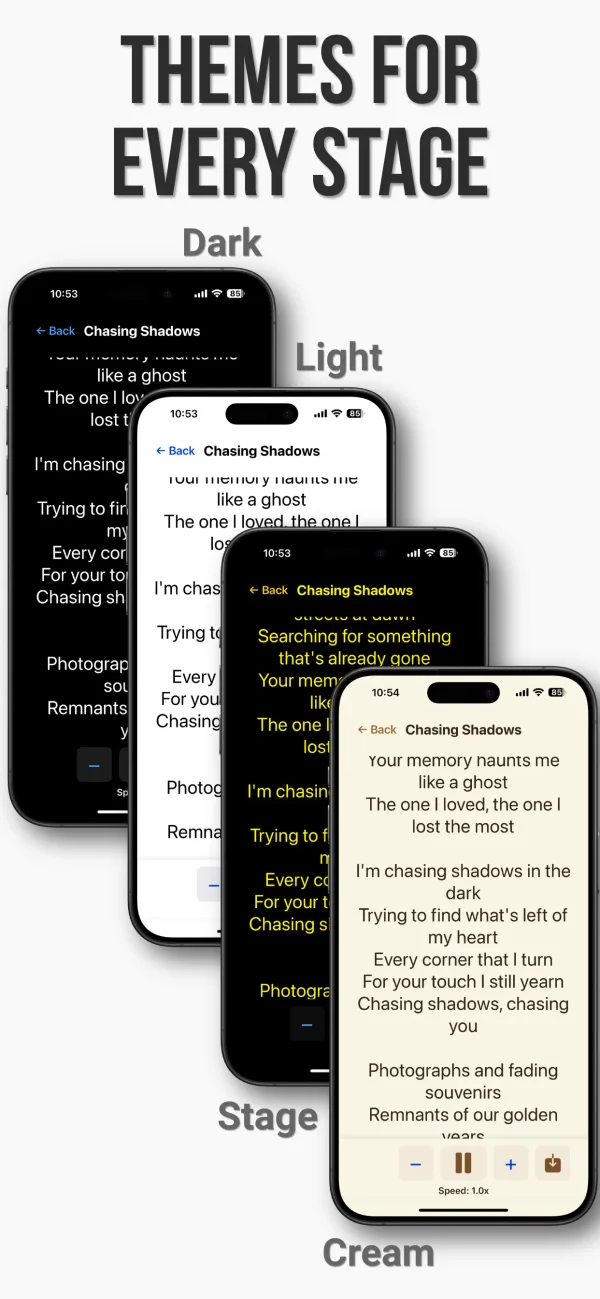
• STAGE-READY THEMES - High-contrast Stage Mode cuts through stage lights. Plus Cream, Dark, and Light themes for any lighting condition.
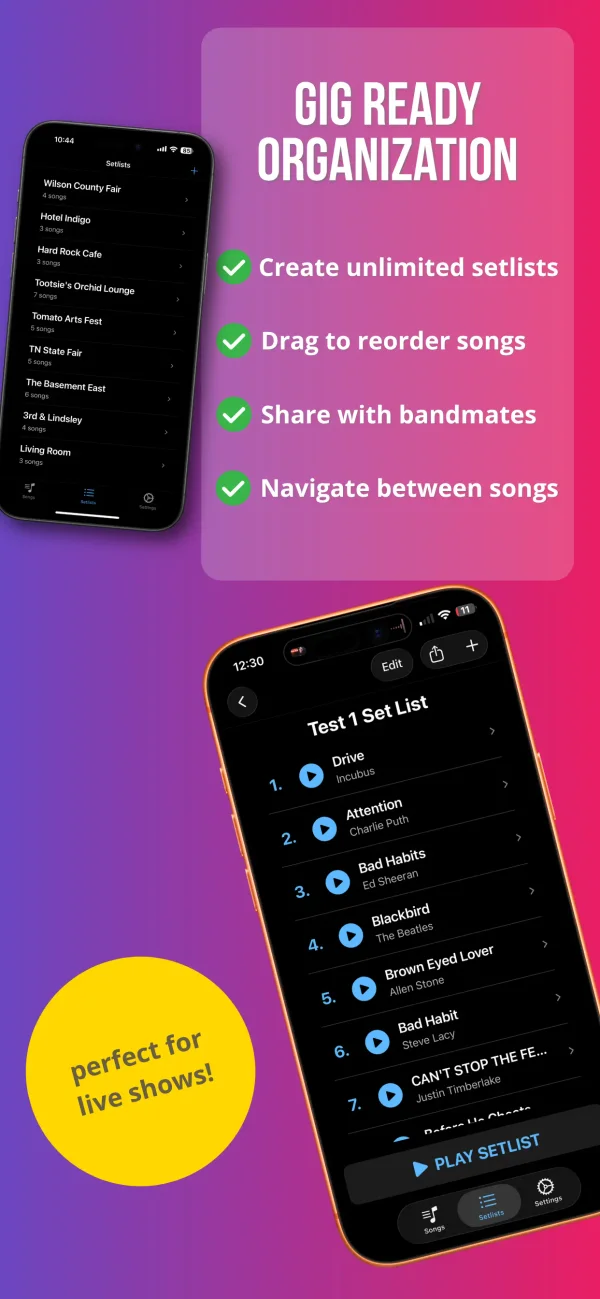
• PROFESSIONAL SETLIST MANAGEMENT - Organize songs by gig or venue. Navigate between songs with one tap. Per-song play buttons let you start the setlist on any song.
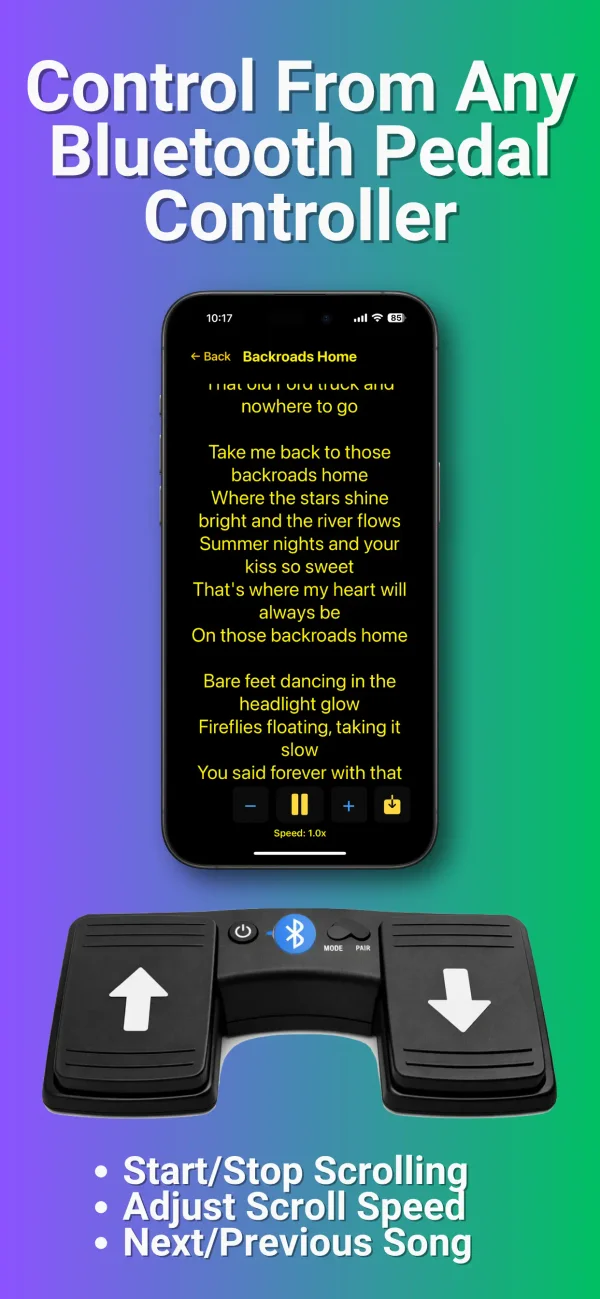
• BLUETOOTH FOOT PEDAL SUPPORT - Connect any Bluetooth remote pedal to control scrolling, change speed, and move between songs - hands free.
• BACKUP & SHARING - Export your library or share individual setlists with bandmates.
FEATURES MUSICIANS LOVE
ChordPro Formatting (Optional, Opt-In Per Song)
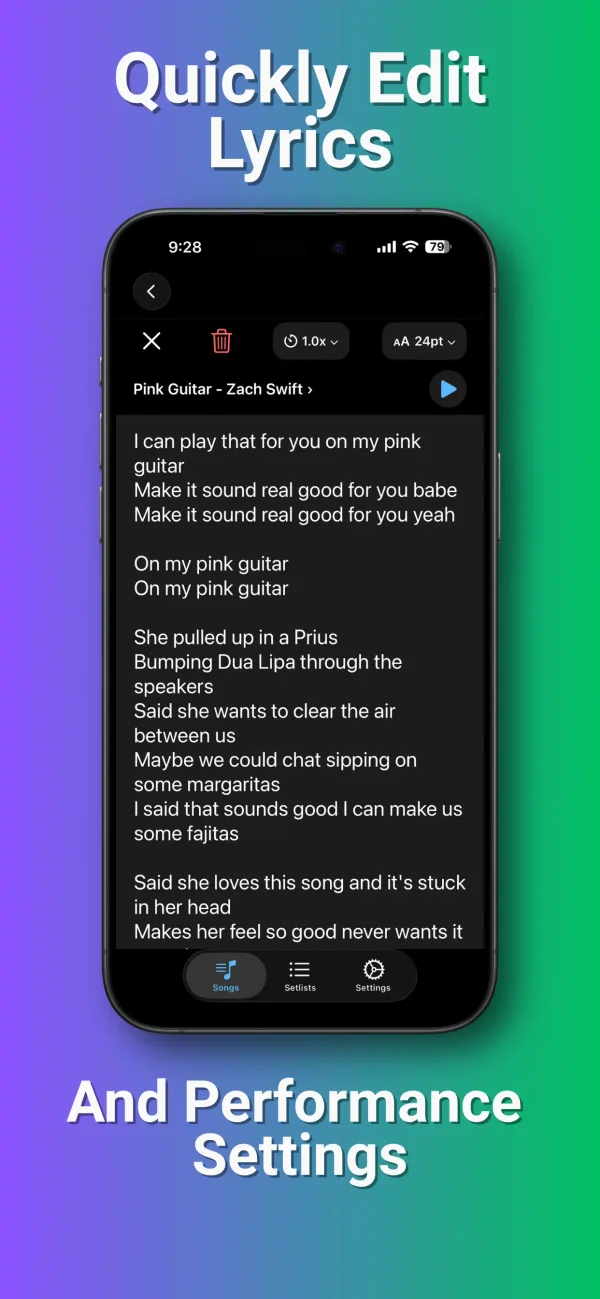
→ Industry-standard ChordPro markup, edited via a tap-friendly menu - no syntax to memorize
→ Inline chord brackets render above the lyric syllable they belong to
→ Section directives shown as muted small-caps headers
→ Per-theme chorus highlighting (toggle on in Settings)
→ Performance comments ({c: kick in band}) shown in muted italic
→ Plain-text songs still work exactly as before
Transposition
→ Semitone +/− buttons, editable numeric field, and key picker
→ Enharmonic spelling follows the destination key signature
→ Slash chords (G/B) transposed correctly
→ Capo and key info shown as badges in Performance
Performance Mode
→ Drag the lyrics to reposition mid-song without tapping first, even when controls are auto-hidden
→ Large text, adjustable per-song font sizes
→ Auto-scroll with +/- speed controls; save custom speeds per song
→ Left-align or center-align lyrics (Settings)
→ Foot pedal control for hands-free operation
Setlist Organization
→ Unlimited setlists, drag-and-drop song ordering
→ Per-song play buttons (no more tapping Next ten times when something interrupts your set)
→ Song position tracking, one-tap song navigation
Customization & Data
→ 4 themes (Light, Dark, Stage, Cream); 5 font choices
→ Export/import .gigscroll backup files
→ Share setlists with band members
→ All data stays on your device - full privacy
PERFECT FOR
• Live Performers - Eyes on the audience, not on paper
• Worship Leaders - Lead with lyrics and chords flowing at your pace
• Cover Bands - Organized setlists per venue; transpose to any singer's range
• Solo Artists & Songwriters - Never miss a lyric; record performances in-app
• Guitar / Piano Players - Real ChordPro with chord-above-lyric rendering
• Content Creators - Lyrics or video script on screen while you record
DESIGNED FOR PERFORMERS
GigScroll was built by musicians, for musicians. Every feature serves one purpose: helping you deliver flawless performances without the distraction of managing paper lyrics or fumbling with complicated apps.
GET STARTED IN SECONDS
1. Search for a song
2. Tap to save the lyrics
3. (Optional) Add chord brackets and section markers via the editor's ChordPro menu
4. Create a setlist
5. Hit play and perform
Download GigScroll and transform how you perform live.
新機能
バージョン 1.10.0 · 2026/9/23
1.10.0
- Setlist export to PDF - Print your set list out so the rest of your band can have the song list
- Choose between Replacing, Skipping, or Keeping both when importing gigscroll back up file with songs already in your library
- New {chorus} syntax - re-renders the last {soc} {eoc} block with lyrics and chords - So you can repeat the chorus without copying and pasting the whole thing over and over.
アプリのプライバシー
このアプリのデータの取り扱いについて、Zach SwiftがApp Storeで申告している内容です。
-
データの収集なし
開発元はこのアプリからデータを収集しません。
プライバシーの取り扱いは、ご利用の機能やお客様の年齢などに応じて異なる場合があります。
情報
- 販売元
- Zach Swift
- カテゴリ
- ミュージック
- バージョン
- 1.10.0
- 更新日
- 2026/9/23
- リリース
- 2025/10/21
- サイズ
- 4.1 MB
- 必要条件
- iOS 15.6以降
- 対象年齢
- 12+
- 価格
- 無料
- アプリ内課金
- あり
- 著作権
- © 2025 Zachary Swift