
GitSync.md: Git Client
Markdown Editor & Notes Sync
Designed for iPhone, iPad
Free · In-app purchases
- Age rating4+
- CategoryDeveloper Tools
- DeveloperCody Russell Bontecou
- LanguagesEnglish+ 25 more
- Size30.0 MB
Links to the official App Store page
Download.org hosts no file of GitSync.md: Git Client. The button opens its official App Store page, published by Cody Russell Bontecou. Listing last checked on Nov 23, 2026.
Screenshots

About
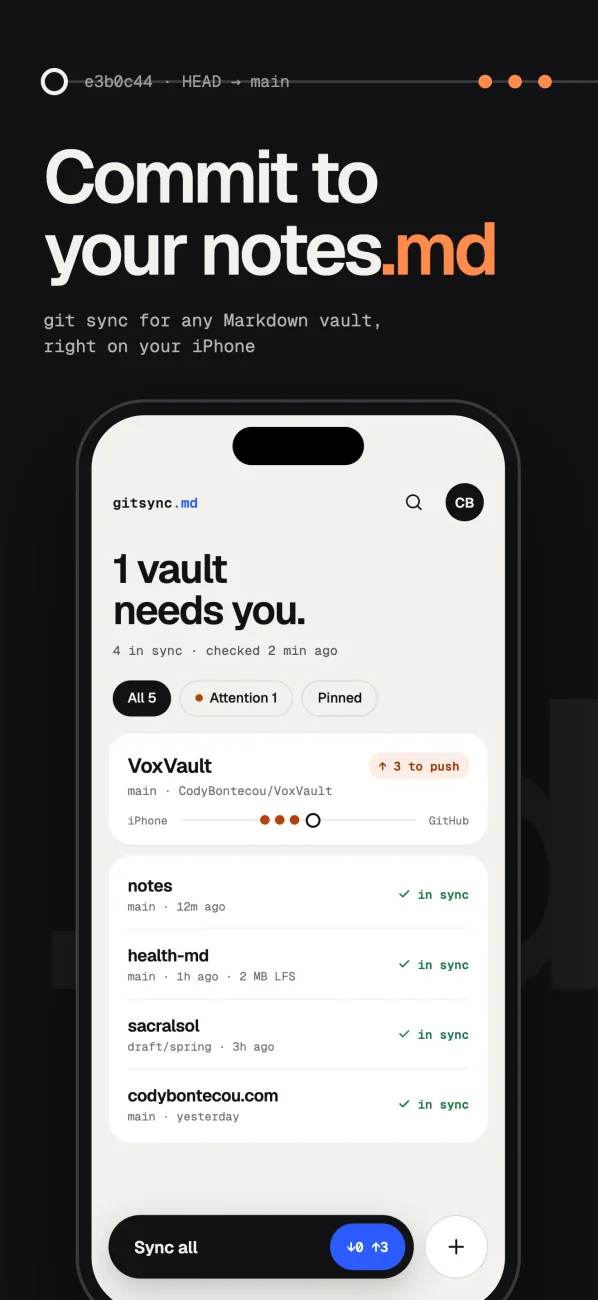
GitSync.md is a Git client for iPhone and iPad. Keep Markdown notes and code in real Git repositories, edit your files, then review, commit, and push your changes.
NOTES AND CODE, IN YOUR OWN FILES
Use the built-in editor, or open repository files in Obsidian, iA Writer, 1Writer, Taio, or another compatible iOS Files app. Your notes stay ordinary files in a real Git working copy.
GITHUB AND YOUR OWN GIT REMOTE
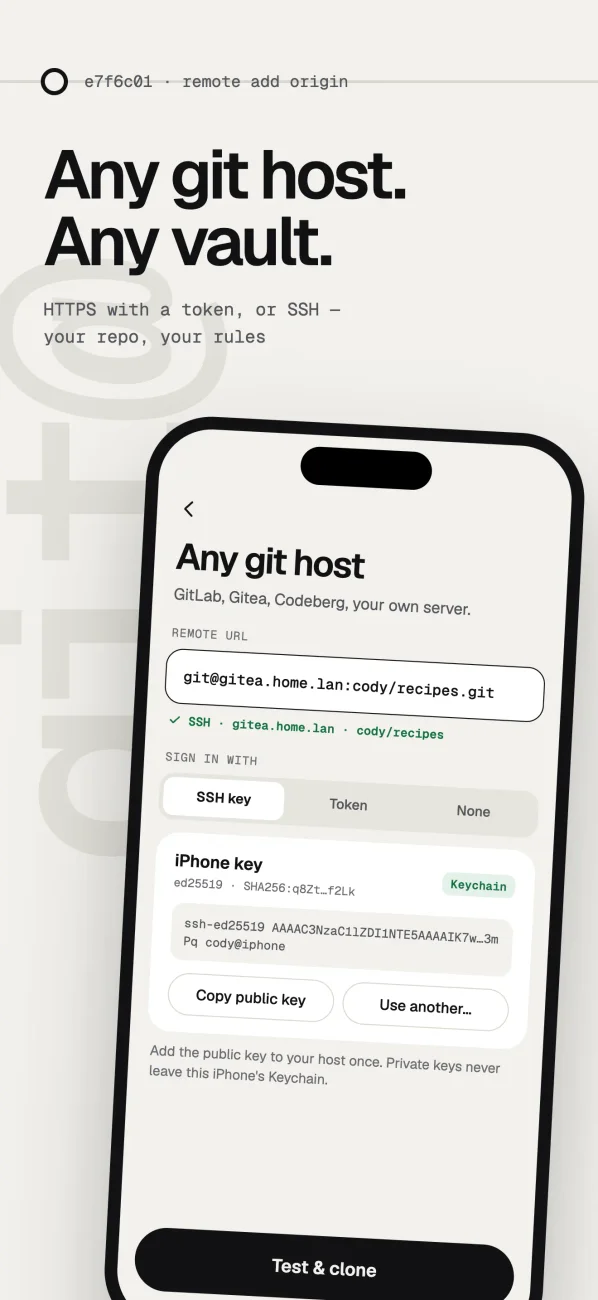
Sign in to GitHub with OAuth or a Personal Access Token. You can also connect to GitLab, Bitbucket, Gitea, or a self-hosted Git remote over HTTPS or SSH using the credentials that remote requires.
REVIEW BEFORE YOU PUSH
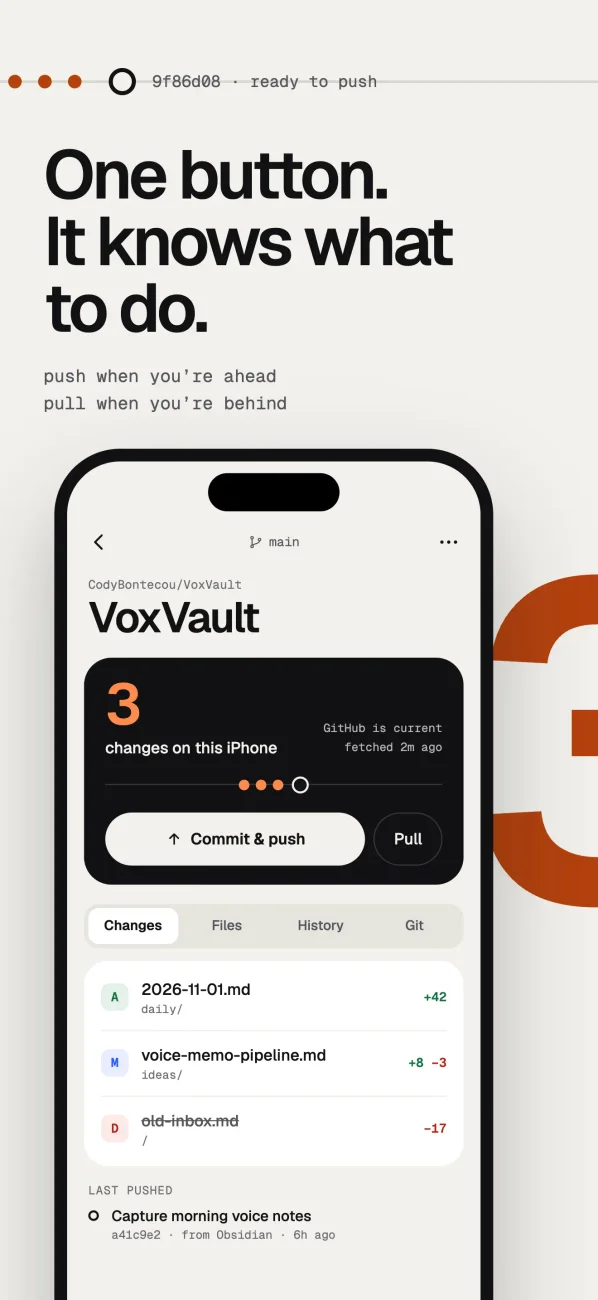
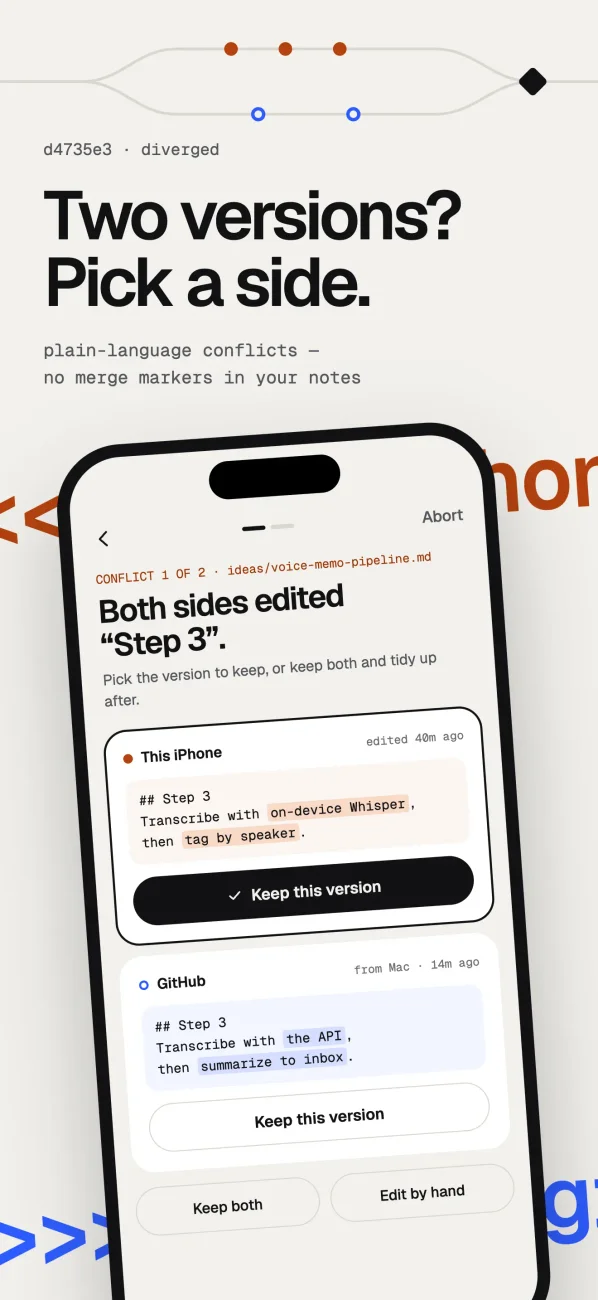
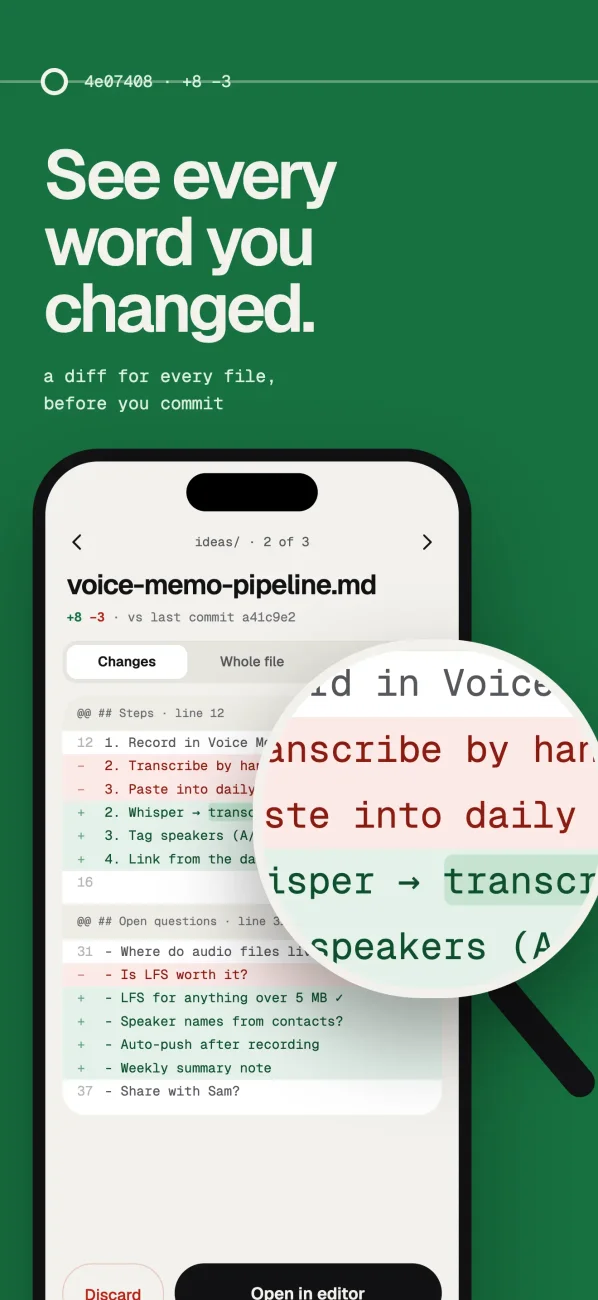
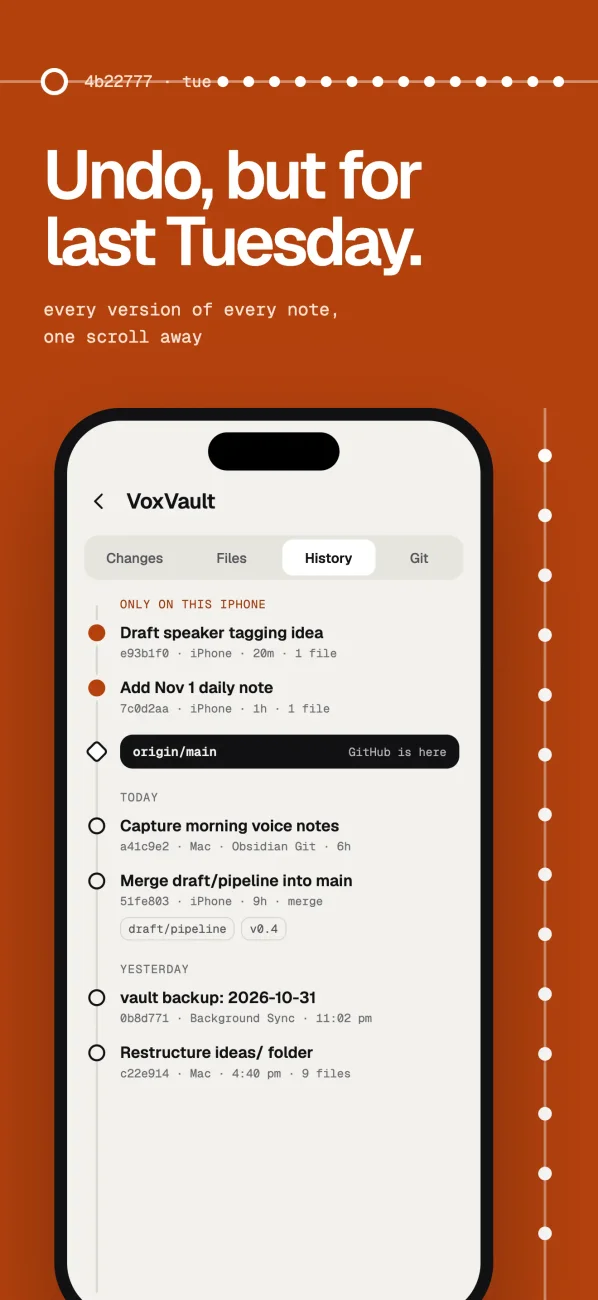
See changed files and text diffs, stage your changes, write a commit message, and push to your remote. Browse commit history, manage branches, stash changes, and use Pull with Rebase. Review and resolve merge conflicts when they occur.
START WITH A REPO OR A LOCAL FOLDER
Clone a repository, open an existing local Git repository, or turn a supported folder on your iPhone or iPad into a Git repository. Publishing a local folder creates a new private GitHub repository as a separate action, so you can review your files before uploading them.
SHORTCUTS FOR YOUR WORKFLOW
Run Pull, Push, or Sync from Apple Shortcuts. Use syncmd:// callback links to trigger repository actions from compatible apps and notes. Optional Background Sync can pull remote changes and, with your consent, automatically commit and push local edits. Enable it in Settings > Background Sync and choose pull and push separately. iOS controls when background work runs; delivery is best effort, not guaranteed or real time. Optional Push Sync connects the GitSync.md GitHub App to request background updates when GitHub changes.
MULTIPLE REPOSITORIES
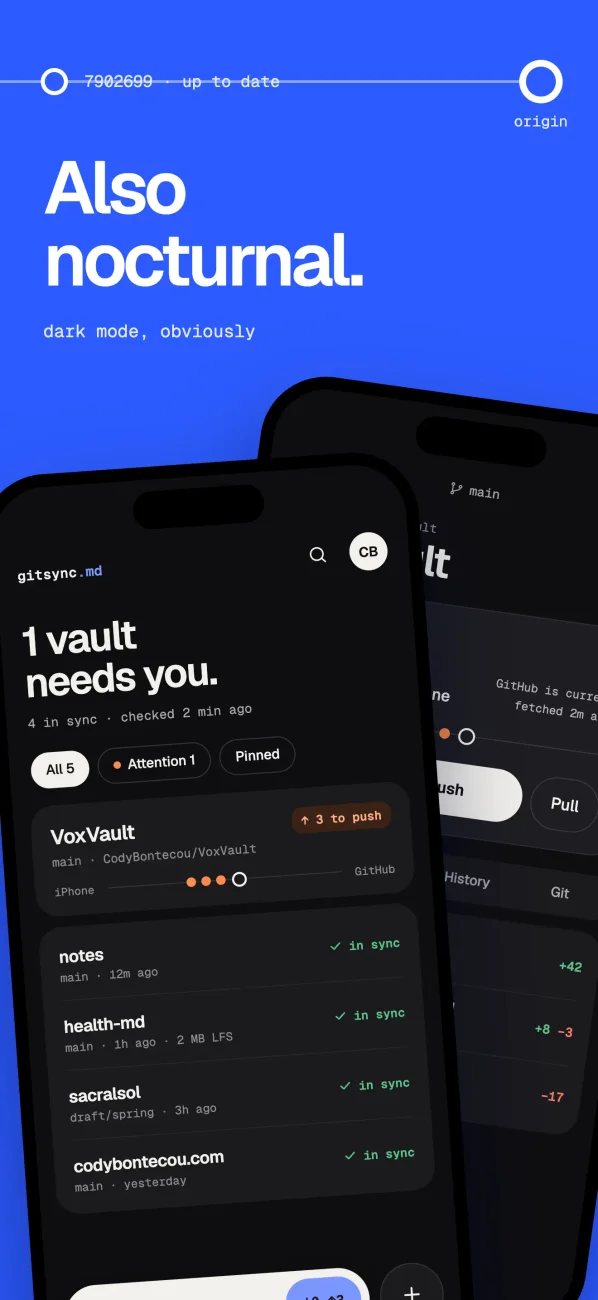
Keep your notes, documentation, and code projects in separate repositories, each with its own branch, author details, and storage location.
STANDARD GIT, DIRECT CONNECTIONS
GitSync.md uses libgit2 for on-device Git operations. Your repositories have real .git directories, and Git traffic goes directly to your chosen remote. Git credentials are stored in the iOS Keychain.
FREE TO TRY, ONE-TIME UNLOCK
GitSync.md is free to download, and checking a vault is free. Cloning, linking or publishing a vault requires a one-time Full Access in-app purchase. There is no subscription. If you bought GitSync.md before it became free, it is already unlocked.
Terms of Use (EULA): https://gitsyncmd.app/terms
What’s new
Version 3.0.2 · Nov 21, 2026
• Cloning into another app's folder, such as Obsidian, no longer fails with "outside this vault's location"
• If GitSync.md can't confirm where a clone should go, it now tells you exactly how to fix it
• Author name and email now fill in from your GitHub account, using your private no-reply address if your email is hidden
App privacy
What Cody Russell Bontecou declares on the App Store about how this app handles data.
-
Data linked to you
May be collected and linked to your identity.
- Purchases
- Contact info
- User content
- Identifiers
- Usage data
- Diagnostics
Privacy practices may vary, for example with the features you use or your age.
Information
- Seller
- Cody Russell Bontecou
- Category
- Developer Tools
- Version
- 3.0.2
- Updated
- Nov 21, 2026
- Released
- Feb 13, 2026
- Size
- 30.0 MB
- Requires
- iOS 17.0 or later
- Age rating
- 4+
- Price
- Free
- In-app purchases
- Yes
- Languages
- English, Arabic, Danish, Dutch, Finnish, French, German, Hebrew, Hindi, Hungarian, Indonesian, Italian + 14 more
- Copyright
- © 2026 Cody Bontecou
You might also like
-
 DeviapDeveloper Tools & Resources
-
 DangGITFull Git Client for iOS
-
 NetScanner - HTTP CatcherHTTP Sniffer,Capture,Debug
-
 GitHub Status MonitorGitHub monitoring & alerts
-
 Screenshot Editor - CodeFrameScreenshot - Social Media Post
-
 Mosh TerminalResponsive SSH Mosh client
-
 给你个码Developer Tools
-
 Conductor for Xcode CloudBuild on the go
-
 Pythona - Python 3 IDEPython Code Editor & AI Agent
-
 Syncthing MonitorDeveloper Tools