
Grip: Control Ableton Live
Remote creative companion
Designed for iPhone, iPad, iPod touch
Free
- Age rating4+
- CategoryMusic
- DeveloperAdam Baker
- LanguagesEnglish
- Size53.5 MB
Links to the official App Store page
Download.org hosts no file of Grip: Control Ableton Live. The button opens its official App Store page, published by Adam Baker. Listing last checked on Nov 14, 2026.
Screenshots
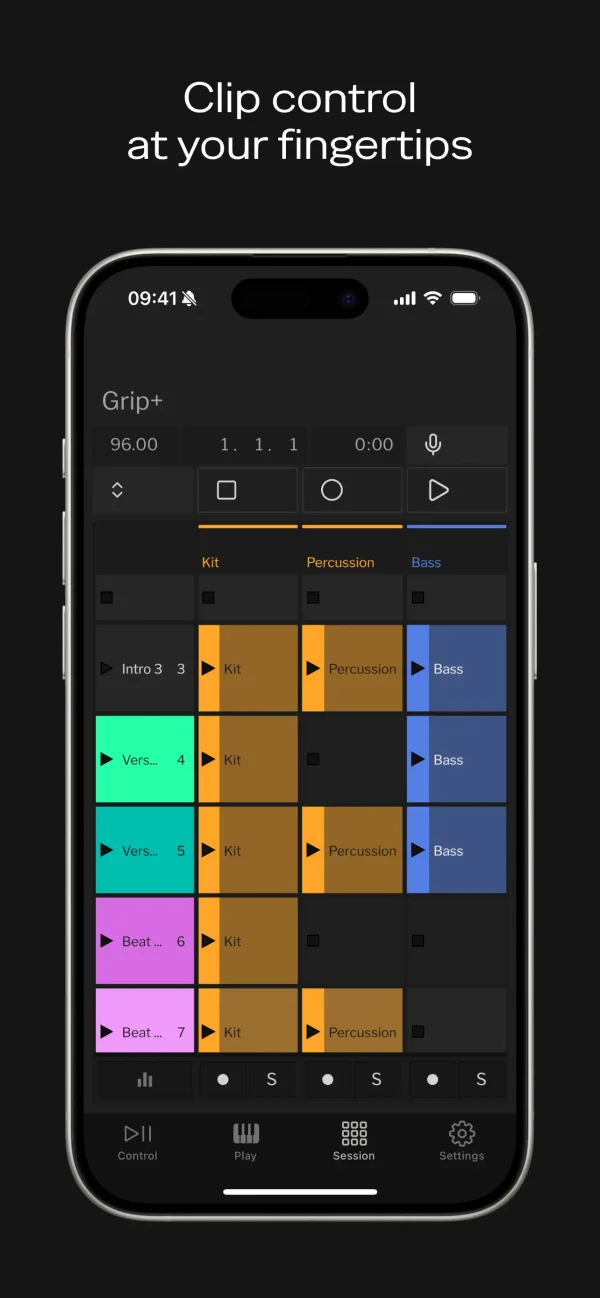
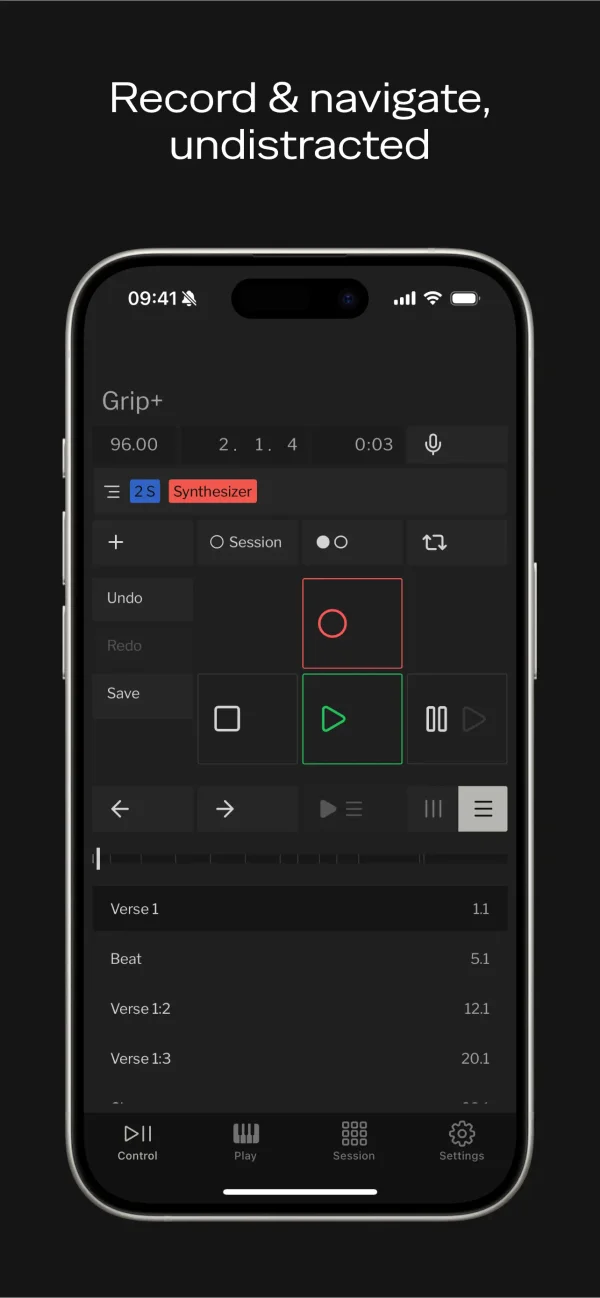
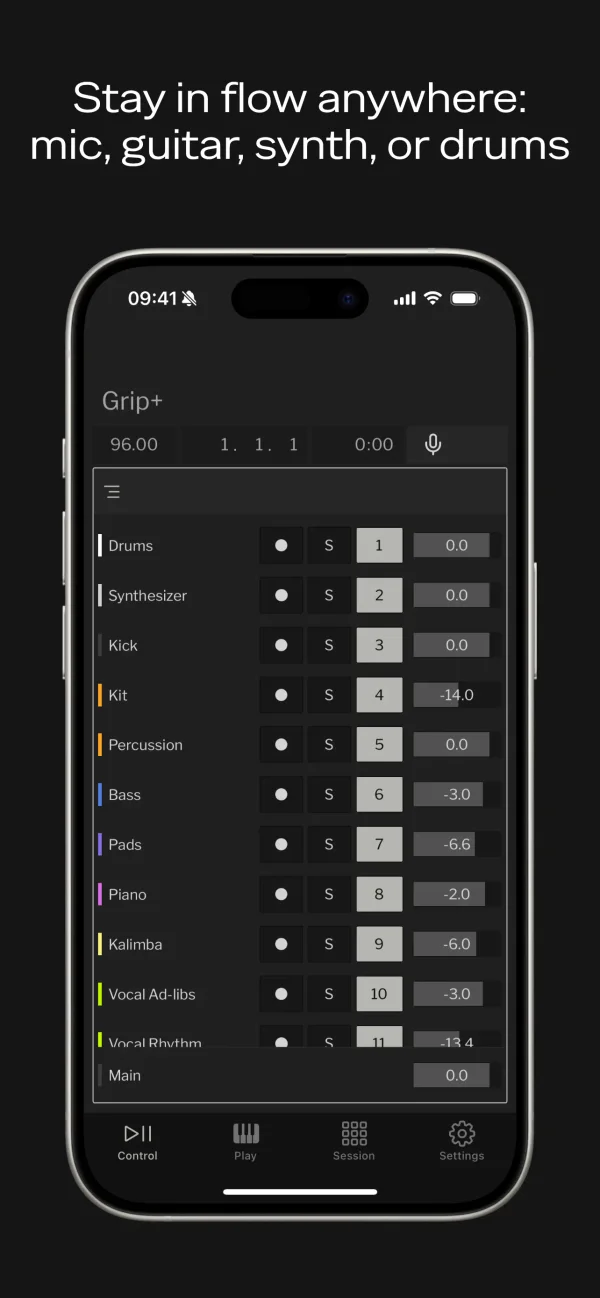
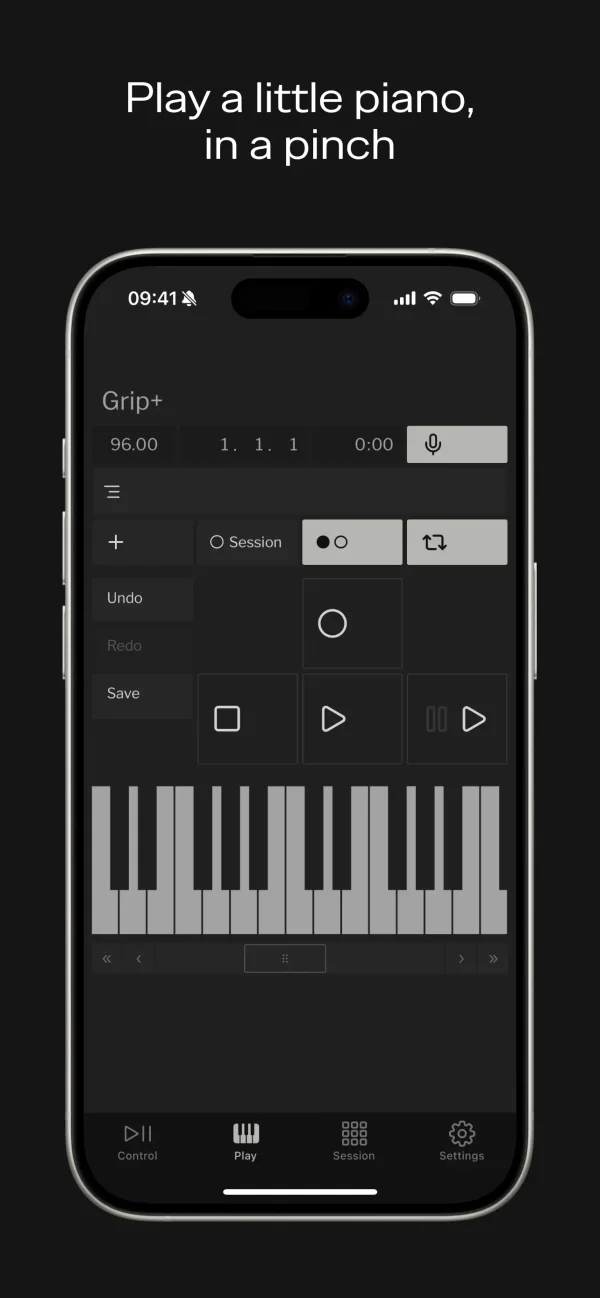
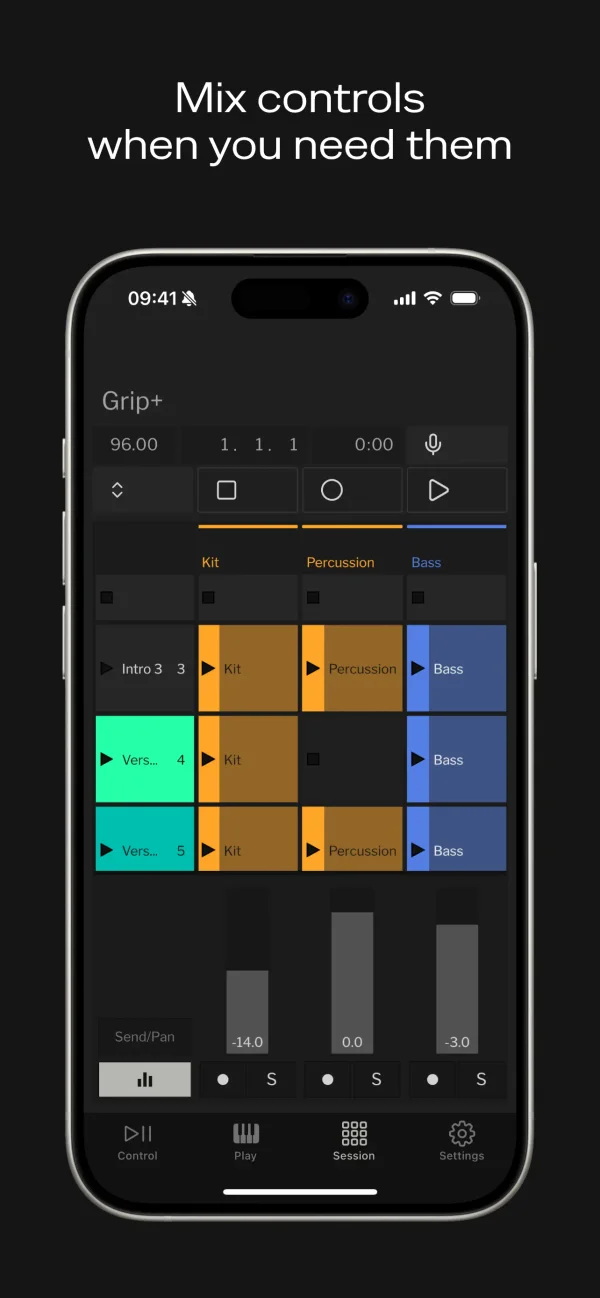
About
Grip is the missing app for Ableton Live.
This app requires Grip Desktop to be running on the same computer as Ableton Live. Download that app first at www.gripforlive.com.
Stay in creative flow with Grip: Remote control Ableton from anywhere in your studio, bedroom, or battlestation—at your synth, in the vocal booth, or from the couch. Grip connects to your computer over Wi-Fi as a native Live control surface. No MIDI mapping required. Stop running from your mic to the computer, or having to play guitar near your computer. With Grip, you can literally use your voice to say "record" and play directly into Ableton Live. Keep Grip with you at whatever instrument you're playing, to play, record, undo, redo, and even save from your phone or tablet.
TRANSPORT & RECORDING
• Control Live with your voice
• Play, stop, record, and overdub
• Undo and redo
• Preview and record into scenes
• Quickly loop between sections of your song in arrangement
• Pre-roll recording before your locators
• Toggle metronome
• Save your project from your phone
• Change volume
• Arm, solo, and mute tracks
MIXER & NAVIGATION
• Record & launch clips, move and copy them between tracks and scenes on the session view
• Jump to locators
• Launch scenes
• Scrub through your arrangement with your finger
• Switch between session and arrangement view
• Mixer controls for volume, sends, pan, and arm/solo
• Insert, duplicate, or delete tracks or scenes
• Rename locators and scenes
MIDI PIANO & DRUM PAD
• Built-in piano for playing notes into Live
• Push-like drum pad for playing notes or drum kits
• Requires the Mac version of Grip. (Windows support for MIDI forthcoming.)
What’s new
Version 3.5.0 · Aug 3, 2026
• Arm automation
• Buttons to disable arm, mute, or solo for all tracks
• Insert, duplicate, delete scenes and tracks
• Rename locators and scenes
• Quickly loop between locators (sections of your arrangement)
• Prompt scene recording from the control screen
• Quantize MIDI recording; set clip launch quantization; set session clip length
• Experimental new feature: Control devices
• Faster track controls, better session grid performance
• Other user interface improvements
App privacy
What Adam Baker declares on the App Store about how this app handles data.
-
Data not collected
The developer does not collect any data from this app.
Privacy practices may vary, for example with the features you use or your age.
Information
- Seller
- Adam Baker
- Category
- Music
- Version
- 3.5.0
- Updated
- Aug 3, 2026
- Released
- Feb 4, 2026
- Size
- 53.5 MB
- Requires
- iOS 15.1 or later
- Age rating
- 4+
- Price
- Free
- Languages
- English
- Copyright
- © 2026 Adam Baker
You might also like
-
 KnobblerAbleton Live Touch Control
-
 7III Tap: Live MIDI ControllerAbleton Live Controller
-
 LK - Ableton & Midi ControllerSequencer and Clip Launcher
-
 AudioPipelineAUv3 Plugins (Send+Receive)
-
 LinkEffektLink Audio everywhere
-
 MIDI Controller PRO WiFi, USBKeyboard, Pads & DAW Remote
-
 BattleFXDelay, Reverb, and Maximizer
-
 LemurLegendary MIDI/OSC Controller
-
 AbleSet ConnectMusic
-
 Mighty Synth SamplerMake Any Sound An Instrument