
LinkEffekt
Link Audio everywhere
Designed for iPhone, iPad, Mac, iPod touch
Free · In-app purchases
- Age rating4+
- CategoryMusic
- DeveloperAlexander Joannou
- LanguagesEnglish
- Size5.9 MB
Links to the official App Store page
Download.org hosts no file of LinkEffekt. The button opens its official App Store page, published by Alexander Joannou. Listing last checked on Nov 21, 2026.
Screenshots

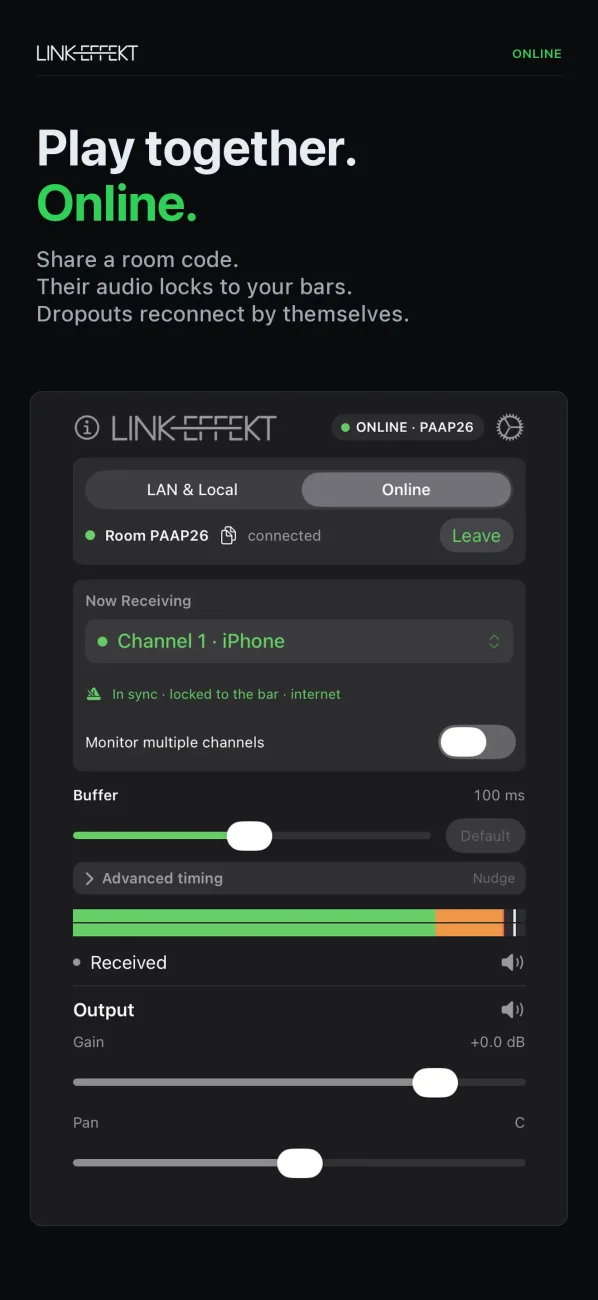

About
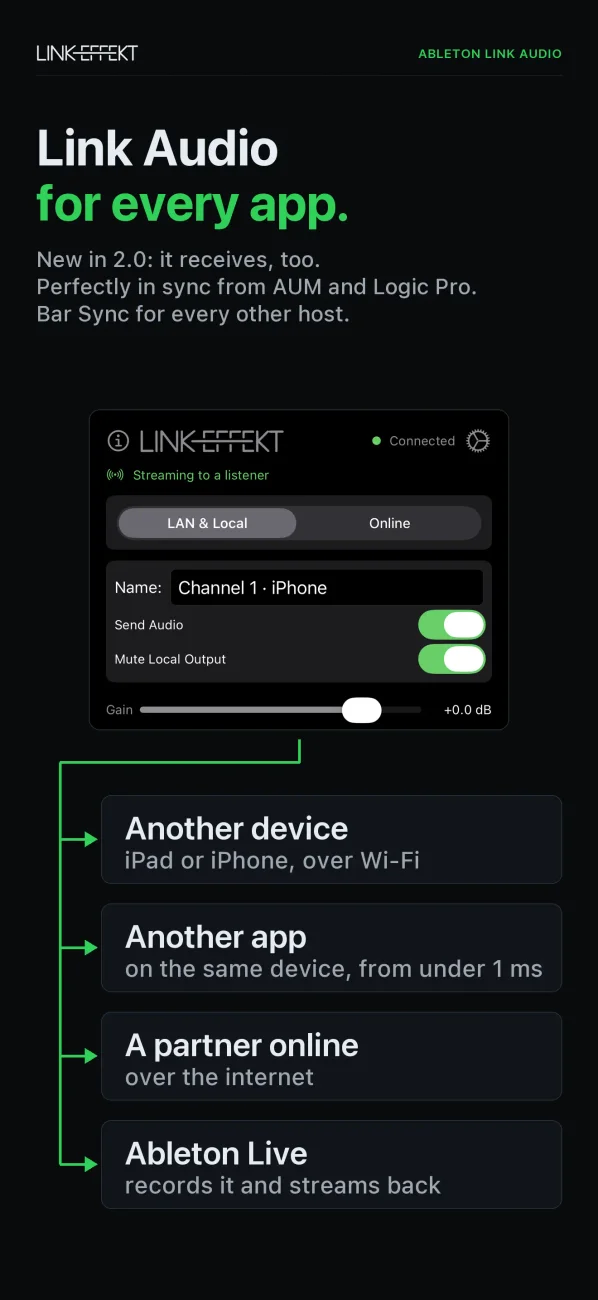
Stream Link Audio between your apps, iOS devices and Mac in sync. Send and receive unlimited audio tracks between iPad, iPhone and Ableton Live, from app to app on one device or to a friend over the internet. LinkEffekt is the all-in-one routing tool for every setup from a single iPad to a hybrid studio.
Now with MIDI: connect your MIDI controllers on any iOS device or Mac and they will work anywhere. Each MIDI device gets a dedicated virtual MIDI port that syncs across all your Apple devices. So you can have flexible setups while keeping all your mappings.
On top of that each port gets MIDI clock from Link with a latency offset to keep all MIDI gear in sync.
Load your template and everything connects by itself. No setup in every session.
How it works:
• Put LinkEffekt Send on the audio track you want to stream.
• Load LinkEffekt Receive where you want to hear it and pick the channel.
• Load LinkEffekt MIDI once as a MIDI effect in your host.
• The LinkEffekt app in the Mac menu bar creates the virtual MIDI ports.
• Turn on Link to MIDI clock and set its offset once to keep your gear tight.
Only in LinkEffekt:
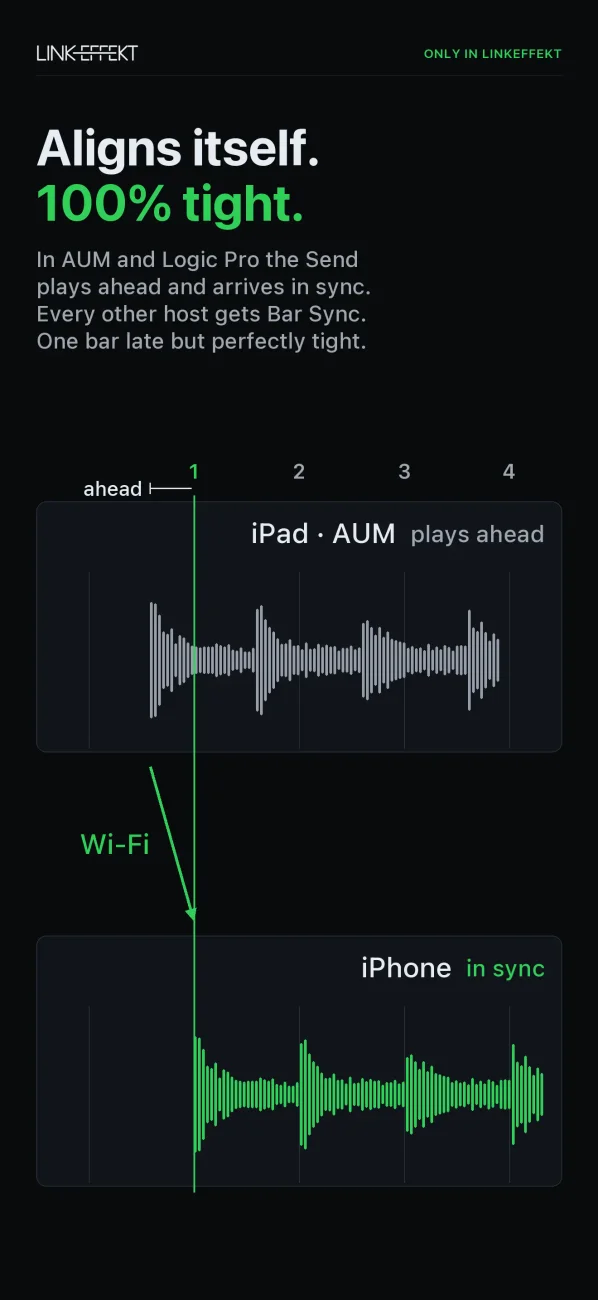
• LinkEffekt Send streams ahead by exactly the trip over the network and your track arrives in sync. In AUM and Logic Pro for iPad this works both ways at once.
• Bar Sync in every other host locks incoming audio one bar late but perfectly tight.
• Online mode streams your tracks peer-to-peer and encrypted to a friend anywhere. A room code connects you and the audio stays locked to your bars.
What you can do:
• Jam with iPad and iPhone both ways at once
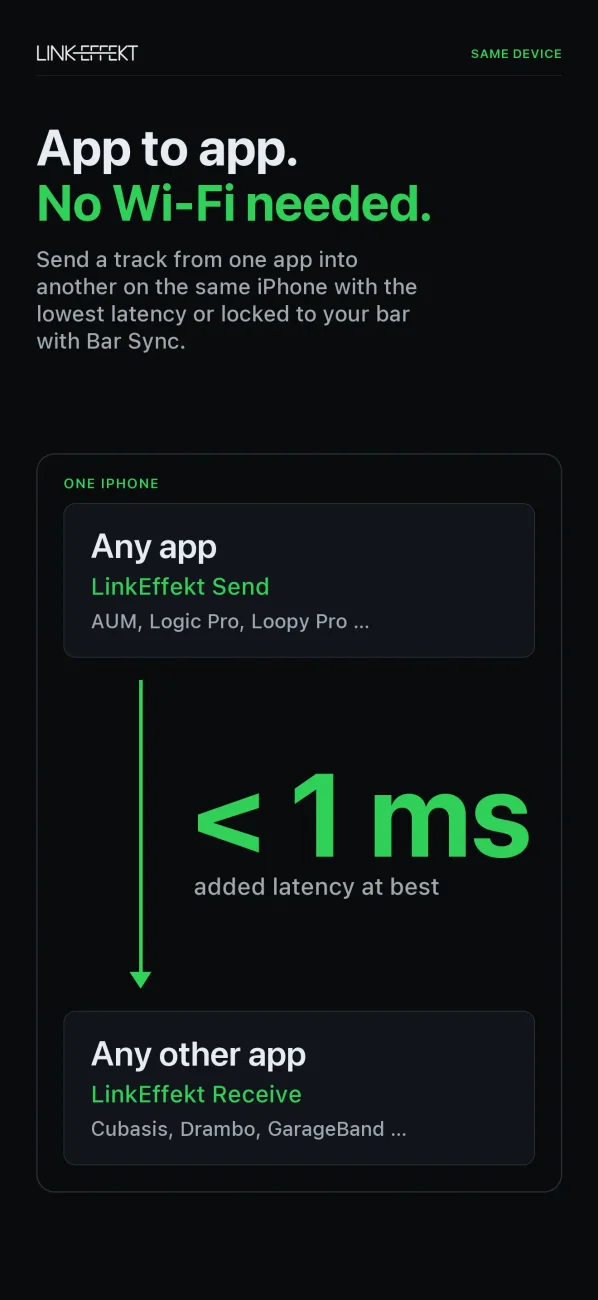
• Route audio from app to app on one device without Wi-Fi
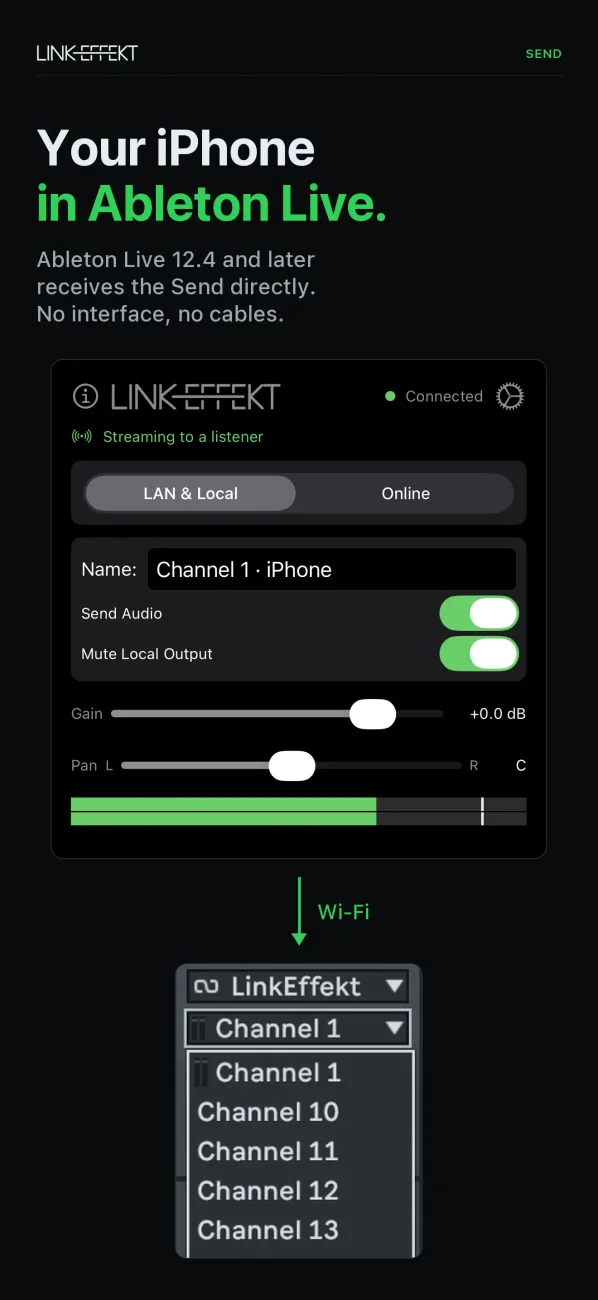
• Record your iPad tracks in Ableton Live and play Live's tracks on your iPad
• Record Ableton Move and Note in AUM, Logic Pro or Cubasis
• Mix the channels of a band on one device
• Use one MIDI controller on all your devices
• Play a synth on your iPad from Ableton Live
• Keep gear without Link in time with Live or AUM
Free to start:
One Send, one Receive and Link to MIDI clock for one piece of gear are free on every device with no time limit. The one-time purchase LinkEffekt Unlimited adds unlimited Sends and Receives, several channels per Receive, Online mode, MIDI between your devices, Link to MIDI clock for all your gear and unlimited virtual MIDI ports on the Mac. No subscription.
Open the app once:
Open LinkEffekt once after installing and allow Local Network access so the plugins can find each other.
Requirements:
• iOS 15 or later and an AUv3 host like AUM, Loopy Pro, Drambo, Cubasis, GarageBand or Logic Pro
• Ableton Live 12.4, Move 2.0 or Note 2.0 or later for Link Audio with Ableton
• LinkEffekt Unlimited on both sides for Online mode
• macOS 14 or later and Apple Silicon for the Mac app
What’s new
Version 2.1 · Nov 17, 2026
New in 2.1:
• LinkEffekt MIDI connects your MIDI controllers on any iOS device or Mac and they work on all your devices.
• Each controller gets its own port named after the hardware so your mappings stay.
• Link to MIDI clock keeps gear without Link in sync. It sends start and stop and has an offset in steps of 0.1 ms.
• LinkEffekt for Mac is the MIDI bridge in the menu bar.
• Connect your iPad or iPhone to your Mac with a USB cable and MIDI runs over the cable.
• LinkEffekt Unlimited now also covers MIDI between your devices. Owners get it at no extra cost.
LinkEffekt 2.0 sends and receives in sync.
• Perfectly in sync both ways from the first play when sending from AUM or Logic Pro for iPad.
• Bar Sync in every other host locks incoming audio one bar late but perfectly tight.
• LinkEffekt Receive and Receive Instrument bring in channels from other devices, other apps or a remote partner.
• App to app on the same device works without Wi-Fi.
• Online mode connects you with a remote partner over the internet. It runs peer-to-peer and encrypted and stays locked to your bars. A dropped connection comes back by itself.
• Channel names carry the device.
• Live Mode on the Send is for playing live on the sending device.
• Bypass all LinkEffekt Sends plays your whole session on the device instead of streaming.
• The in-app purchase also unlocks Online mode and several channels at once.
• Help in the app and plugins covers Logic Pro.
App privacy
What Alexander Joannou declares on the App Store about how this app handles data.
-
Data not collected
The developer does not collect any data from this app.
Privacy practices may vary, for example with the features you use or your age.
Information
- Seller
- Alexander Joannou
- Category
- Music
- Version
- 2.1
- Updated
- Nov 17, 2026
- Released
- May 6, 2026
- Size
- 5.9 MB
- Requires
- iOS 15.0 or later
- Age rating
- 4+
- Price
- Free
- In-app purchases
- Yes
- Languages
- English
- Copyright
- © 2026 Alexander Joannou
You might also like
-
 AudioPipelineAUv3 Plugins (Send+Receive)
-
 BeatRepeatLive Drum Repeat Instrument
-
 RadioMama - Radio & SamplerInternet Radio & Sample Maker
-
 SplitonicSpectral Remix Filter (AUv3)
-
 Traverse Lo-Fi Tape EffectLo-fi tape delay AUv3 plugin
-
 Kombinat4Multi-Band Distortion Plugin
-
 Wave ColliderTwo Waves, Infinite Outcomes
-
 Celestine Granular FXLive-buffer granular AUv3
-
 ArchersPlayerAudio File Playlist Player AU
-
 Coastline - Audio EffectInstant atmosphere generator