
Groupino: Group Generator
Seating Charts for Teachers
Designed for iPhone, iPad
Free · In-app purchases
- Age rating4+
- CategoryEducation
- DeveloperNikita Aurelian Schulz
- LanguagesEnglish+ 15 more
- Size18.5 MB
Links to the official App Store page
Download.org hosts no file of Groupino: Group Generator. The button opens its official App Store page, published by Nikita Aurelian Schulz. Listing last checked on Nov 15, 2026.
Screenshots
About
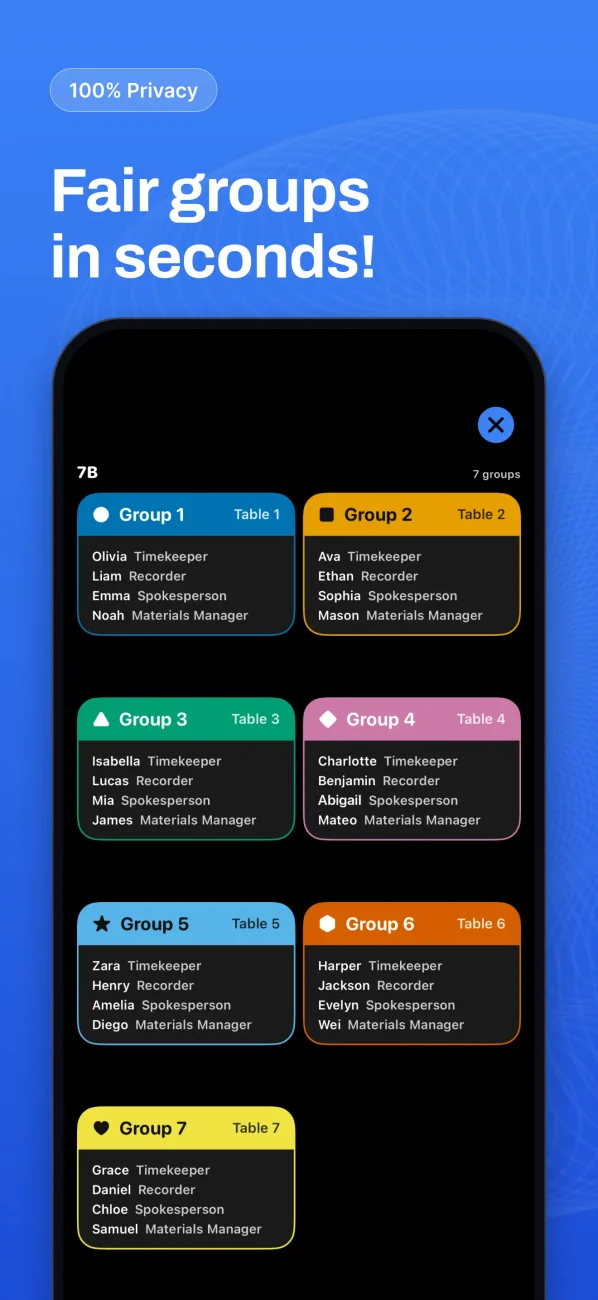
Make groups and seating charts in one app: one tap, and the names fly into their groups or onto their seats on the projector. Fairly mixed, following your rules, in seconds.
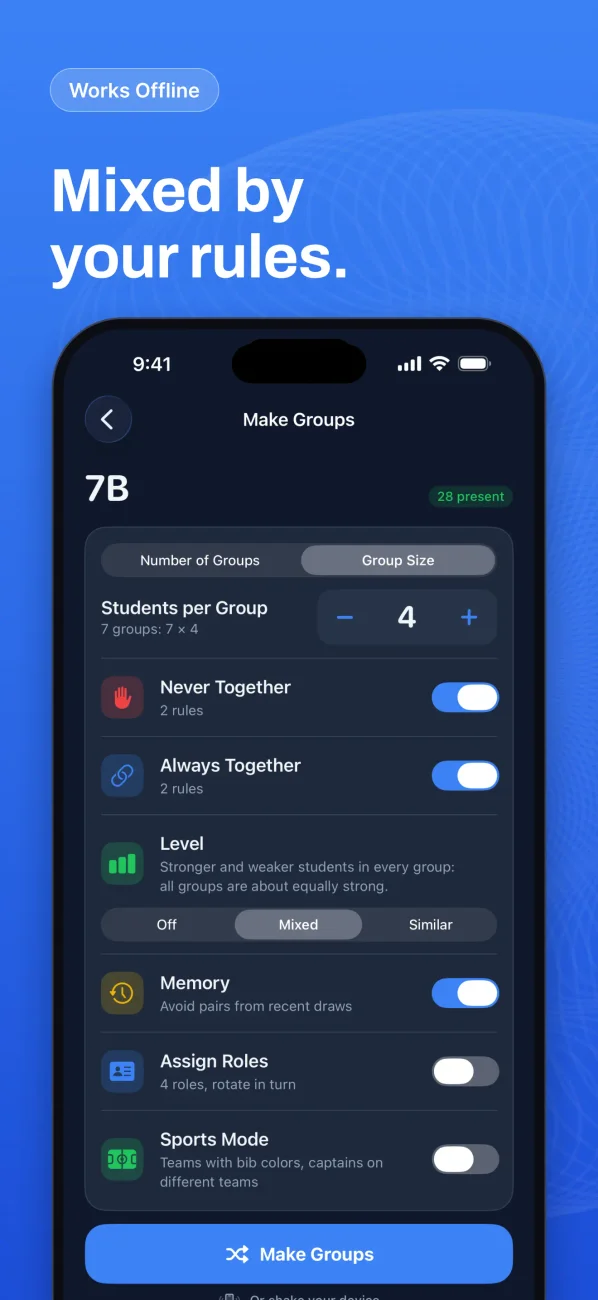
No more counting off and “I don’t want to be with him!”. Groupino knows your class: students who distract each other don’t end up together, neither in a group nor side by side. Those who need support get their buddy. And whoever worked together last week gets mixed up this time.
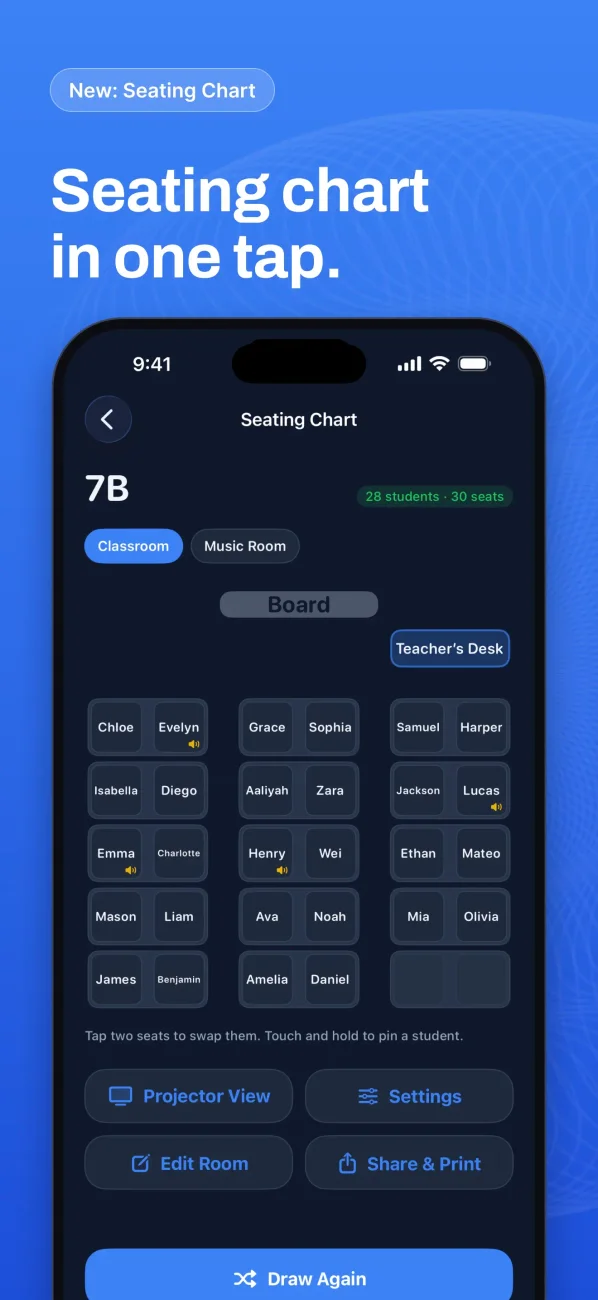
For the seating chart, you don’t need a second app or a second class list. Choose how the desks are arranged: in rows, as group tables or in a U-shape, with the board and the teacher’s desk. Loud students sit apart and near the teacher’s desk, stronger students can sit next to those who need support, and deskmates change. Swap seats with a tap, keep individual students in place, and print the chart as a PDF for the substitute teacher. For subject rooms, add more rooms and share them with other classes.
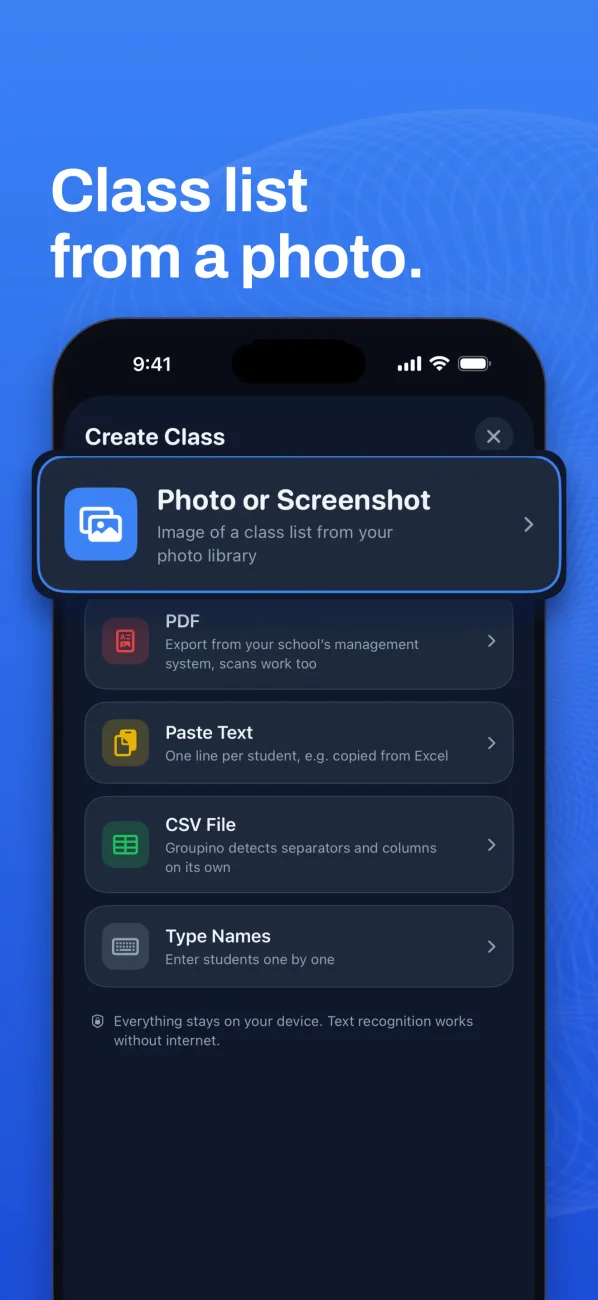
Your class is set up in no time: take a photo of the class list or open the PDF from your school’s management system. Text recognition runs entirely on your device.
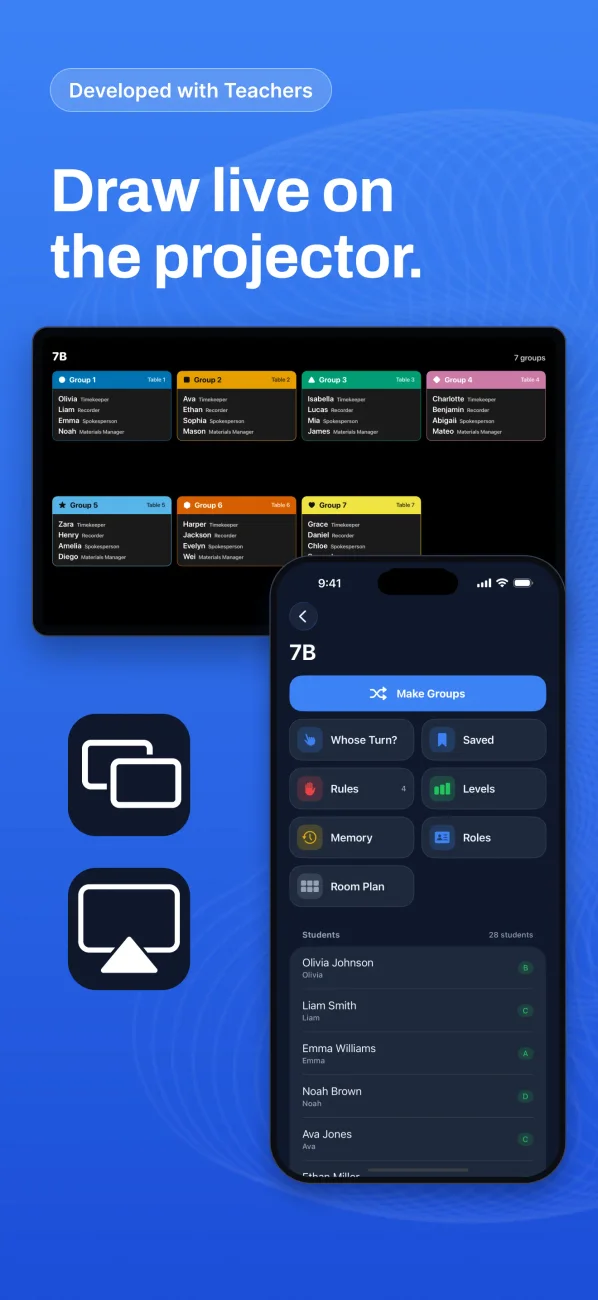
On the projector, the class sees large, colorful group cards or its seating chart, readable from the back row. Levels and rules stay on your iPhone or iPad.
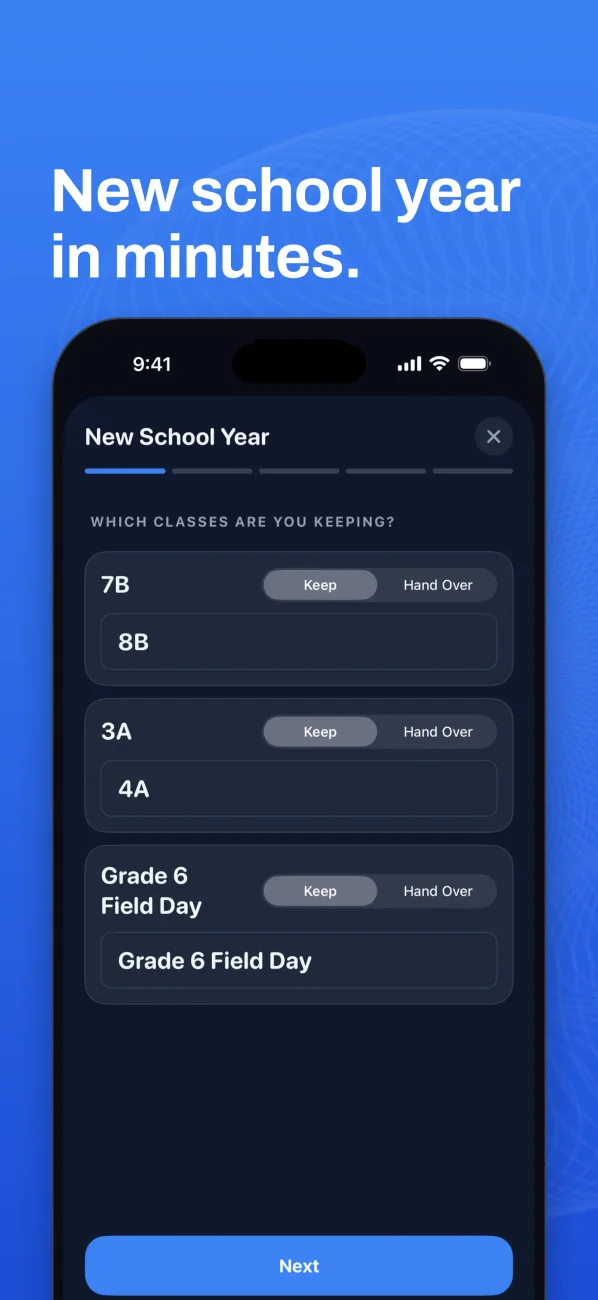
And when the new school year comes, Groupino reminds you in good time before the first day of school. In just a few minutes, your classes move up a year, with leavers, new students and an archive for classes you hand over.
ALSO INCLUDED
• By number of groups or group size, without a leftover pair
• Mixed or similar performance levels
• Roles like timekeeper, recorder and spokesperson, rotating in turn
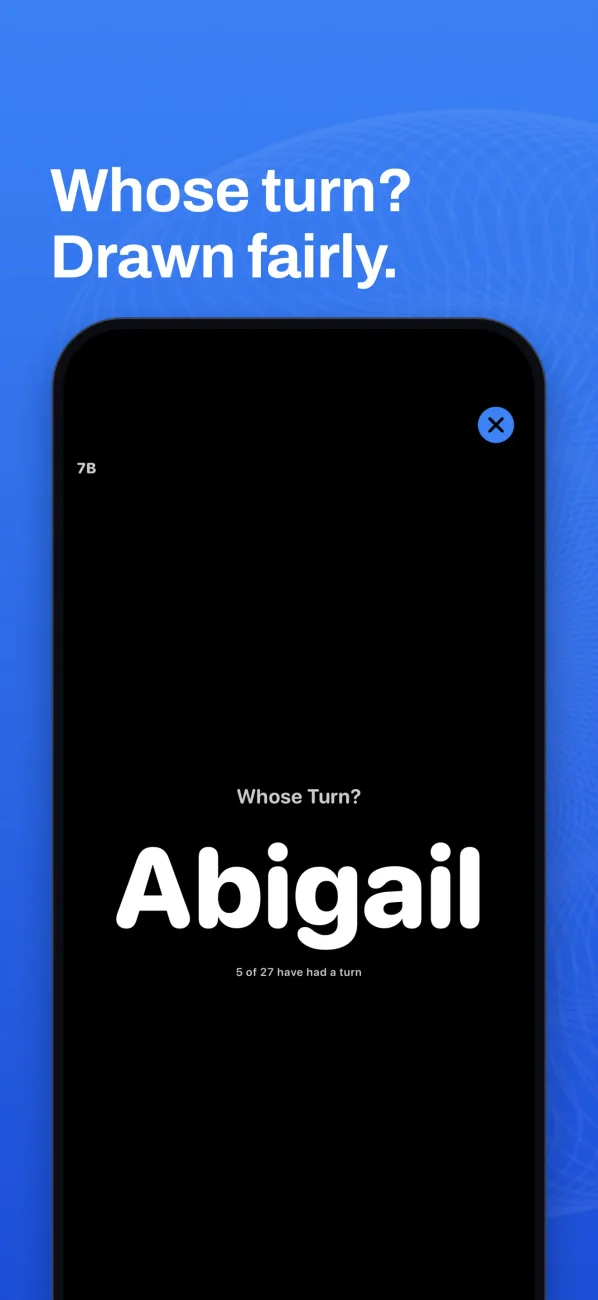
• “Whose Turn?”: draw names until everyone has had a turn
• Sports mode with captains and bib colors
• Groups shown at their own tables on the projector
• Exclude absent students for today with one tap
• Share the result as an image, PDF or text
YOUR DATA STAYS WITH YOU
No account, no tracking, no ads. Everything is stored on your device, in iCloud only if you turn it on. If you like, Face ID or Touch ID locks the app.
What’s new
Version 1.3 · Nov 13, 2026
- New: draw a seating chart, with room plan and projector
- Several rooms per class, shareable with other classes
App privacy
What Nikita Aurelian Schulz declares on the App Store about how this app handles data.
-
Data not linked to you
May be collected but is not linked to your identity.
- Purchases
- Identifiers
- Usage data
Privacy practices may vary, for example with the features you use or your age.
Information
- Seller
- Nikita Aurelian Schulz
- Category
- Education
- Version
- 1.3
- Updated
- Nov 13, 2026
- Released
- Oct 29, 2026
- Size
- 18.5 MB
- Requires
- iOS 17.6 or later
- Age rating
- 4+
- Price
- Free
- In-app purchases
- Yes
- Languages
- English, Dutch, French, German, Italian, Japanese, Korean, Norwegian Bokmål, Polish, Portuguese, Simplified Chinese, Spanish + 4 more
- Copyright
- © 2026 Nikita Aurelian Schulz
You might also like
-
 GruppenZauber für die SchuleEducation
-
 Stick Picker: Names & GroupsEducation
-
 Classroom Seats: Seat ChartTeacher Seating Plan & Roster
-
 SeatMaker: Classroom SeatingChart maker for teachers
-
 Pickadoo: Random GeneratorFor Teachers: Groups & Seating
-
 Classroom Seating – PlatzwahlSeating chart for teachers
-
 TDK Ortaokul SözlüğüEducation
-
 Classroom Noise Meter – RuheNoise Monitor for Teachers
-
 Split Any Group: Team DrawRandom & Fair Team Generator
-
 one plus one automationautomation