
GuideTone
Loop, slow & chart any song
Designed for iPhone, iPad, Mac
Free · In-app purchases
- Age rating4+
- CategoryMusic
- DeveloperMichael Colon
- LanguagesEnglish
- Size49.3 MB
Links to the official App Store page
Download.org hosts no file of GuideTone. The button opens its official App Store page, published by Michael Colon. Listing last checked on Nov 23, 2026.
Screenshots



About
GuideTone turns any recording into your personal practice room.
A guide tone is the 3rd or the 7th of a chord — the note that tells you where the harmony is going, and the one worth hearing first.
That is the whole idea: show you what actually matters in a song, so the practice can start. Import a track, loop the hard parts, slow them down without changing the pitch, pull the band apart, and see the changes written out — all on your iPhone or iPad, and all without an internet connection.
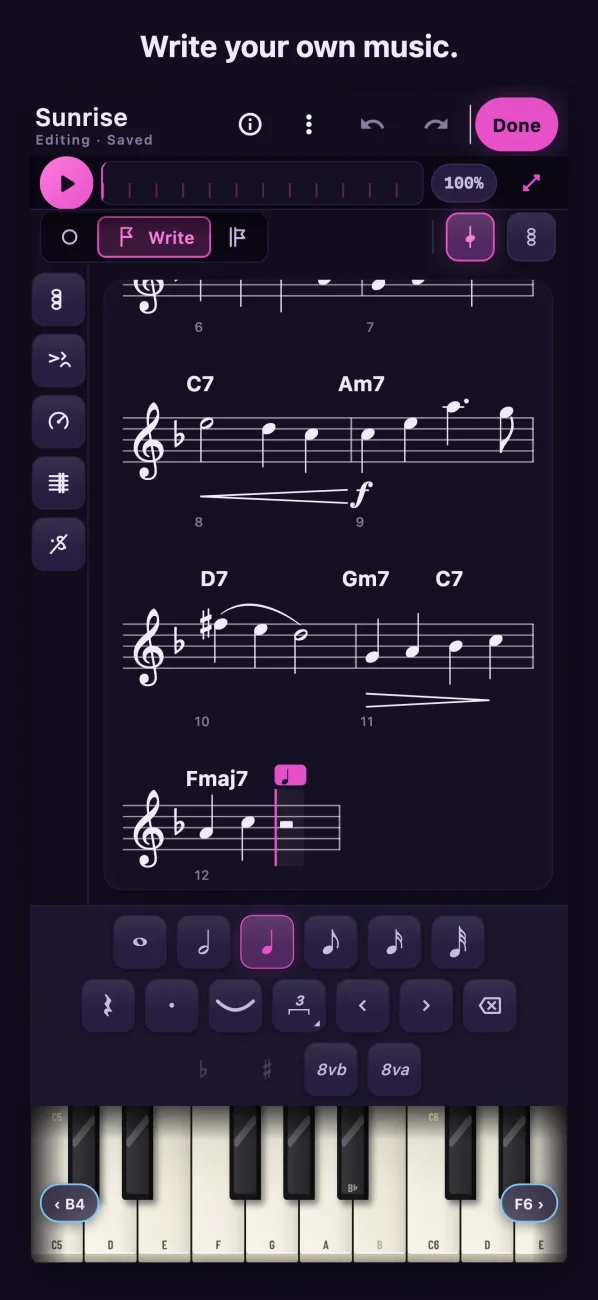
WRITE YOUR OWN MUSIC
Start a new score with its key, time signature and tempo, then tap notes in on the piano and hear each one as it lands. Add dynamics, accents, slurs and chord symbols, lay out repeats and endings, copy and paste bars, or write a phrase through all twelve keys. Export a PDF to print, or a MusicXML file that opens in MuseScore, written for your instrument or at concert pitch.
OPEN SCORE FILES
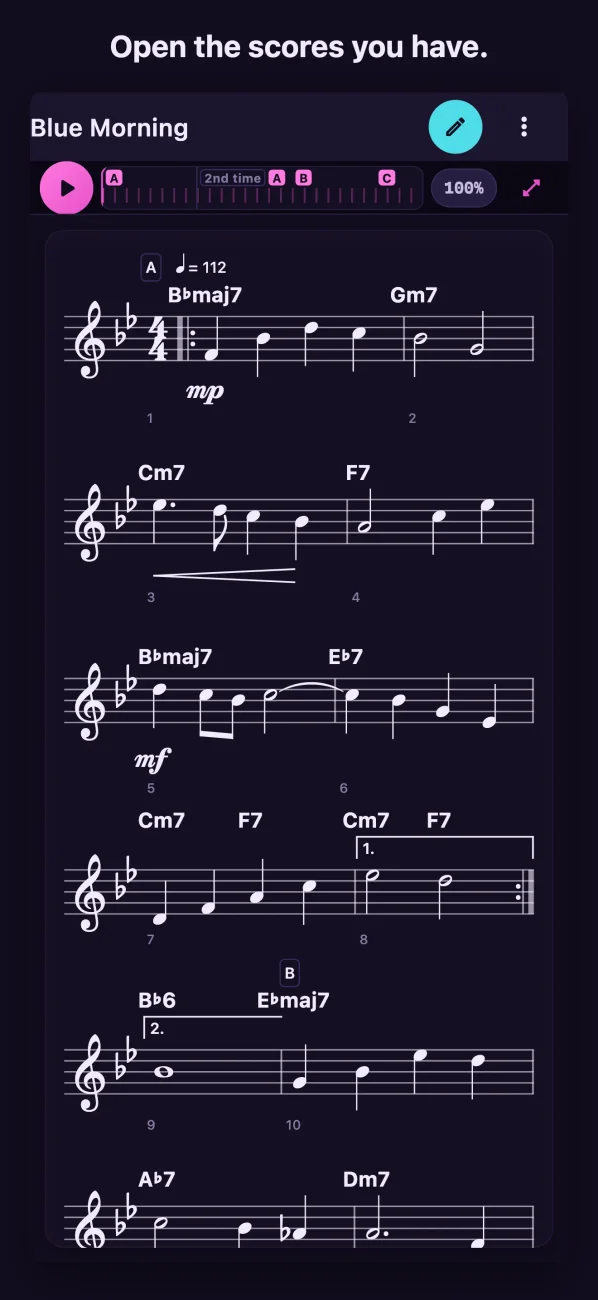
Bring in a MusicXML or .mxl chart and read it engraved: as written or at concert pitch, one part at a time, with a tap on any note to hear it. Anything GuideTone can't draw yet is listed, and your original file is kept.
IMPORT MUSIC YOU OWN
Bring in tracks from Files, iCloud Drive, or AirDrop — MP3, M4A, WAV, AIFF, FLAC. (Streaming subscription downloads are copy-protected and cannot be imported by any app.)
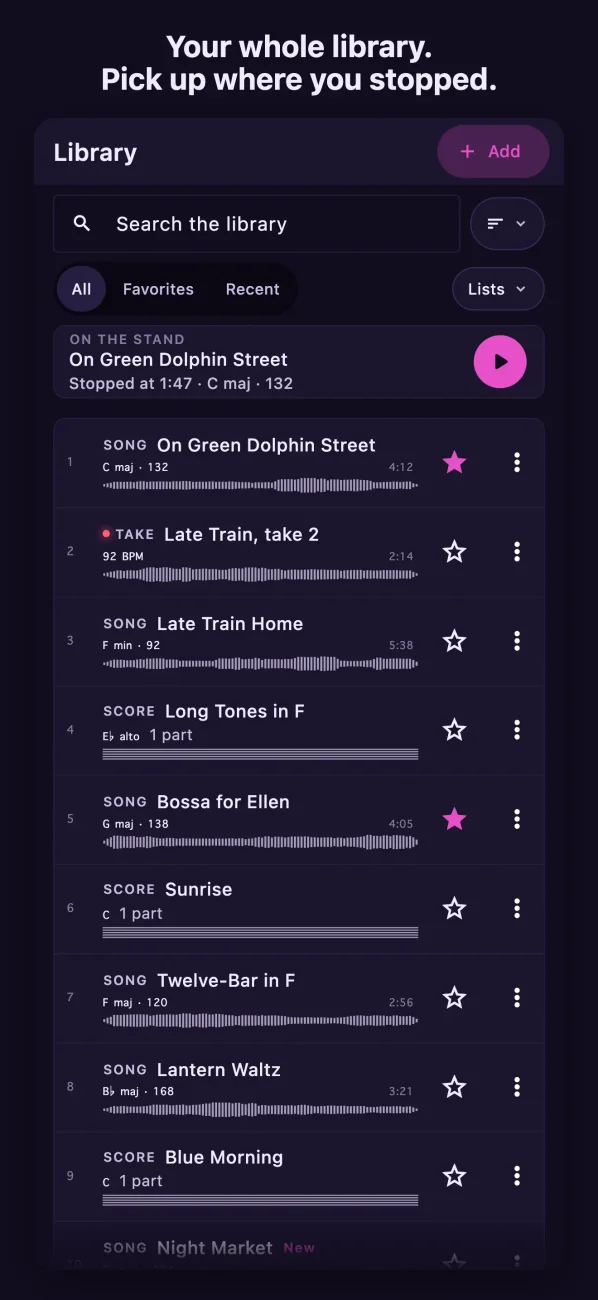
YOUR LIBRARY
Every song and take on one sheet with its key, tempo, length and waveform, your scores beside them. Setlists hold both, so your exercises can have their own; tag anything, and your last song waits where you stopped.
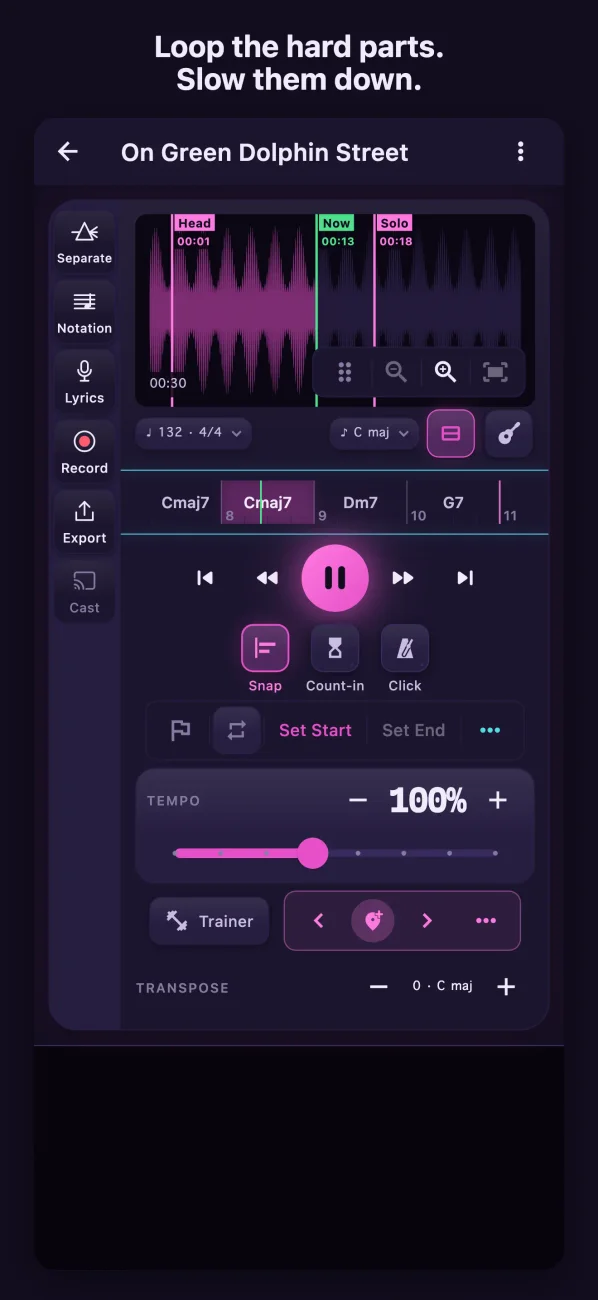
LOOP & SLOW DOWN
Set A/B markers and loop any passage. Change tempo and pitch independently, a fast lick at half speed without the chipmunk effect or a friendlier key, and ramp the tempo up rep by rep with the Speed Trainer.
ISOLATE THE PARTS (ON-DEVICE)
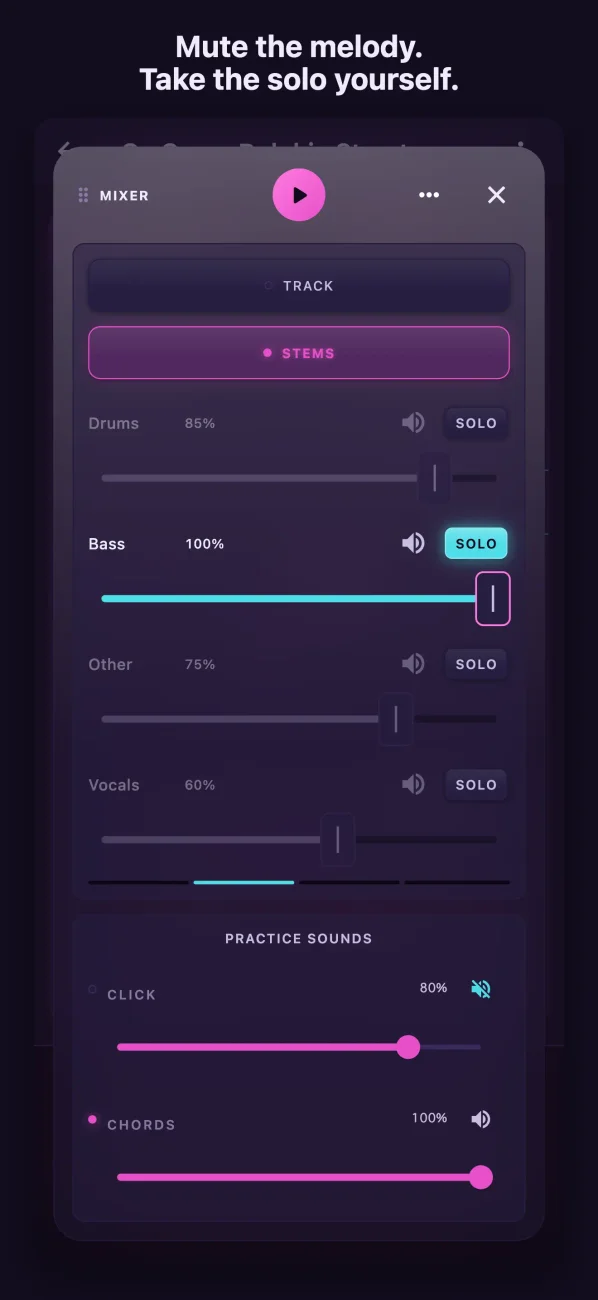
Split a song into 2, 4 or 6 stems right on your iPhone or iPad. Mute the vocals for karaoke, mute the melody and take the solo, or solo the drums to lock in your time. Nothing is uploaded.
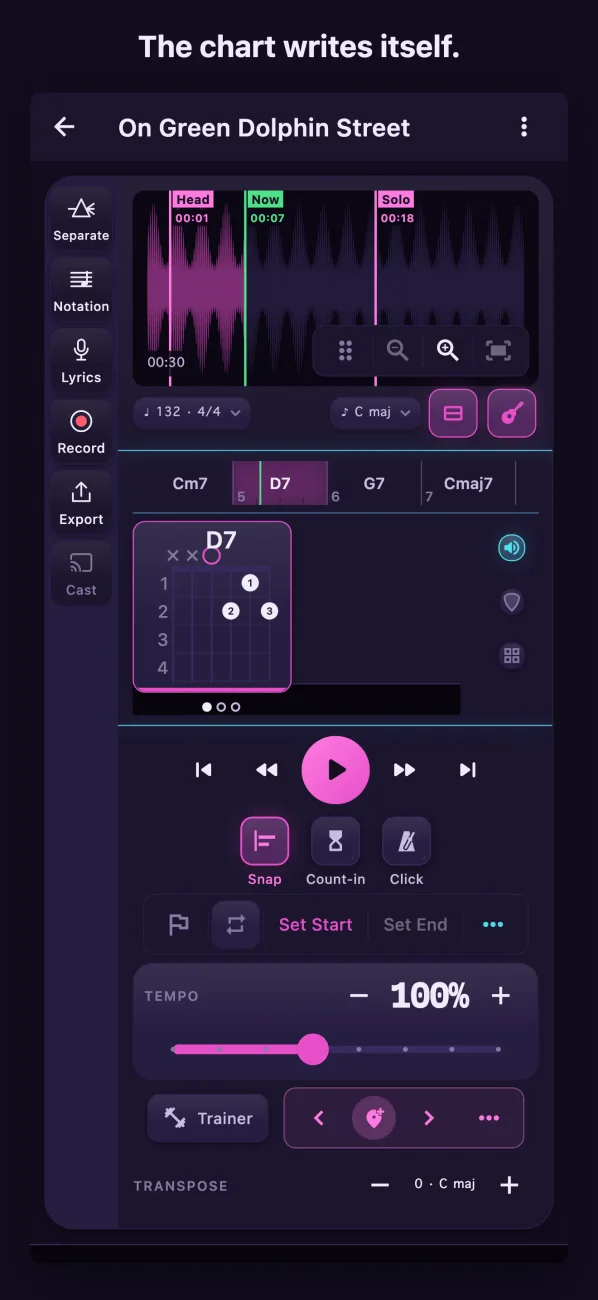
SEE THE CHORDS
GuideTone listens to the song and writes out its chords, laid out bar by bar on a Chord Ribbon that follows along as it plays. Wrong chord? Correct the label, set its exact spelling, or retime it by hand — your edit sticks.
READ THE WORDS
GuideTone listens to a song and writes down its lyrics on your iPhone or iPad, each word lined up to the audio. Read them on the Lyrics screen, the chords over the words, from across the room: each word lights as it's sung and the page turns itself. Tap a word to jump there, hold a line to loop it, and fix a word right in the sheet.
READ IT ON THE STAFF
Open the Chart to read the chords on a properly engraved lead sheet that follows the playhead, re-engraves when you transpose, and takes your edits right on the page. Engraved or handwritten-jazz notation, your choice. Tap Edit to write your own notes on it in the Transcription Editor.
KNOW THE SHAPES
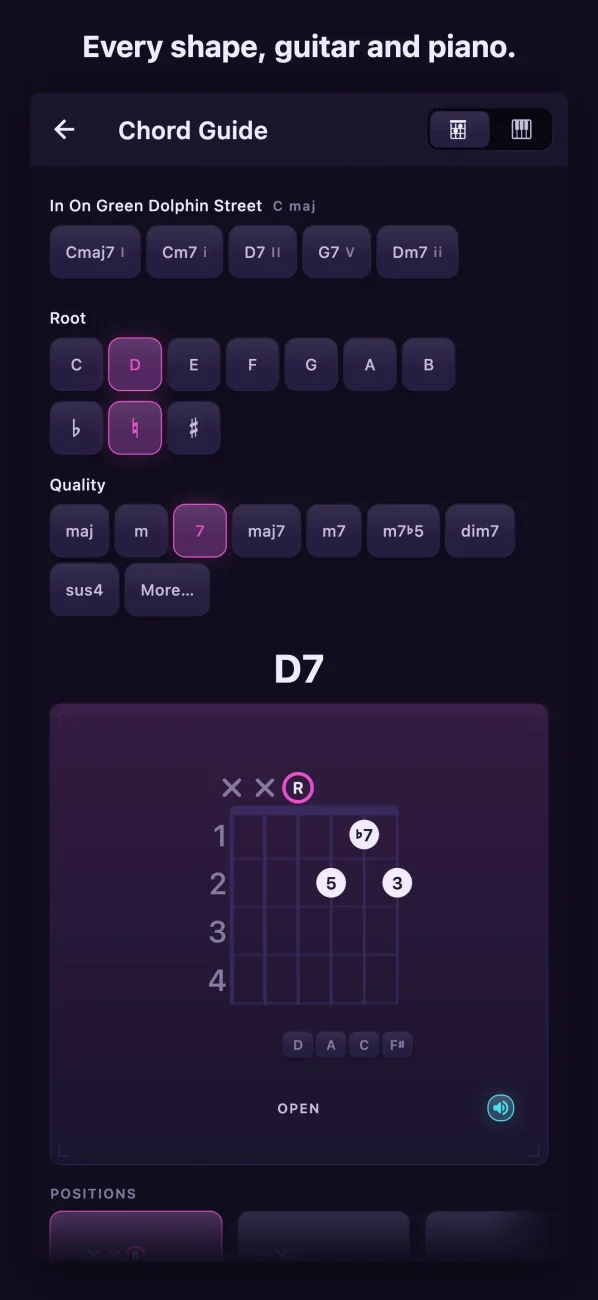
Every chord in the song, drawn for guitar and piano with its positions and inversions — and they sound when you touch them.
CAST THE WORDS TO A TV
Cast the Lyrics screen to a TV or a second screen, with words lighting as they're sung and chords in time, while your iPhone or iPad stays the remote.
RECORD YOUR TAKES
Play along and capture it with a built-in count-in, then balance the backing against your mic before you save.
EDIT LIKE A PRO
A live, non-destructive audio editor: cut, copy, paste, fade, gain, one-tap normalize and snap to the beat.
TUNER & METRONOME
A precise chromatic tuner and a sample-locked metronome are built in, and the song's own tempo and beats set the metronome and the count-in.
EVERYTHING STAYS ON YOUR iPhone or iPad
Your audio, your recordings, and your practice happen on-device. No account required.
PRICING
Try every feature free for 14 days. After that, unlock GuideTone forever with a single one-time purchase — no subscription. Restore Purchases is built in.
Questions or feedback? We'd love to hear from you.
What’s new
Version 2.8.0 · Nov 20, 2026
GuideTone 2.8: chords from records that aren't at concert pitch, bars you can keep on one line, and Harvest Moon for Thanksgiving.
Detect Chords now listens for a record's own tuning. Plenty of classic records sit between two notes: a tape that ran a little fast, a band tuned to its piano. Chord detection used to misread many of their chords. Now it hears where the record sits and reads the changes from there. Songs you've already detected keep their chords until you press Detect again.
Keep on one line: select two to eight bars in the Composer or the Transcription Editor and keep them on one line. On a phone, they wrap to fit.
A song's written notes now come through over the record. In Both, the record plays at half, and every instrument sound sits at the same level.
The Celebration skin turns to Harvest Moon for Thanksgiving. Sparkler steps aside: if you were using it, Harvest Moon takes its place.
Also:
• The first Metronome start after you connect a Bluetooth speaker is no longer silent. The speaker gets a moment to wake, then the first click lands.
• A mouse wheel over the Metronome's tempo steps it one BPM a notch.
• Detect swing keeps the eighths even on a burner.
• Adding a line break re-cuts only the lines after it.
• On a phone on its side, the docked player folds to fit.
• On Intel Macs with built-in graphics, beat and chord detection no longer run out of memory.
• Tuplet numbers clear the notes, and a named marker prints once.
GuideTone for Mac now needs macOS 13 Ventura or later.
App privacy
What Michael Colon declares on the App Store about how this app handles data.
-
Data not linked to you
May be collected but is not linked to your identity.
- Identifiers
- Usage data
- Diagnostics
Privacy practices may vary, for example with the features you use or your age.
Information
- Seller
- Michael Colon
- Category
- Music
- Version
- 2.8.0
- Updated
- Nov 20, 2026
- Released
- Jul 9, 2026
- Size
- 49.3 MB
- Requires
- iOS 18.0 or later
- Age rating
- 4+
- Price
- Free
- In-app purchases
- Yes
- Languages
- English
- Copyright
- © 2026 Mountain Melody Hideaway, LLC
You might also like
-
 BandCutStem splitter & practice tool
-
 MezetudeCompanion for piano teachers
-
 AI Metronome & TunerVoice-enabled tempo & tuner
-
 metronomiousMetronome
-
 GigShed: Stems, Chords & KeySlow down & practice any song
-
 DaCapo StudioStems • Transcribe • Practice
-
 Refrain: Audio LooperA/B loop player for practice
-
 PlayStems: Audio Stem PlayerIsolate Vocals, Practice & Mix
-
 Balladly: Birthday SongPersonalized for Any Occasion
-
 iMIDIPatchbayAdvanced Instrument Control