GuideTone
Loop, slow & chart any song
iPhone, iPad, Mac için tasarlandı
Ücretsiz · Uygulama içi satın alma
- Yaş sınırı4+
- KategoriMüzik
- GeliştiriciMichael Colon
- Dillerİngilizce
- Boyut49,5 MB
Resmi App Store sayfasına bağlanır
Download.org, GuideTone için hiçbir dosya barındırmaz. Düğme, uygulamanın App Store üzerindeki sayfasını açar; uygulamayı orada Michael Colon yayınlar. Sayfanın son kontrolü: 26.11.2026.
Ekran görüntüleri





Hakkında
Geliştirici bu metni dilinizde sunmamış.
GuideTone turns any recording into your personal practice room.
A guide tone is the 3rd or the 7th of a chord — the note that tells you where the harmony is going, and the one worth hearing first.
That is the whole idea: show you what actually matters in a song, so the practice can start. Import a track, loop the hard parts, slow them down without changing the pitch, pull the band apart, and see the changes written out — all on your iPhone or iPad, and all without an internet connection.
WRITE YOUR OWN MUSIC
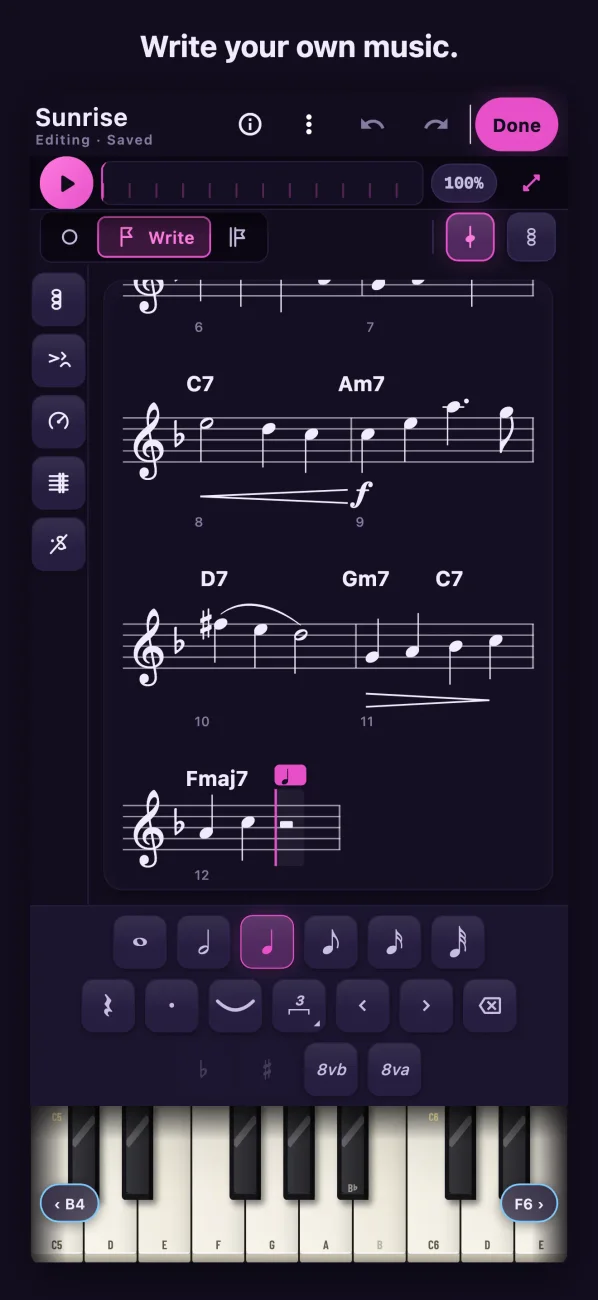
Start a new score with its key, time signature and tempo, then tap notes in on the piano and hear each one as it lands. Add dynamics, accents, slurs and chord symbols, lay out repeats and endings, copy and paste bars, or write a phrase through all twelve keys. Export a PDF to print, or a MusicXML file that opens in MuseScore, written for your instrument or at concert pitch.
OPEN SCORE FILES
Bring in a MusicXML or .mxl chart and read it engraved: as written or at concert pitch, one part at a time, with a tap on any note to hear it. Anything GuideTone can't draw yet is listed, and your original file is kept.
IMPORT MUSIC YOU OWN
Bring in tracks from Files, iCloud Drive, or AirDrop — MP3, M4A, WAV, AIFF, FLAC. (Streaming subscription downloads are copy-protected and cannot be imported by any app.)
YOUR LIBRARY
Every song and take on one sheet with its key, tempo, length and waveform, your scores beside them. Setlists hold both, so your exercises can have their own; tag anything, and your last song waits where you stopped.
LOOP & SLOW DOWN
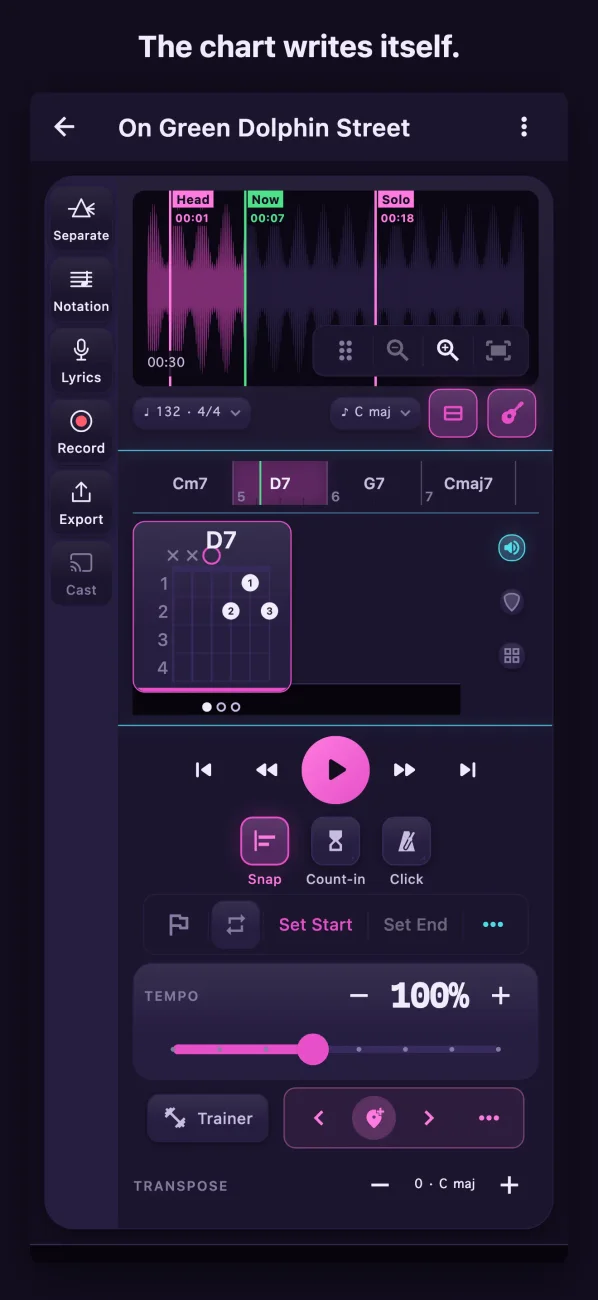
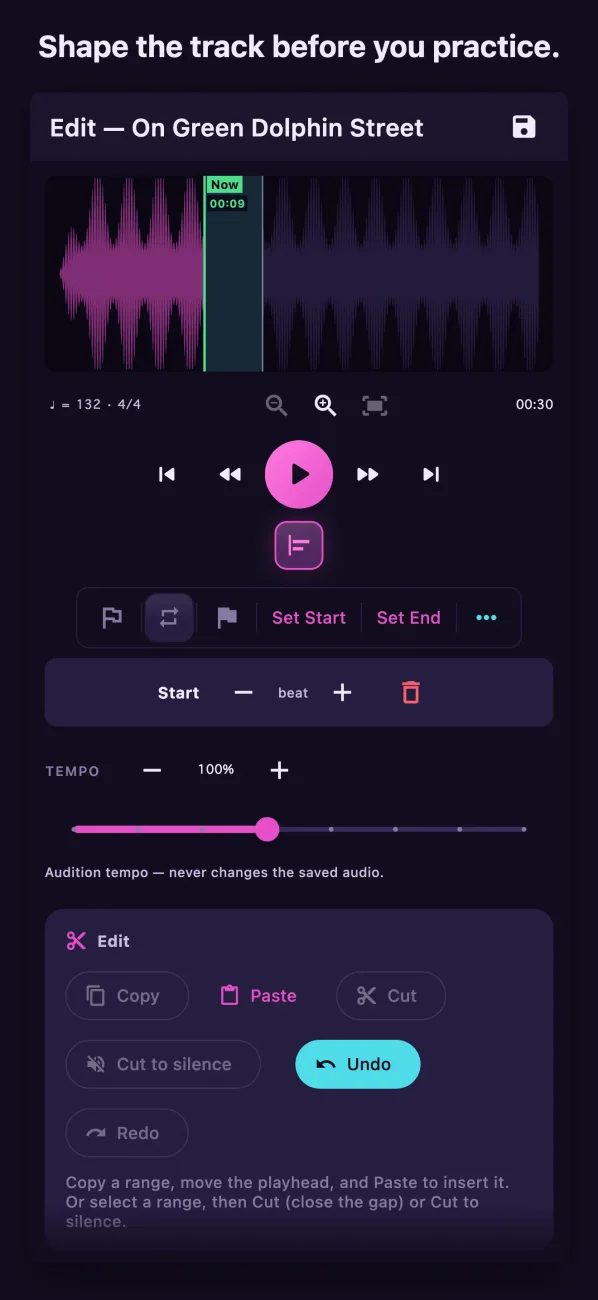
Set A/B markers and loop any passage. Change tempo and pitch independently, a fast lick at half speed without the chipmunk effect or a friendlier key, and ramp the tempo up rep by rep with the Speed Trainer.
ISOLATE THE PARTS (ON-DEVICE)
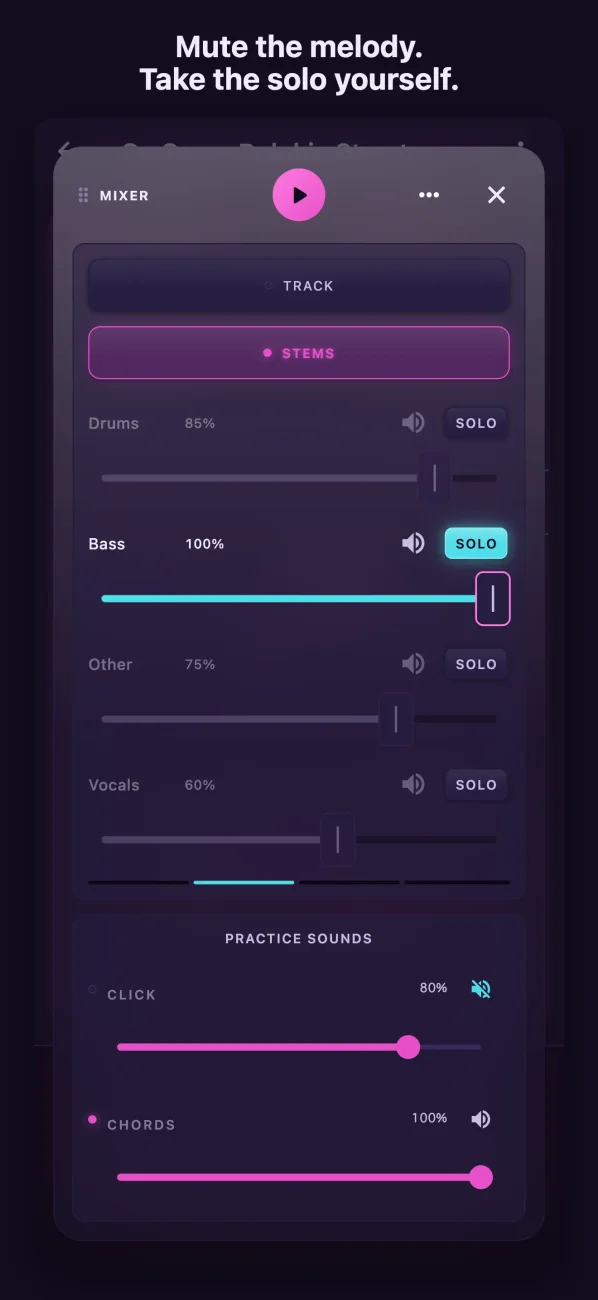
Split a song into 2, 4 or 6 stems right on your iPhone or iPad. Mute the vocals for karaoke, mute the melody and take the solo, or solo the drums to lock in your time. Nothing is uploaded.
SEE THE CHORDS
GuideTone listens to the song and writes out its chords, laid out bar by bar on a Chord Ribbon that follows along as it plays. Wrong chord? Correct the label, set its exact spelling, or retime it by hand — your edit sticks.
READ THE WORDS
GuideTone listens to a song and writes down its lyrics on your iPhone or iPad, each word lined up to the audio. Read them on the Lyrics screen, the chords over the words, from across the room: each word lights as it's sung and the page turns itself. Tap a word to jump there, hold a line to loop it, and fix a word right in the sheet.
READ IT ON THE STAFF
Open the Chart to read the chords on a properly engraved lead sheet that follows the playhead, re-engraves when you transpose, and takes your edits right on the page. Engraved or handwritten-jazz notation, your choice. Tap Edit to write your own notes on it in the Transcription Editor.
KNOW THE SHAPES
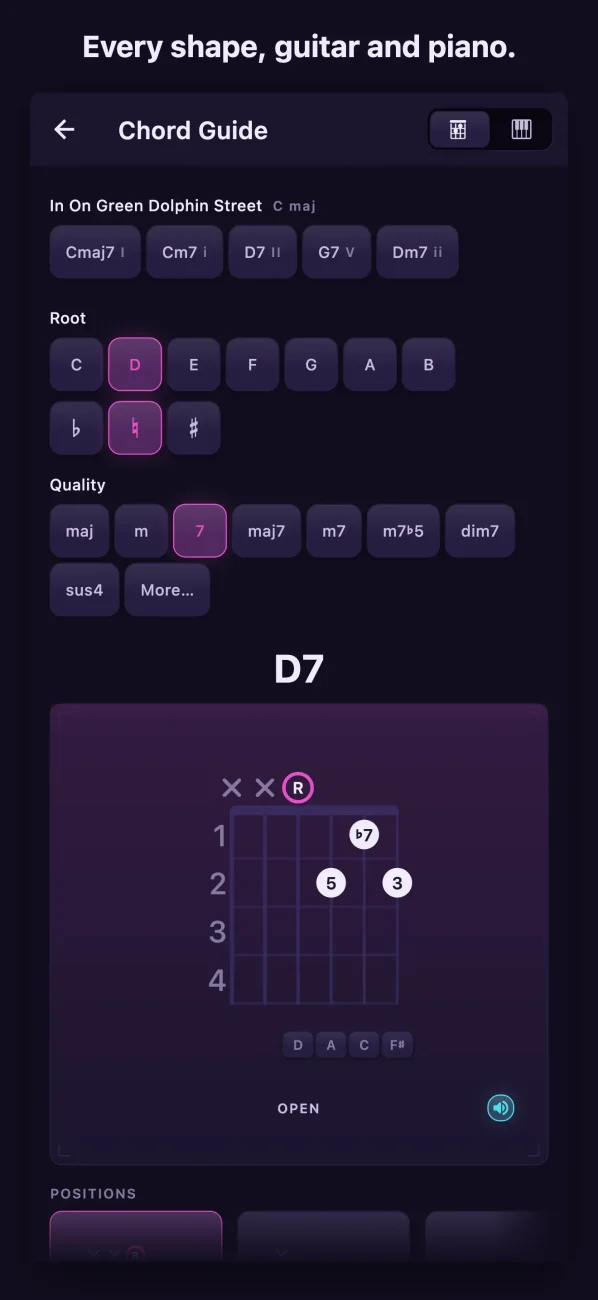
Every chord in the song, drawn for guitar and piano with its positions and inversions — and they sound when you touch them.
CAST THE WORDS TO A TV
Cast the Lyrics screen to a TV or a second screen, with words lighting as they're sung and chords in time, while your iPhone or iPad stays the remote.
RECORD YOUR TAKES
Play along and capture it with a built-in count-in, then balance the backing against your mic before you save.
EDIT LIKE A PRO
A live, non-destructive audio editor: cut, copy, paste, fade, gain, one-tap normalize and snap to the beat.
TUNER & METRONOME
A precise chromatic tuner and a sample-locked metronome are built in, and the song's own tempo and beats set the metronome and the count-in.
EVERYTHING STAYS ON YOUR iPhone or iPad
Your audio, your recordings, and your practice happen on-device. No account required.
PRICING
Try every feature free for 14 days. After that, unlock GuideTone forever with a single one-time purchase — no subscription. Restore Purchases is built in.
Questions or feedback? We'd love to hear from you.
Yenilikler
Sürüm 2.9.0 · 24.11.2026
GuideTone 2.9.0: slow a song down and the written notes stay even.
Written notes now play evenly at every tempo. A transcribed line used to sound right at full speed and lurch once you slowed the record down: one eighth short, the next one long. Now every note lands where it was played, at half speed as at full. The song's click and anything snapped to a beat are steadier too.
Your songs update themselves the first time you open this version. It takes a moment, nothing is analyzed again, and your chords, markers, loops and written notes stay on the beats and bars you put them on.
New in the Composer:
• Fermatas, caesuras and breath marks, on the Marks palette. They are drawn on the page and in your exports; playback goes straight through them for now.
• Bar repeats: the % sign for one, two or four bars, on the Bars palette. It plays the bars it repeats, and follows them when they change.
Also:
• In Edit, Set Marker drops the marker at the caret.
Uygulama gizliliği
Bu uygulamanın verileri nasıl işlediği hakkında Michael Colon tarafından App Store üzerinde yapılan beyan.
-
Sizinle ilişkilendirilmeyen veriler
Toplanabilir ancak kimliğinizle ilişkilendirilmez.
- Tanımlayıcılar
- Kullanım verileri
- Tanılama
Gizlilik uygulamaları, örneğin kullandığınız özelliklere veya yaşınıza göre değişiklik gösterebilir.
Bilgiler
- Satıcı
- Michael Colon
- Kategori
- Müzik
- Sürüm
- 2.9.0
- Güncellendi
- 24.11.2026
- Yayın tarihi
- 09.07.2026
- Boyut
- 49,5 MB
- Gereksinim
- iOS 18.0 veya sonrası
- Yaş sınırı
- 4+
- Fiyat
- Ücretsiz
- Uygulama içi satın alma
- Evet
- Diller
- İngilizce
- Telif hakkı
- © 2026 Mountain Melody Hideaway, LLC