
Guidevi: IPTV Player & EPG
M3U player & TV guide, no ads
Designed for iPhone, iPad
Free · In-app purchases
- Age rating4+
- CategoryEntertainment
- DeveloperMUSTAFA ENES DEMIRKAYA
- LanguagesEnglish+ 1 more
- Size66.3 MB
Links to the official App Store page
Download.org hosts no file of Guidevi: IPTV Player & EPG. The button opens its official App Store page, published by MUSTAFA ENES DEMIRKAYA. Listing last checked on Nov 27, 2026.
Screenshots

About
A native IPTV player and TV guide for the sources you already have: M3U, Xtream Codes API and XMLTV.
Match every channel to its guide, open on the channel you left, and play on iPhone, iPad and Apple TV.
No ads, no tracking, no account. Guidevi provides no content: you bring your own source.
BRING YOUR OWN SOURCE
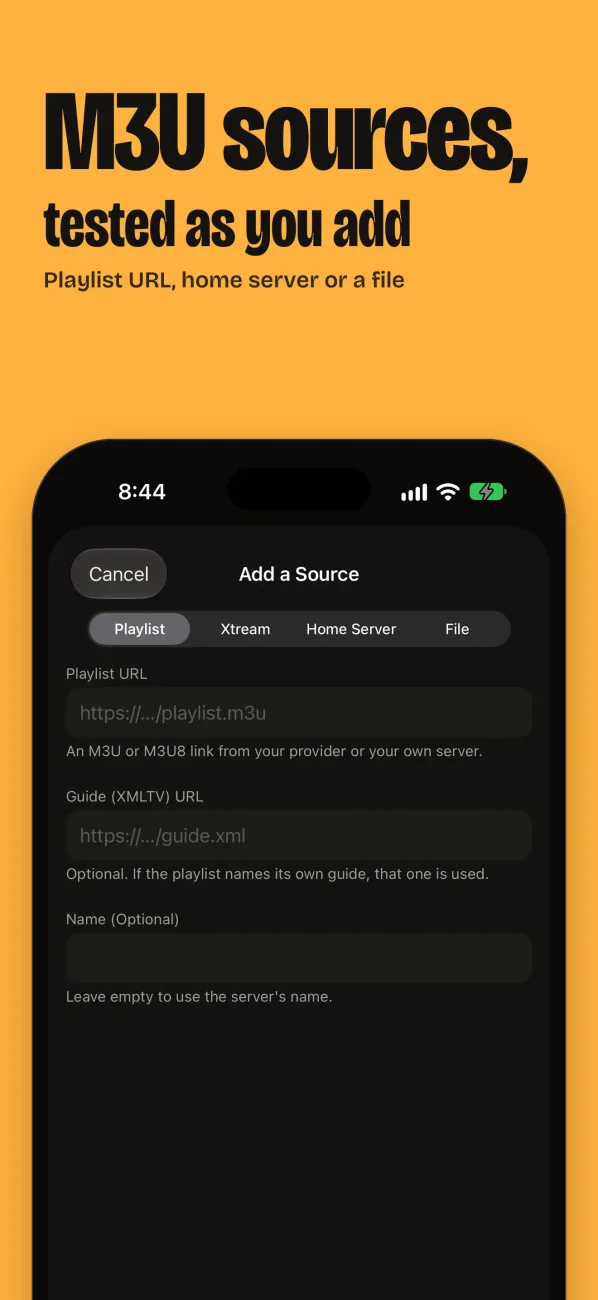
• Add an M3U / M3U8 playlist URL or an Xtream account. On iPhone and iPad you can also import a playlist file.
• Ready-made settings for popular home-server programs build the addresses and test the connection (iPhone and iPad).
• Apple TV: scan a QR code with your phone and enter the source there instead of typing with the remote.
• Back up sources, favorites and settings to a file and restore them whenever you like.
A TV GUIDE FOR YOUR OWN SOURCES
• Up to five XMLTV guide addresses per source, or use your playlist's guide.
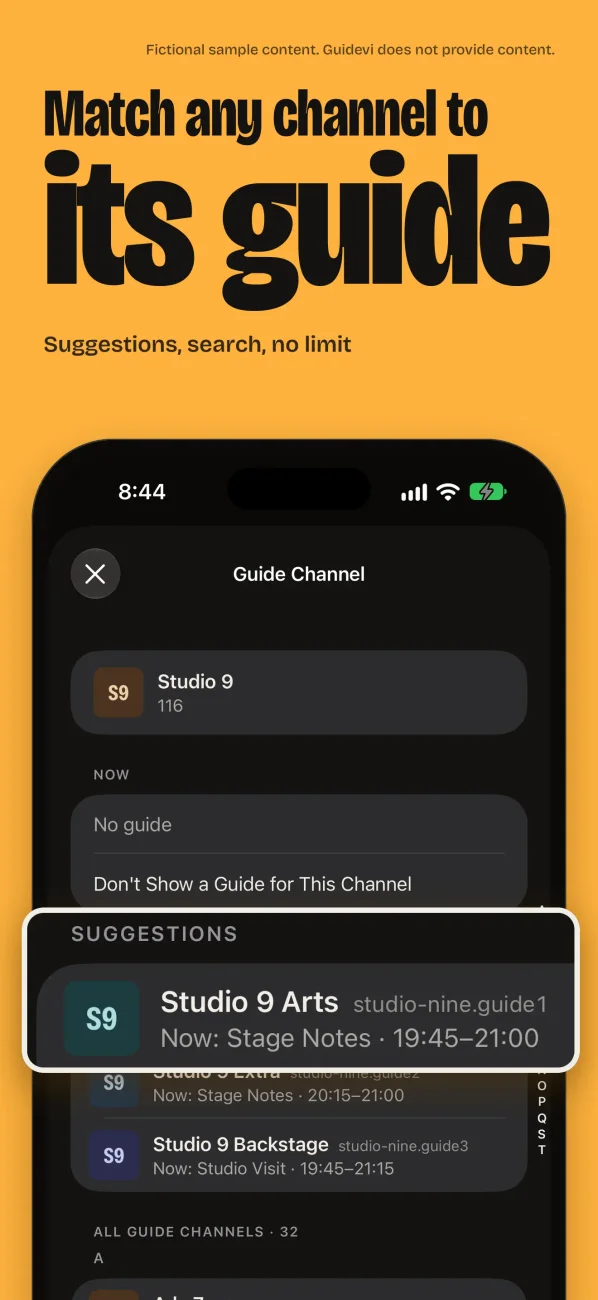
• Channel Matching: if a channel didn't match the guide, pick its guide channel yourself, search the guide, or choose "no guide". Free, no limit.
• Guide health shows how well the guide fits your channels and when it refreshes next.
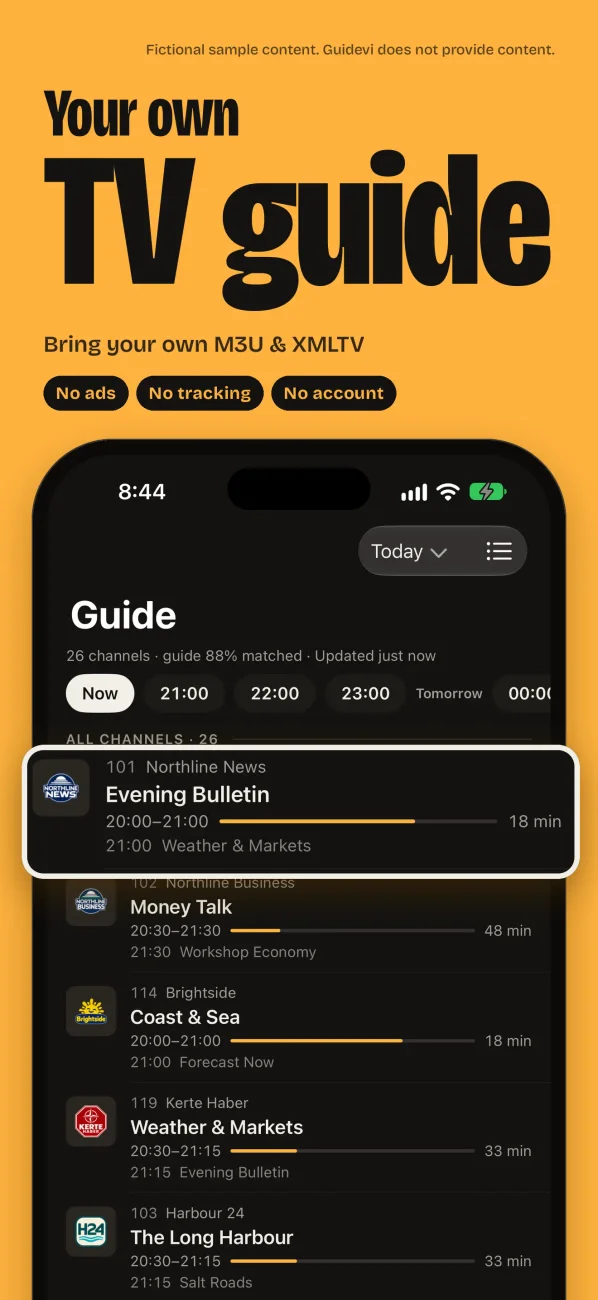
• A guide grid by channel and time, built for the remote on Apple TV and tuned for iPad. On iPhone, a now-and-next list.
• A mini guide in the player and a quick jump to tonight or tomorrow.
• Catch-up: if your provider keeps an archive, watch past programs or restart the program on now. Guidevi plays that archive and keeps no copy of any video.
• Search across channels, movies, series and program titles.
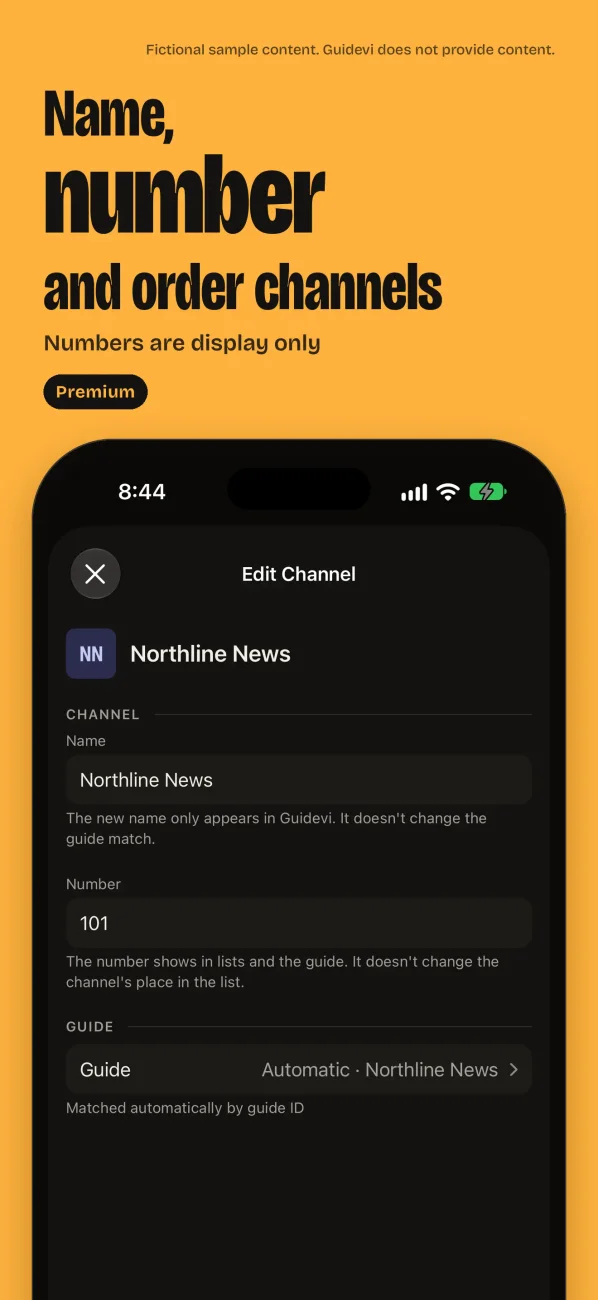
• Channel editing (Premium): rename, number (display only) and reorder channels within a group.
OPENS LIKE A TV
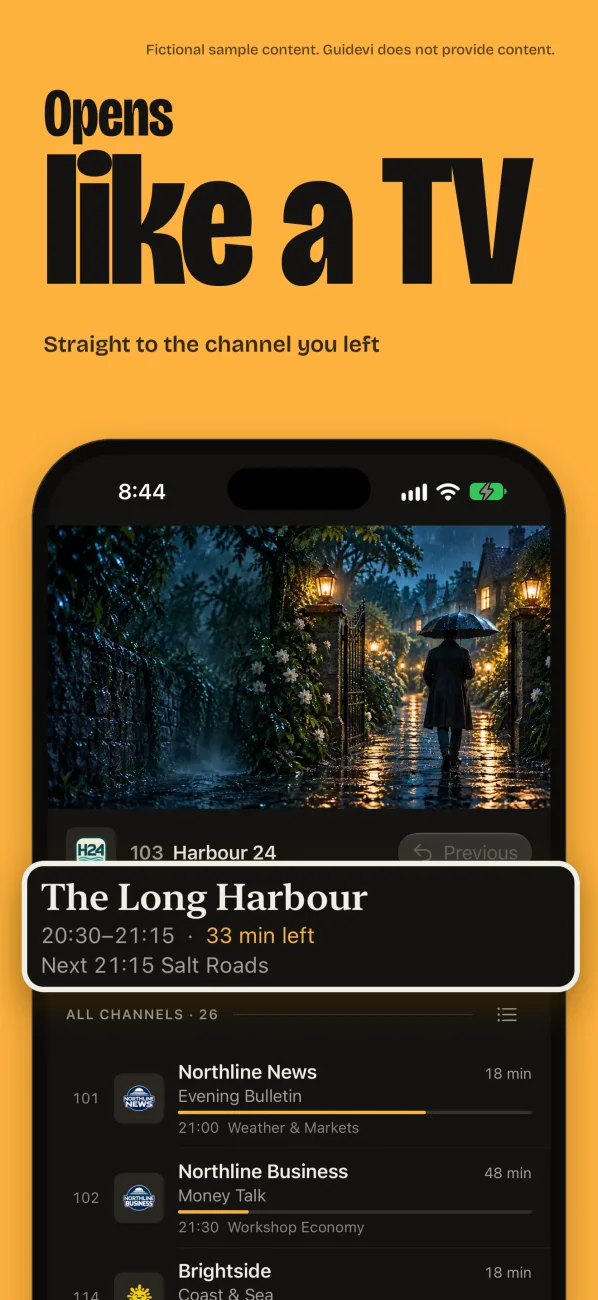
Guidevi starts on the channel you watched last, like a TV that remembers.
PLAYS WHAT YOUR SOURCE SENDS
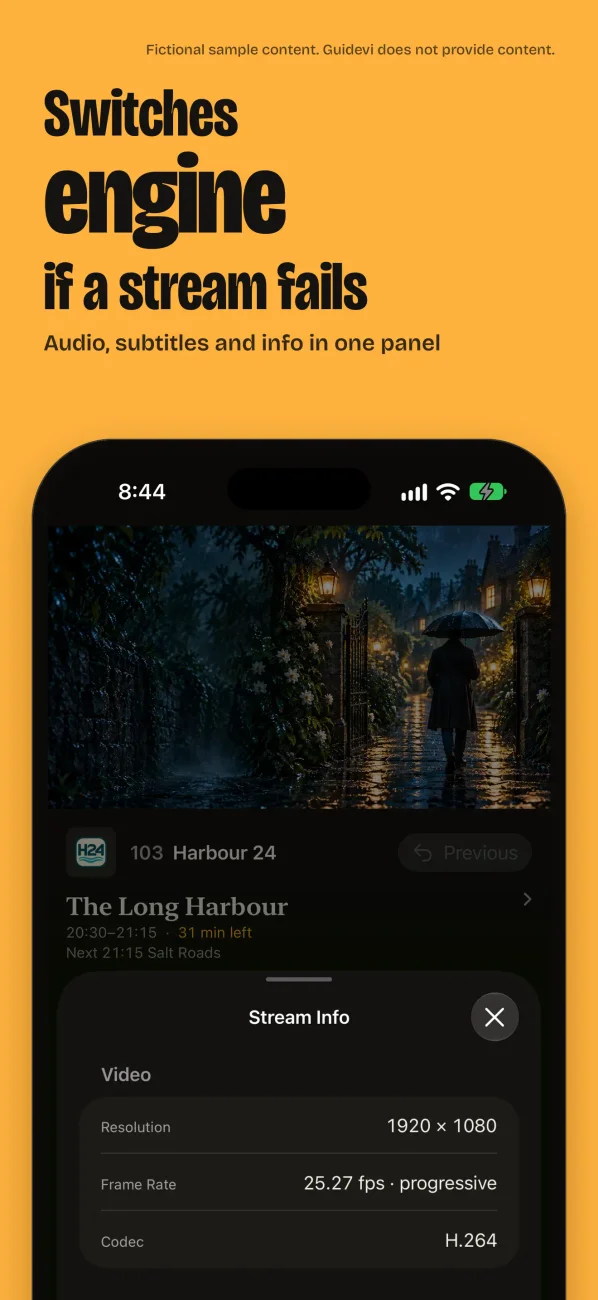
• Two playback engines: if a stream won't open in one, Guidevi switches to the other.
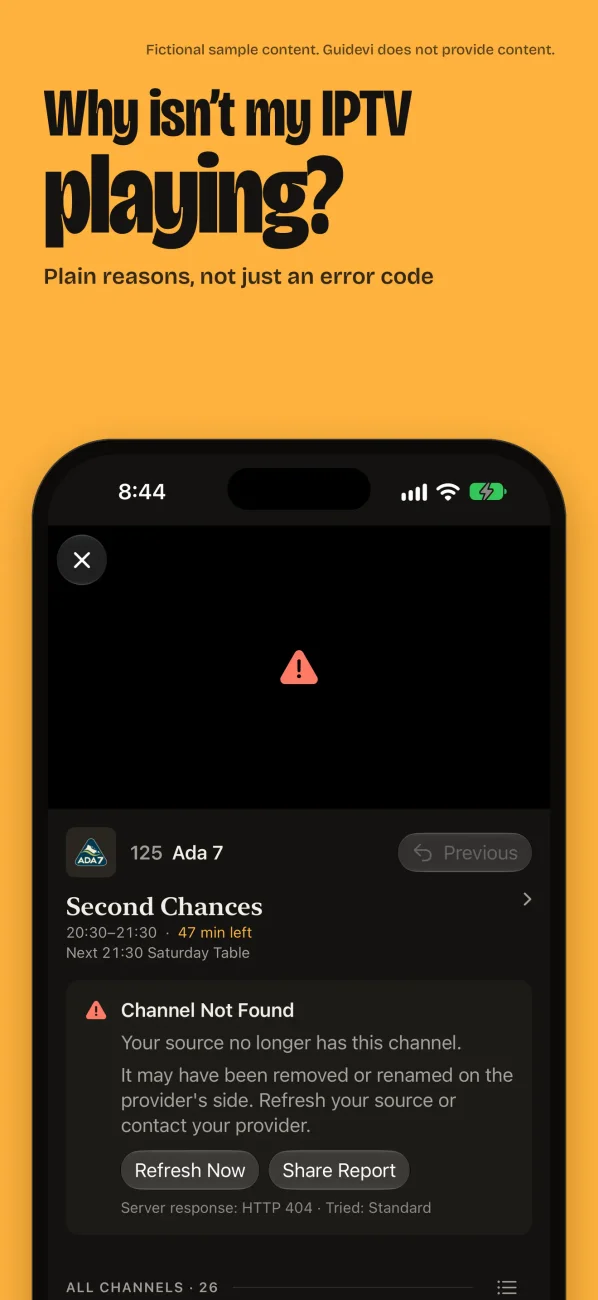
• "Why isn't it playing?" explains in plain words what is wrong, such as a connection limit or an unsupported format.
• A stream info panel shows resolution, codec, bitrate and the engine in use.
• Audio and subtitle tracks, with subtitle size and color. Your language choices are remembered.
• On iPhone and iPad, sound keeps playing when you lock the screen. Picture in Picture and AirPlay for HLS and MP4 streams.
• Live stream format for Xtream accounts: Automatic, HLS or MPEG-TS.
MOVIES AND SERIES
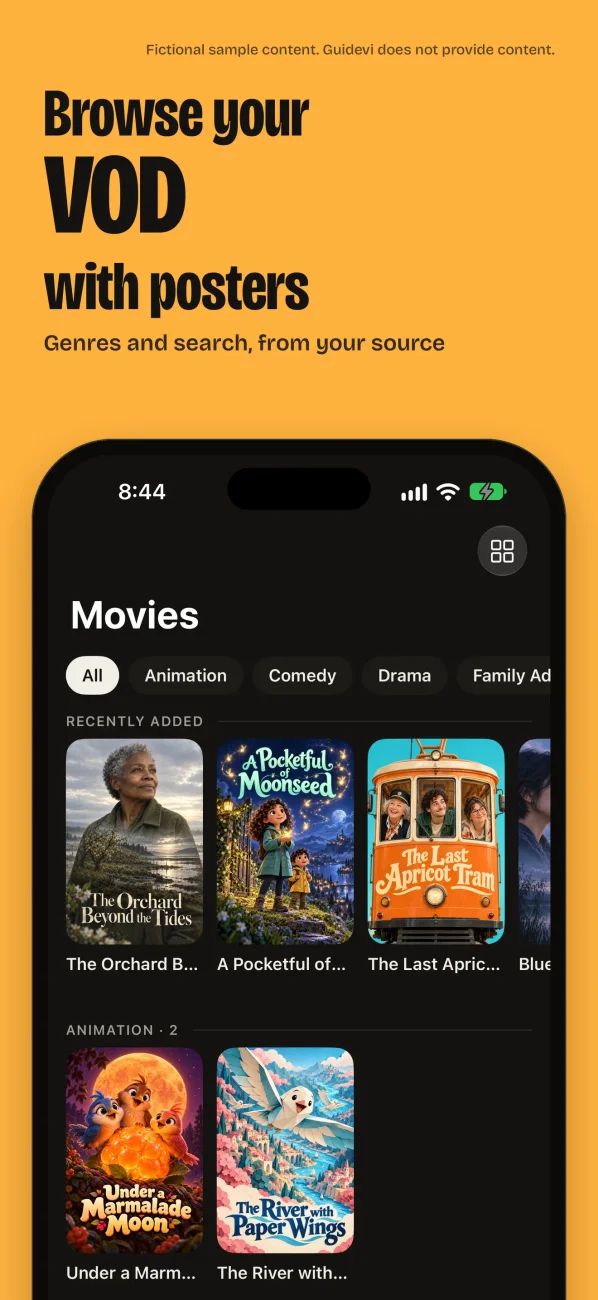
If your source offers movies and series, browse them with posters, genres and search. Seasons and episodes stay in order, and the next episode can play automatically.
PRIVATE BY DESIGN
• No ads, no analytics, no tracking and no Guidevi server. App Privacy: Data Not Collected.
• Parental controls: lock groups behind a PIN. Adult groups stay locked until you set one.
• Optional iCloud sync (Premium) keeps sources, favorites and progress in your own iCloud. Passwords are end-to-end encrypted.
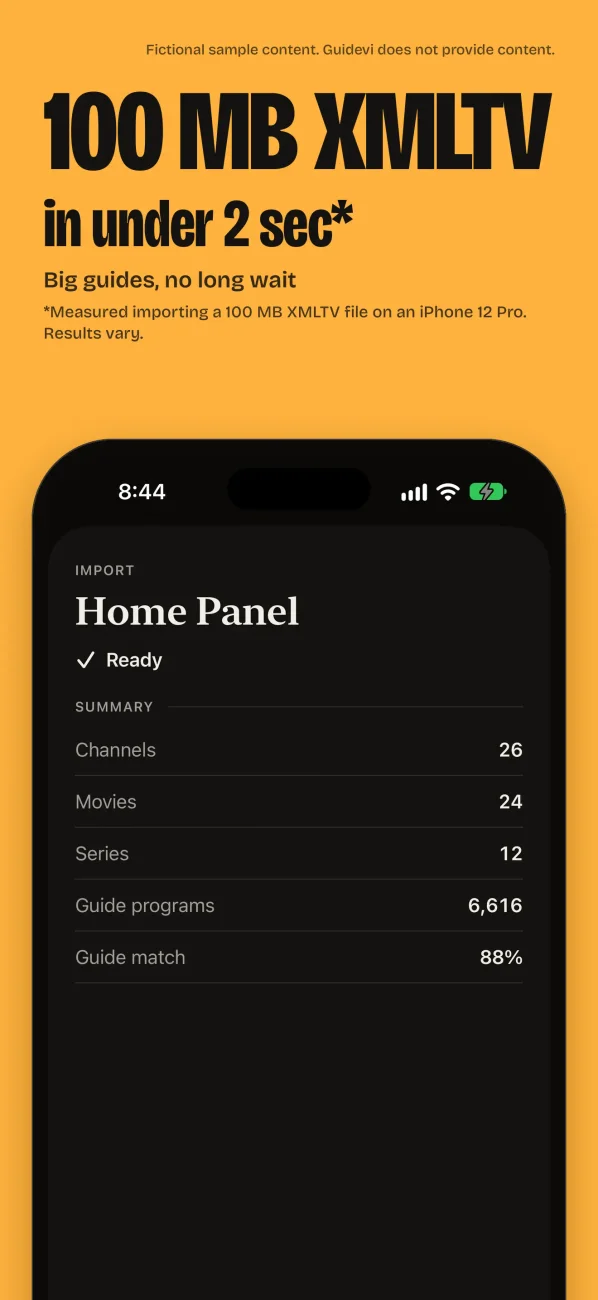
• Large lists stay fast: playlists and guides import in the background. Measured on an iPhone 12 Pro, a 100 MB XMLTV guide imports in under 2 seconds.
FREE, WITH OPTIONAL PREMIUM
Playback, one source, one guide address per source, matching channels to the guide, the guide for the next 24 hours, Start Over, favorites, resume, parental controls and backup are free, with no ads or watermarks. Guidevi Premium adds unlimited sources, the full guide range, past programs from your provider's archive, program search, iCloud sync, group sorting, more guide addresses and channel names, numbers and order.
Choose yearly (with a 7-day free trial), monthly, or a one-time lifetime purchase. Family Sharing is on for all three. Subscriptions renew automatically unless canceled at least 24 hours before the end of the current period. Payment is charged to your Apple Account at confirmation, and you can manage or cancel in your Apple Account settings.
Terms of Use: https://guidevi.com/terms/
Privacy Policy: https://guidevi.com/privacy/
Apple Standard EULA: https://www.apple.com/legal/internet-services/itunes/dev/stdeula/
Questions or ideas? support@guidevi.com.
What’s new
Version 1.2 · Nov 26, 2026
Match channels to the guide yourself, add more guide addresses and edit channels.
• Free: if a channel doesn't match the guide on its own, choose its guide channel from the suggestions or search the guide, or pick "no guide". No limit. Find it in a source's settings under Channel Matching, or in the channel menu.
• Free: one guide address of your own per source. Premium: up to five. The order is the priority; addresses lower down only fill the hours the ones above leave empty.
• Premium: rename channels, give them numbers (shown in lists and the guide; they don't switch channels) and order them within a group. These sync with iCloud.
• If Premium ends, your edits and addresses stay; only new changes are locked.
• Fixed on Apple TV: when you close a channel you opened from a program's details, focus returns to the guide instead of the tab bar.
App privacy
What MUSTAFA ENES DEMIRKAYA declares on the App Store about how this app handles data.
-
Data not collected
The developer does not collect any data from this app.
Privacy practices may vary, for example with the features you use or your age.
Information
- Seller
- MUSTAFA ENES DEMIRKAYA
- Category
- Entertainment
- Version
- 1.2
- Updated
- Nov 26, 2026
- Released
- Oct 29, 2026
- Size
- 66.3 MB
- Requires
- iOS 26.0 or later
- Age rating
- 4+
- Price
- Free
- In-app purchases
- Yes
- Languages
- English, Turkish
- Copyright
- © 2026 Mustafa Enes Demirkaya
You might also like
-
 OxTV: IPTV PlayerThe IPTV Player that works
-
 Flux: IPTV PlayerM3U, Xtream, live TV & EPG
-
 Alpha Television NetworkEntertainment
-
 IPTV Player: ZapioXtream & M3U lists, TV Guide
-
 Telly: IPTV PlayerYour own M3U & Xtream TV
-
 IPTV Player: NightGlassM3U & Xtream Stream Player
-
 iBench Player ProYour own media playlists
-
 SlipTV — IPTV M3U PlayerYour M3U playlists and EPG
-
 Novi: Smart IPTV Player & EPGFast M3U & Xtream Live TV
-
 Jelvi IPTV PlayerSleek M3U IPTV Player