
- Age rating4+
- CategoryProductivity
- Developerrobert dagostino
- LanguagesEnglish
- Size8.2 MB
Links to the official App Store page
Download.org hosts no file of Habit Swipe. The button opens its official App Store page, published by robert dagostino. Listing last checked on Nov 18, 2026.
Screenshots



About
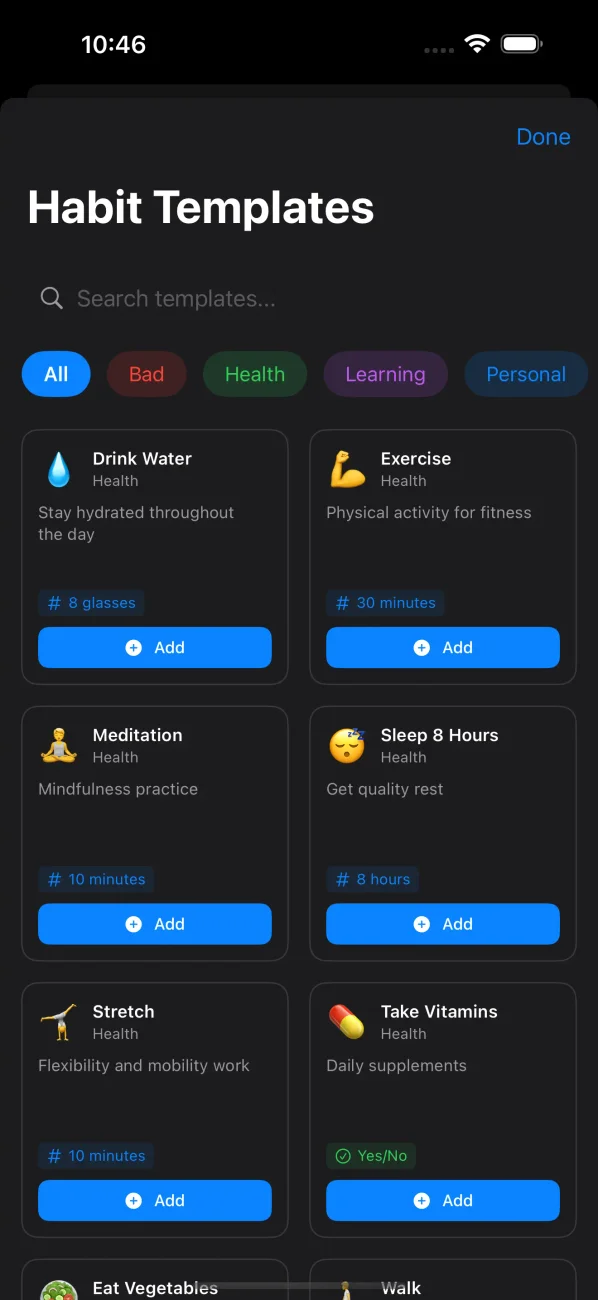
Track your daily habits in seconds — just swipe right for yes, left for no. No complicated forms, no menus. Your whole day logged in under a minute.
SWIPE TO LOG
Swipe through your habits like cards. Right for done, left for skipped. Simple, fast, satisfying. Built for people who want to track habits without it becoming a chore.
STREAKS THAT MOTIVATE
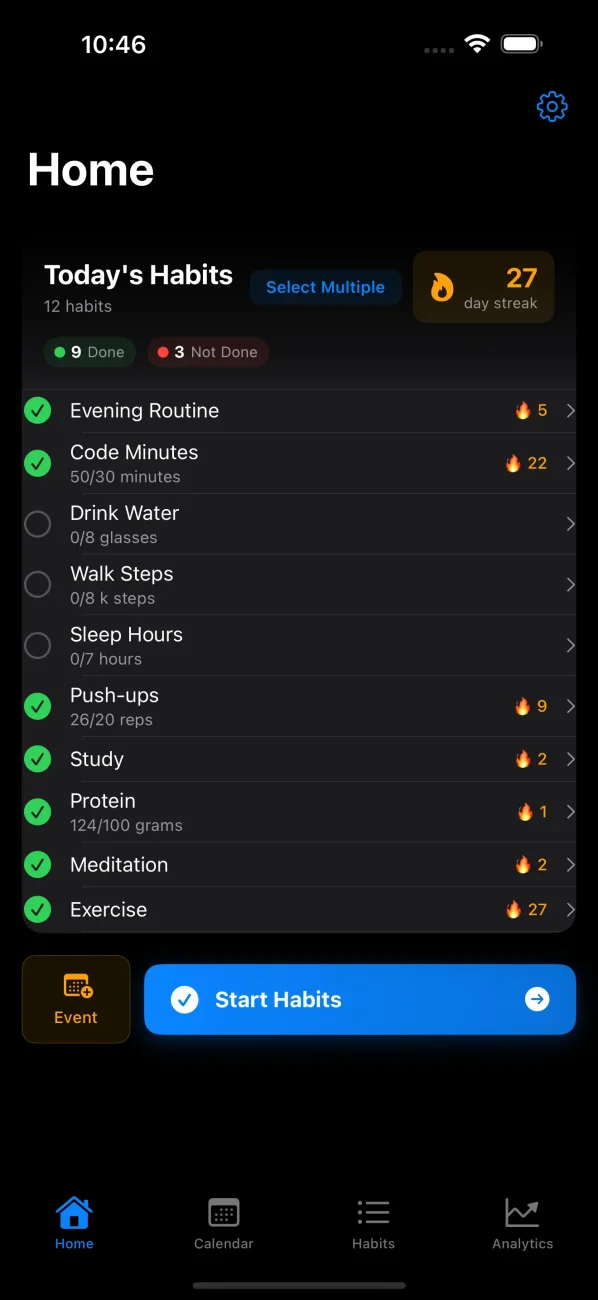
Watch your streaks grow day by day. Flame icons, milestone celebrations, and streak protection alerts keep you accountable. Miss a day? See exactly where to pick back up.
SMART HABIT CHAINS
Set up habits that follow each other. Exercise → Yes → shows Squat. Exercise → No → shows Stretch. Your routine adapts to what you actually did.
ANALYTICS THAT MATTER
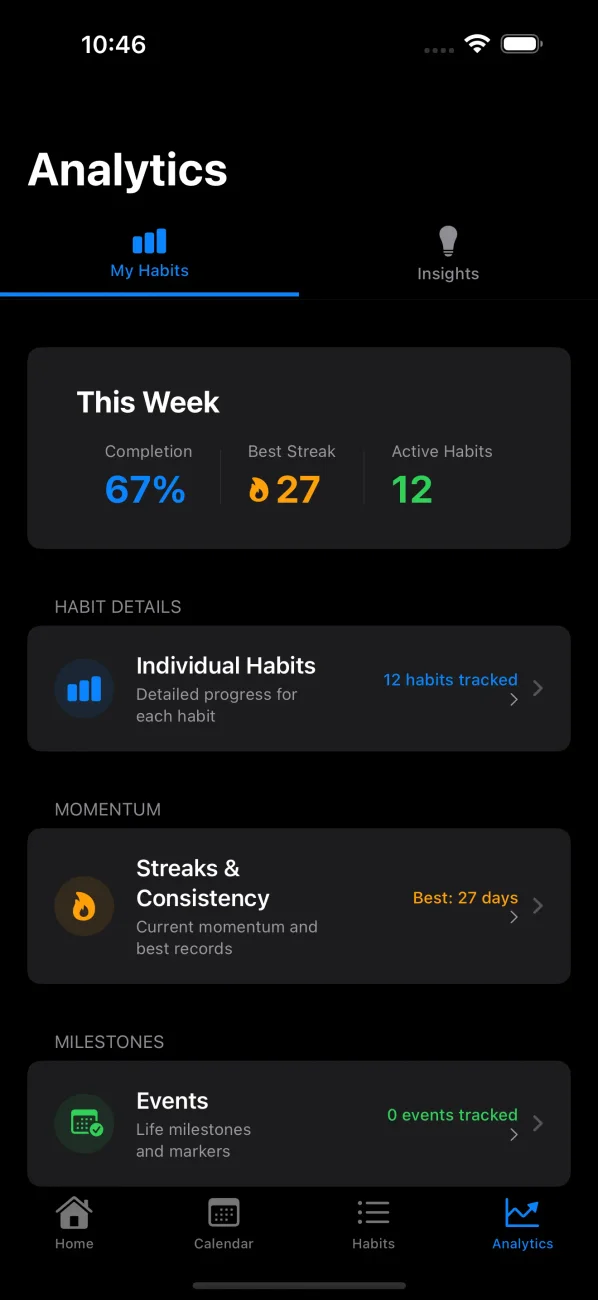
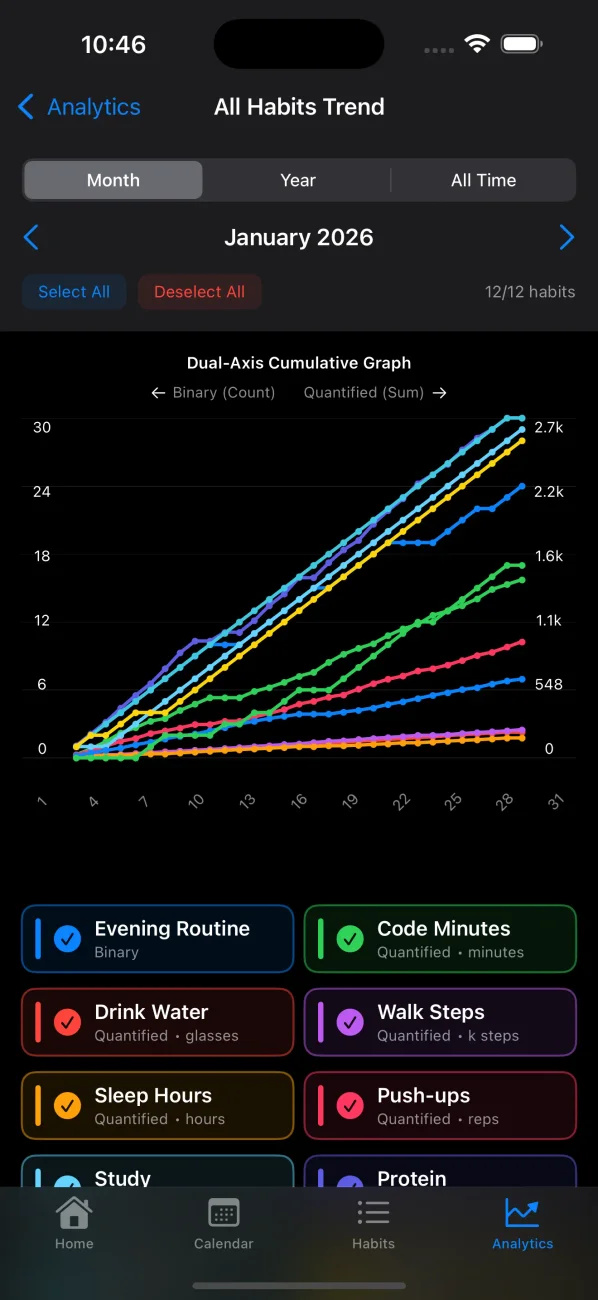
Calendar heat map shows your history at a glance. Completion patterns reveal your strongest days. Correlation analysis shows which habits you naturally pair together. Reorder your dashboard to see what matters most to you.
FLEXIBLE TRACKING
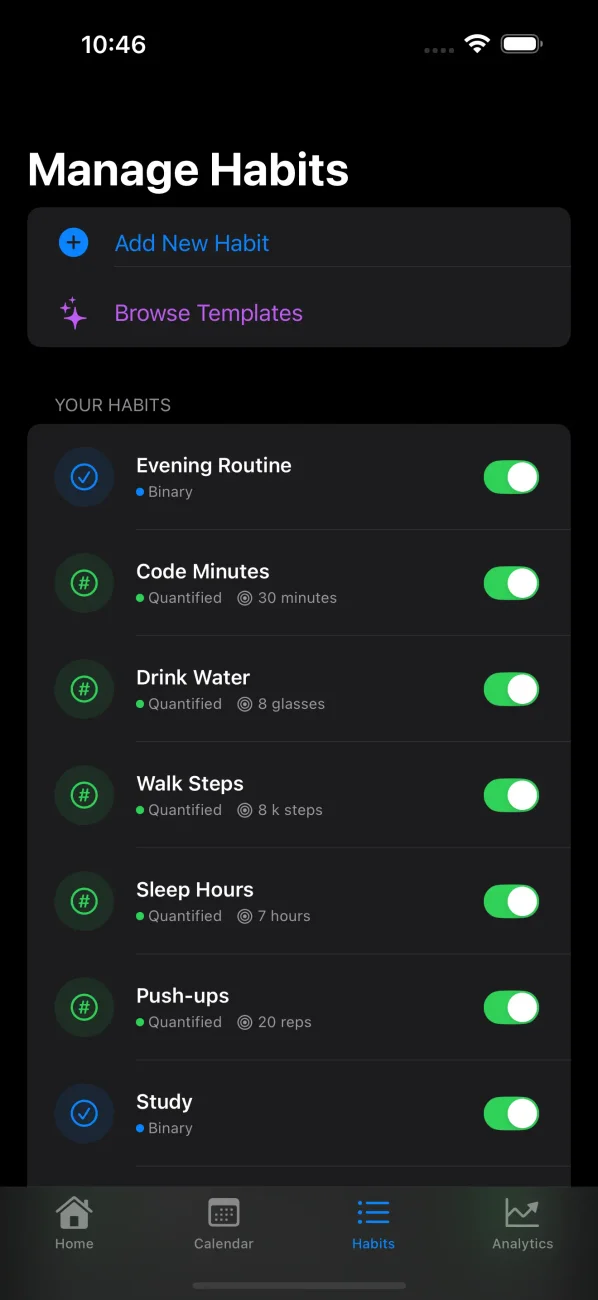
- Yes/No habits (Did you exercise?)
- Measurable habits (How many glasses of water?)
- Scheduled days (Weekdays only, specific days)
- Categories to organize everything
- Notes on any entry
BUILT FOR PRIVACY
All data stays on your device. iCloud sync keeps your Apple devices in sync — no third-party servers, no accounts, no tracking. Export anytime as CSV or JSON. Your habits are your business.
FEATURES
• Reorderable analytics dashboard
• iCloud sync and automatic backups
• CSV/JSON export and import
• Apple Health integration
• Customizable daily reminders
• Dark mode
What’s new
Version 3.0 · Mar 28, 2026
• Redesigned Analytics — Clean 2-column grid you can reorder. Tap to drill down, drag to rearrange. Your dashboard, your way.
• Smart Habit Chains — Set habits to appear based on what you did. Exercise → Yes → Squat. Exercise → No → Stretch. Your routine adapts to your day.
• Faster Home Screen — Record button always visible, dynamic layout that fits every iPhone. At-risk streaks shown right on the button so you never miss one.
• Better Habit Creation — Positive framing suggestions help you turn "Quit Smoking" into "Smoke-Free Day." Larger tap targets and cleaner keyboard
handling.
• Improved Streaks View — Building streaks and recovery streaks now shown separately. Bigger consistency bars. Easier to see where you stand.
• Data Export Fix — CSV export now correctly preserves skipped habits. Previously, "not done" entries were lost on reimport.
• Performance — Analytics computed in the background and cached.
App privacy
What robert dagostino declares on the App Store about how this app handles data.
-
Data used to track you
May be used to track you across apps and websites owned by other companies.
- Identifiers
-
Data linked to you
May be collected and linked to your identity.
- Health and fitness
-
Data not linked to you
May be collected but is not linked to your identity.
- Location
- Identifiers
- Usage data
- Diagnostics
Privacy practices may vary, for example with the features you use or your age.
Information
- Seller
- robert dagostino
- Category
- Productivity
- Version
- 3.0
- Updated
- Mar 28, 2026
- Released
- Feb 9, 2026
- Size
- 8.2 MB
- Requires
- iOS 16.0 or later
- Age rating
- 4+
- Price
- Free
- Languages
- English
- Copyright
- © 2026 Pendulum House LLC
You might also like
-
 Monu-PlannerProductivity
-
 Swipe it offDeadline Manager for Students
-
 Maelstrom - Routine BuilderStick to routines and habits
-
 Cue: Smart RemindersType once, never miss a thing
-
 buckets Flow - Focus TimerFind your flow with rain.
-
 PDF Signer: Sign & Fill DocsPhotos to PDF, Merge, Compress
-
 Swipe Task & To Do Lists: PauLevel Up ADHD Focus & Streaks
-
 Sonder CalendarProductivity
-
 Routine Builder: Daily PlannerBuild streaks, reach goals
-
 TagTags – Your Day, TaggedHabits and Goals, Simplified