
Han Keyboard
Light Korean keyboard for all
Designed for iPhone, iPad, iPod touch
Free · In-app purchases
- Age rating4+
- CategoryUtilities
- DeveloperMin Seon Kim
- LanguagesEnglish+ 2 more
- Size27.5 MB
Links to the official App Store page
Download.org hosts no file of Han Keyboard. The button opens its official App Store page, published by Min Seon Kim. Listing last checked on Nov 12, 2026.
Screenshots




About
**Han Keyboard is a multi-functional keyboard designed for convenient Korean text input.**
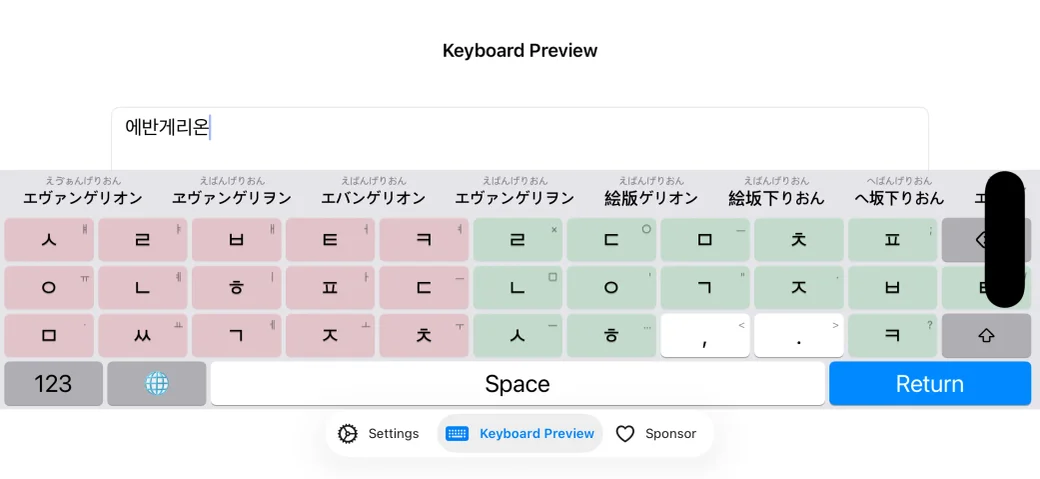
It also provides supplementary support for Hanja and Japanese input for Korean keyboard users.
All features of the keyboard are available for free.
**Various Korean Input Methods:**
• Cheonjiin+·Danmoum·Danmoum Next·Mui Danmoum - Simple Korean input optimized for mobile
• Cheonjiin·Vega·Motorola·Naratgeul - Support for classic mobile input methods
• 2-beolsik·3-beolsik Final·Shin 3-beolsik P2 Symbol Extended - Fast typing experience similar to PC
**Various English Layouts:**
• QWERTY - Standard English keyboard
• Dvorak - Alternative English keyboard
• Colemak & Colemak-DH - Ergonomic English keyboards
**Responsive Layout Support**
• Support for situations where the keyboard display needs to change based on current composition state, such as the Key Alternation(Galma-deul-i) feature in Shin 3-beolsik P2 Symbol Extended
**Convenience Features:**
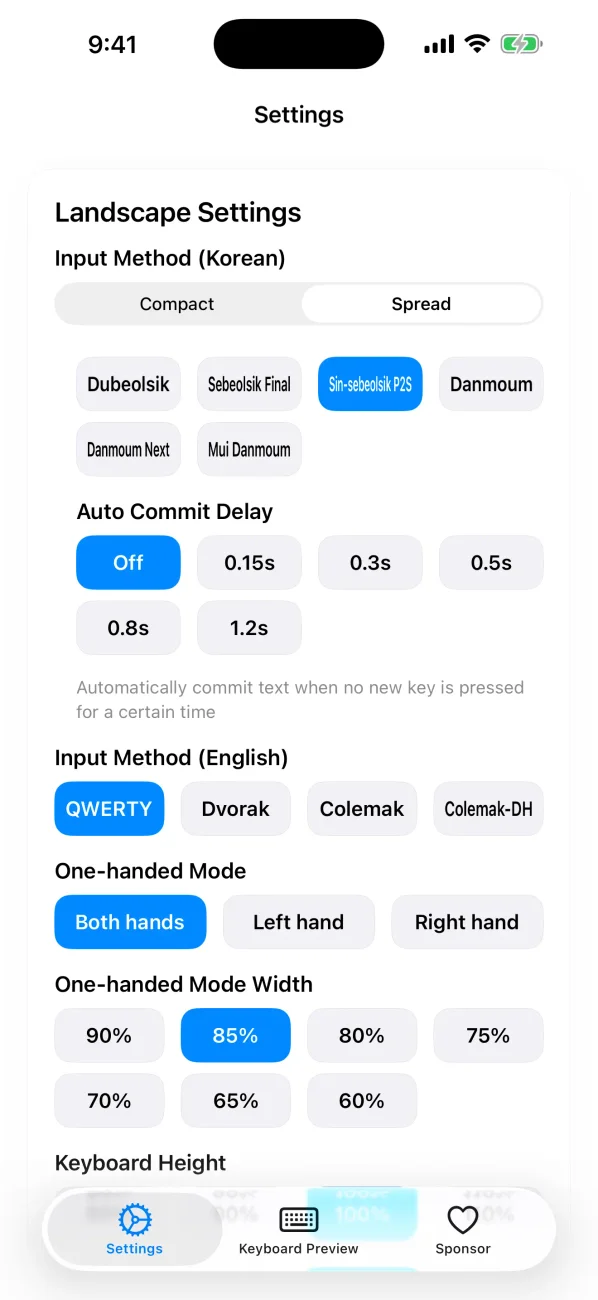
• Custom settings for portrait/landscape modes - Optimal input environment according to screen orientation
• Hanja and Japanese Input Support - Hanja and Japanese input optimized for Korean keyboard environments
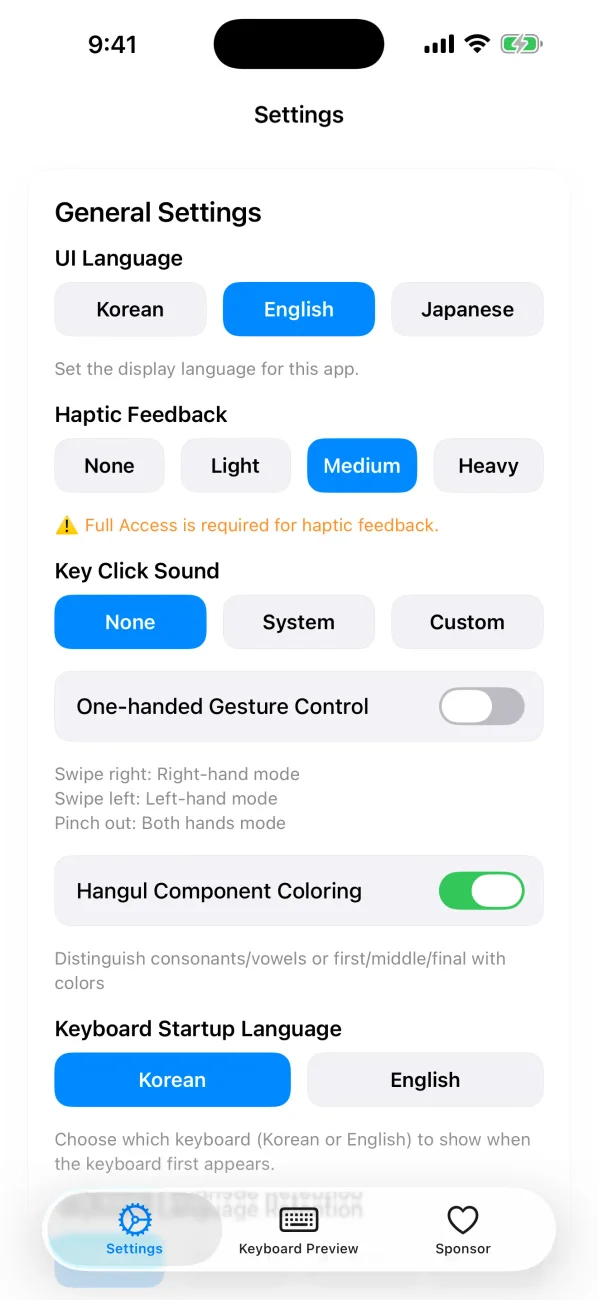
• One-handed mode support - Convenient input on large screens with left/right hand convenience modes
• Gesture-based one-handed mode switching - Quick layout changes with swipe gestures
• Keyboard height adjustment - Personalized settings with 80%~110% size adjustment
• Haptic feedback - Vibration feedback that enhances typing sensation (Off/Light/Medium/Strong)
• Korean component color differentiation - Different backgrounds displayed for consonant·vowel or initial·medial·final consonant keys
**Personalization Settings:**
• Choose different input methods for portrait and landscape modes
• Independent settings for Korean/English keyboards
• Detailed customization based on usage patterns
• Easy management with intuitive settings app
What’s new
Version 1.4.5 · Aug 2, 2026
### Bug Fixes
- Fixed an issue where the keyboard could occasionally crash when the Japanese input method was enabled.
- Fixed an issue where the ㄶ combination was not entered correctly with the Cheonjiin input method.
App privacy
What Min Seon Kim declares on the App Store about how this app handles data.
-
Data not collected
The developer does not collect any data from this app.
Privacy practices may vary, for example with the features you use or your age.
Information
- Seller
- Min Seon Kim
- Category
- Utilities
- Version
- 1.4.5
- Updated
- Aug 2, 2026
- Released
- Sep 16, 2025
- Size
- 27.5 MB
- Requires
- iOS 15.0 or later
- Age rating
- 4+
- Price
- Free
- In-app purchases
- Yes
- Languages
- English, Japanese, Korean
- Copyright
- © 2025 Moloon
You might also like
-
 타닥 — 한글 키보드Utilities
-
 Korean Keyboard + TranslatorType in Korean & Translate it
-
 한本키보드Utilities
-
 한字키보드Utilities
-
 SY키보드Utilities
-
 My Keyboard - Korean HangulCheonjiin, 2-Set & Themes
-
 푸키 - 이모지, 천지인, 나랏글Utilities
-
 쿠키키보드Utilities
-
 HanKey - Korean KeyboardKorean Typing, Your Way
-
 PullKey - Korean KeyboardUtilities