PullKey - Korean Keyboard
One thumb, learn as you type
Designed for iPhone, iPod touch
Free · In-app purchases
- Age rating4+
- CategoryUtilities
- DeveloperBluecosmium
- LanguagesEnglish+ 4 more
- Size20.7 MB
Links to the official App Store page
Download.org hosts no file of PullKey - Korean Keyboard. The button opens its official App Store page, published by Bluecosmium. Listing last checked on Nov 13, 2026.
Screenshots
About
The developer has not provided this text in your language.
Type Korean with one thumb — and learn Hangul while you do.
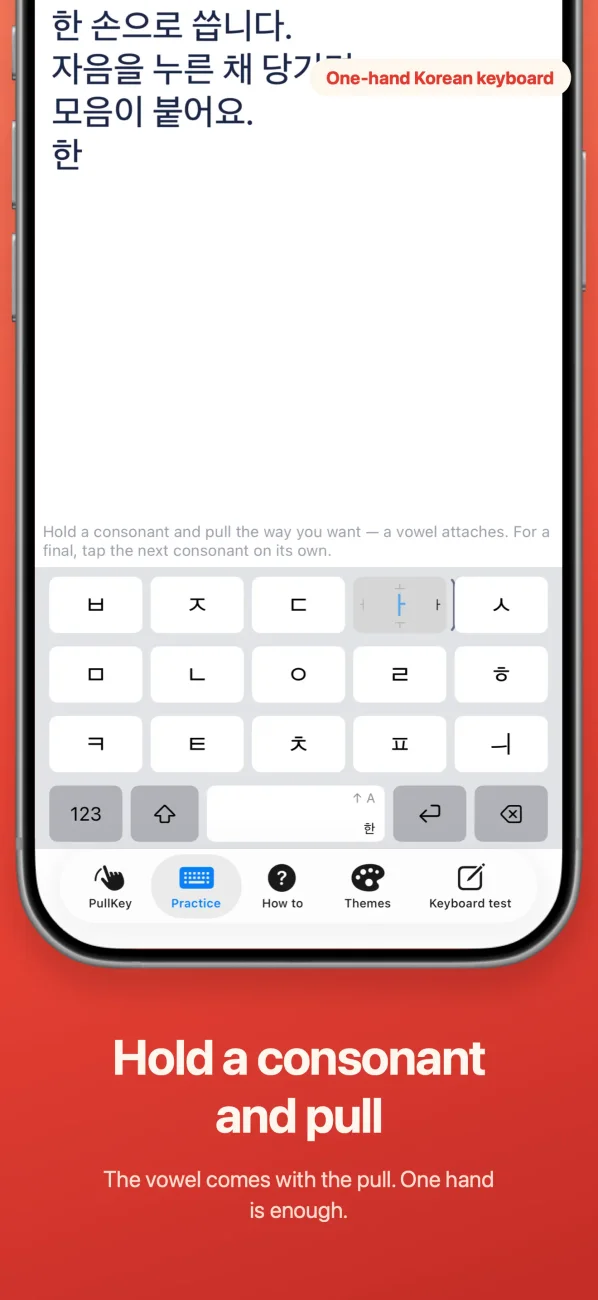
Hold a consonant and pull the way the vowel is written.
Pull ㄱ right and you get 가. Pull it up and you get 고.
There is no vowel side to cross to, so your thumb stays where it is.
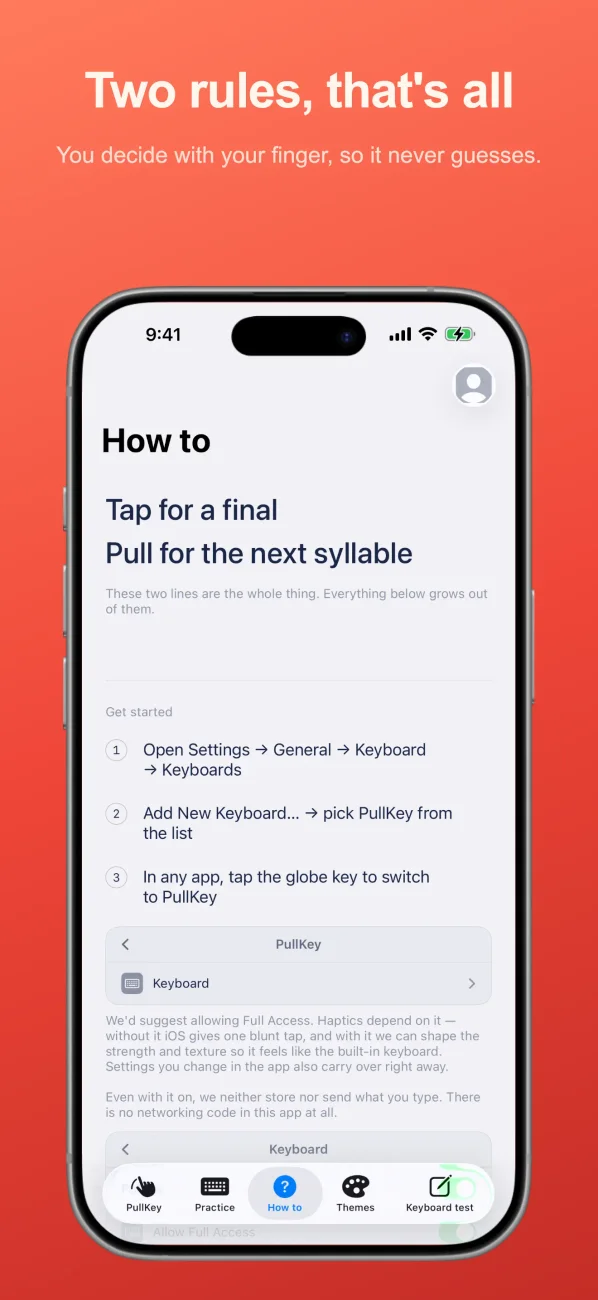
Tap for a final consonant, pull for the next syllable.
Those two lines are the whole rule.
Because your finger says which one you meant, the keyboard never guesses —
and nothing you have already typed changes shape behind the cursor.
■ How it types
ㅏ is a vertical stroke with a mark to the right, so you pull right.
ㅗ is a horizontal stroke with a mark above, so you pull up.
The shape of the letter is the direction of your thumb.
Because a vowel arrives with the consonant that carries it, one gesture makes a
whole syllable.
■ It stays where your thumb is
Every vowel is reached from the consonant key itself, so your thumb doesn't
travel — and no shift trip for tense consonants: press ⇧ and pull, or
double-tap.
One-handed mode moves the keys to either edge, and you can set the keyboard
height — on a large phone that decides whether one hand is enough.
■ It doesn't guess
No autocorrect. No word suggestions. No learning what you write.
What you type is what you get, every time.
■ It doesn't take anything
Nothing you type is stored. Nothing is sent anywhere. There is no networking
code in this app at all — turn on airplane mode and everything still works.
To fit the pull distance to your hand we count how far and which way your
gestures go — never which letters, and never off your phone.
■ Learning Korean?
The gesture itself teaches the structure: pulling ㄱ right is "consonant + ㅏ"
written with your hand, and a separate tap is what a final consonant is.
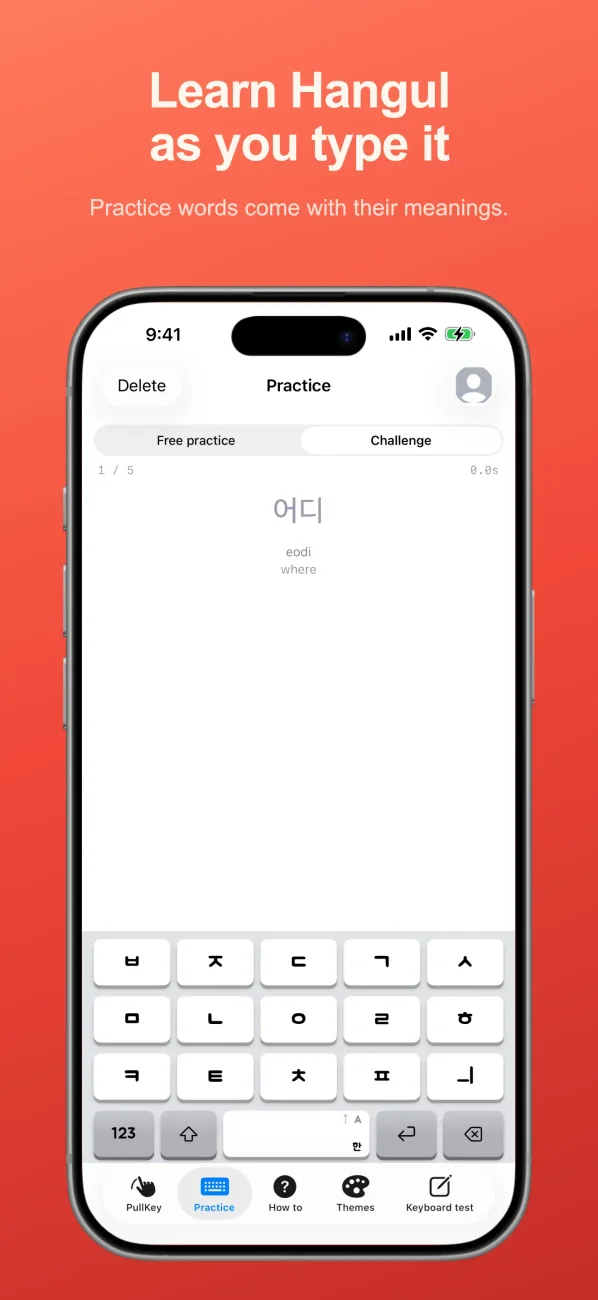
Practice comes in four stages, from simple pulls to full sentences, with each
word's meaning beside it — 화장실, 얼마예요, 카드 돼요.
■ What you can change
· Pull sensitivity, or let it measure your habits and set itself
· How long a linked pull stays open (하하 vs 햐)
· When haptics fire and how strong
· Keyboard height and skin
· Hand fit — we watch where you actually land and move the target under it
From the app or from inside the keyboard, either way.
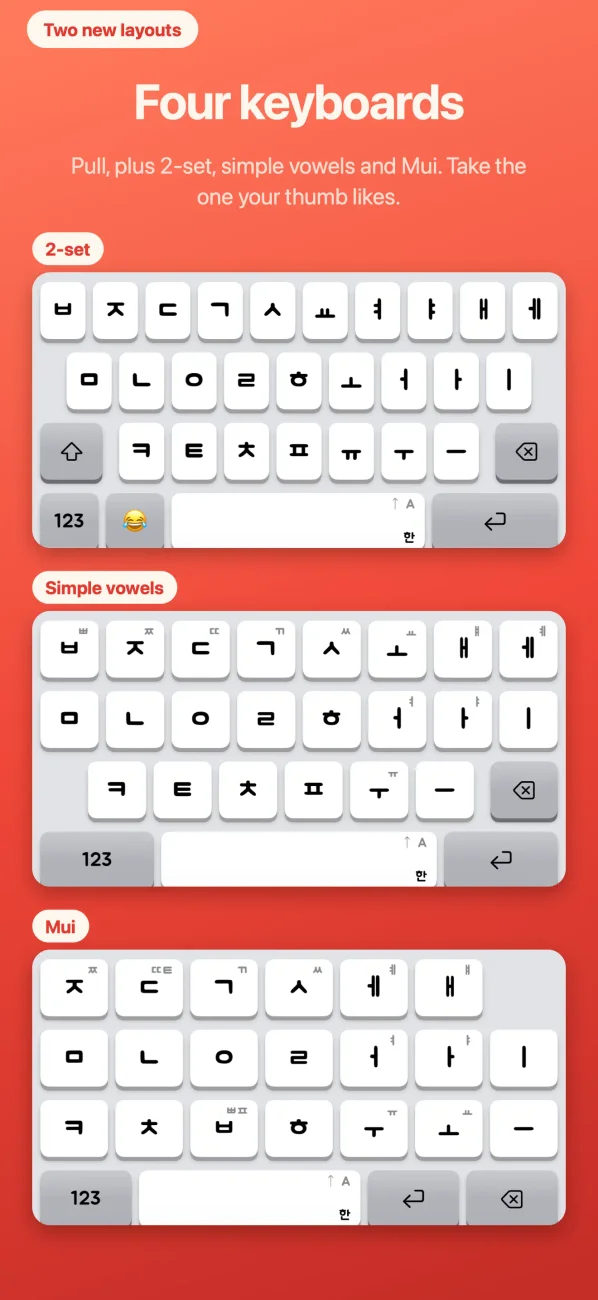
■ Pick a layout
Four, switchable any time in Settings.
· PullKey — pull a consonant and the vowel attaches.
· Simple vowels — 2-set minus ㅑㅕㅛㅠ, so every key grows.
Those four come from tapping a key twice, quickly.
· Mui — simple vowels minus ㅌ and ㅍ; twenty keys.
· Standard 2-set — the same layout as the stock iPhone keyboard.
Until PullKey feels natural, use the one you know.
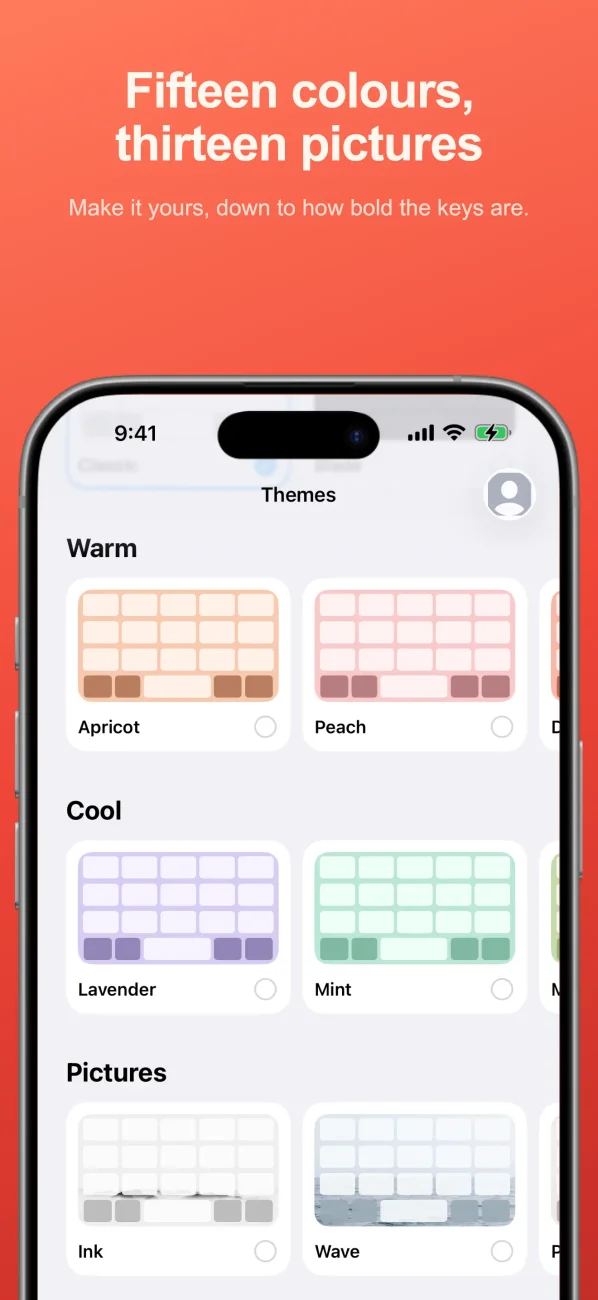
■ Pick how it looks
Fifteen colours and thirteen quiet pictures.
Each one is drawn as a small keyboard, so what you pick is what you get.
On a picture you also choose how solidly the keys sit on top of it.
■ Also
· Latin letters, numbers, symbols, emoji
· Pull space sideways to move the cursor, up to switch Hangul/Latin
· Pull delete left to erase a word, up to erase to the end of the line
· Save phrases with a title, enter in one tap; {오늘} {시각} fill in date and time
· Abbreviations — only pairs you wrote, expanded on space
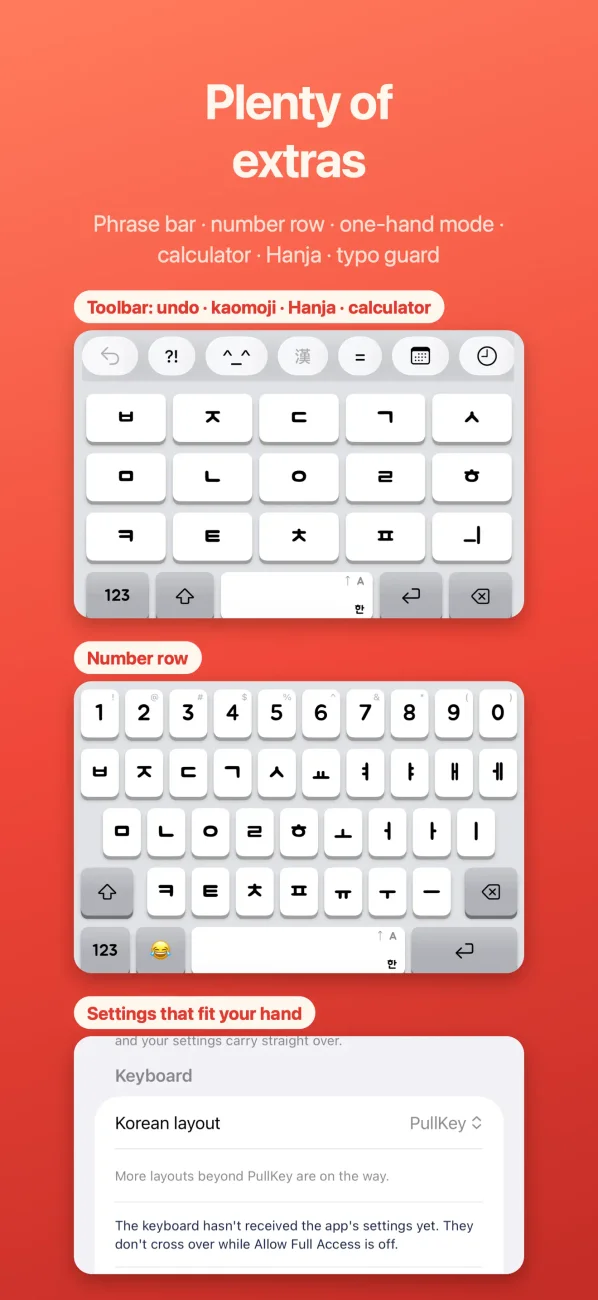
· Optional row above the keys — Hanja, kaomoji, calculator, romanize, swap 한/A, date math
· Five key sounds, three loudness levels
· Number row; two spaces for a full stop
■ Free and Pro
The keyboard is free: all four layouts, Latin and symbols, sensitivity, hand fit,
one-hand mode, haptics, cursor pulls, word delete, typo guard and practice.
No trial, no expiry.
PullKey Pro opens looks and extras:
· Themes — 15 colours, 13 pictures (three free)
· Six fonts, five key sounds
· Toolbar — phrases, Hanja, calculator, kaomoji, romanize, swap 한/A, date math
· Abbreviations, phrase placeholders, the Lab
$6.99 once, yours for good. No renewals, no subscription.
Terms of Use: https://www.apple.com/legal/internet-services/itunes/dev/stdeula/
Privacy Policy: https://bluecosmium.com/danggyeoki/privacy/
What’s new
Version 1.2.0 · Sep 24, 2026
· The keyboard is now free — no trial, no expiry
· PullKey Pro: themes, fonts, key sounds, toolbar, abbreviations, Lab — $6.99 once
· Improvements
App privacy
What Bluecosmium declares on the App Store about how this app handles data.
-
Data not collected
The developer does not collect any data from this app.
Privacy practices may vary, for example with the features you use or your age.
Information
- Seller
- Bluecosmium
- Category
- Utilities
- Version
- 1.2.0
- Updated
- Sep 24, 2026
- Released
- Aug 29, 2026
- Size
- 20.7 MB
- Requires
- iOS 15.0 or later
- Age rating
- 4+
- Price
- Free
- In-app purchases
- Yes
- Languages
- English, Japanese, Korean, Traditional Chinese, Vietnamese
- Copyright
- © 2026 Bluecosmium
You might also like
-
 키닥 - AI 키보드Utilities
-
 KeyCorder5-Key Korean Keyboard — Fast
-
 My Keyboard - Korean HangulCheonjiin, 2-Set & Themes
-
 또각또각 - 한글 키보드Utilities
-
 편한키보드 - 맞춤법, 클립보드, 상용구, 번역Utilities
-
 타닥 — 한글 키보드Utilities
-
 한자 한글 키보드Utilities
-
 Han KeyboardLight Korean keyboard for all
-
 King Sejong KeyboardInnovative,Beautiful Keyboards
-
 한글키보드(4천지인)Utilities