HandNote: Handwriting OCR
Notes to Text & PDF
Designed for iPhone, iPad, iPod touch
Free · In-app purchases
- Age rating4+
- CategoryProductivity
- Developerskybringup
- LanguagesEnglish+ 9 more
- Size72.5 MB
Links to the official App Store page
Download.org hosts no file of HandNote: Handwriting OCR. The button opens its official App Store page, published by skybringup. Listing last checked on Nov 14, 2026.
Screenshots

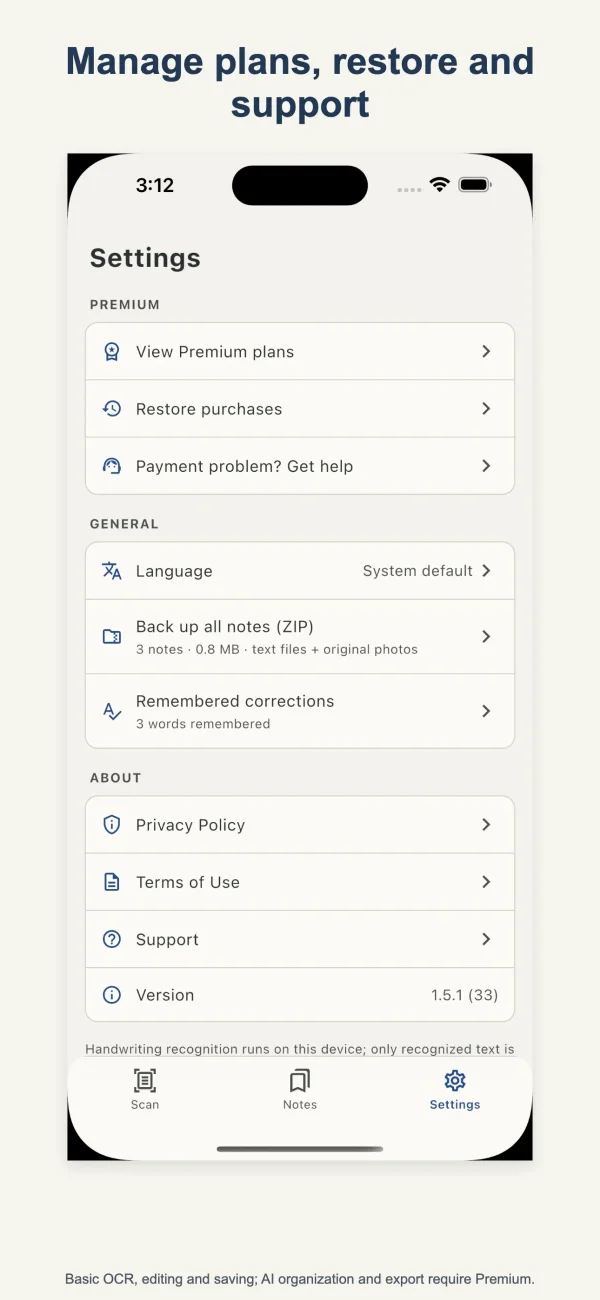
About
Turn photos of your handwritten pages into clear, editable notes. HandNote keeps each original page next to its text on your device, so you can check the handwriting at any time instead of typing everything again.
• Current recognition supports handwriting written with the Latin alphabet.
• Recognize a handwritten page for free and add up to 10 pages to one note.
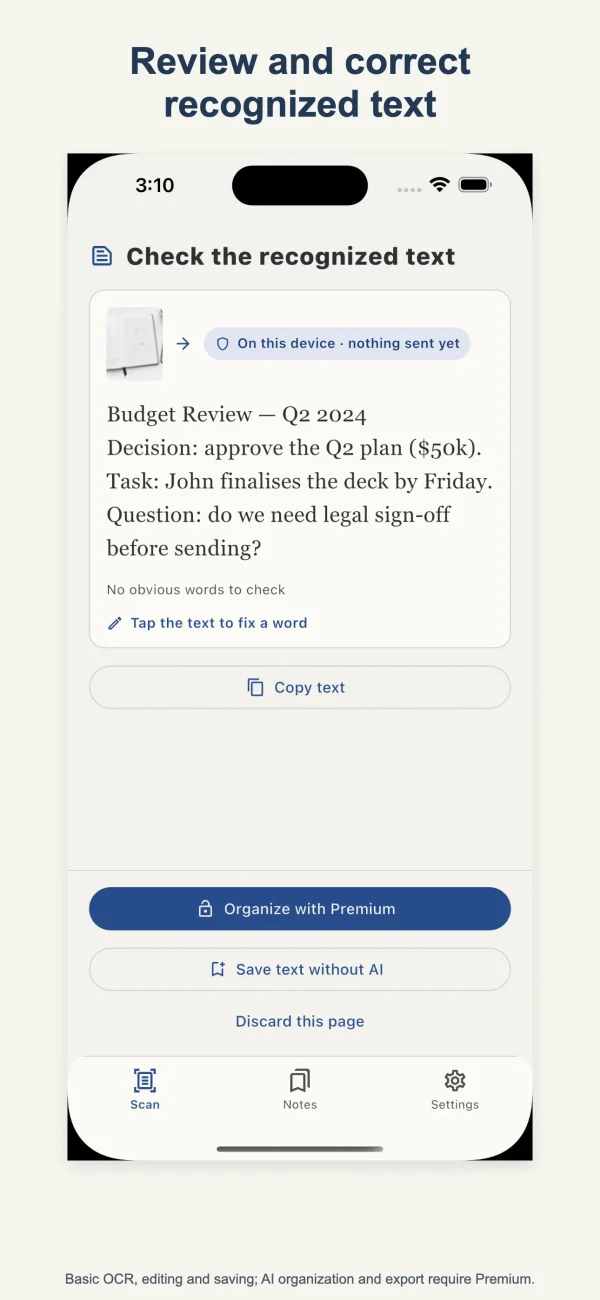
• While you review, words that may need checking are highlighted.
• Corrections you make are remembered and applied automatically next time.
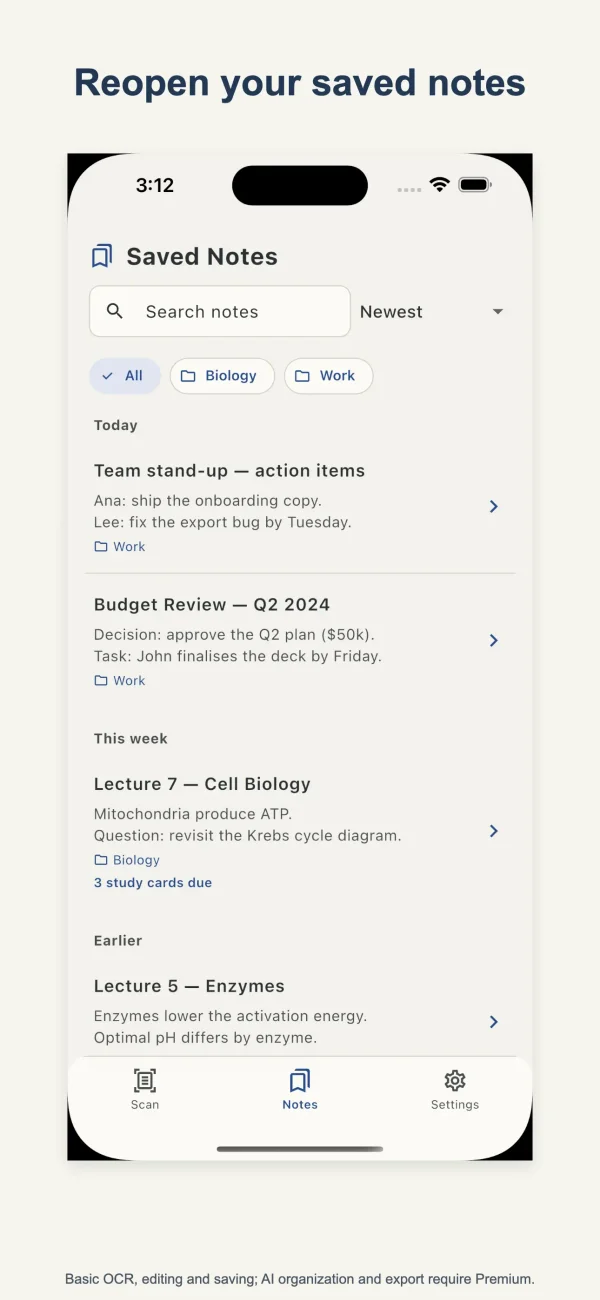
• Saved notes keep the original photo next to the text, stored on your device.
• Notes are grouped by date — today, this week, earlier — and you can sort them into notebooks.
• Copy or share the text, share a designed image card with or without the original page, or save the card to Photos.
• Export all your notes at once as a zip with text files and the original photos.
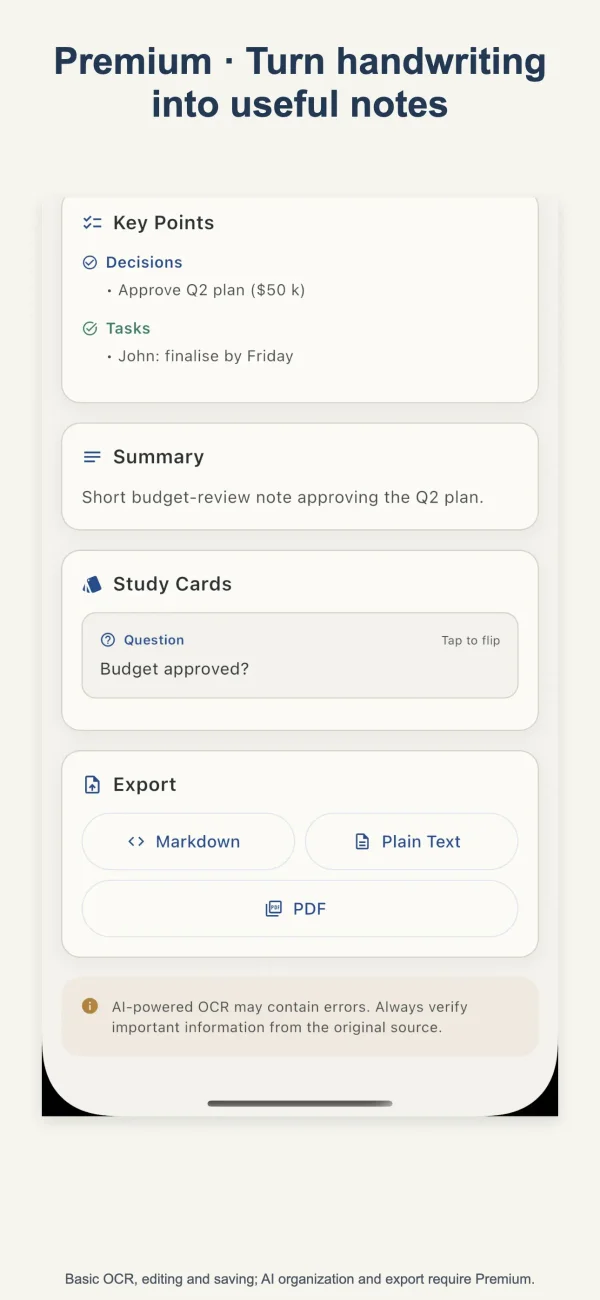
• Your first AI organization is free: see the outline, key points, summary and study cards for one of your own notes.
• Premium keeps organizing every page after that and adds PDF, Markdown or plain-text file export.
How it works:
1. Photograph a handwritten page or choose one from your photo library, then add more pages if you need them.
2. Check the highlighted words and correct anything the recognition got wrong.
3. Save the note with its original page, share it as text or an image card, and organize it with AI — the first time is free.
The app is free to download. Recognition, review, editing, saving with the original photo, multi-page notes, correction memory, notebooks, copying, sharing text and image cards, and exporting all notes as a zip are available without upgrading, and your first AI organization is free. HandNote Premium only adds AI organization after that (outline, key points, summary and study cards) and PDF, Markdown or plain-text file export, through an auto-renewing weekly subscription or a permanent purchase.
Important: Handwriting recognition and AI-organized content may contain errors. Always check important information against the original page.
Apple Standard Terms: https://www.apple.com/legal/internet-services/itunes/dev/stdeula/
Privacy Policy: https://handnote.skybringup.com/privacy/
What’s new
Version 1.5.1 · Nov 13, 2026
You now edit a saved note in the note itself, so your changes keep all of its pages intact.
From an organized note, the pencil button takes you back to the note to keep editing.
If a card can't be saved to Photos, HandNote now says so instead of showing it as saved.
App privacy
What skybringup declares on the App Store about how this app handles data.
-
Data linked to you
May be collected and linked to your identity.
- Purchases
- User content
- Identifiers
- Usage data
- Diagnostics
Privacy practices may vary, for example with the features you use or your age.
Information
- Seller
- The Sky Bringup, LLC
- Category
- Productivity
- Version
- 1.5.1
- Updated
- Nov 13, 2026
- Released
- Mar 25, 2026
- Size
- 72.5 MB
- Requires
- iOS 15.5 or later
- Age rating
- 4+
- Price
- Free
- In-app purchases
- Yes
- Languages
- English, French, German, Italian, Japanese, Korean, Portuguese, Simplified Chinese, Spanish, Traditional Chinese
- Copyright
- © skybringup
You might also like
-
 Encria: Handwriting to TextScan notes, tables, letters
-
 Inksight: Handwriting to TextScan to Word, PDF & Excel
-
 Text to Handwriting: Hand NoteQuick Note Handwritten Convert
-
 NoteOCR - Handwriting to TextConvert Notes to Word & Excel
-
 Unscribble Handwriting to TextCursive OCR, Image & Note Scan
-
 OCR Memo - Scan HandwritingSnap Notes, Sort by Calendar
-
 Handwriting to Text AI - OCRCursive Notes Scanner & Reader
-
 Image to Text - Textora OCRPhoto Scanner Copier & Reader
-
 Scriptify: Text to HandwritingNotes Converter & Export PDF
-
 Transom Note-Taker for WritersHold that Thought