
Handpix: Bead Pattern Maker
Pixel art, perler bead ironing
Designed for iPhone, iPad
Free · In-app purchases
- Age rating4+
- CategoryGraphics & Design
- Developer寻 刘
- LanguagesEnglish+ 3 more
- Size35.4 MB
Links to the official App Store page
Download.org hosts no file of Handpix: Bead Pattern Maker. The button opens its official App Store page, published by 寻 刘. Listing last checked on Nov 23, 2026.
Screenshots
About
Core Features:
Professional Drawing Tools
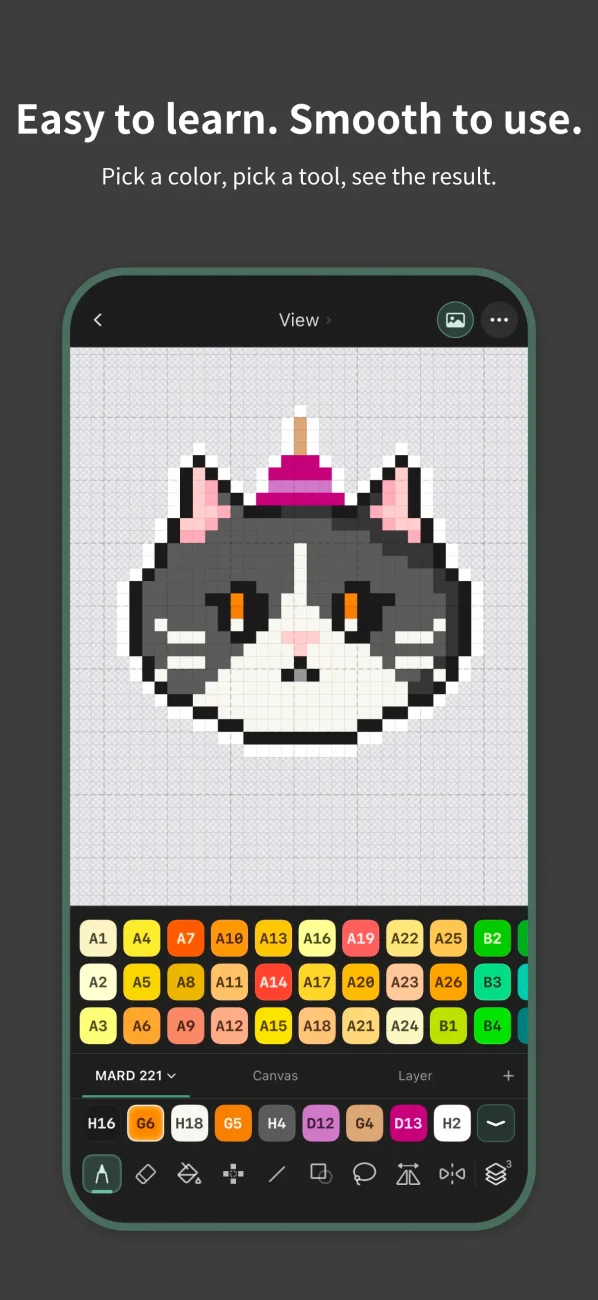
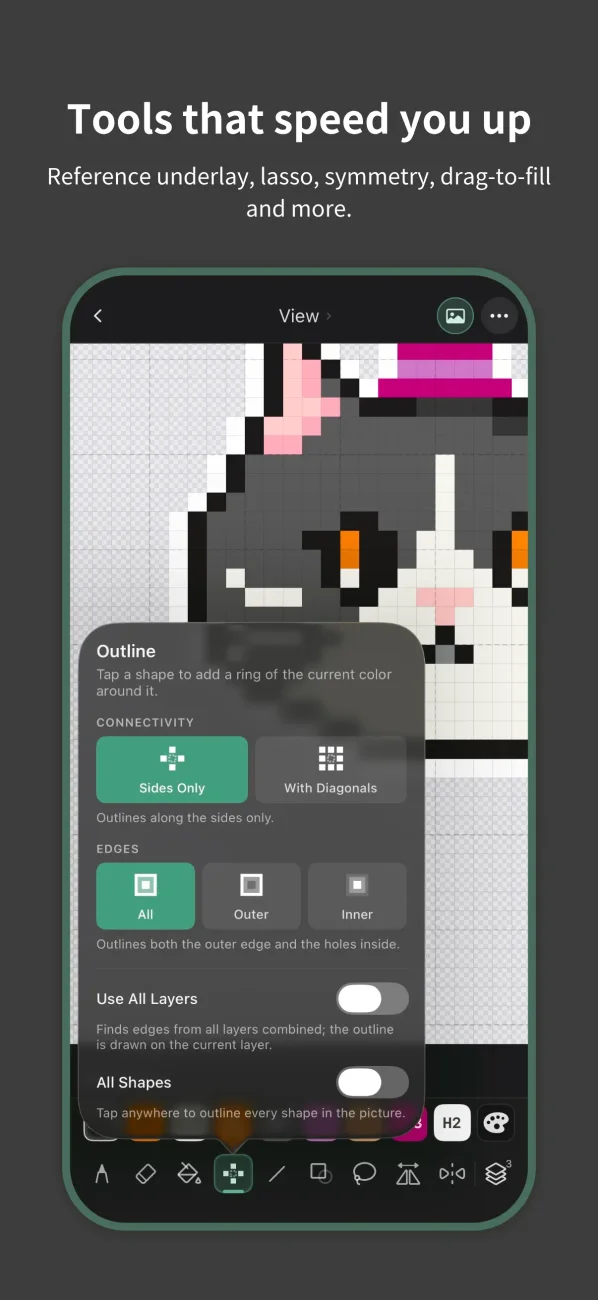
An eraser that removes by color block, a paint bucket with drag-to-fill, one-tap outlining, and line, rectangle, and ellipse tools that make every stroke effortless. The lasso tool lets you cut, copy, paste, select all, or invert a selection — and paste across layers or even across canvases. Vertical, horizontal, and diagonal symmetry axes mean you never have to draw a mirrored pattern twice.
Layer Management
Full multi-layer drawing with one-tap clear, duplicate, and focus mode for every layer.
Handy Gestures
Two-finger undo, three-finger redo, and the "Magic Cube" — a floating widget that toggles color codes and replays your creation process.
Ironing-Effect Preview
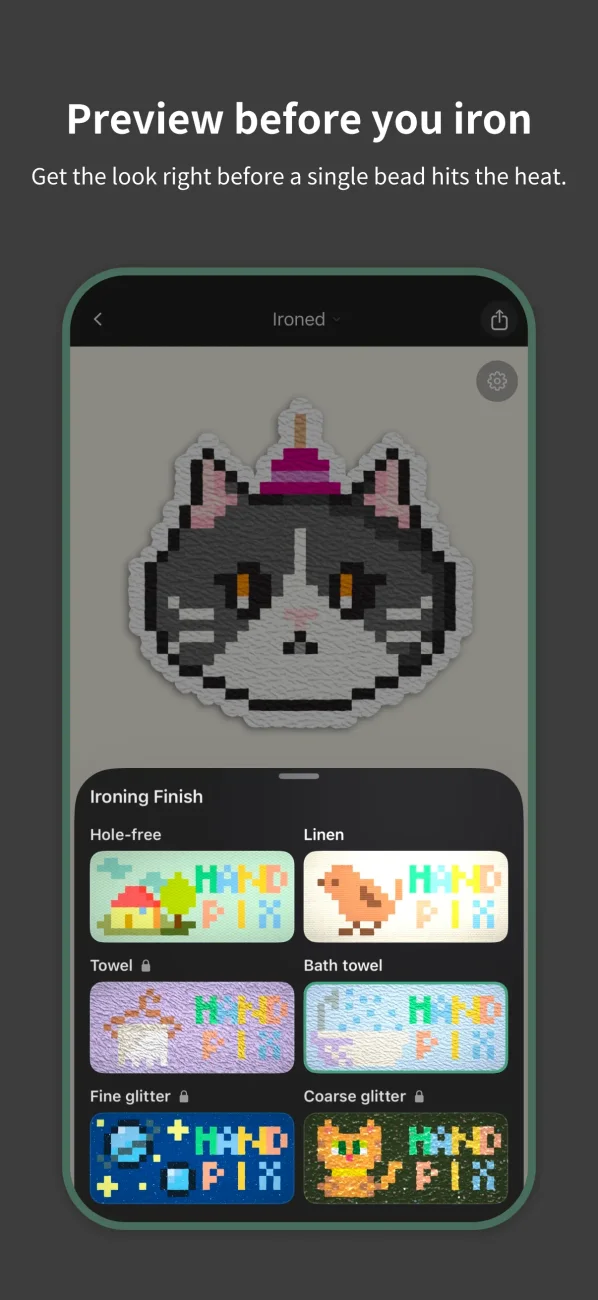
Preview six realistic ironing finishes: full melt (no-hole), bath-mitt texture, towel texture, coarse glitter, fine glitter, and linen.
One-Tap Pixelization
Turn photos and cartoon images into pixel art in a single tap, with your choice of style and target color count.
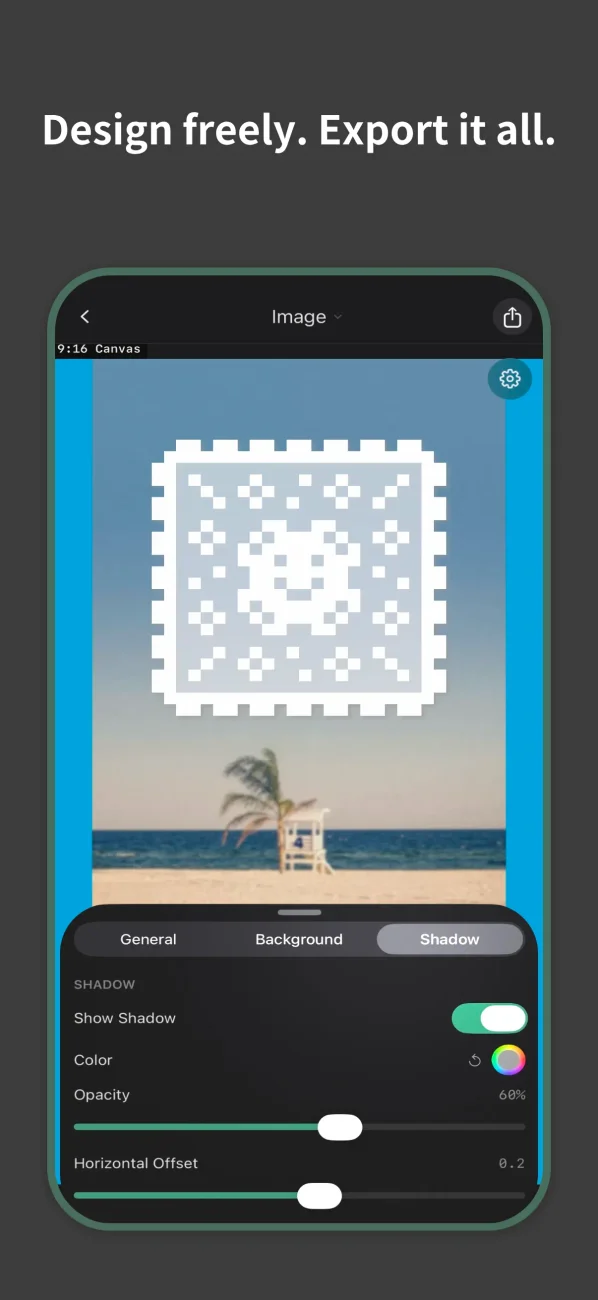
All-in-One Share Image Studio
Create social-media-ready images right inside the app — swap backgrounds, add pattern shadows, and more.
Fully Customizable Pattern Export
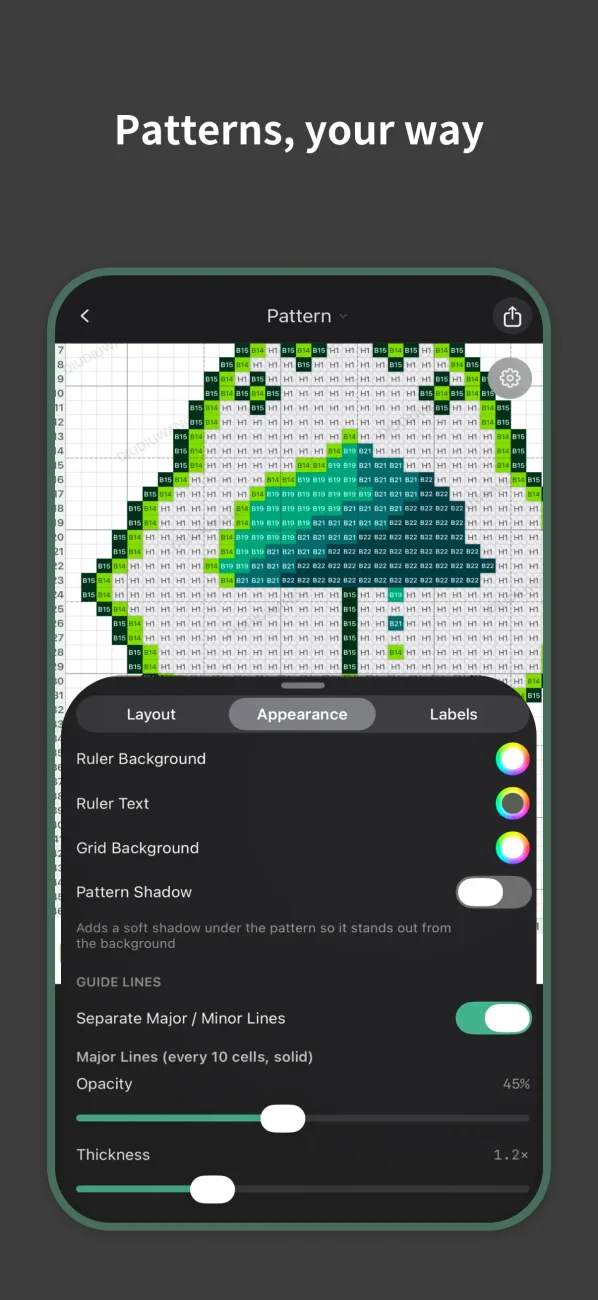
Major and minor grid lines, ruler colors, color card styles, signature and text watermarks, mirrored output, and export-by-color — tune everything until it's exactly how you want it.
iCloud Cross-Device Creating
Your work syncs in real time between iPad and iPhone via iCloud.
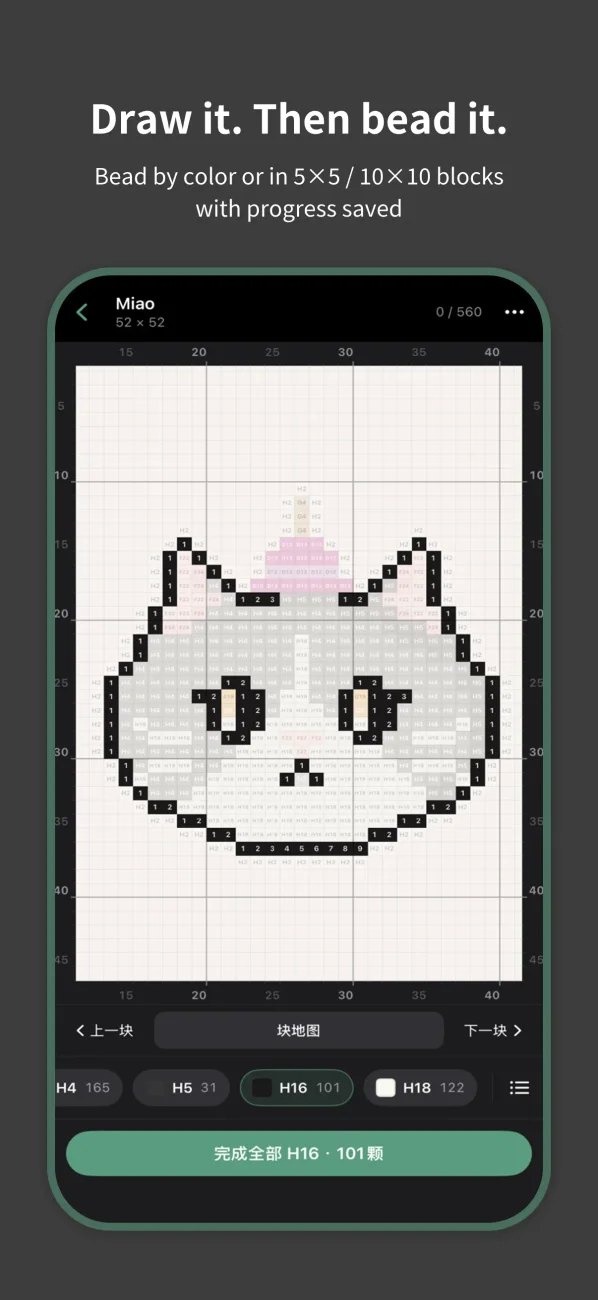
Built-in Pegboard
Import smart PDF patterns, .handpix files, or your in-app projects — then build bead by bead, sorted by color code or split into 5x5、10×10 sections.
Who Is It For?
- Pattern designers: draw efficiently, preview the finished look, export social covers, and share patterns in multiple formats.
- Bead hobbyists: turn your avatar, pet, favorite artwork, or original characters into bead patterns.
- Bead and craft shops: design, adjust, and deliver ready-to-build patterns for your customers.
Supports Apple Pencil and touch. Long-press anywhere to discover 130+ features!
Handpix — the professional pixel artist's choice.
Privacy Policy: https://handpix.app/privacy/
Terms of Use (EULA): https://www.apple.com/legal/internet-services/itunes/dev/stdeula/
What’s new
Version 1.2.0 · Nov 20, 2026
Editor
- The Preview Window now shows your work live as you use the Brush, Eraser or Dithered Gradient, move a
selection, or draw lines and shapes.
- In pixel art mode, the color picker adds two new ways to pick colors: Grid and Values (RGB).
- On iPhone, the editor's ⋯ menu lets you set color codes to Automatic (shown when zoomed in), Always Show or
Never Show.
Layers & Selection
- Select everything on a layer or in a group in one tap: layer menus now have "Select Layer Contents" and group
menus have "Select Group Contents".
- After checking several layers, you can select their contents together (combined into one floating selection)
or group them.
- The selection popover adds "+/−" toggles, so you can add to or subtract from an existing selection.
Export & Canvas
- The maximum canvas size goes up from 300×300 to 520×520, so you can design bigger pieces.
- New "Export in Tiles" for patterns: split a large pattern into 52, 78 or 104-cell tiles. Export them as a set
of images (an overview map with every tile numbered, plus one pattern per tile) or as a multi-page PDF.
Image Watermarks
- Image view adds a "Labels" tab, where you can set a signature image or a text watermark.
- The text watermark appears only on the beads and leaves the background clean.
Custom Palettes
- Custom palettes can now be exported as an .xlsx file. Import it on another device and artworks that have
already synced will link back to that palette.
Other
- Editor layout for the cover screen of foldable (Duo) devices in portrait.
- Fixed the pattern size shown incorrectly in Pattern view.
- Fixed large patterns with many colors failing to export.
- Fixed subscribers being unable to upgrade to the lifetime purchase.
- Fixed a crash when tapping Settings on Mac.
App privacy
What 寻 刘 declares on the App Store about how this app handles data.
-
Data not linked to you
May be collected but is not linked to your identity.
- Usage data
- Diagnostics
Privacy practices may vary, for example with the features you use or your age.
Information
- Seller
- 寻 刘
- Category
- Graphics & Design
- Version
- 1.2.0
- Updated
- Nov 20, 2026
- Released
- Aug 25, 2026
- Size
- 35.4 MB
- Requires
- iOS 17.0 or later
- Age rating
- 4+
- Price
- Free
- In-app purchases
- Yes
- Languages
- English, Japanese, Simplified Chinese, Traditional Chinese
- Copyright
- © 2026 Xun Liu
You might also like
-
 拼拼豆-拼豆图纸识别与设计Graphics & Design
-
 怪兽小方块 - 拼豆图纸Graphics & Design
-
 皮土豆 - 拼豆图纸创作社区Graphics & Design
-
 Pixel Bead MasterFuse Bead Pattern Generator
-
 拼豆糕手Graphics & Design
-
 PinDose AIGraphics & Design
-
 PixeliaFuse Bead | Pixel Art
-
 BeadCraft: Bead PatternsPhoto to Perler Bead Plans
-
 拼豆家Graphics & Design
-
 Perler Moo - Pixel Arts MakerPerler Beads Maker & Pixel Art