
Handpix: Bead Pattern Maker
Pixel art, perler bead ironing
Được thiết kế cho iPhone, iPad
Miễn phí · Mua hàng trong ứng dụng
- Độ tuổi4+
- Danh mụcĐồ Họa & Thiết Kế
- Nhà phát triển寻 刘
- Ngôn ngữTiếng Anh+ 3 ngôn ngữ khác
- Kích thước35,4 MB
Liên kết đến trang App Store chính thức
Download.org không lưu trữ tệp nào của Handpix: Bead Pattern Maker. Nút này mở trang ứng dụng trên App Store, nơi 寻 刘 phát hành ứng dụng. Trang được kiểm tra lần cuối: 23/11/2026.
Ảnh chụp màn hình
Giới thiệu
Nhà phát triển chưa cung cấp nội dung này bằng ngôn ngữ của bạn.
Core Features:
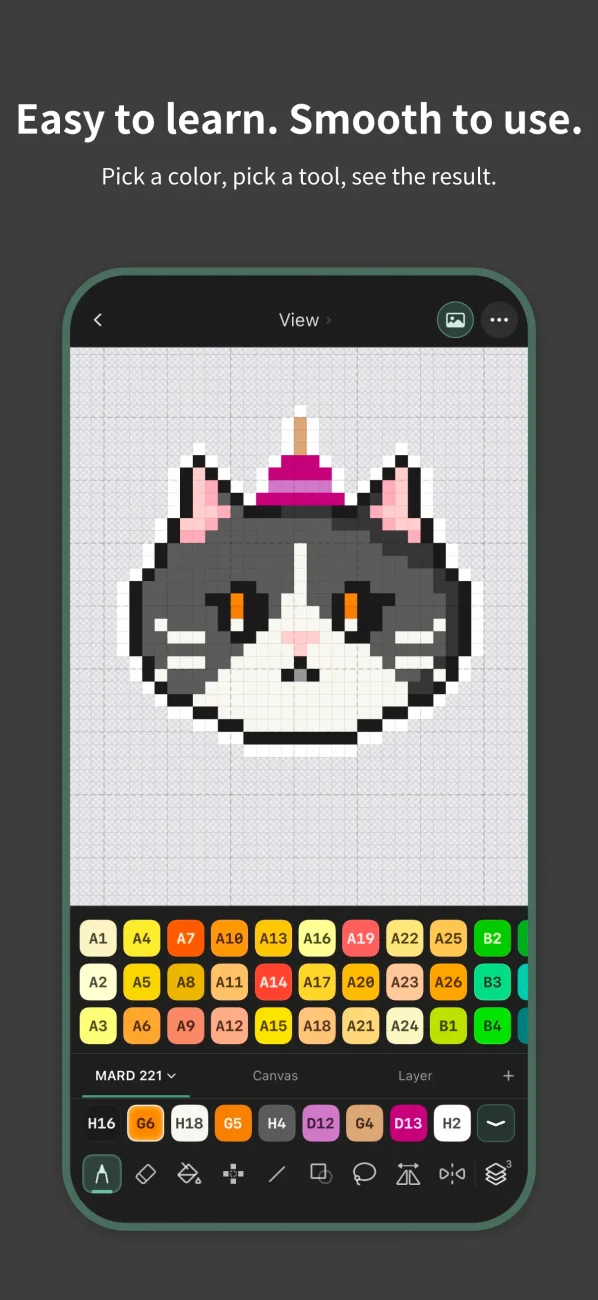
Professional Drawing Tools
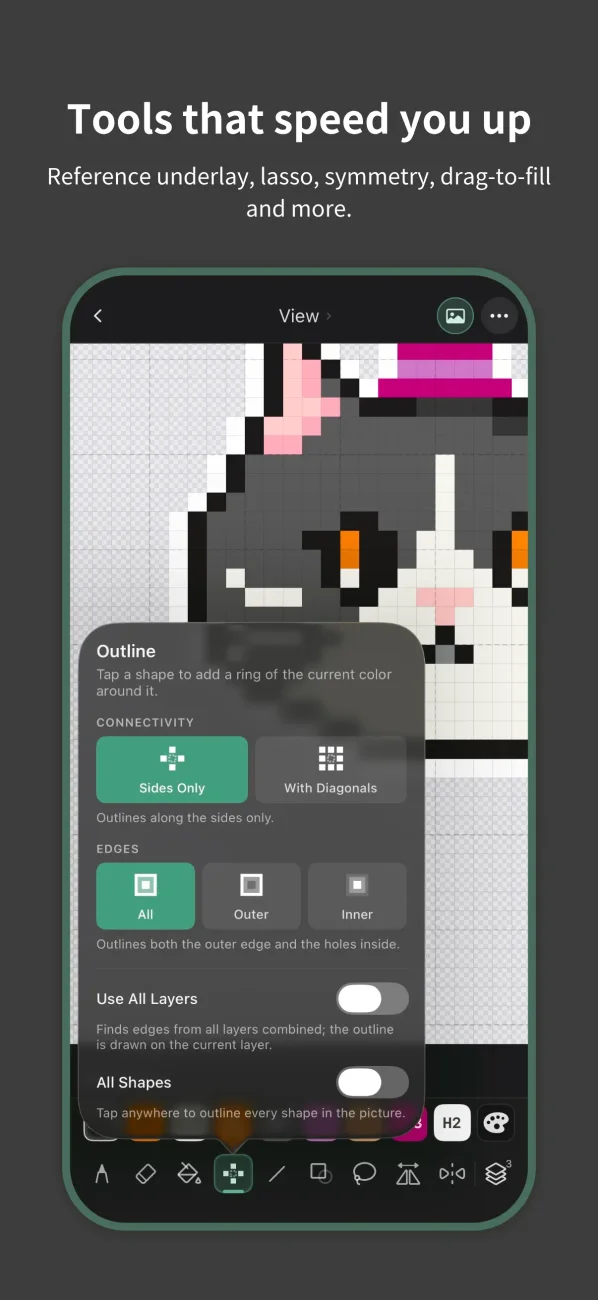
An eraser that removes by color block, a paint bucket with drag-to-fill, one-tap outlining, and line, rectangle, and ellipse tools that make every stroke effortless. The lasso tool lets you cut, copy, paste, select all, or invert a selection — and paste across layers or even across canvases. Vertical, horizontal, and diagonal symmetry axes mean you never have to draw a mirrored pattern twice.
Layer Management
Full multi-layer drawing with one-tap clear, duplicate, and focus mode for every layer.
Handy Gestures
Two-finger undo, three-finger redo, and the "Magic Cube" — a floating widget that toggles color codes and replays your creation process.
Ironing-Effect Preview
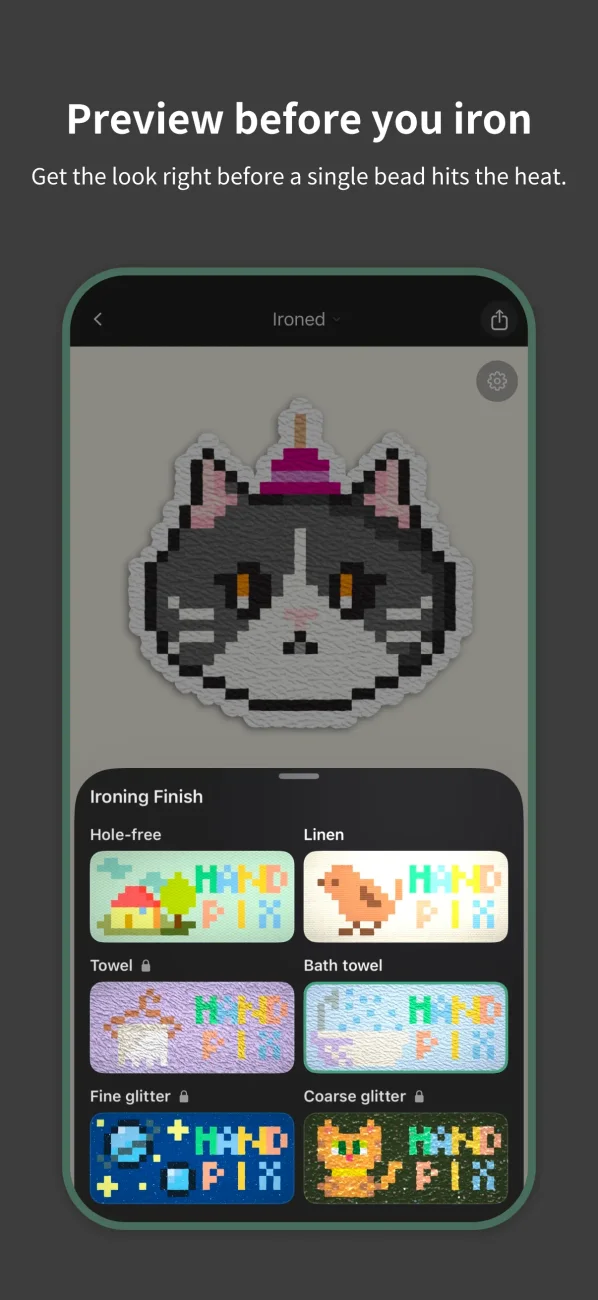
Preview six realistic ironing finishes: full melt (no-hole), bath-mitt texture, towel texture, coarse glitter, fine glitter, and linen.
One-Tap Pixelization
Turn photos and cartoon images into pixel art in a single tap, with your choice of style and target color count.
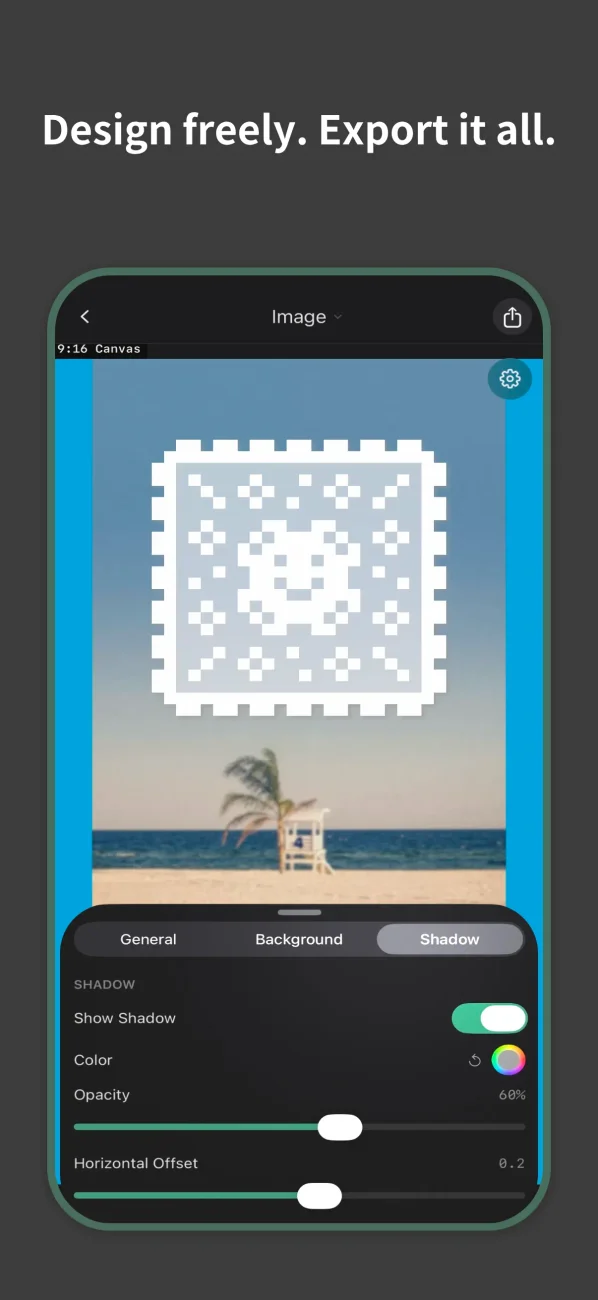
All-in-One Share Image Studio
Create social-media-ready images right inside the app — swap backgrounds, add pattern shadows, and more.
Fully Customizable Pattern Export
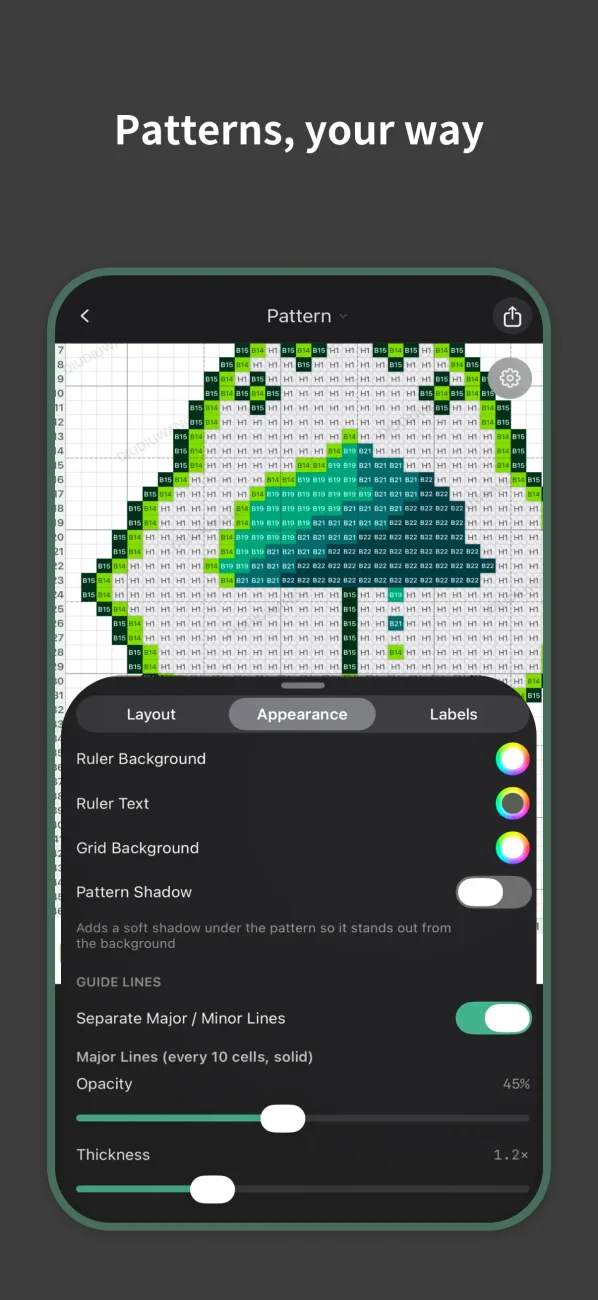
Major and minor grid lines, ruler colors, color card styles, signature and text watermarks, mirrored output, and export-by-color — tune everything until it's exactly how you want it.
iCloud Cross-Device Creating
Your work syncs in real time between iPad and iPhone via iCloud.
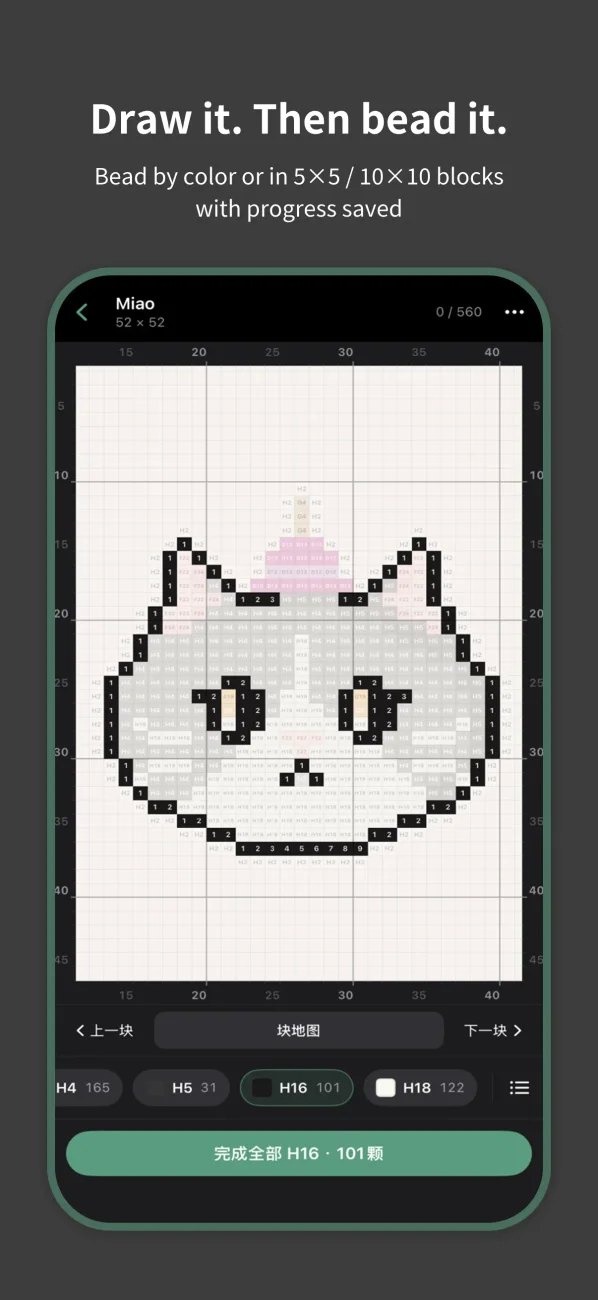
Built-in Pegboard
Import smart PDF patterns, .handpix files, or your in-app projects — then build bead by bead, sorted by color code or split into 5x5、10×10 sections.
Who Is It For?
- Pattern designers: draw efficiently, preview the finished look, export social covers, and share patterns in multiple formats.
- Bead hobbyists: turn your avatar, pet, favorite artwork, or original characters into bead patterns.
- Bead and craft shops: design, adjust, and deliver ready-to-build patterns for your customers.
Supports Apple Pencil and touch. Long-press anywhere to discover 130+ features!
Handpix — the professional pixel artist's choice.
Privacy Policy: https://handpix.app/privacy/
Terms of Use (EULA): https://www.apple.com/legal/internet-services/itunes/dev/stdeula/
Có gì mới
Phiên bản 1.2.0 · 20/11/2026
Editor
- The Preview Window now shows your work live as you use the Brush, Eraser or Dithered Gradient, move a
selection, or draw lines and shapes.
- In pixel art mode, the color picker adds two new ways to pick colors: Grid and Values (RGB).
- On iPhone, the editor's ⋯ menu lets you set color codes to Automatic (shown when zoomed in), Always Show or
Never Show.
Layers & Selection
- Select everything on a layer or in a group in one tap: layer menus now have "Select Layer Contents" and group
menus have "Select Group Contents".
- After checking several layers, you can select their contents together (combined into one floating selection)
or group them.
- The selection popover adds "+/−" toggles, so you can add to or subtract from an existing selection.
Export & Canvas
- The maximum canvas size goes up from 300×300 to 520×520, so you can design bigger pieces.
- New "Export in Tiles" for patterns: split a large pattern into 52, 78 or 104-cell tiles. Export them as a set
of images (an overview map with every tile numbered, plus one pattern per tile) or as a multi-page PDF.
Image Watermarks
- Image view adds a "Labels" tab, where you can set a signature image or a text watermark.
- The text watermark appears only on the beads and leaves the background clean.
Custom Palettes
- Custom palettes can now be exported as an .xlsx file. Import it on another device and artworks that have
already synced will link back to that palette.
Other
- Editor layout for the cover screen of foldable (Duo) devices in portrait.
- Fixed the pattern size shown incorrectly in Pattern view.
- Fixed large patterns with many colors failing to export.
- Fixed subscribers being unable to upgrade to the lifetime purchase.
- Fixed a crash when tapping Settings on Mac.
Quyền riêng tư của ứng dụng
Những gì 寻 刘 khai báo trên App Store về cách ứng dụng này xử lý dữ liệu.
-
Dữ liệu không liên kết với bạn
Có thể được thu thập nhưng không liên kết với danh tính của bạn.
- Dữ liệu sử dụng
- Chẩn đoán
Phương thức đảm bảo quyền riêng tư có thể khác nhau, chẳng hạn như tuỳ theo các tính năng bạn sử dụng hoặc độ tuổi của bạn.
Thông tin
- Người bán
- 寻 刘
- Danh mục
- Đồ Họa & Thiết Kế
- Phiên bản
- 1.2.0
- Cập nhật
- 20/11/2026
- Phát hành
- 25/08/2026
- Kích thước
- 35,4 MB
- Yêu cầu
- iOS 17.0 trở lên
- Độ tuổi
- 4+
- Giá
- Miễn phí
- Mua hàng trong ứng dụng
- Có
- Ngôn ngữ
- Tiếng Anh, Tiếng Nhật, Tiếng Trung Giản thể, Tiếng Trung Phồn thể
- Bản quyền
- © 2026 Xun Liu
Có thể bạn cũng thích
-
 拼拼豆-拼豆图纸识别与设计Đồ Họa & Thiết Kế
-
 怪兽小方块 - 拼豆图纸Đồ Họa & Thiết Kế
-
 皮土豆 - 拼豆图纸创作社区Đồ Họa & Thiết Kế
-
 Pixel Bead MasterĐồ Họa & Thiết Kế
-
 拼豆糕手Đồ Họa & Thiết Kế
-
 PinDose AIĐồ Họa & Thiết Kế
-
 PixeliaĐồ Họa & Thiết Kế
-
 BeadCraft: Bead PatternsĐồ Họa & Thiết Kế
-
 拼豆家Đồ Họa & Thiết Kế
-
 Perler Moo - Pixel Arts MakerĐồ Họa & Thiết Kế