- Age rating4+
- CategoryDeveloper Tools
- DeveloperChunxia Li
- LanguagesEnglish
- Size851.0 KB
Links to the official App Store page
Download.org hosts no file of HapticKit. The button opens its official App Store page, published by Chunxia Li. Listing last checked on Nov 8, 2026.
Screenshots
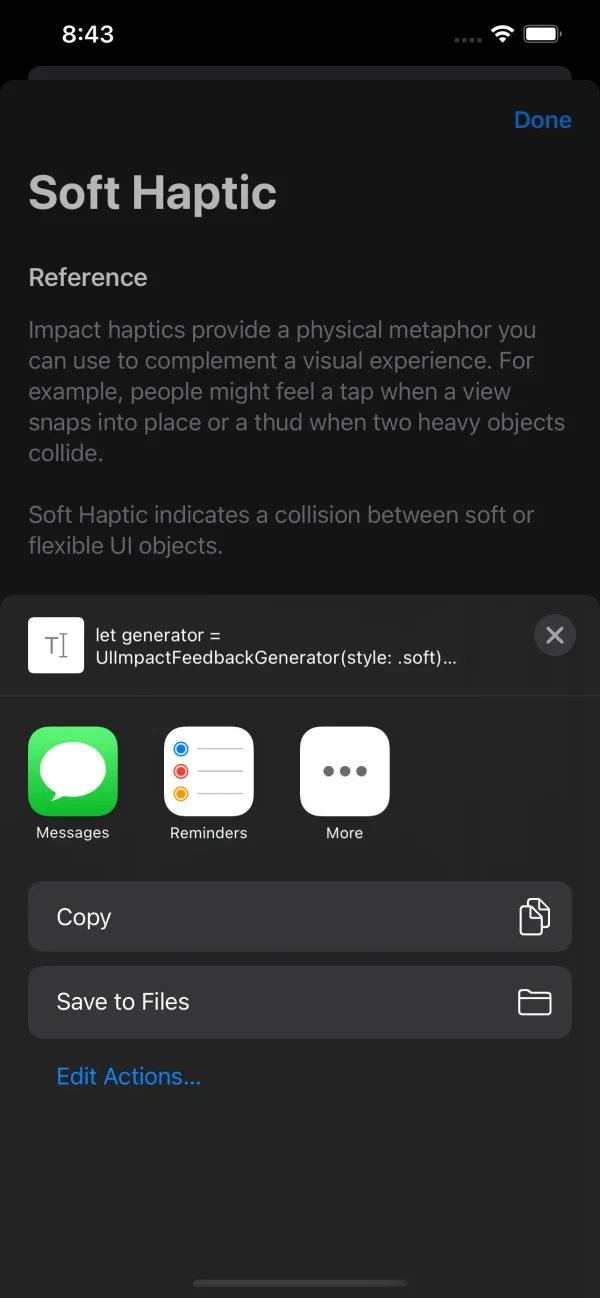
About
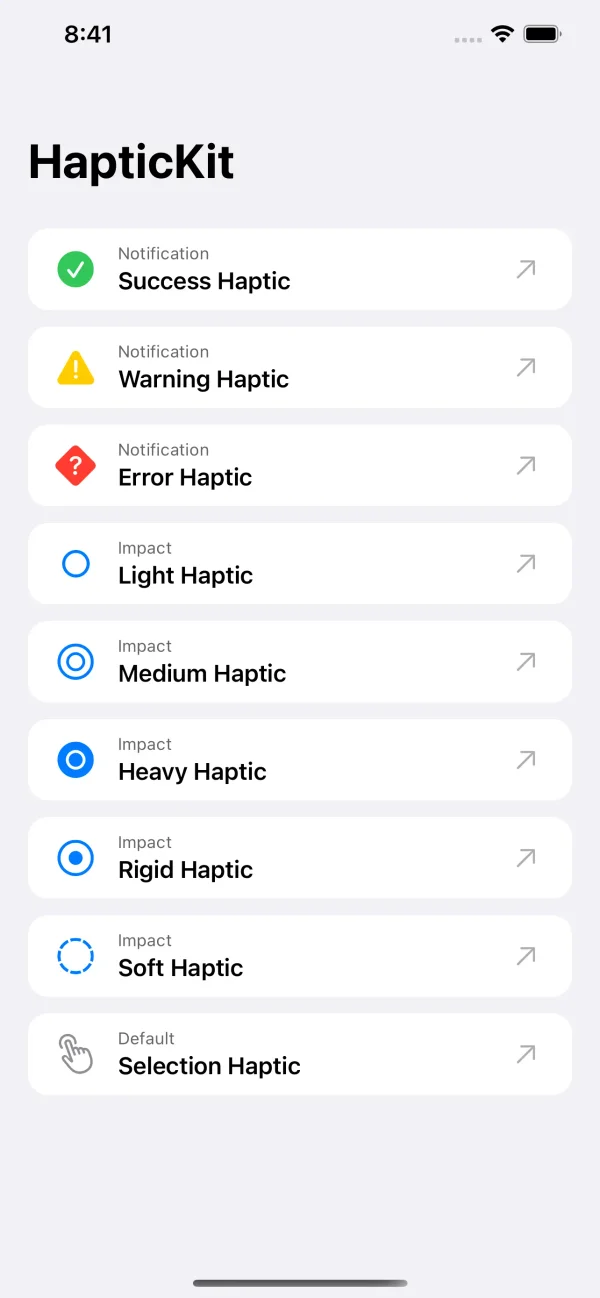
HapticKit helps iOS developers to try, learn about, and implement built-in haptic feedbacks on iPhone.
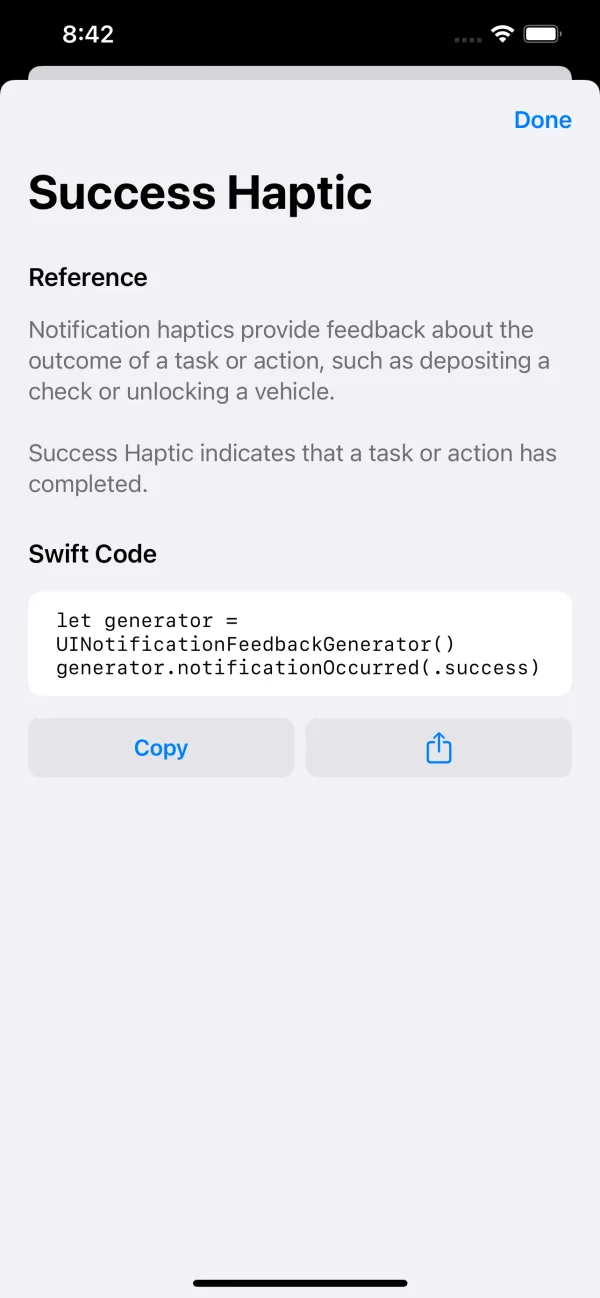
Haptics can be used to improve your app's user experience. With HapticKit, iOS developers can try different haptics and view & copy the haptics Swift code instantly.
Features:
- Try all built-in haptic feedbacks for iPhone.
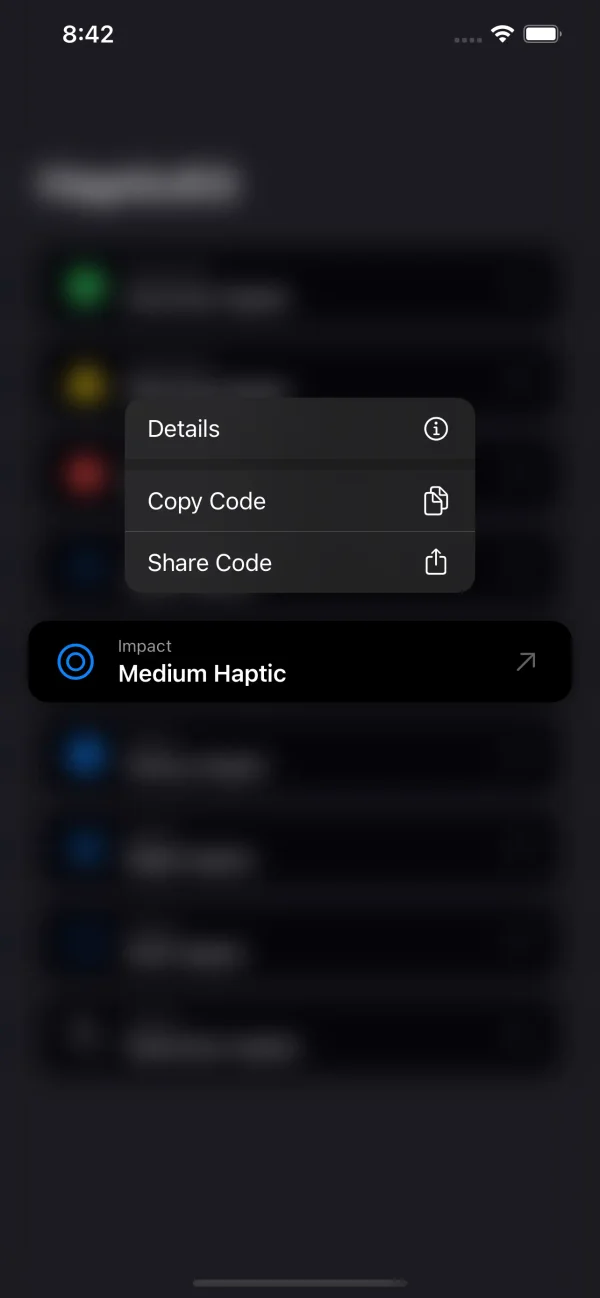
- Copy & share Swift code for any haptic type.
- Dark mode support.
- No ads, no account needed.
- Supports the latest iOS.
No haptic feedback? Please make sure you have turned it on in iOS Settings app: Go to Settings > Sound & Haptics > System Haptics.
No ads, no account needed. We do not collect any data from this app.
What’s new
Version 1.3 · Mar 25, 2026
This version added full iOS 26 support.
App privacy
What Chunxia Li declares on the App Store about how this app handles data.
-
Data not collected
The developer does not collect any data from this app.
Privacy practices may vary, for example with the features you use or your age.
Information
- Seller
- Chunxia Li
- Category
- Developer Tools
- Version
- 1.3
- Updated
- Mar 25, 2026
- Released
- Apr 18, 2021
- Size
- 851.0 KB
- Requires
- iOS 14.1 or later
- Age rating
- 4+
- Price
- $1.99
- Languages
- English
- Copyright
- © Joyapps
You might also like
-
 OysapeSSH & DevOps tool
-
 My Shortcuts for XcodeMaster Keyboard Shortcuts
-
 San Fransymbols: SF SymbolsAdvanced SF Symbols viewer
-
 Haptics StudioCompose haptics for iPhone
-
 SymboleroExplore & Customize SF Symbols
-
 Haptics ExplorerExplore haptic feedbacks
-
 Haptics - Test Device FeedbackHaptic Vibration Dev Tool
-
 IDFA ViewerFind your IDFA easily
-
 Leaflet for Swift&AlgorithmLearn Swift/SwiftUI&Algorithm
-
 Hapticlabs: Haptic designCreate & prototype vibrations