
HARAKU - Wave Physics
Interactive Wave Simulator
Designed for iPhone, iPad, iPod touch
Free
- Age rating4+
- CategoryEducation
- DeveloperFuji Bit Inc.
- LanguagesEnglish+ 15 more
- Size23.9 MB
Links to the official App Store page
Download.org hosts no file of HARAKU - Wave Physics. The button opens its official App Store page, published by Fuji Bit Inc. Listing last checked on Nov 12, 2026.
Screenshots



About
HARAKU is an interactive educational app that visualizes the physics of waves in real time. Designed for students, teachers and anyone curious about science, it lets you control how waves behave just by moving sliders, so you can intuitively connect the equations with what you see.
Developer: Fuji Bit Inc.
HARAKU is the waves edition of the "-raku" physics simulation series. It helps you understand the wave concepts taught in middle school, high school and university physics as moving pictures, not just formulas.
12 simulations in 3 categories:
- Wave basics
- Superposition: Combine two sine waves and watch them reinforce or cancel. Change the amplitude, frequency and phase of each wave independently to see the principle of superposition.
- Reflection: See the moment a traveling wave reflects at a boundary. Switch between a fixed end (phase inverts) and a free end (phase is kept), with the incident, reflected and total waves shown in three layers.
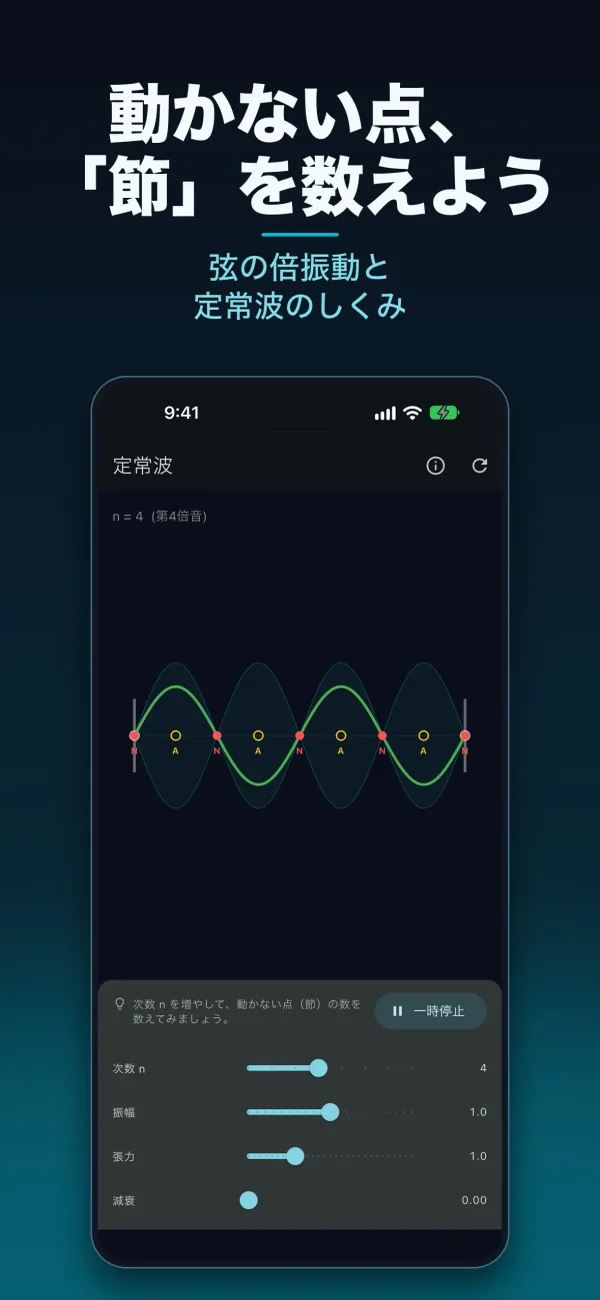
- Standing waves: Watch standing waves on a string fixed at both ends while changing the harmonic. Check the positions of nodes and antinodes and the effect of tension and damping.
- Fourier synthesis: See how square, triangle and sawtooth waves are made of sine waves (harmonics). The more terms you add, the closer the sum gets to the target waveform.
- Sound waves
- Beats: Overlap two waves with slightly different frequencies and feel the beats. The envelope clearly shows how the amplitude changes.
- Doppler effect: Drag the source and see the wavefronts bunch up in front and spread out behind. Go past Mach 1 to create a shock wave.
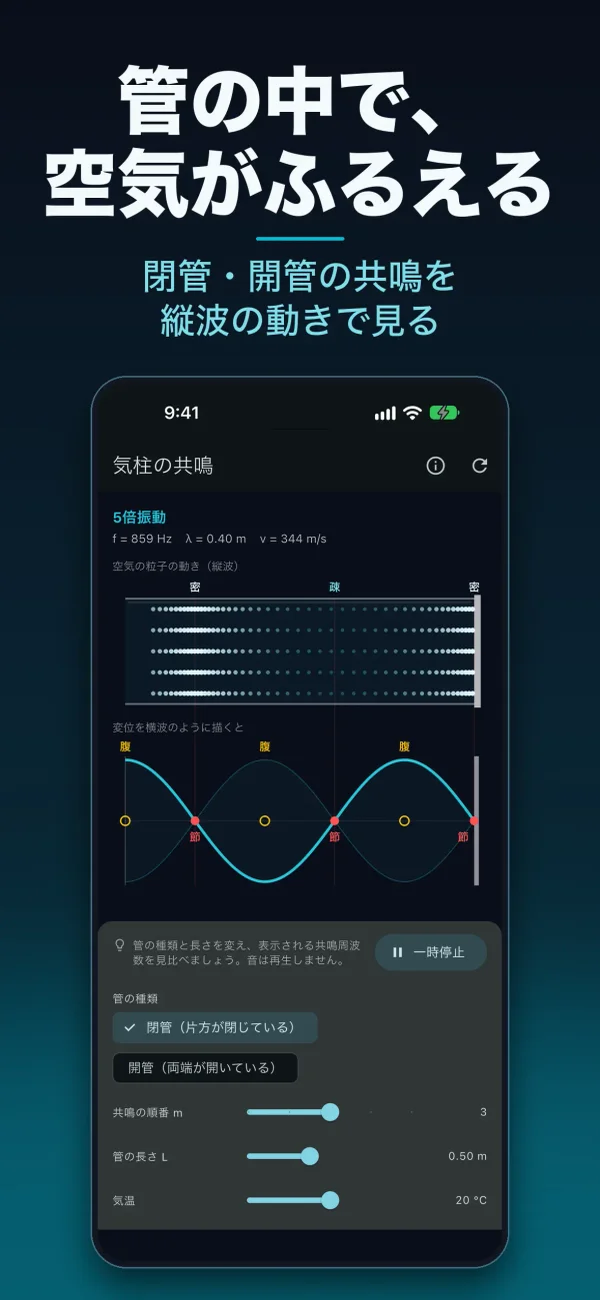
- Air column resonance (new): Switch between closed and open pipes and change the length, air temperature and resonance number to see the resonant frequency and wavelength. The motion of air particles (a longitudinal wave) is shown next to a graph that draws the displacement as a transverse wave, so you can find the nodes and antinodes.
- Waves in a plane & light
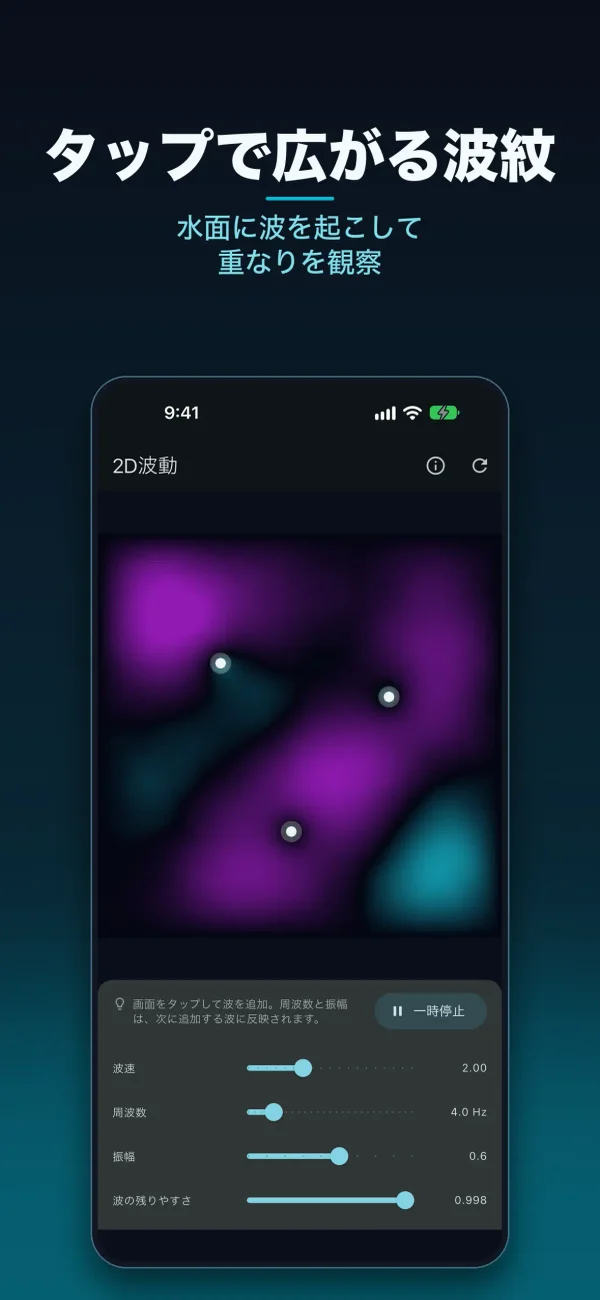
- 2D ripples: Tap the screen to place sources; a numerical solution of the wave equation draws the interference pattern in real time.
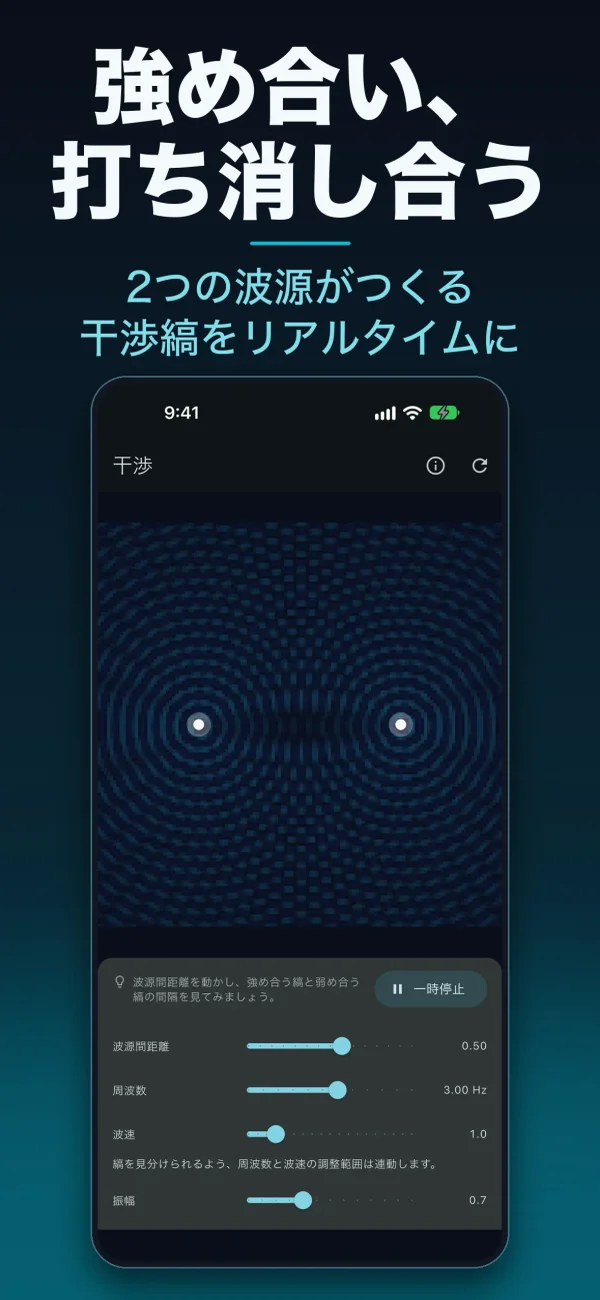
- Interference: See the lines of reinforcement and cancellation made by two point sources. The fringe spacing changes with the source separation, frequency and speed.
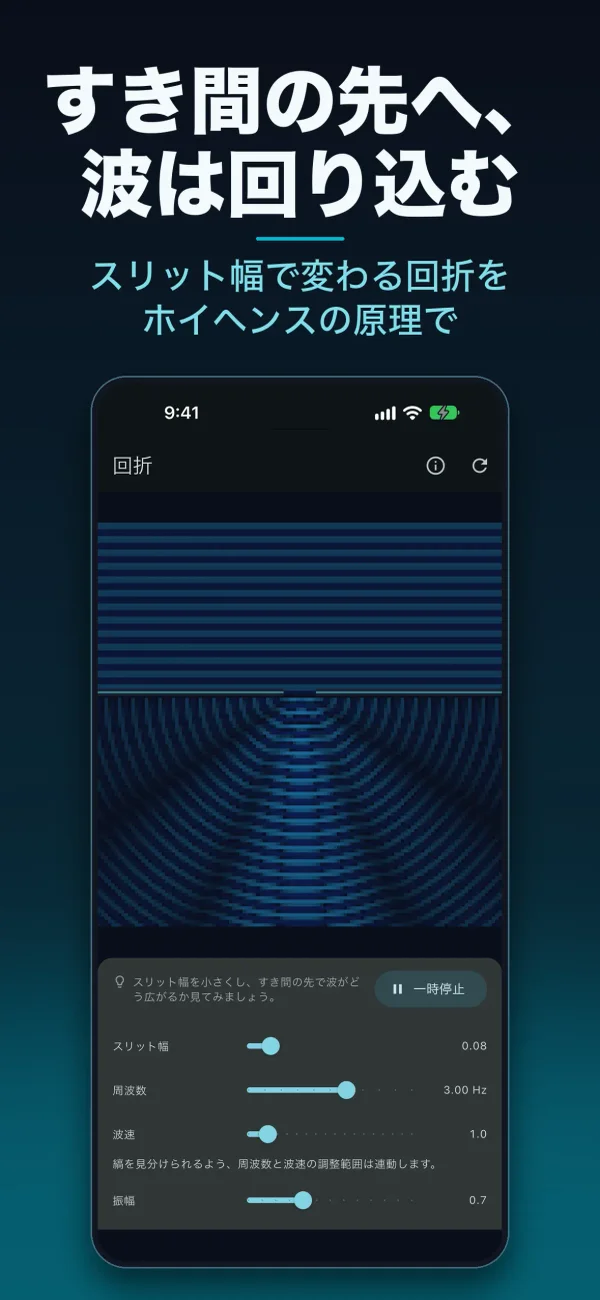
- Diffraction: See waves spread through a slit according to Huygens' principle. The ratio of slit width to wavelength changes how strongly they diffract.
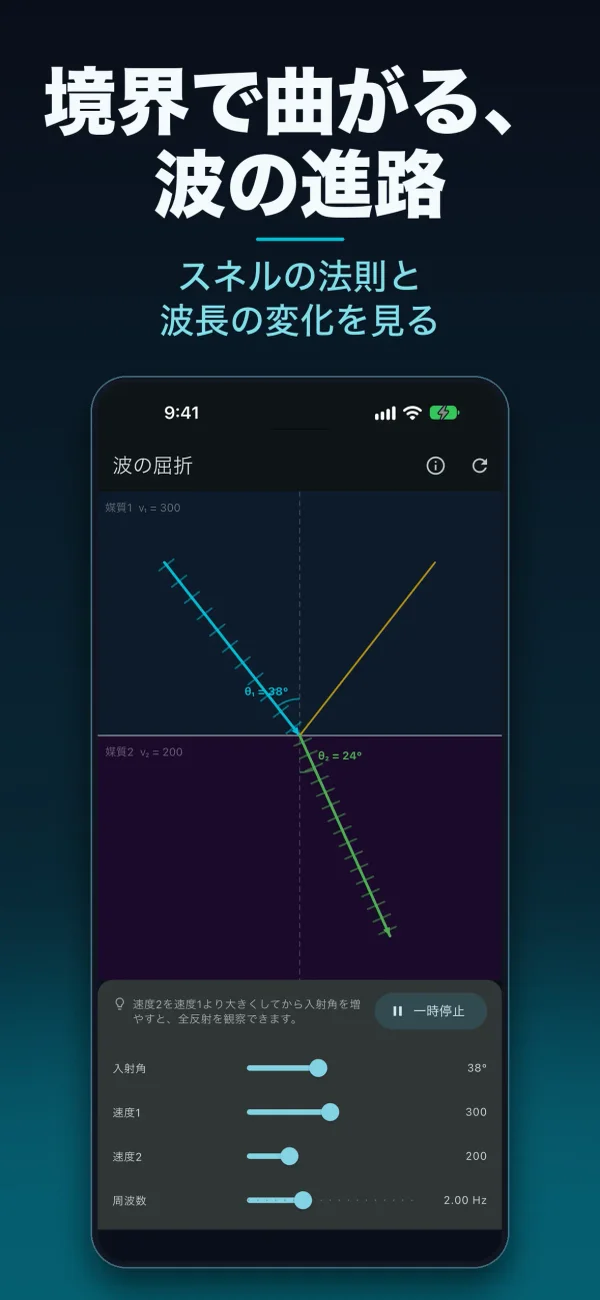
- Refraction: Visualize Snell's law, including how waves bend at a boundary and total internal reflection at large angles.
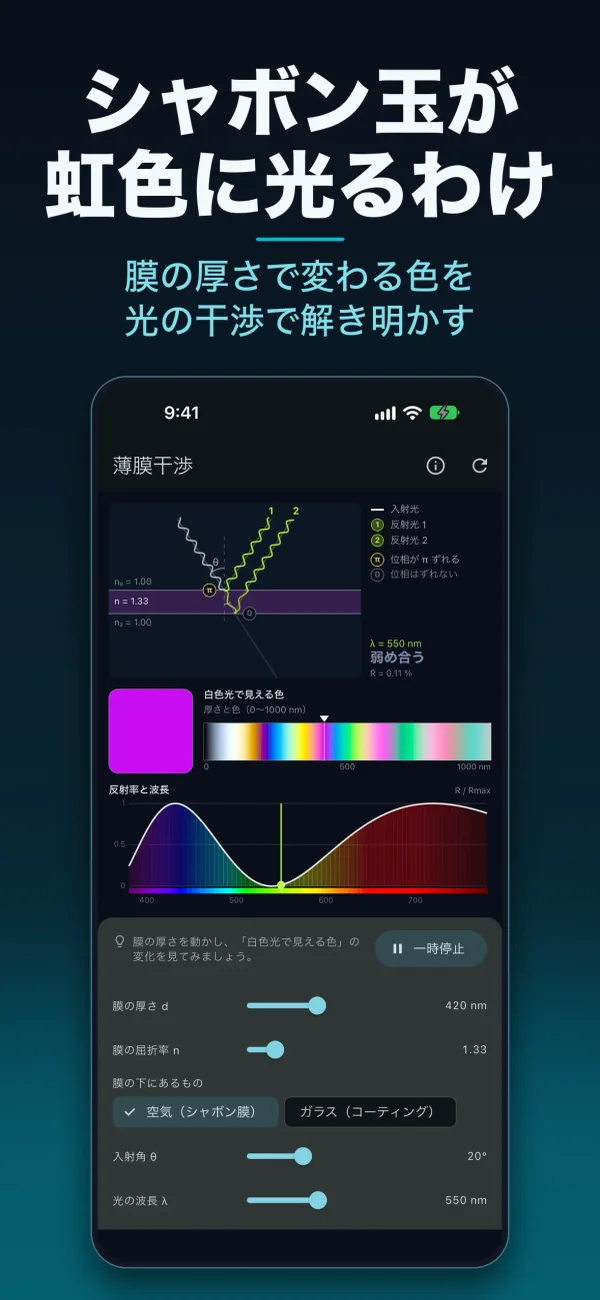
- Thin-film interference (new): See why soap films and oil slicks shine in color by changing the film thickness, refractive index, angle and what lies below (air or glass). The phase shift on reflection, the color seen under white light, a color-vs-thickness strip and a reflectance-vs-wavelength graph are shown together.
Features:
- Clean, easy-to-read design (dark and light themes)
- Home screen organized by category
- Intuitive parameter sliders: touch, try and understand
- An explanation sheet with formulas for every simulation
- On iPad in landscape, the canvas and control panel are shown side by side
- 16 languages (Japanese, English, Chinese Simplified/Traditional, Korean, Spanish, Portuguese (Brazil), German, French, Hindi, Indonesian, Russian, Italian, Turkish, Thai, Vietnamese), following your device language
- No sign-in: start exploring right away
Price:
- Free
- In-app purchases: none
- Subscriptions: none
- Ads: a banner ad by Pangle at the bottom of the screen
What’s new
Version 6.0.1 · Oct 19, 2026
- Redesigned screens (home organized by category, tips and a play button in the control panel)
- New modes: air column resonance and thin-film interference (12 modes in total)
- Now in 16 languages (added Chinese Simplified/Traditional, Korean, Spanish, Portuguese, German, French, Hindi, Indonesian, Russian, Italian, Turkish, Thai and Vietnamese)
- On iPad in landscape, the canvas and control panel are shown side by side
- Ads are now provided by Pangle; "Ad settings" added to "About"
- Requires iOS 15.0 or later
App privacy
What Fuji Bit Inc. declares on the App Store about how this app handles data.
-
Data used to track you
May be used to track you across apps and websites owned by other companies.
- Identifiers
- Usage data
-
Data not linked to you
May be collected but is not linked to your identity.
- Identifiers
- Usage data
Privacy practices may vary, for example with the features you use or your age.
Information
- Seller
- Fuji Bit Inc.
- Category
- Education
- Version
- 6.0.1
- Updated
- Oct 19, 2026
- Released
- Mar 24, 2026
- Size
- 23.9 MB
- Requires
- iOS 15.0 or later
- Age rating
- 4+
- Price
- Free
- Languages
- English, French, German, Hindi, Indonesian, Italian, Japanese, Korean, Portuguese, Russian, Simplified Chinese, Spanish + 4 more
- Copyright
- © 2026 Fuji Bit
You might also like
-
 Wave Simulator Lab by CSInteractive Physics Wave Lab
-
 GraphrioElegant Maths and Graphs Cal
-
 Monte-CarloEducation
-
 WaveMachine at HomeInteractive Wave Physics Lab
-
 Motion Physics GalleryHands-on physics experiments
-
 ODE-Solver-Integrator ProIntegrate Solve Simulate Graph
-
 Foldly: Origami for KidsFold real paper, step by step
-
 日本医学英語検定試験 3級 合格ドリルEducation
-
 Wave Interference SimulatorVisualize wave interference!
-
 BRYT MindsEducation