
- Age rating4+
- CategoryEducation
- DeveloperSatoshi Yamakawa
- LanguagesJapanese+ 1 more
- Size15.0 MB
Links to the official App Store page
Download.org hosts no file of WaveMachine at Home. The button opens its official App Store page, published by Satoshi Yamakawa. Listing last checked on Nov 14, 2026.
Screenshots



About
This app is a waveform simulation tool that allows you to intuitively control and observe physical phenomena such as wave propagation, reflection, and superposition (interference) right on your smartphone.
You can experience the wave behaviors found in physics textbooks by actually moving them with your own fingertips.
【Key Features】
- Intuitive Wave Generation
Simply swipe up and down on the edge of the screen to create pulse waves of any shape and size.
- Versatile Boundary Conditions
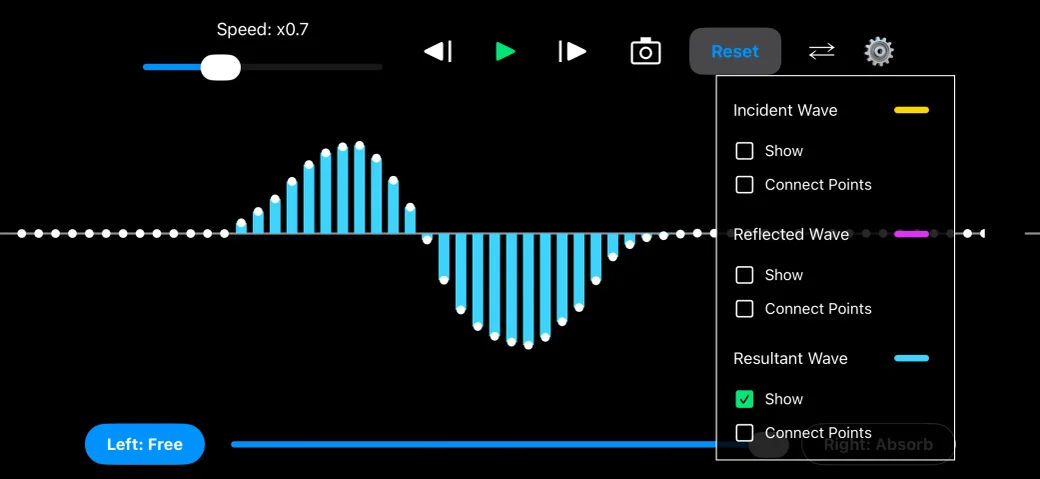
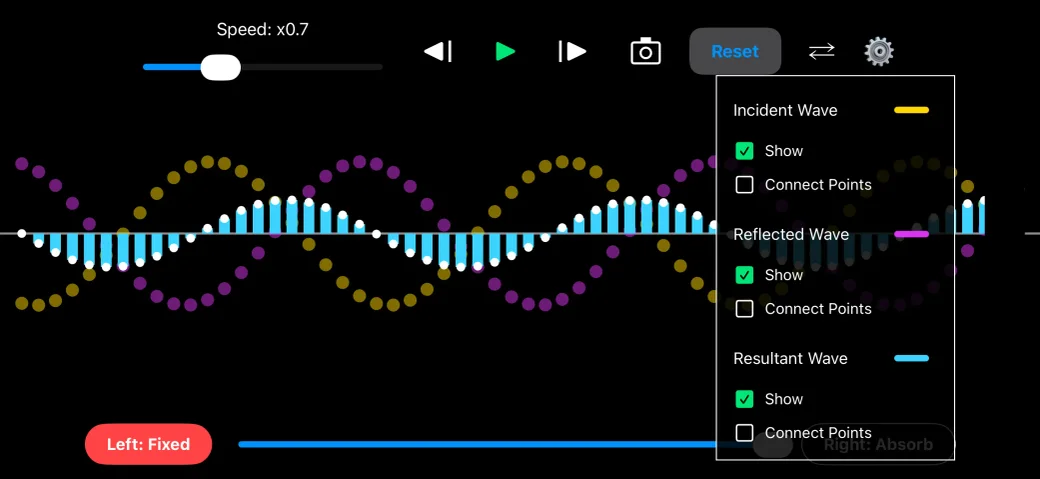
You can set the left and right ends to "Fixed End" (wave reflects inverted), "Free End" (wave reflects upright), or "No Reflection" (wave is absorbed).
- Visualization of Incident, Reflected, and Superposed Waves
The app color-codes the traveling "Incident Wave," the bouncing "Reflected Wave," and the combined "Superposed Wave." You can see at a glance the exact moment waves interfere to become larger (constructive) or smaller (destructive).
- Time Machine Function (Seek Bar & Frame-by-Frame)
Pause the wave motion and use the seek bar to freely travel back to past waveforms. Frame-by-frame advance and rewind buttons let you carefully observe and analyze the crucial moments when waves overlap.
- Simple Harmonic Motion (SHM) Mode
Automatically generate beautiful sine waves with a single button. Ideal for observing continuous waves traveling at a constant period or standing waves created by reflection.
- Free Customization
Adjust the simulation speed, change the colors of each wave, and use the snapshot feature (which leaves a faint trace of the waveform in the background).
【Recommended For】
- Students studying wave mechanics who want to visually understand wave reflection and interference.
- Educators who want to clearly explain wave motion in their classes.
- Anyone who wants to relax by watching soothing, undulating waves.
App privacy
What Satoshi Yamakawa declares on the App Store about how this app handles data.
-
Data used to track you
May be used to track you across apps and websites owned by other companies.
- Location
- Identifiers
- Usage data
-
Data not linked to you
May be collected but is not linked to your identity.
- Location
- Identifiers
- Usage data
Privacy practices may vary, for example with the features you use or your age.
Information
- Seller
- Satoshi Yamakawa
- Category
- Education
- Version
- 1.0
- Updated
- Aug 26, 2026
- Released
- Aug 26, 2026
- Size
- 15.0 MB
- Requires
- iOS 17.6 or later
- Age rating
- 4+
- Languages
- Japanese, English
- Copyright
- © 2026 Satoshi Yamakawa
You might also like
-
 SineField WavesShow About Nothing But PHYSICS
-
 Wave Simulator Lab by CSInteractive Physics Wave Lab
-
 WavesSimulatorBasic waves learning materials
-
 NOURAKU - Visual NeuroscienceSee the brain compute
-
 Shannon entropiesEducation
-
 HARAKU - Wave PhysicsInteractive Wave Simulator
-
 KIRAKU Weather SimulatorSee how weather works
-
 IRAKU — GeneticsSee DNA, genes and evolution
-
 Particle Life: Science LabForm lifelike structures
-
 DENRAKU - Electromagnetism SimTouch the invisible forces