- Age rating4+
- CategoryUtilities
- DeveloperKevin Robbins
- LanguagesEnglish
- Size10.7 MB
Links to the official App Store page
Download.org hosts no file of Heylu: Sound Studio. The button opens its official App Store page, published by Kevin Robbins. Listing last checked on Nov 17, 2026.
Screenshots



About
Heylu is an offline sound studio for iPhone: bring in a recording, shape it, or create an original musical loop on your device.
Import a WAV, M4A, MP3 or AIFF clip up to three minutes, or record a take with the microphone. The Editor shows the real source waveform with precise trim edges, three edge-silence sensitivities with protective padding, cues and cue-section selection, reverse, normalization, fades, independent pitch and rate, output level, EQ, reverb, delay and a voice high-pass filter. Rotary controls keep the surface compact, and the live canvas changes audible warmth and space. Save reusable tones to a 24-item palette and keep the latest 12 named edit versions for each sound; restoring a version also preserves the previous settings.
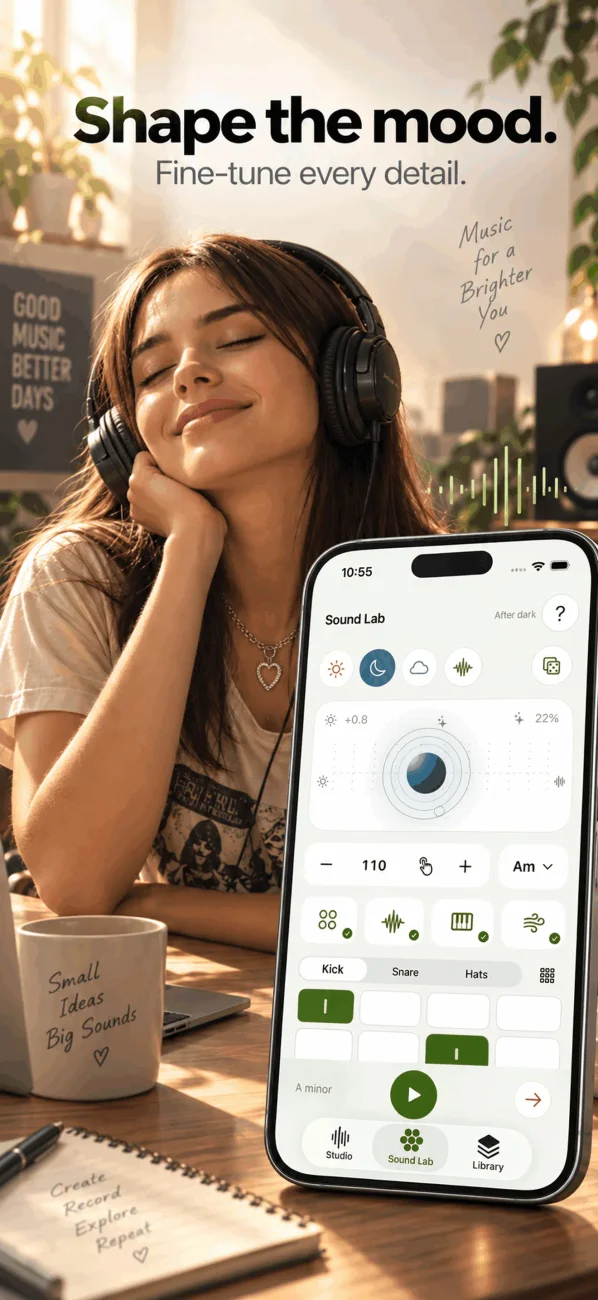
Sound Lab is a four-layer synth built into the app, not a sample pack. Start with drums, bass, keys and air; choose any of 12 chromatic roots in major or minor; edit kick, snare and hat lanes with four rhythm patterns, tap tempo, 60-160 BPM, 1/2/4/8 bars, four chord motions and swing. Lock the parts you like, give other layers a new idea, and hear the loop refresh as you change it. Shape warmth and space on the touch canvas, save a take, and reopen it later as a new starting point.
Library keeps a growing collection usable: artwork cards, inline audition, favorites, user-named collections, notes, metadata search, sorting, renaming, duplication and confirmed deletion. Copies retain notes, collections, cues and versions. Projects, palette and notebook data reopen after relaunch, and older libraries decode without the newer optional fields.
Tap a sound's cover to take a photo or choose one with the system picker. Custom square covers stay local, reopen with the library and appear throughout the app; Save to Photos asks for add-only access only when you choose it.
Export lossless stereo 44.1 kHz / 16-bit WAV or 192 kbps AAC/M4A with 1/2/4/8 repetitions, an optional reverb/delay tail, and actual duration, size and peak statistics. Generated loops can export separate, aligned dry WAV layers with trim, fades, pitch and speed included; mix color effects and peak normalization stay in the full mix. Finished exports are bounded to ten minutes, and native sharing uses the destinations you choose.
Heylu has no account, advertising or in-app purchases. Native Adjust is used for installation attribution and product event measurement; the app does not request App Tracking Transparency permission or read IDFA. Microphone, camera and Photos add-only access are requested only when the matching feature is used, and every request can be declined while the rest of the studio keeps working. Everything you make is stored in the app's private storage on your device.
Designed for iPhone on iOS 16.0 or later, with Light and Dark appearance, Dynamic Type, VoiceOver labels and a compact studio layout.
App privacy
What Kevin Robbins declares on the App Store about how this app handles data.
-
Data linked to you
May be collected and linked to your identity.
- Identifiers
-
Data not linked to you
May be collected but is not linked to your identity.
- Usage data
Privacy practices may vary, for example with the features you use or your age.
Information
- Seller
- Kevin Robbins
- Category
- Utilities
- Version
- 1.0.0
- Updated
- Nov 5, 2026
- Released
- Nov 4, 2026
- Size
- 10.7 MB
- Requires
- iOS 16.0 or later
- Age rating
- 4+
- Price
- Free
- Languages
- English
- Copyright
- © 2026 Heylu