Hikkoshi Moving Box Notes
Pack, label & find your items
Designed for iPhone, iPad, iPod touch
In-app purchases
- Age rating4+
- CategoryUtilities
- Developer福州市鼓楼区荣荣森网络科技有限公司
- LanguagesEnglish
- Size95.9 MB
Links to the official App Store page
Download.org hosts no file of Hikkoshi Moving Box Notes. The button opens its official App Store page, published by 福州市鼓楼区荣荣森网络科技有限公司. Listing last checked on Nov 8, 2026.
Screenshots
About
Which box did the mugs go in?
Hikkoshi helps you record what is in each moving box and where it belongs in your new home. Keep packing organized and find what you need when it is time to unpack.
Start with one box
1. Enter where you are moving from, where you are going and your moving date.
2. Name a box and choose its room.
3. Add the items inside, then search by name when you need them.
Box numbers are assigned automatically. Write the same number on the actual box to match it to your record.
RECORD AS YOU PACK
Tap common item names to fill them in quickly. Add quantities, units and notes, then use Save & add another to keep going. Attach a photo to a box by taking one or choosing from your photo library.
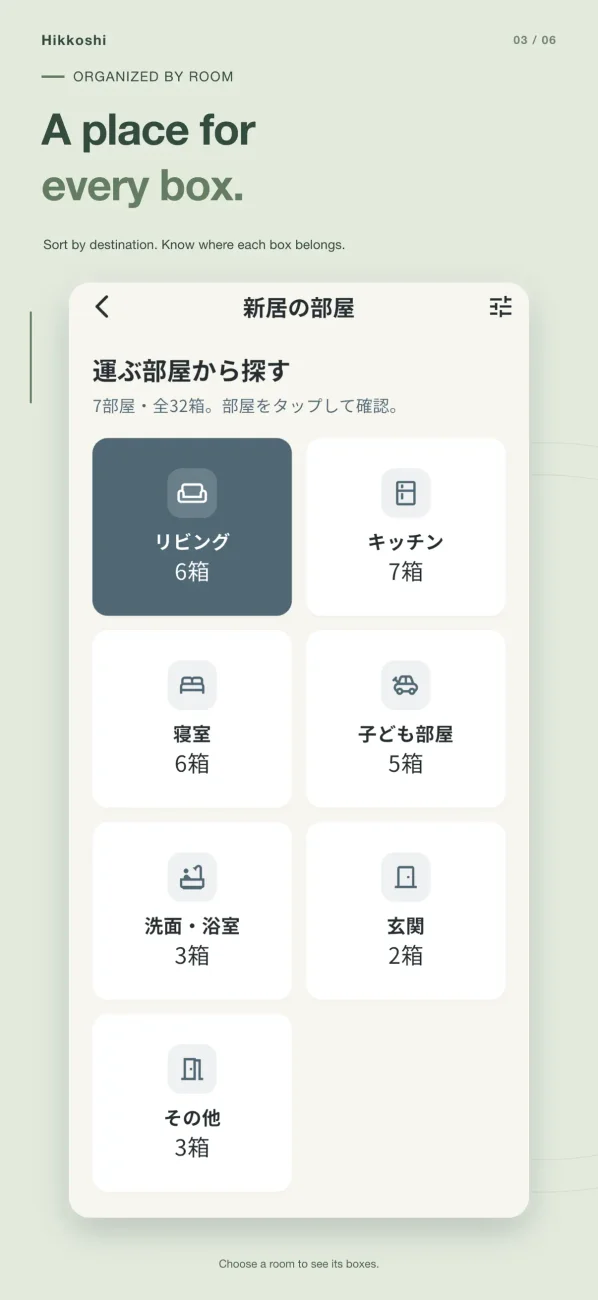
ORGANIZE BY ROOM
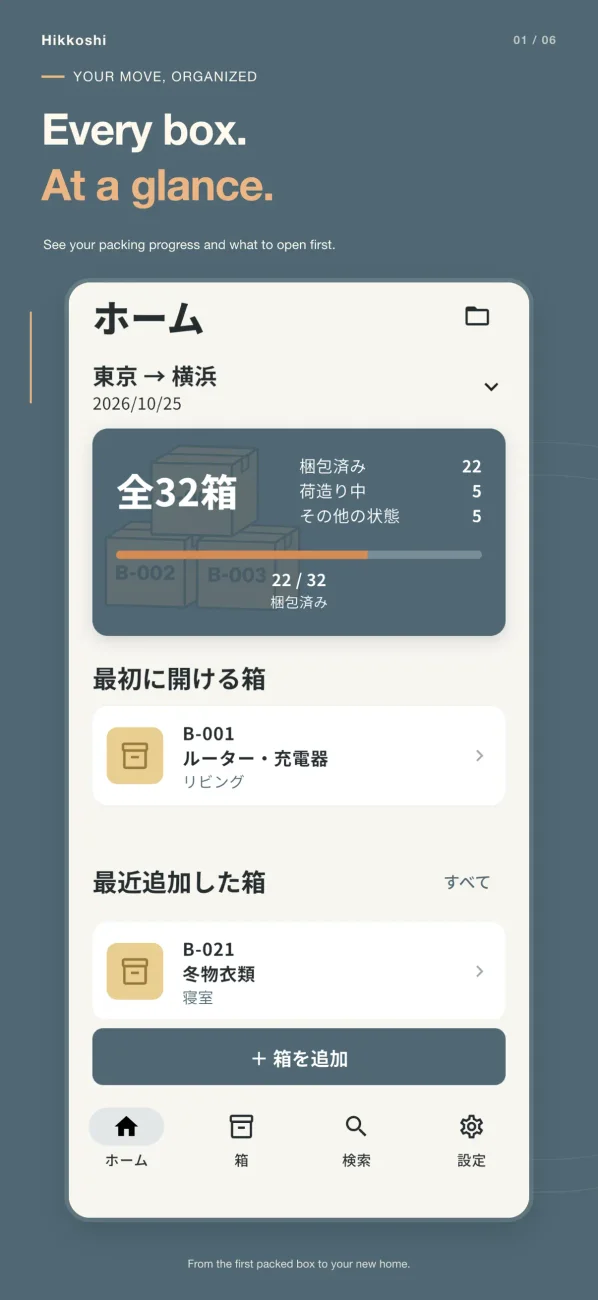
Browse boxes for the kitchen, bedroom or another room. Add, rename and reorder rooms to match your new home. Mark fragile boxes and choose which ones to open first.
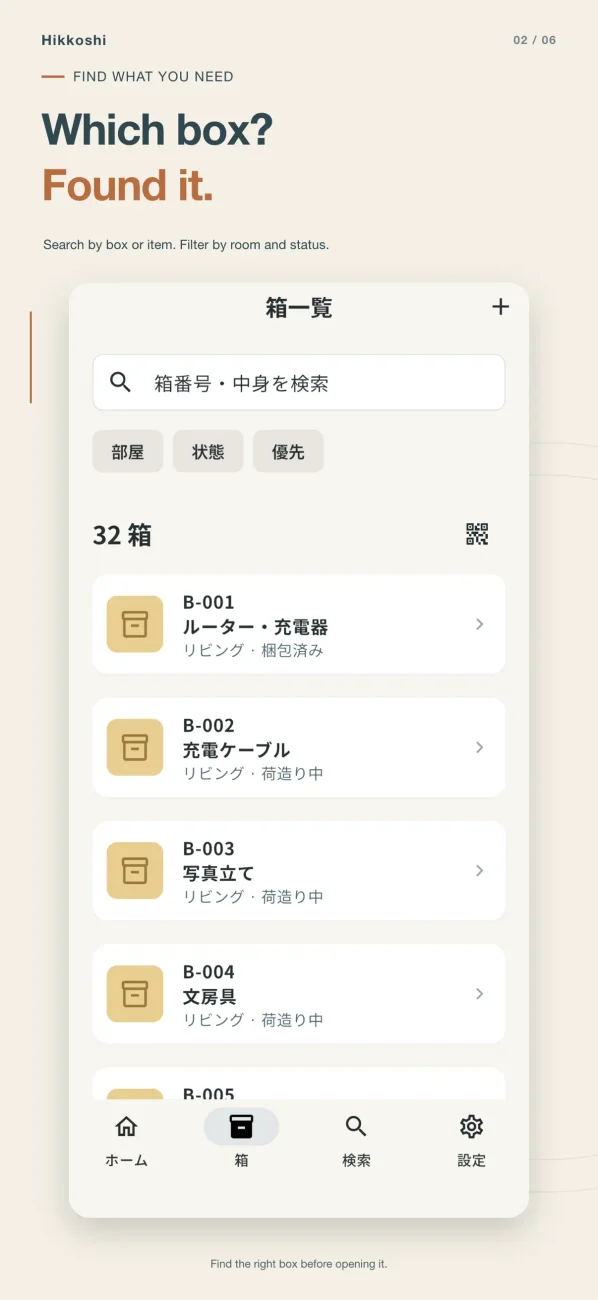
FIND THINGS WITHOUT OPENING EVERY BOX
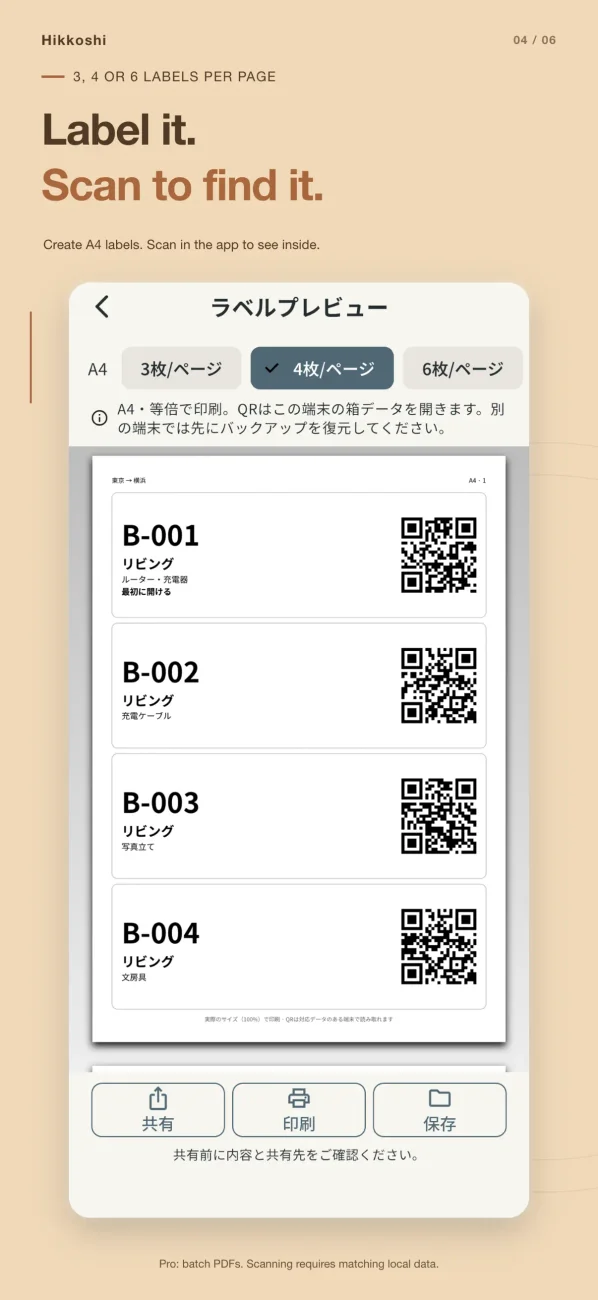
Search box numbers and contents. Print A4 QR labels, attach them to your boxes and scan them inside the app to view each box. Choose 3, 4 or 6 labels per page.
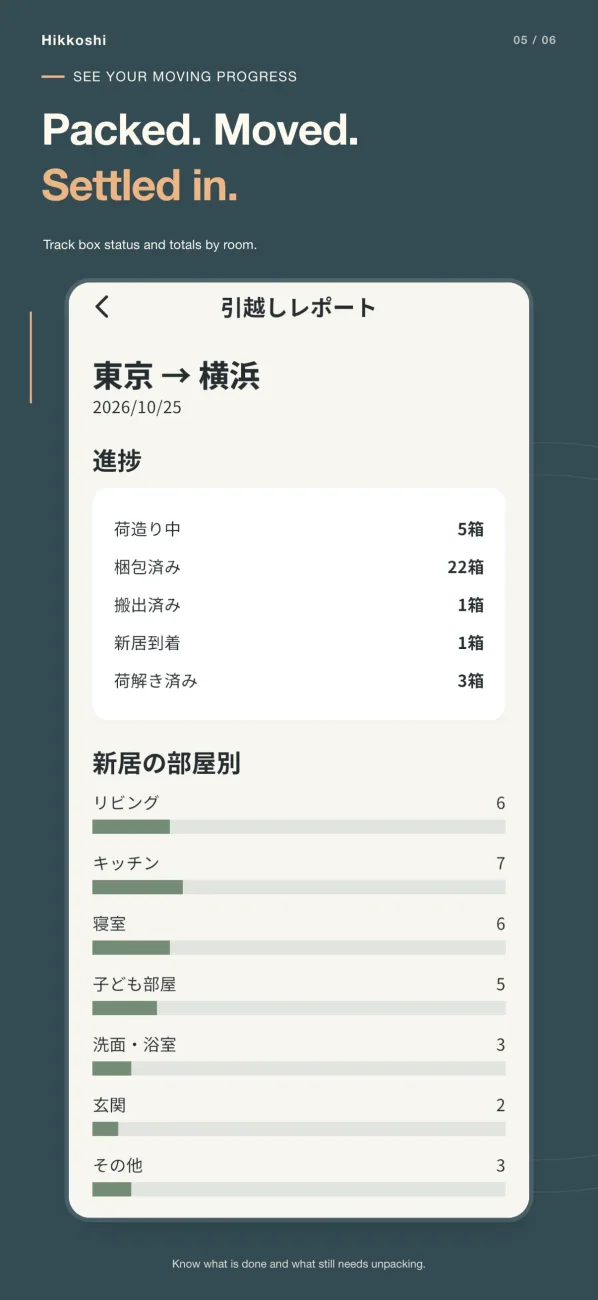
SEE WHAT IS LEFT TO UNPACK
Record each box as Packing, Packed, In transit, Arrived or Unpacked. Check room totals and see which boxes still need unpacking.
EXPORT LISTS AND KEEP A BACKUP
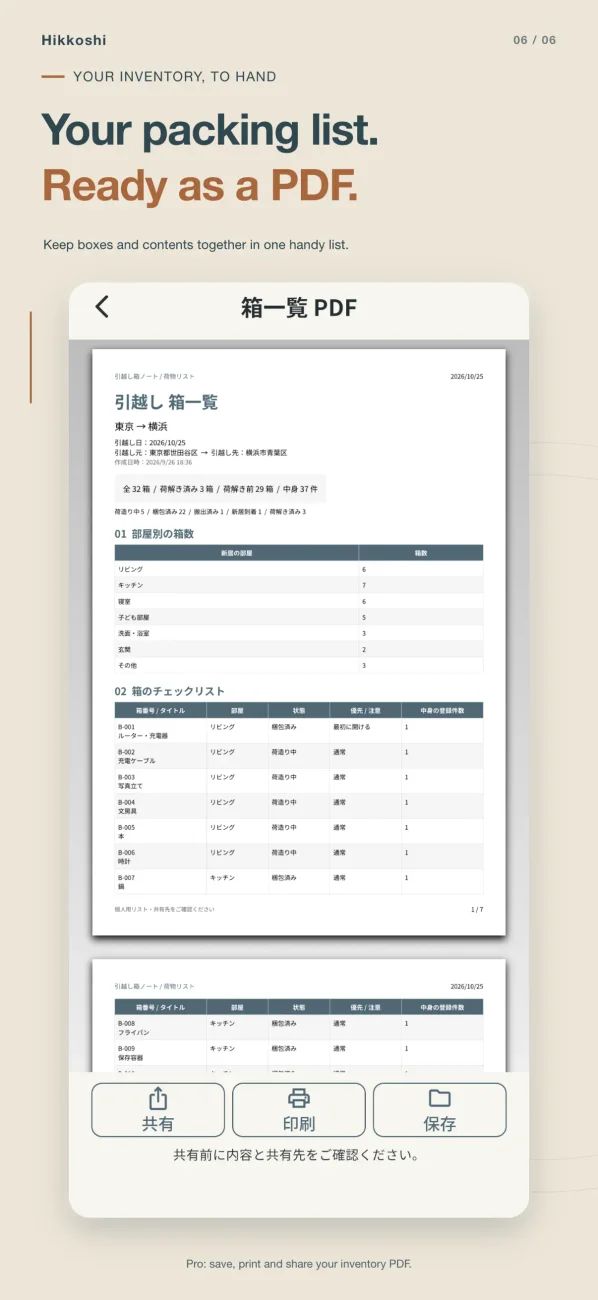
Export a box list PDF, a CSV of boxes and items, or a ZIP backup that includes photos. Choose where to save your backup and restore it when needed.
No account required. Recording and searching work offline.
Built for iPhone and iPad, with Japanese, English and Chinese interface options. No in-app purchases or subscriptions.
Before you begin
• QR codes identify boxes; they do not contain the contents of your inventory. Restore the matching backup before scanning on another device. Automatic sync and shared editing are not included.
• Photos are attachments. Item names are entered manually, not recognized automatically from photos.
• Printing requires a compatible printer or printing setup. Print labels at 100% on A4 paper.
• Save a backup before changing devices or deleting the app. PDF and CSV exports cannot replace a restorable ZIP backup.
email:CnhookWuaizhen@gmail.com
What’s new
Version 1.0.1 · Oct 16, 2026
[1]update pro
App privacy
What 福州市鼓楼区荣荣森网络科技有限公司 declares on the App Store about how this app handles data.
-
Data not collected
The developer does not collect any data from this app.
Privacy practices may vary, for example with the features you use or your age.
Information
- Seller
- Fuzhou city Gulou District Rongrongsen network technology Co., LTD
- Category
- Utilities
- Version
- 1.0.1
- Updated
- Oct 16, 2026
- Released
- Oct 5, 2026
- Size
- 95.9 MB
- Requires
- iOS 15.0 or later
- Age rating
- 4+
- In-app purchases
- Yes
- Languages
- English
- Copyright
- © Fuzhou Gulou Rongrongsen Network Technology Co., Ltd.
You might also like
-
 Home Stuff Inventory TrackerRoom Closet Tags Lend Tracker
-
 FairloomFair Roommate Rent Splitter
-
 Blackout — Share SafelyShare documents, not details
-
 MaScannerScan QR codes and barcodes.
-
 ContactVault ProBackup & Export
-
 Couple interactive adventureCouples Games for Two
-
 SimmerdialTurn to set. Release to start.
-
 Sonara: Decibel & Noise MeterSound Level, dB & SPL Analyzer
-
 Smart Bubble Level: ClinometerClinometer, Compass & Tools
-
 Anniversary · CountdownLove & Birthday D-Day Counter