- Age rating4+
- CategoryPhoto & Video
- DeveloperPETER WILHELM WESTRUP
- LanguagesEnglish
- Size3.1 MB
Links to the official App Store page
Download.org hosts no file of Holder Log: Large Format. The button opens its official App Store page, published by PETER WILHELM WESTRUP. Listing last checked on Nov 24, 2026.
Screenshots


About
Holder Log keeps track of your sheet film holders and of everything you need to expose and develop each sheet.
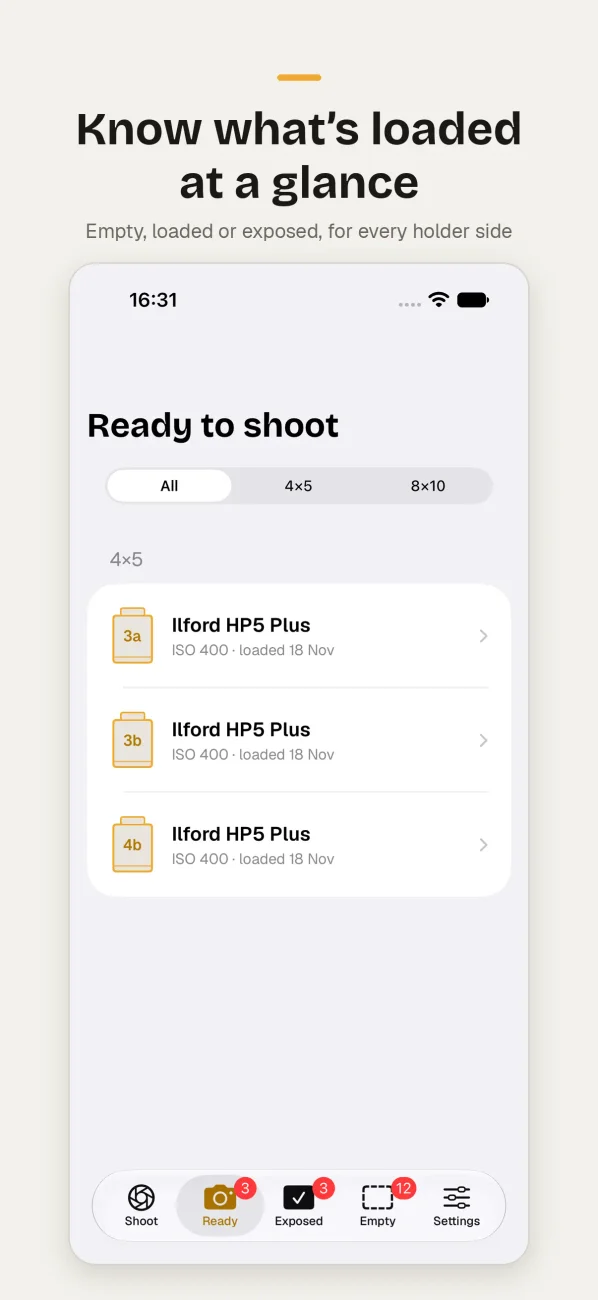
Which side is loaded, which is exposed, and how should it be developed? Holder Log answers that at a glance, from loading in the dark to the development sheet you take into the darkroom.
FRAME
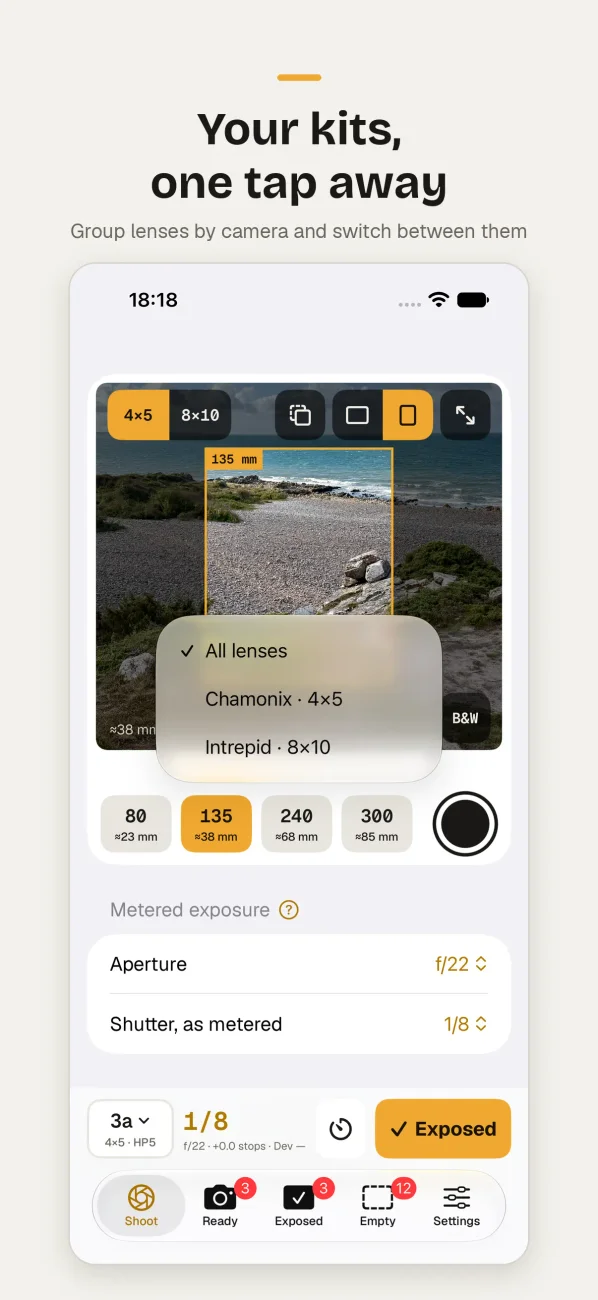
• Live viewfinder that shows what your lens covers on 4×5, 8×10 or any format you add
• Frames for all your lenses at once, landscape or portrait, with 35 mm equivalents
• Cameras and kits: pick a camera and see only the lenses you brought
• Black-and-white view that simulates yellow, orange, red, green and blue filters
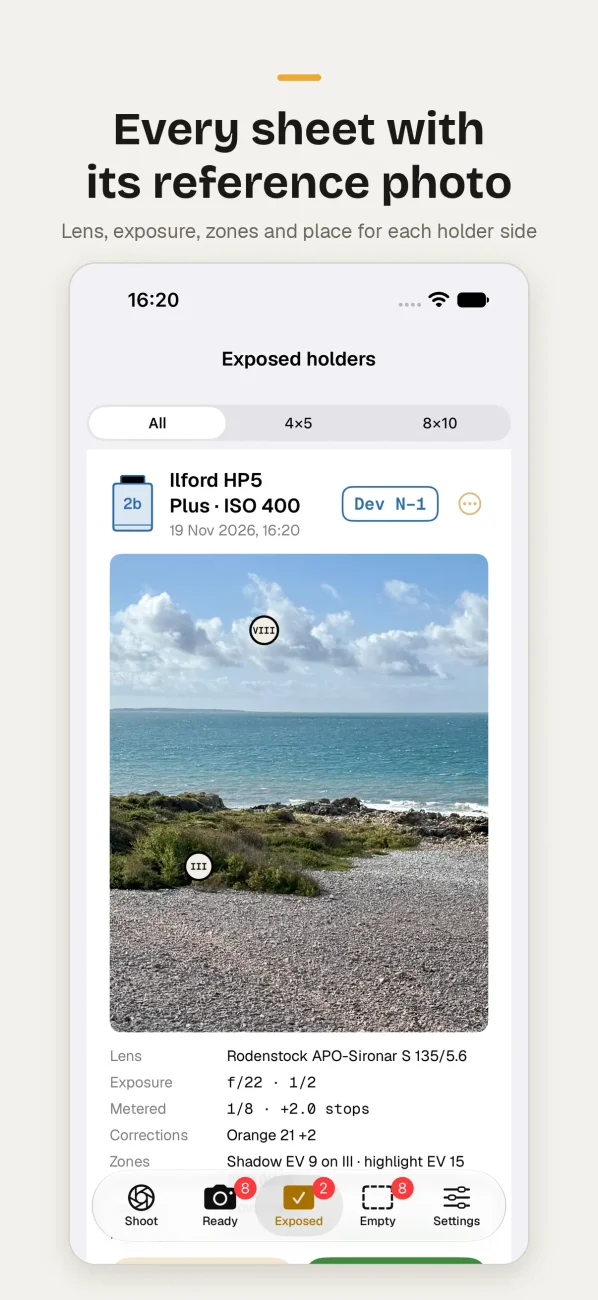
• Save a reference photo cropped to the frame and pin zones on it, with the shutter or a volume button
• Optionally save reference photos to Photos, with lens, film and place
EXPOSE
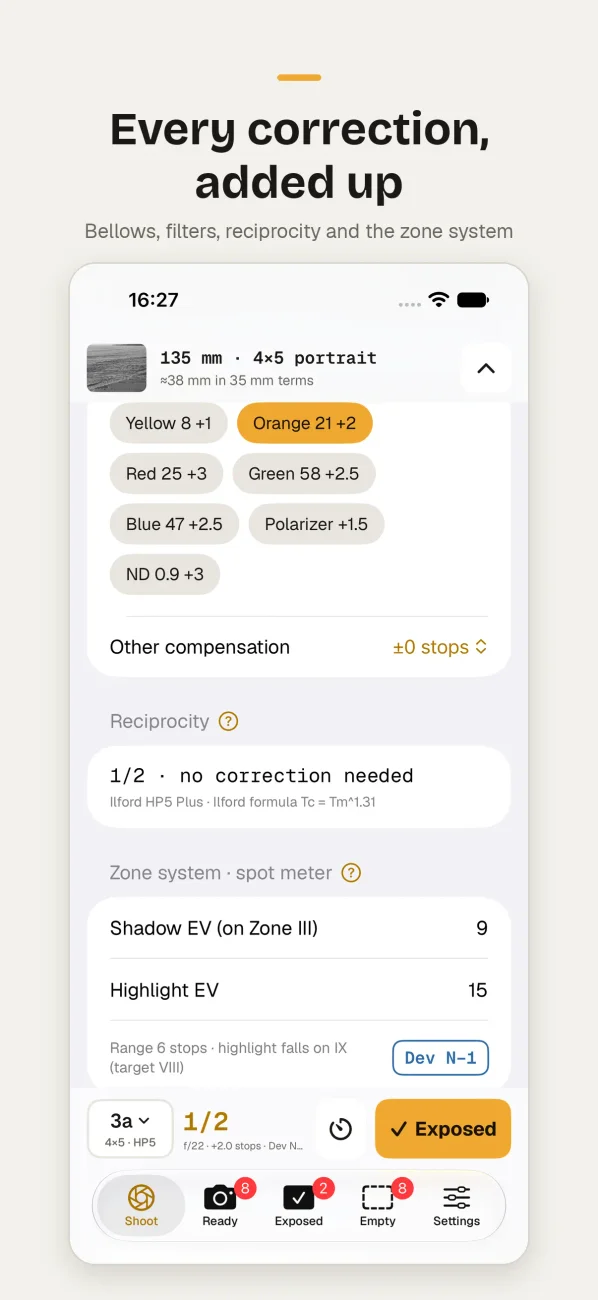
• Bellows extension, including telephoto lenses
• Filter factors and extra compensation
• Reciprocity from the datasheets of 21 Ilford, Kodak, Fujifilm and Foma films, or your own value
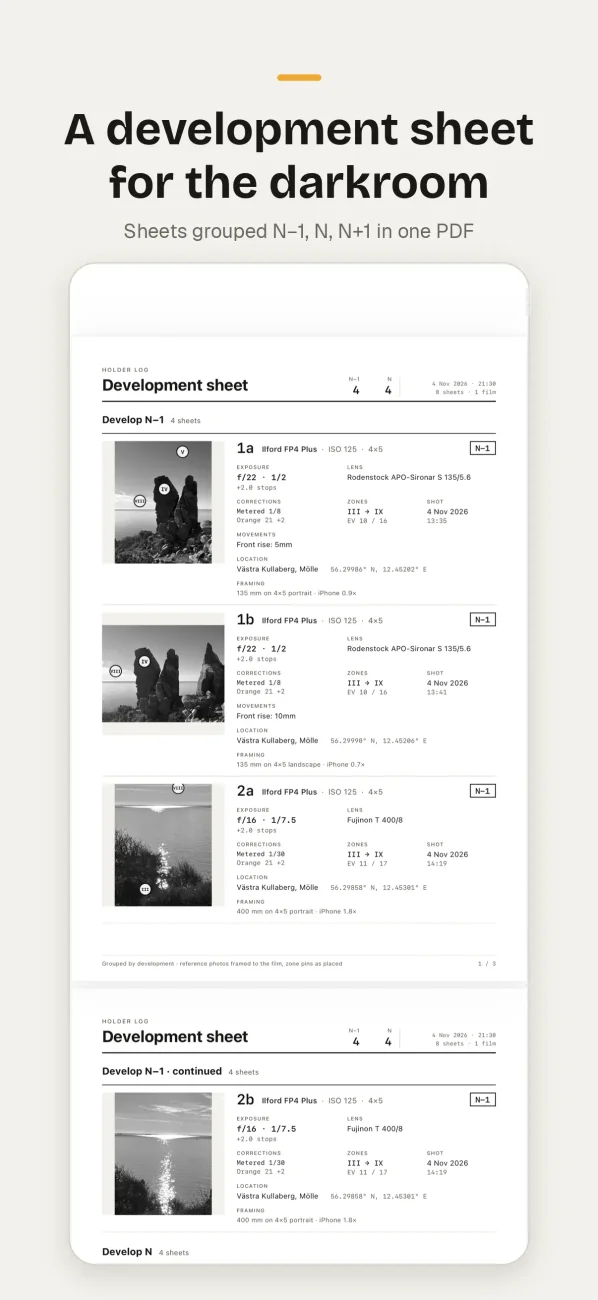
• Zone system: spot readings give the suggested development (N−1, N, N+1 …)
• Countdown timer that alerts you even when the phone is locked
• Notes on movements, location with GPS and place name, and anything else
DEVELOP
• Every holder side shows whether it is empty, loaded or exposed
• PDF development sheet that groups your sheets by development, with reference photos and all data
• Archive of developed sheets, with the development sheet still at hand
• CSV export of everything
PRIVATE
No account, no ads, no tracking. Everything stays on your iPhone, and you choose whether exports include GPS positions.
Light and dark appearance. Reciprocity values come from the manufacturers' datasheets. Check them against your own tests.
What’s new
Version 1.2 · Nov 23, 2026
A bigger update, mostly from your feedback:
• Cameras: group your lenses into kits (Settings → Cameras) and pick one on Shoot to see only its lenses. Touch and hold the app icon to start shooting with a camera. The camera is saved with each sheet.
• New look shared with Print Log, with light and dark appearance (Settings → Appearance).
• Development sheet from the archive: make the PDF for developed sheets, a day at a time or the sheets you select.
• Lenses with the same focal length are told apart, and touch and hold shows the full name.
• Apertures show which full stop each third belongs to, now from f/4.
• Short times read more easily: 0.67 s instead of 1/1.5.
• The volume buttons take the reference photo.
• Photos saved to your library can have a caption strip with lens and film, and carry lens, film and place in their details.
App privacy
What PETER WILHELM WESTRUP declares on the App Store about how this app handles data.
-
Data not collected
The developer does not collect any data from this app.
Privacy practices may vary, for example with the features you use or your age.
Information
- Seller
- PETER WILHELM WESTRUP
- Category
- Photo & Video
- Version
- 1.2
- Updated
- Nov 23, 2026
- Released
- Nov 6, 2026
- Size
- 3.1 MB
- Requires
- iOS 17.0 or later
- Age rating
- 4+
- Price
- Free
- Languages
- English
- Copyright
- © 2026 Peter Westrup (westruplabs)
You might also like
-
 Silverlog ReciprocityFilm Long Exposure Calculator
-
 Darkroom AssistantRepeatable exposure & contrast
-
 Silverlog MixDeveloper Dilution Calculator
-
 Roshutsucho: Exposure & NDFilm correction & bulb timer
-
 Fotio: Film Exposure MeterLight meter for film cameras
-
 Silverlog ScanFilm Scanning DPI Calculator
-
 Calibration PlusDigital Negative Calibration
-
 SilverlogFilm Photography Logbook
-
 DarkclothFraming tool for large format
-
 Silverlog TimerDarkroom Development Timer