
Holdover Calculator
Pre-departure anti-ice advisor
Designed for iPhone, iPad
Free · In-app purchases
- Age rating4+
- CategoryWeather
- DeveloperKilo Lima Management, LLC
- LanguagesEnglish
- Size23.7 MB
Links to the official App Store page
Download.org hosts no file of Holdover Calculator. The button opens its official App Store page, published by Kilo Lima Management, LLC. Listing last checked on Nov 12, 2026.
Screenshots
About
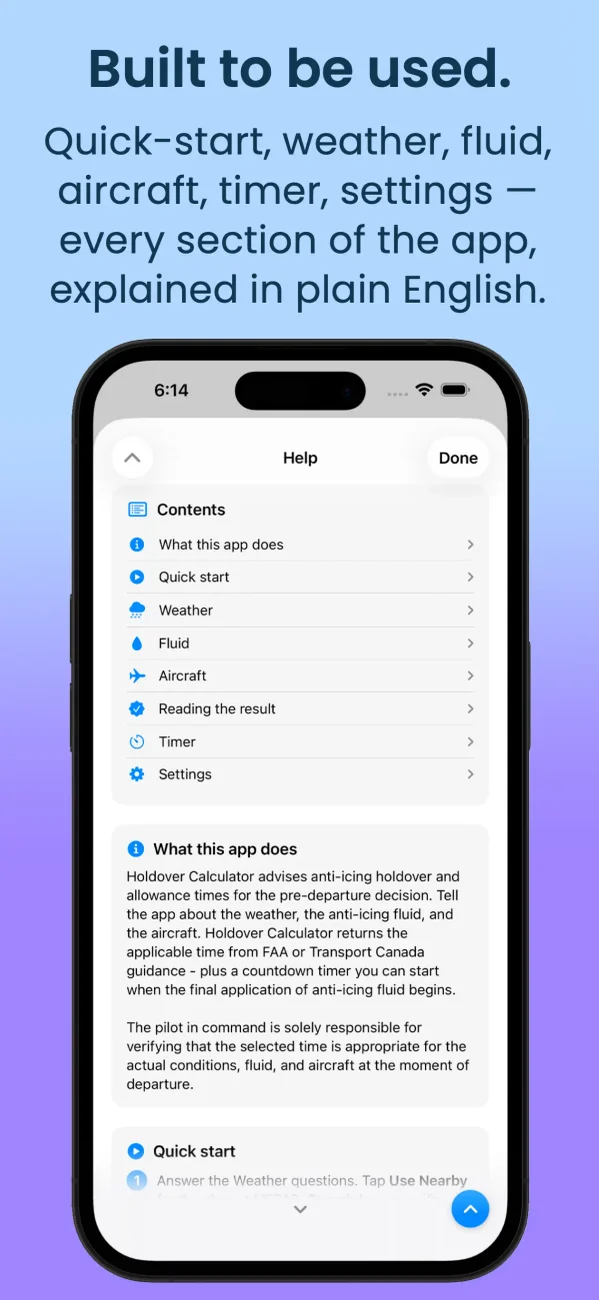
Holdover Calculator is a pre-departure decision tool for pilots facing winter operations. It returns the applicable anti-icing holdover or allowance time from FAA or Transport Canada published guidance, based on the actual weather, the de/anti-icing fluid applied, and your aircraft configuration.
DESIGNED FOR iOS 26
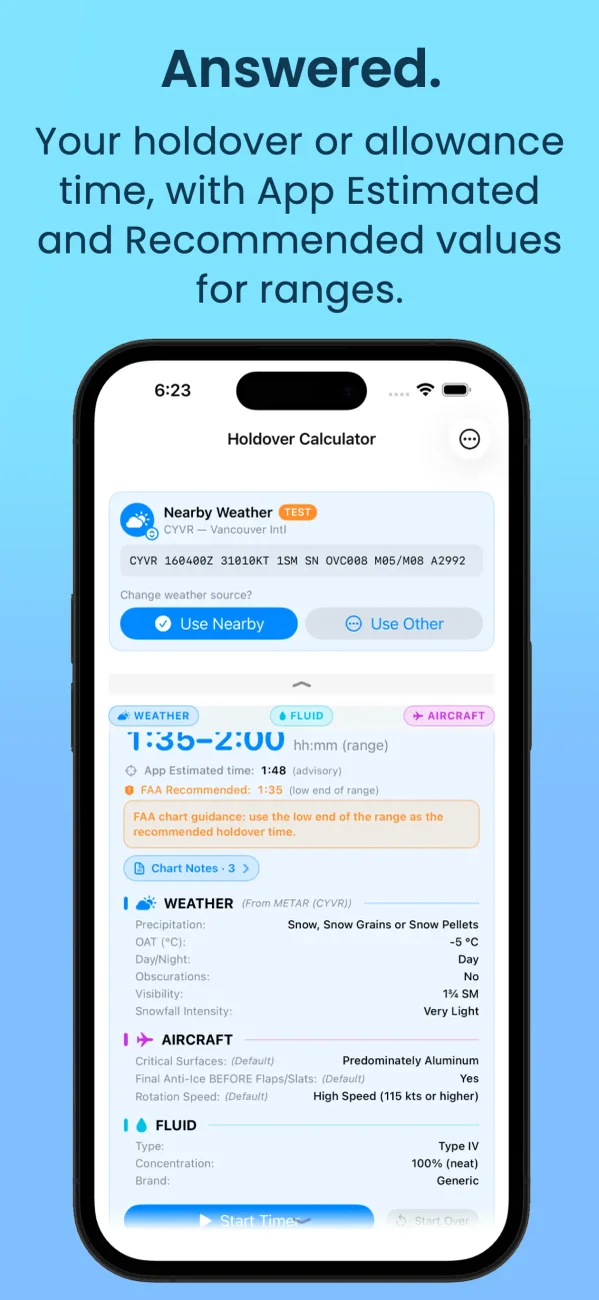
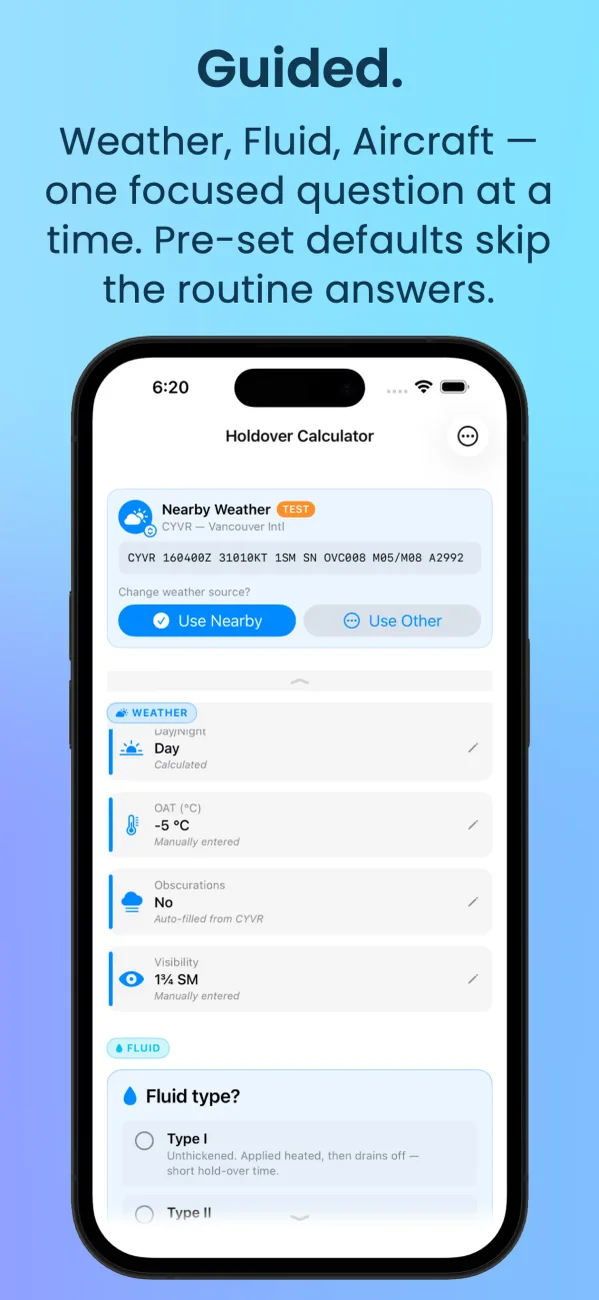
Built for iOS 26 and its Liquid Glass interface. The pilot answers a sequence of focused questions; the app shows the matching table cell, the published range, and a continuously interpolated estimate within that range.
KEY FEATURES
• Holdover and allowance times from the current FAA Holdover Time Guidelines and Transport Canada HOT Guidelines — and if a correction is published mid-season, the app can pick up the new numbers on its own. Settings shows which set you are calculating with.
• Live weather autofill via the NOAA Aviation Weather Center — closest METAR or any ICAO you search.
• Manual entry always available when stations are out of range or you want to model conditions ahead.
• All four fluid types (Type I through Type IV) with both generic-table and specific-brand selections.
• Active Frost allowance and Ice Pellet allowance with a 90-minute takeoff-window tracker.
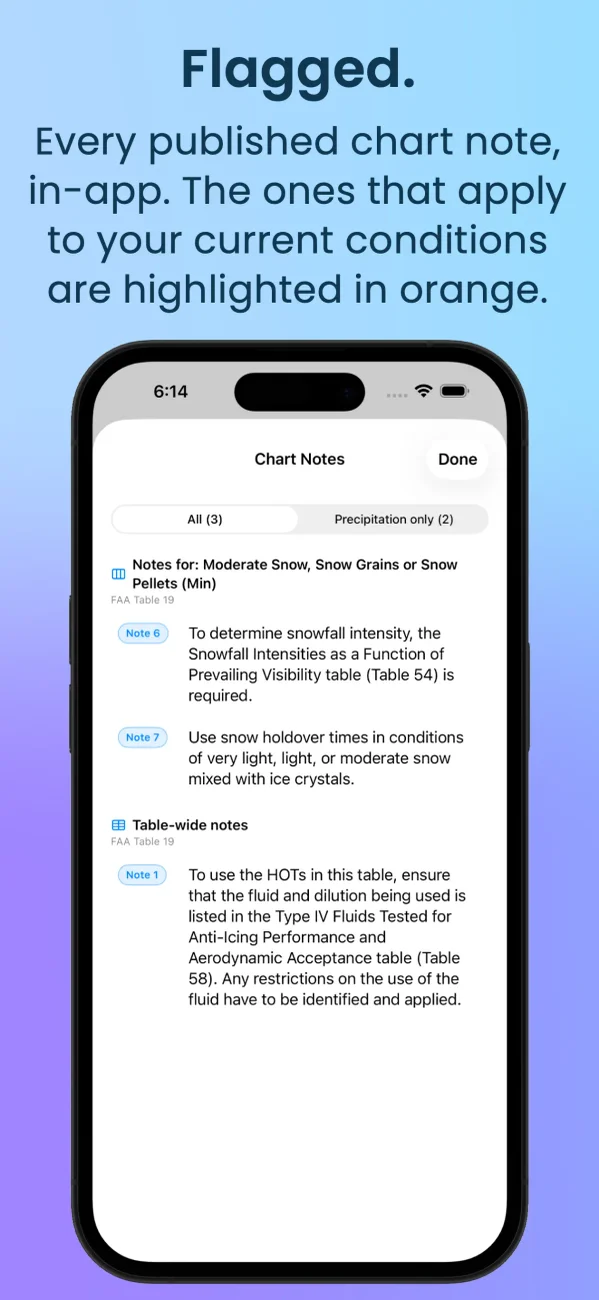
• Chart Notes surfaced inline, with active conditions (cold-soaked wing, OAT thresholds, etc.) flagged so you see only the notes that matter right now.
• App Estimated time — a continuous interpolation across OAT and precipitation intensity, shown alongside the FAA Recommended low end of every published range.
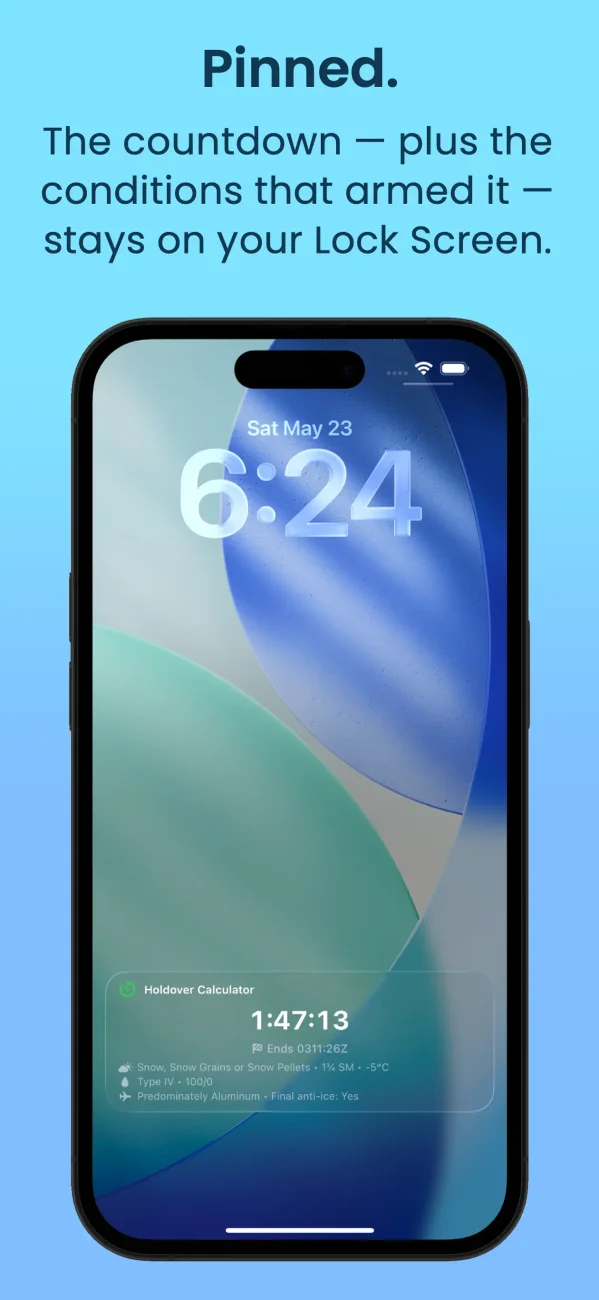
• Countdown timer with Live Activity on the Lock Screen, with the wall-clock "Ends at" time always shown to the second.
• Apple Watch companion for the crew member running the timer.
• Cockpit Sync — share one running timer across the flight deck. Link two to four devices over a direct local connection; the captain approves every change. No account, no internet, no server.
• On iPad and the open iPhone Duo, dock the holdover time and countdown beside your questions, on either side.
• Readable on the ramp. Tap any advisory note — or any setting's description — to enlarge it in a comfortable card sized for reading-distance glasses.
• Support & Feedback in one tap. Reach the developer from the menu with a note, a screenshot, and a summary of your session. No account required.
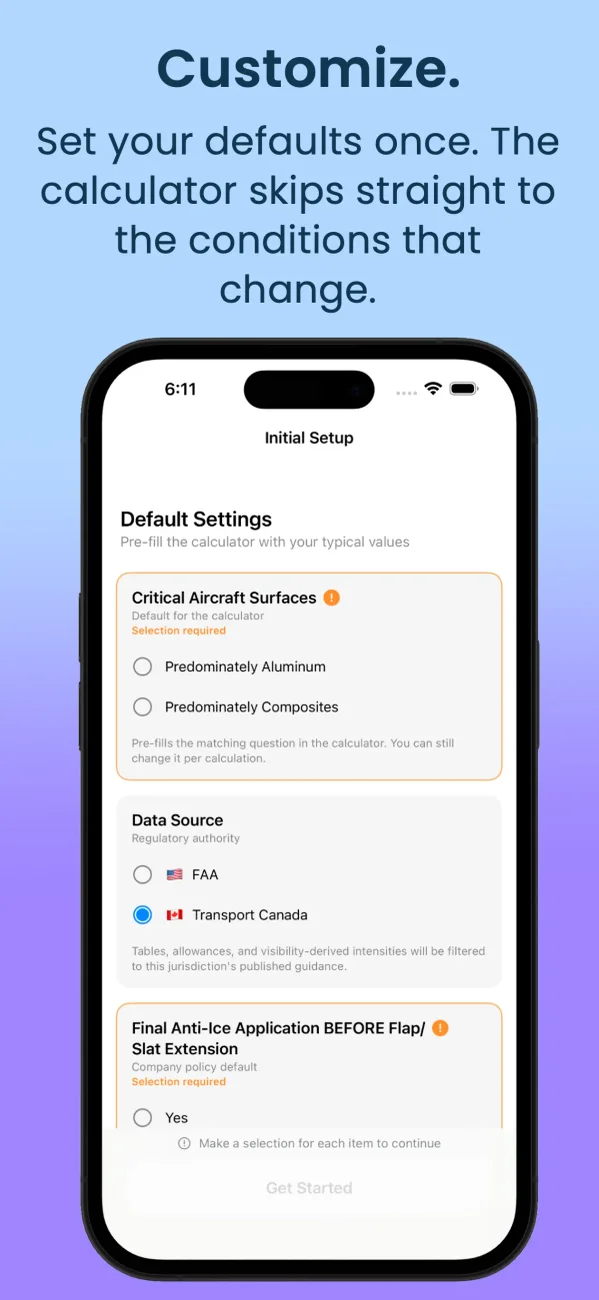
• FAA or Transport Canada as the global default, with per-calculation overrides.
• Local or Zulu time display; 12- or 24-hour clock.
PRE-DEPARTURE DECISION ONLY
This app is an advisor. The pilot in command remains solely responsible for verifying that the selected time is appropriate for the actual conditions, fluid, and aircraft at the moment of departure. Always cross-reference the current published holdover tables.
DATA SOURCES
• FAA Holdover Time Guidelines (current revision)
• Transport Canada Holdover Time Guidelines (current revision)
• NOAA Aviation Weather Center (aviationweather.gov) for live METAR observations
SUBSCRIPTION
Holdover Calculator is an auto-renewable annual subscription, with a free trial for new subscribers. Pricing is shown in the app before you subscribe.
• Payment is charged to your Apple ID at confirmation of purchase.
• The subscription renews automatically unless cancelled at least 24 hours before the end of the current period.
• Your account is charged for renewal within 24 hours before the period ends.
• Manage or cancel anytime in your Apple ID account settings.
• Any unused portion of a free trial is forfeited when you purchase a subscription.
PRIVACY
Location is requested only to identify the nearest weather station; your coordinates are sent solely to NOAA to run that query and are never stored or shared with us. No ads, no analytics, no tracking.
Privacy Policy: https://kilolimallc.github.io/legal/holdover-calculator/privacy.html
Terms of Use (EULA): https://kilolimallc.github.io/legal/holdover-calculator/terms.html
Disclaimer: https://kilolimallc.github.io/legal/holdover-calculator/disclaimer.html
What’s new
Version 2.4.1 · Nov 6, 2026
Nearby Weather is fixed.
On some devices it failed every time, saying the weather service was unavailable. The cause was ours, not the weather service’s: the app was asking for weather near your position in a way the service could not read, and whether that happened came down to your exact coordinates. Some pilots never saw it. Others could not use the feature at all, anywhere they went.
That is corrected. Nearby Weather works from any location now.
Search Other Stations and Enter Weather Manually were never affected, and both give the same holdover times.
Same tables as before: FAA and Transport Canada, 2026-2027 season, issued August 11, 2026. Same fluids, same results.
Fly safe.
App privacy
What Kilo Lima Management, LLC declares on the App Store about how this app handles data.
-
Data not collected
The developer does not collect any data from this app.
Privacy practices may vary, for example with the features you use or your age.
Information
- Seller
- Kilo Lima Management, LLC
- Category
- Weather
- Version
- 2.4.1
- Updated
- Nov 6, 2026
- Released
- Oct 3, 2014
- Size
- 23.7 MB
- Requires
- iOS 26.0 or later
- Age rating
- 4+
- Price
- Free
- In-app purchases
- Yes
- Languages
- English
- Copyright
- © 2026 Kilo Lima Management, LLC
You might also like
-
 Winter OPSSmart Holdover Times & SNOWTAM
-
 Holdover Times CalculatorDe-icing app
-
 ATIS AppDigital ATIS for US Airports!
-
 ATIS RelayLive ATIS for 160+ airports
-
 SkyPath ProTurbulence alert system
-
 SITA eWASWeather
-
 AeroWeather ProCurrent and precise weather
-
 On StationAviation Toolbox
-
 ForeFlight Mobile EFBIntelligent Apps for Pilots
-
 ATISVIEWReal-time ATIS, WX for pilots