Home Control – Explained
Why smart devices go offline
Designed for iPhone, iPad, Mac
Free · In-app purchases
- Age rating4+
- CategoryLifestyle
- DeveloperKrister Hagman
- LanguagesEnglish+ 7 more
- Size26.3 MB
Links to the official App Store page
Download.org hosts no file of Home Control – Explained. The button opens its official App Store page, published by Krister Hagman. Listing last checked on Nov 23, 2026.
Screenshots

About
Home Control shows which devices in your Apple Home keep going offline, when it happens, how long they're gone and the likely cause: the device, its hub, the Wi‑Fi, a weak signal, a battery or something that happens at the same hour every night.
WHAT YOU NEED
A home set up in Apple's Home app, with HomeKit or Matter devices. No account to create. Home Control records while it's open; a Mac at home records around the clock.
WHAT'S FREE, WHAT'S IN THE TRIAL
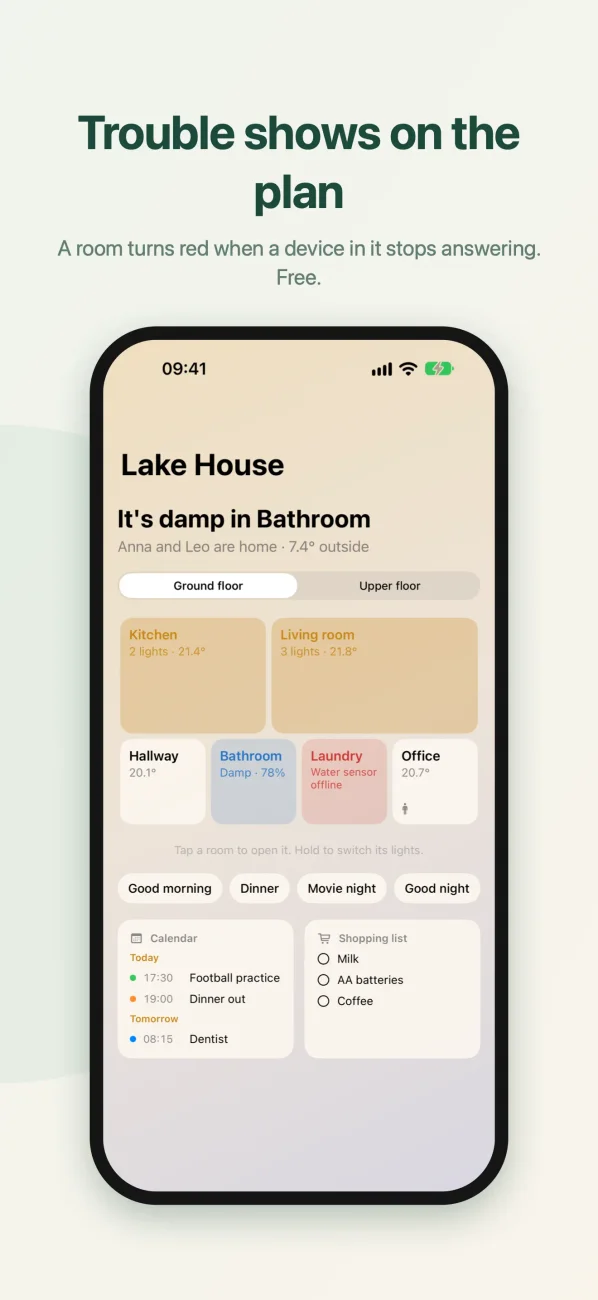
• Free: Home, the floor plan, your devices and the safety alerts. A room turns red on the plan when a device in it stops answering.
• 14-day free trial: the reliability history below, insights, energy and price-smart heating, the network, history, rules and the rest.
• Then one purchase unlocks everything for good. No subscription, nothing renews, shared with your family.
WHY DEVICES DROP OUT
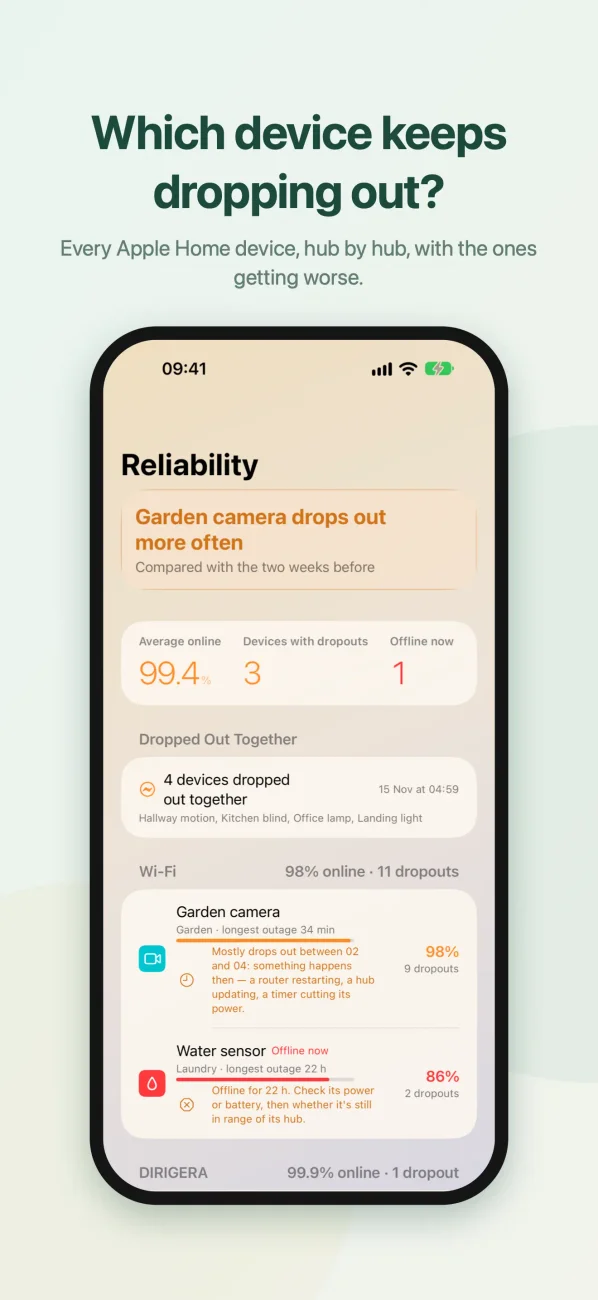
• Every device's time online, hub by hub, and which ones got worse than the two weeks before
• Each dropout with its time and length, and the hours of the day they start
• The likely cause: several devices dropping out together points to the hub, Wi‑Fi or power, not the device
• Thread and Matter diagnostics: border routers, devices that don't answer, why pairing fails
• "Did the fix help?": mark a new battery or a moved hub, and see the two weeks before and after
• A new device is followed for 24 hours: how it connects, whether it records, whether it dropped out
YOUR HOME AT A GLANCE
• What isn't working, lights on, low batteries, away and holiday mode, the price of electricity
• Your home as a floor plan, drawn, scanned with LiDAR or imported, with every light and sensor where it really is
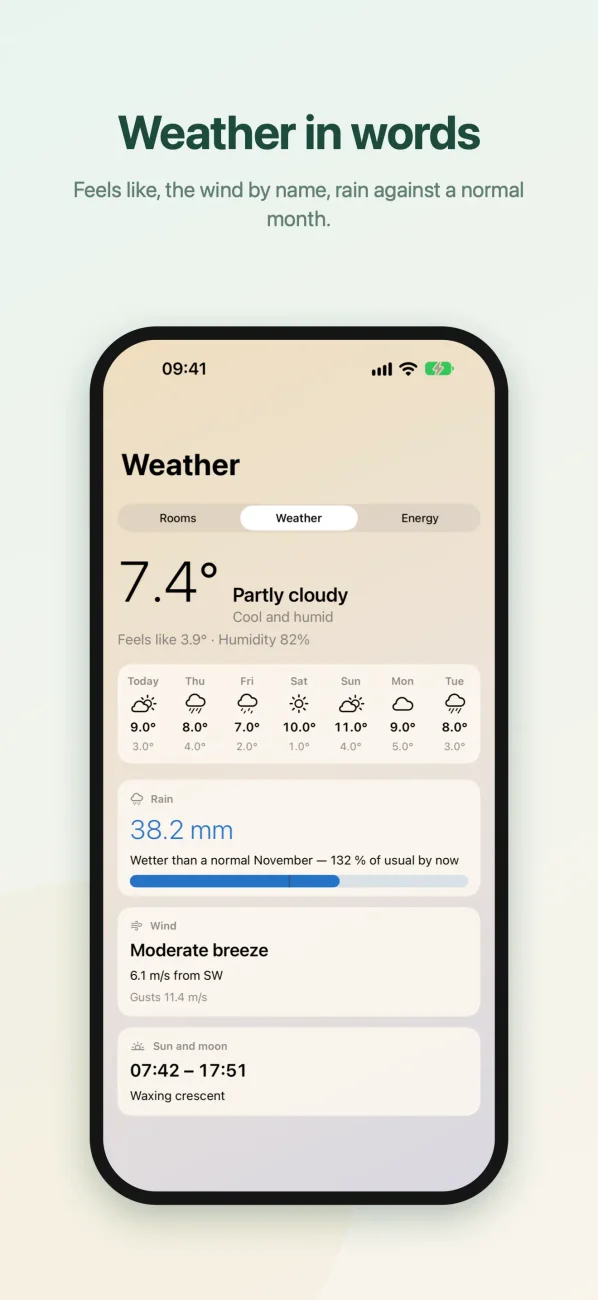
• Climate per room with history, outdoor weather and the week ahead
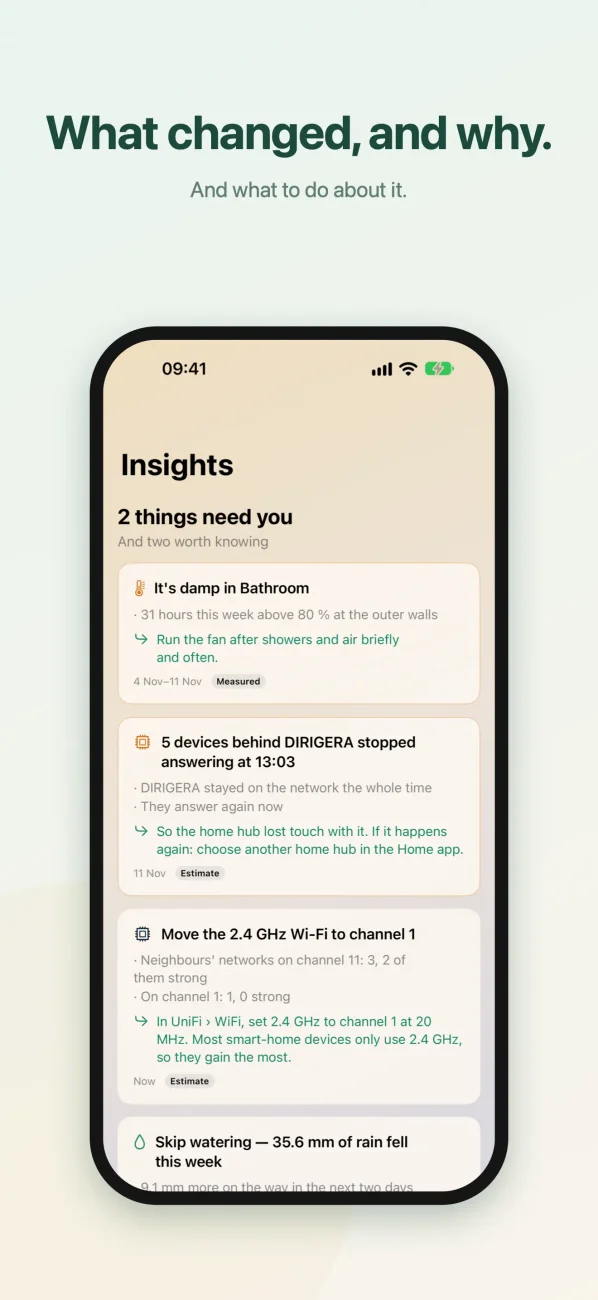
INSIGHTS: WHAT CHANGED, WHY, WHAT TO DO
• A daily briefing of what needs attention, and nothing when nothing does
• "Why?" on every device: what last changed it, also through Siri
• Comfort per room, damp and mould risk, CO₂, airing out when the air outside is drier
ENERGY AND PRICE
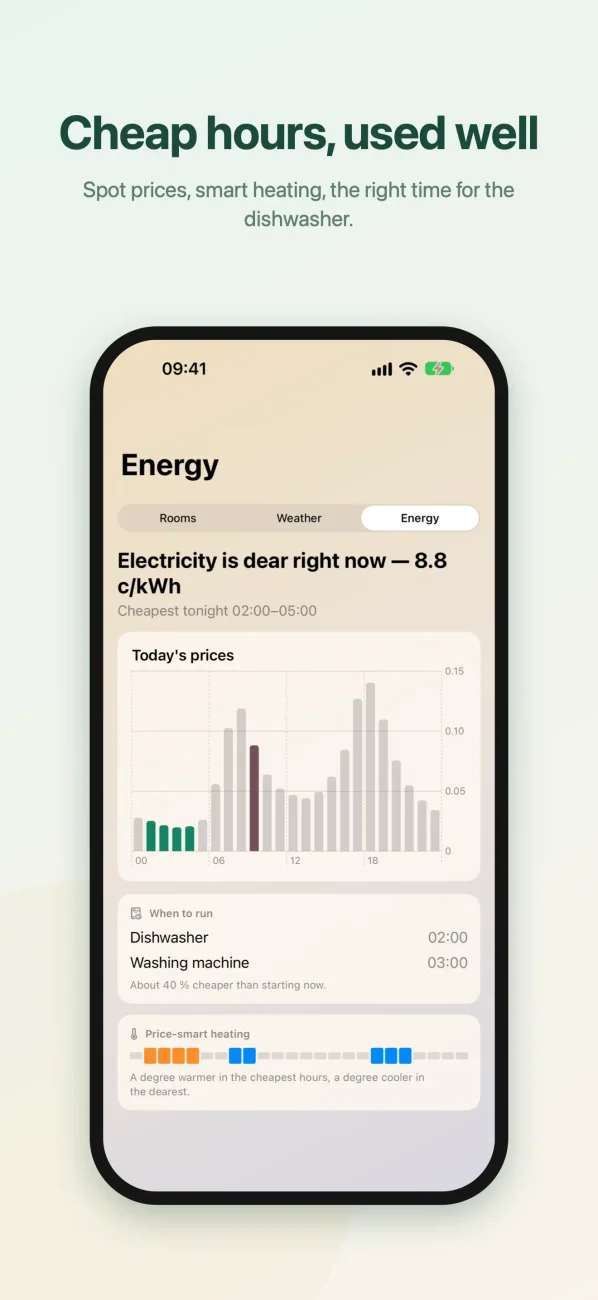
• Spot prices, the cheapest hours ahead and the real price on your bill
• Price-smart heating that stays within your comfort range
• When to run the dishwasher and washing machine for the lowest cost
YOUR NETWORK (UniFi)
• Who's on which network and band, signal strength, internet outages logged with time and length
• Alerts when a hub, bridge or camera drops off the network
THE HOUSE RUNS ITSELF
• Rules that know who's home, the weather, the price and the time of day
• Holiday mode that makes the house look lived in
HEALTH AND MAINTENANCE
• Batteries forecast to empty, grouped into one round with a shopping list
• Firmware: devices running older versions than others of the same model
• Leak, smoke and CO alerts that also reach your family
PRIVATE BY DESIGN
No account and no tracking. Your home stays in Apple Home and your own iCloud.
On iPhone, iPad, Mac, Apple TV and Apple Watch. Works with any HomeKit and Matter accessory, Thread and HomePod temperature. UniFi (Ubiquiti) gateways, Thermia heat pumps, Netatmo weather and Tibber, Octopus Energy and Nord Pool prices need that device or account.
What’s new
Version 1.0.6 · Nov 21, 2026
• Which devices drop out: a new device is followed for 24 hours, then you're told how it connects, whether it records and whether it dropped out.
• Internet outages are logged with their time and length, with the downtime for the last week, month and year.
• Try everything free for 14 days, offered when you start and on the first locked page.
• Smoother to use: cards give under your finger, numbers roll to their new value, a scene shows a check when it ran.
App privacy
What Krister Hagman declares on the App Store about how this app handles data.
-
Data not collected
The developer does not collect any data from this app.
Privacy practices may vary, for example with the features you use or your age.
Information
- Seller
- Krister Hagman
- Category
- Lifestyle
- Version
- 1.0.6
- Updated
- Nov 21, 2026
- Released
- Oct 27, 2026
- Size
- 26.3 MB
- Requires
- iOS 26.0 or later
- Age rating
- 4+
- Price
- Free
- In-app purchases
- Yes
- Languages
- English, Danish, Dutch, Finnish, French, German, Norwegian Bokmål, Swedish
- Copyright
- © 2026 Krister Hagman
You might also like
-
 Panel - wall mounted widgetsYour & life control center
-
 HomeDeck for HomeKitDashboard for iPad & Apple TV
-
 HomePad: Elegant Home ControlYour home, your screens
-
 Habitat — 3D Smart HomeYour entire home at a glance
-
 SmartHome Dashboard - HomeViewWall dashboard for your iPad
-
 Zen BuddhismGet Inspired
-
 Family & Friends CalendarLifestyle
-
 Flip clock - no adsDigital Clock&Nightstand clock
-
 Shelly Smart ControlLifestyle