Home Control – Explained
Why smart devices go offline
Projetado para iPhone, iPad, Mac
Grátis · Compras no app
- Classificação etária4+
- CategoriaEstilo de vida
- DesenvolvedorKrister Hagman
- IdiomasInglêse mais 7
- Tamanho31,9 MB
Leva à página oficial na App Store
O Download.org não hospeda nenhum arquivo de Home Control – Explained. O botão abre a página do app na App Store, onde Krister Hagman o publica. Página verificada pela última vez em 25/11/2026.
Capturas de tela
Sobre
O desenvolvedor não forneceu este texto no seu idioma.
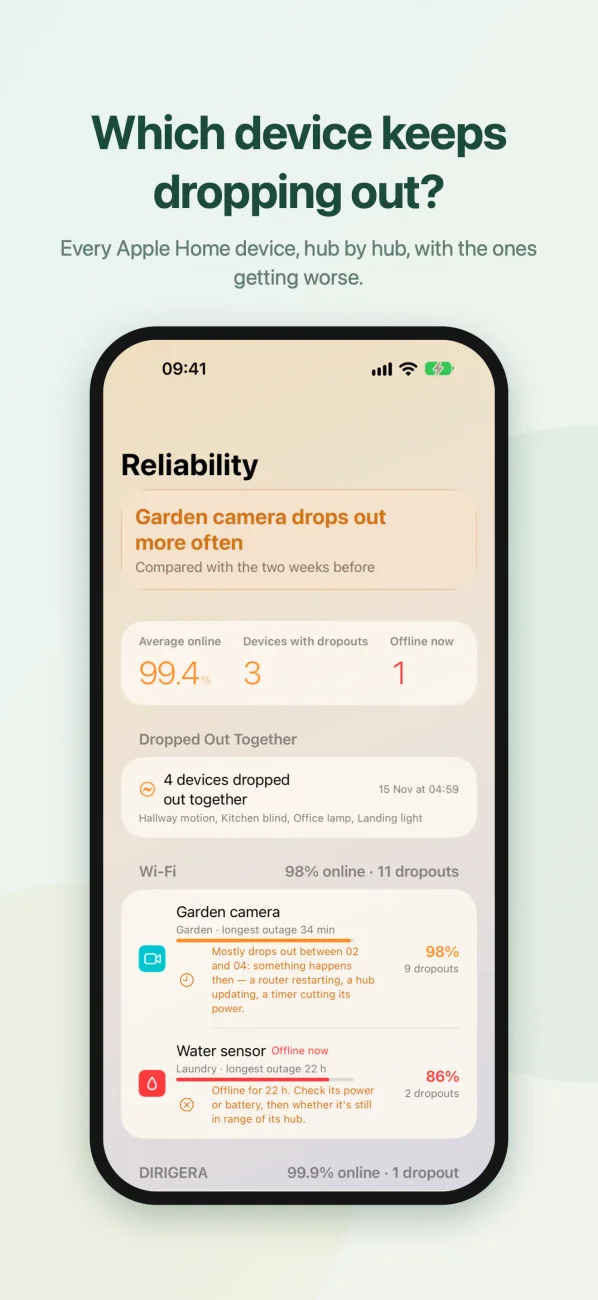
Home Control shows which devices in your Apple Home keep going offline, when it happens, how long they're gone and the likely cause: the device, its hub, the Wi‑Fi, a weak signal, a battery or something that happens at the same hour every night.
WHAT YOU NEED
A home set up in Apple's Home app, with HomeKit or Matter devices. No account to create. Home Control records while it's open; a Mac at home records around the clock.
WHAT'S FREE, WHAT'S IN THE TRIAL
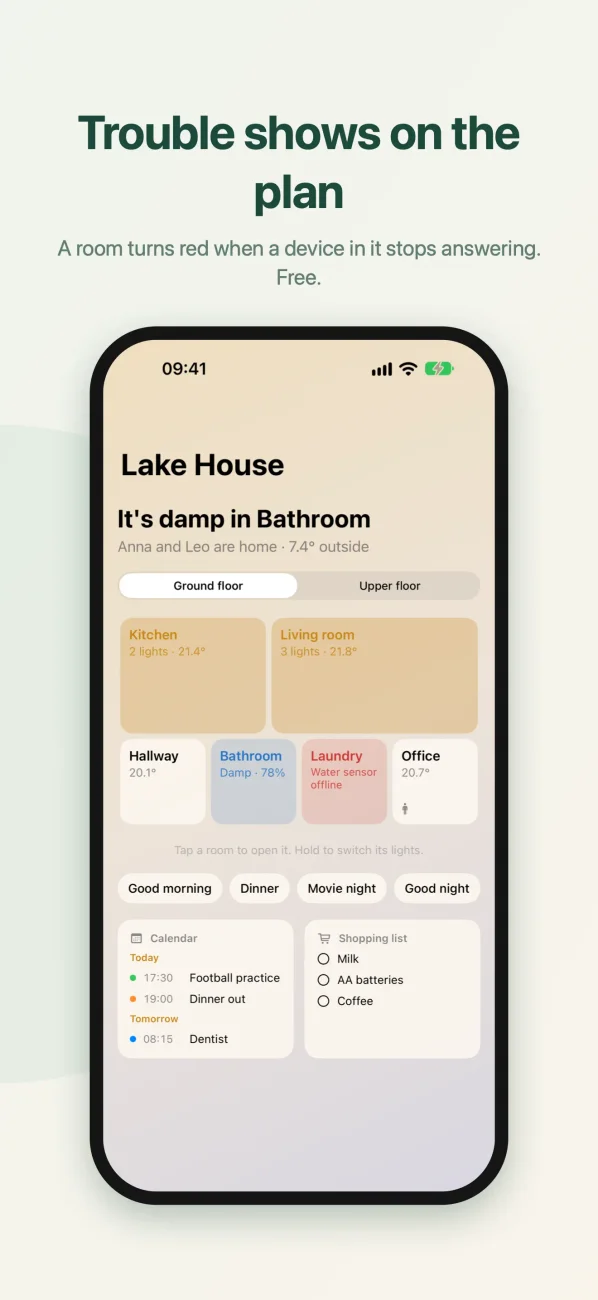
• Free: Home, the floor plan, your devices and the safety alerts. A room turns red on the plan when a device in it stops answering.
• 14-day free trial: the reliability history below, insights, energy and price-smart heating, the network, history, rules and the rest.
• Then one purchase unlocks everything for good. No subscription, nothing renews, shared with your family.
WHY DEVICES DROP OUT
• Every device's time online, hub by hub, and which ones got worse than the two weeks before
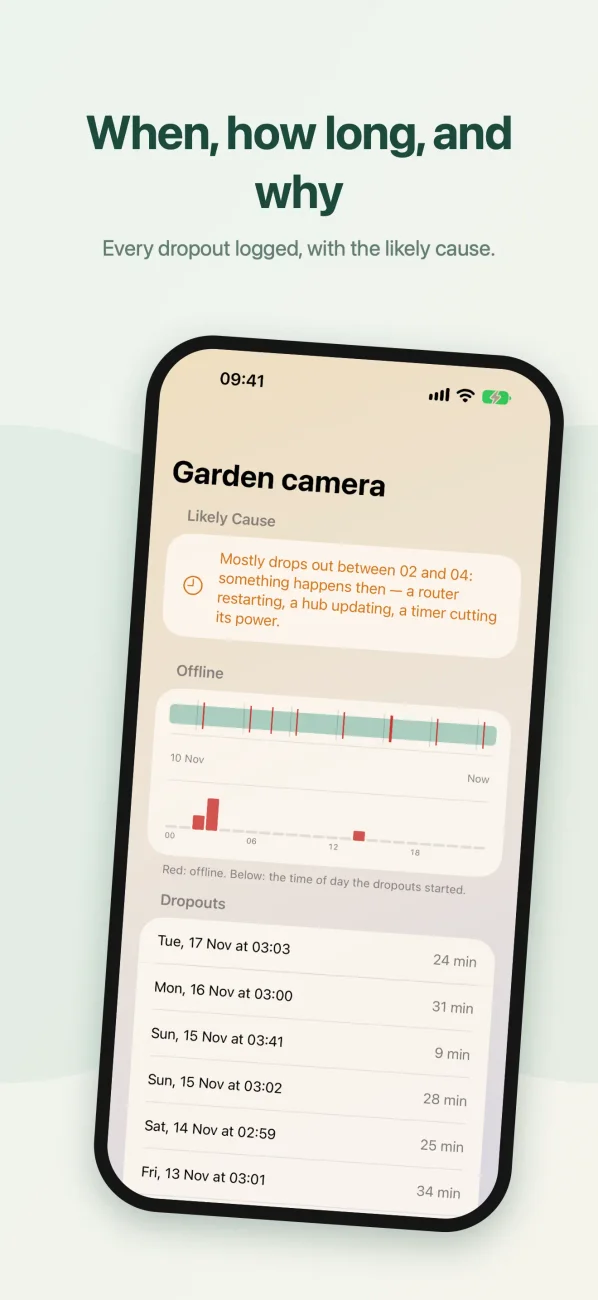
• Each dropout with its time and length, and the hours of the day they start
• The likely cause: several devices dropping out together points to the hub, Wi‑Fi or power, not the device
• Thread and Matter diagnostics: border routers, devices that don't answer, why pairing fails
• "Did the fix help?": mark a new battery or a moved hub, and see the two weeks before and after
• A new device is followed for 24 hours: how it connects, whether it records, whether it dropped out
YOUR HOME AT A GLANCE
• What isn't working, lights on, low batteries, away and holiday mode, the price of electricity
• Your home as a floor plan, drawn, scanned with LiDAR or imported, with every light and sensor where it really is
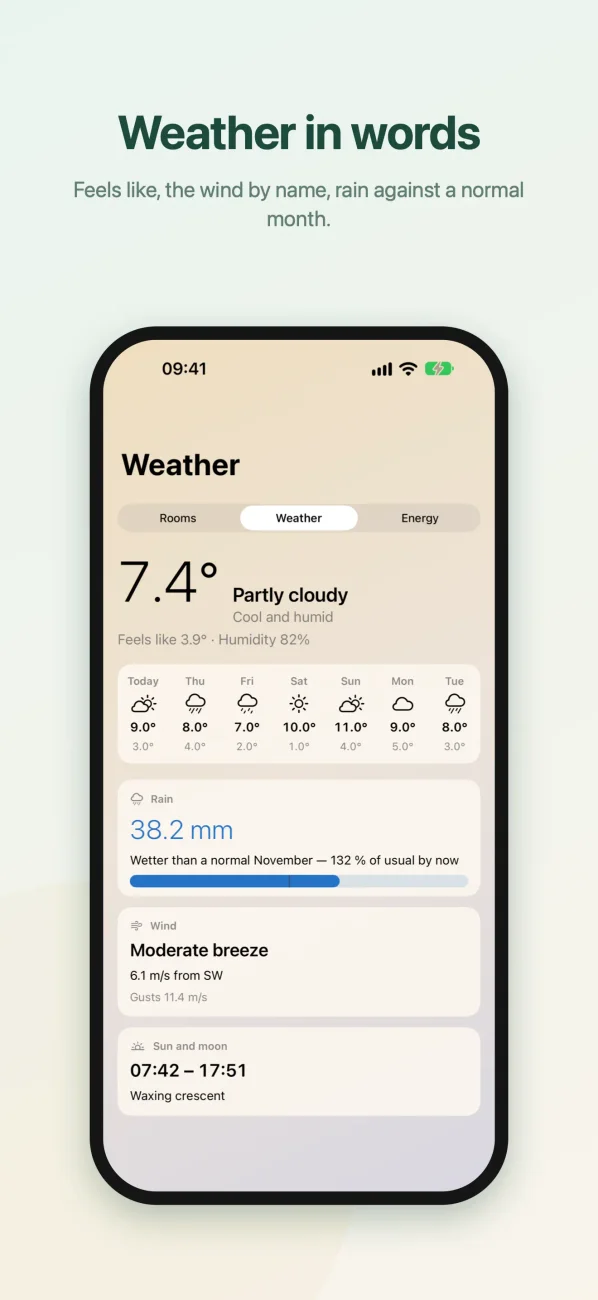
• Climate per room with history, outdoor weather and the week ahead
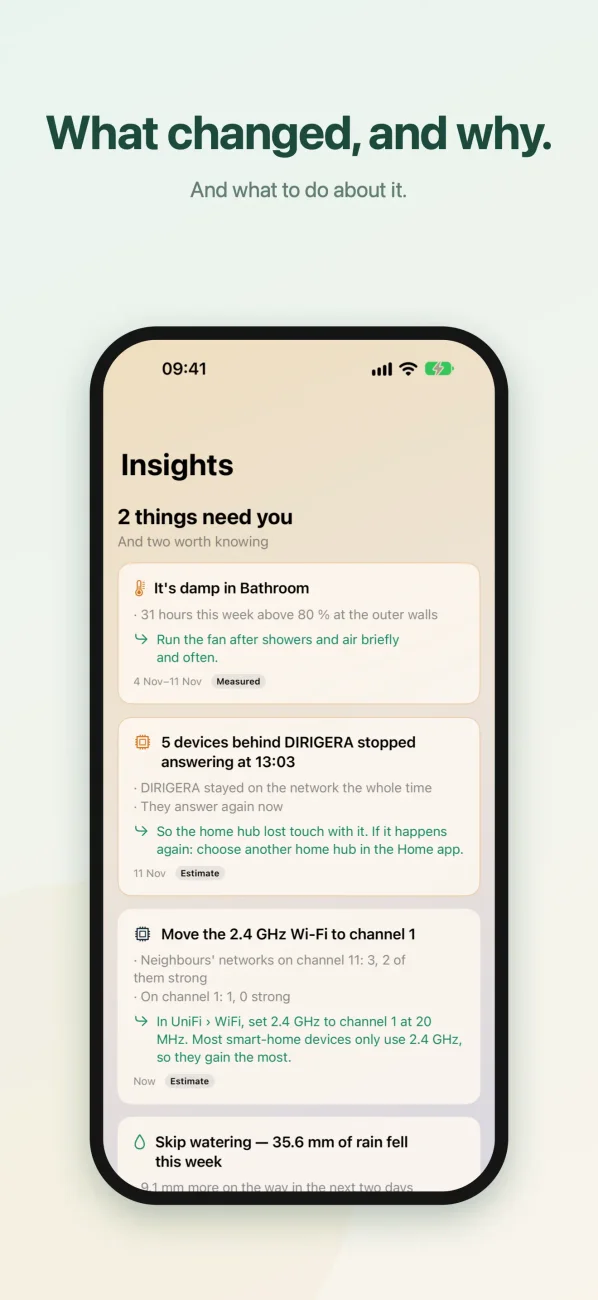
INSIGHTS: WHAT CHANGED, WHY, WHAT TO DO
• A daily briefing of what needs attention, and nothing when nothing does
• "Why?" on every device: what last changed it, also through Siri
• Comfort per room, damp and mould risk, CO₂, airing out when the air outside is drier
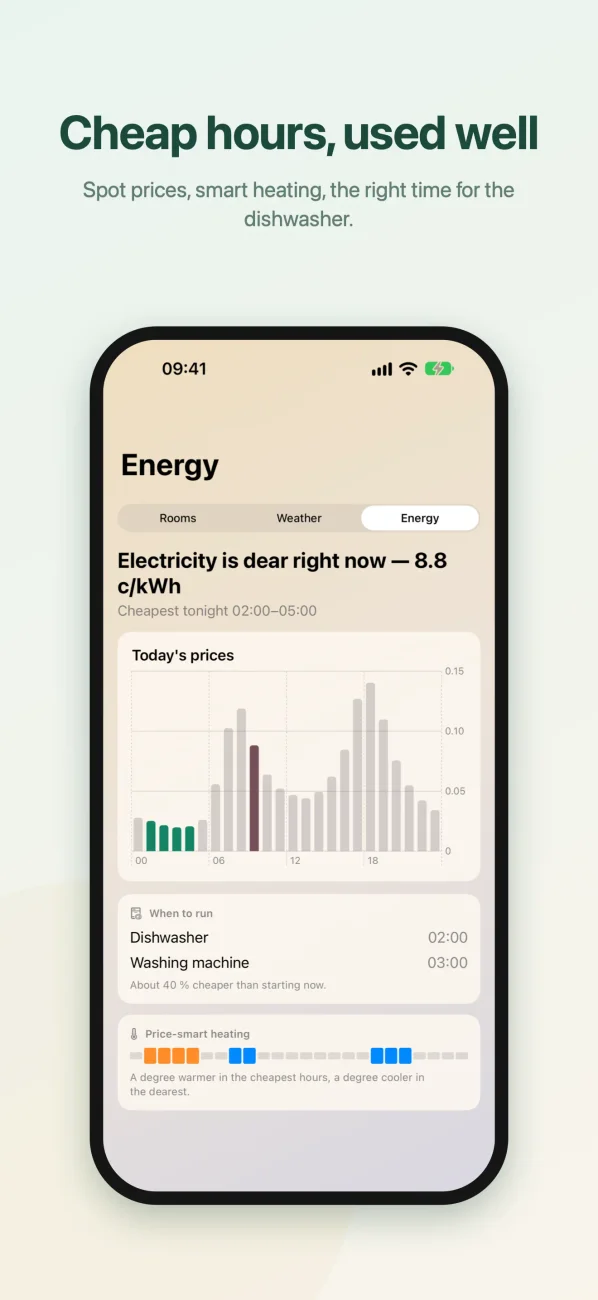
ENERGY AND PRICE
• Spot prices, the cheapest hours ahead and the real price on your bill
• Price-smart heating that stays within your comfort range
• When to run the dishwasher and washing machine for the lowest cost
YOUR NETWORK (UniFi)
• Who's on which network and band, signal strength, internet outages logged with time and length
• Alerts when a hub, bridge or camera drops off the network
THE HOUSE RUNS ITSELF
• Rules that know who's home, the weather, the price and the time of day
• Holiday mode that makes the house look lived in
HEALTH AND MAINTENANCE
• Batteries forecast to empty, grouped into one round with a shopping list
• Firmware: devices running older versions than others of the same model
• Leak, smoke and CO alerts that also reach your family
PRIVATE BY DESIGN
No account and no tracking. Your home stays in Apple Home and your own iCloud.
On iPhone, iPad, Mac, Apple TV and Apple Watch. Works with any HomeKit and Matter accessory, Thread and HomePod temperature. UniFi (Ubiquiti) gateways, Thermia heat pumps, Netatmo weather and Tibber, Octopus Energy and Nord Pool prices need that device or account.
Novidades
Versão 1.0.7 · 24/11/2026
• Home page: one tile per area – climate, energy, devices, security, network and more – with a green, amber or red dot.
• Frost guard warns when a room you pick is heading below freezing in the next 16 hours.
• After a power cut: see which lights, plugs and heaters came back wrong, and put them back with one tap.
• Health check flags devices that keep dropping out and rules that can't do their job. Pause checks for many devices at once, until a date if you like.
• How long batteries really last, by model. And rehearse an alert, from a door sensor to your iPhone.
• New insights: pollen, drying weather, internet in storms, hot water cost.
• In December: a Winter check on Reliability, and a holiday look you can turn off in Settings.
Privacidade do app
O que Krister Hagman declara na App Store sobre como este app lida com os dados.
-
Dados não coletados
O desenvolvedor não coleta nenhum dado deste app.
As práticas de privacidade podem variar, por exemplo, com base nos recursos que você usa ou na sua idade.
Informações
- Vendedor
- Krister Hagman
- Categoria
- Estilo de vida
- Versão
- 1.0.7
- Atualizado
- 24/11/2026
- Lançamento
- 27/10/2026
- Tamanho
- 31,9 MB
- Requer
- iOS 26.0 ou posterior
- Classificação etária
- 4+
- Preço
- Grátis
- Compras no app
- Sim
- Idiomas
- Inglês, Dinamarquês, Holandês, Finlandês, Francês, Alemão, Norueguês (bokmål), Sueco
- Copyright
- © 2026 Krister Hagman
Você também pode gostar
-
 Panel - wall mounted widgetsEstilo de vida
-
 HomeDeck for HomeKitEstilo de vida
-
 HomePad: Elegant Home ControlEstilo de vida
-
 Habitat — 3D Smart HomeEstilo de vida
-
 SmartHome Dashboard - HomeViewEstilo de vida
-
 Budismo zenInspire-se
-
 Family & Friends CalendarEstilo de vida
-
 Relógio - Sem anúnciosLive clock wallpaper
-
 Shelly Smart ControlEstilo de vida