- Age rating4+
- CategoryProductivity
- DeveloperPieter Van der Woude
- LanguagesEnglish
- Size1.6 MB
Links to the official App Store page
Download.org hosts no file of Home Frontier. The button opens its official App Store page, published by Pieter Van der Woude. Listing last checked on Nov 17, 2026.
Screenshots

About
Home Frontier
Your smart home. Starfleet style.
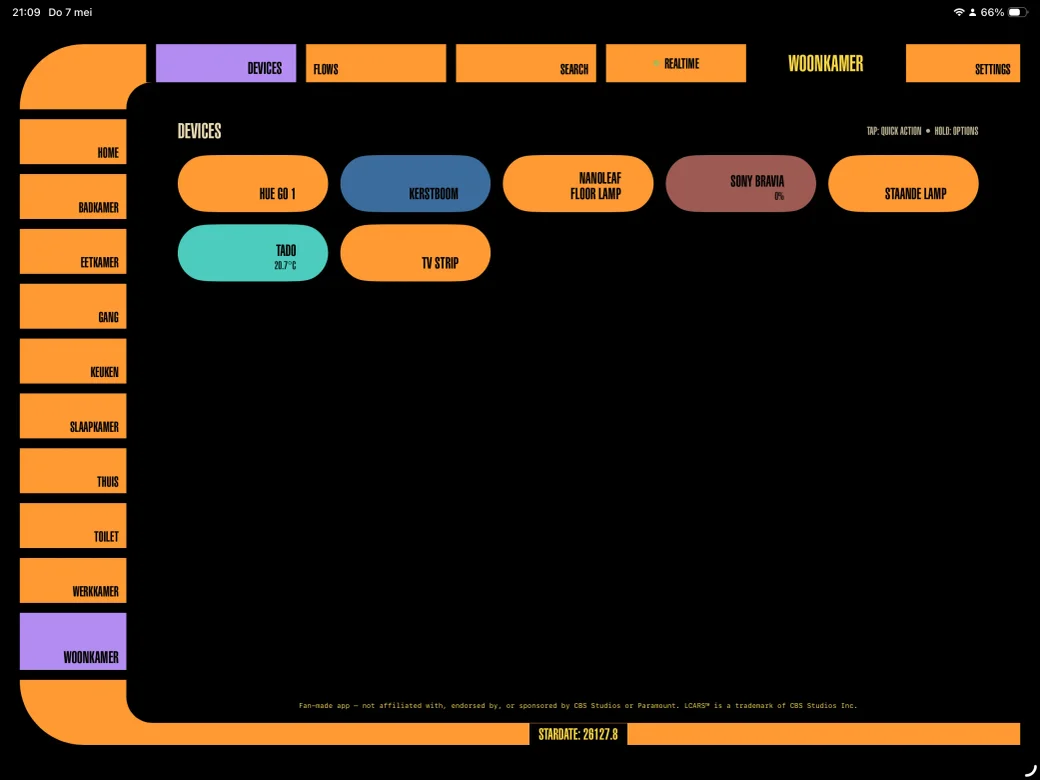
Home Frontier transforms your iPad into a sleek, always-on smart home dashboard inspired by the iconic LCARS computer interface from Star Trek. Designed to sit on a stand or mount on a wall, it gives you instant visual control over your entire Homey-powered home — right from your wall.
WHAT IT DOES
Home Frontier connects directly to your Homey smart home hub over your local network and displays all your devices and automation flows in a live, real-time dashboard. Browse by room, tap a device to control it, or trigger a flow with a single tap.
Home Frontier is a control surface, not a replacement for the Homey app. Adding devices, creating flows, and managing automations all stay in Homey — Home Frontier is where you use them.
Device controls
Toggle lights, switches, and sockets on or off
Dim lights with a slider
Lock and unlock smart locks
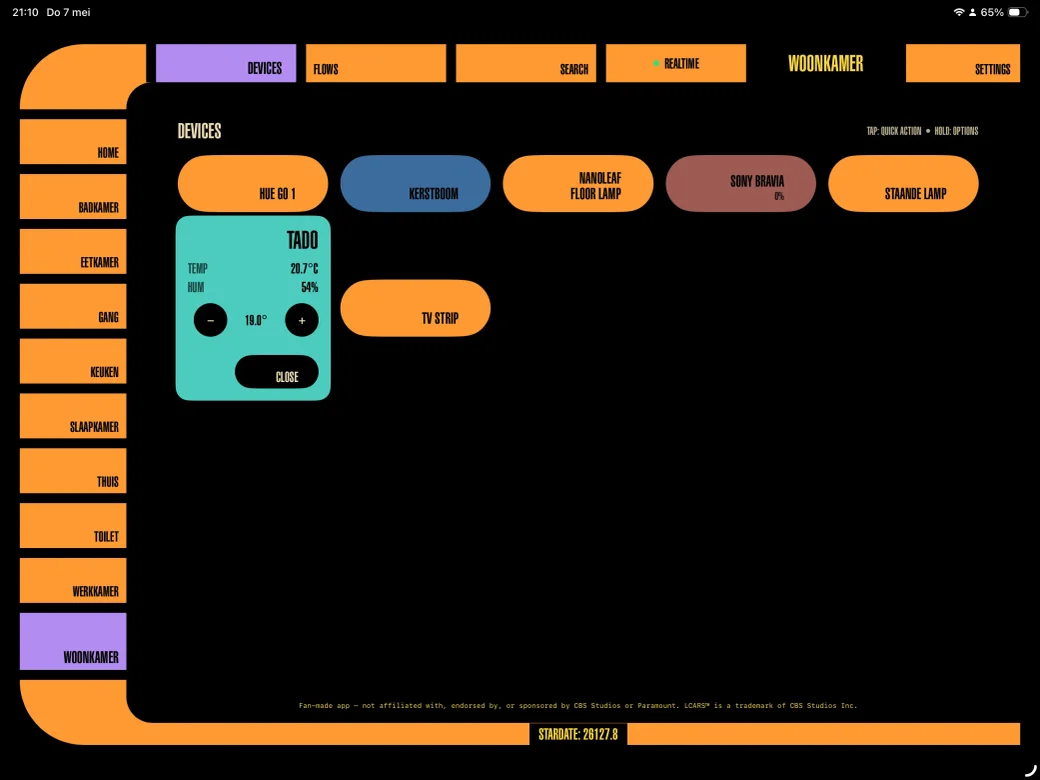
Adjust thermostat target temperatures
View live sensor readings (temperature, humidity, energy, and more)
Flows
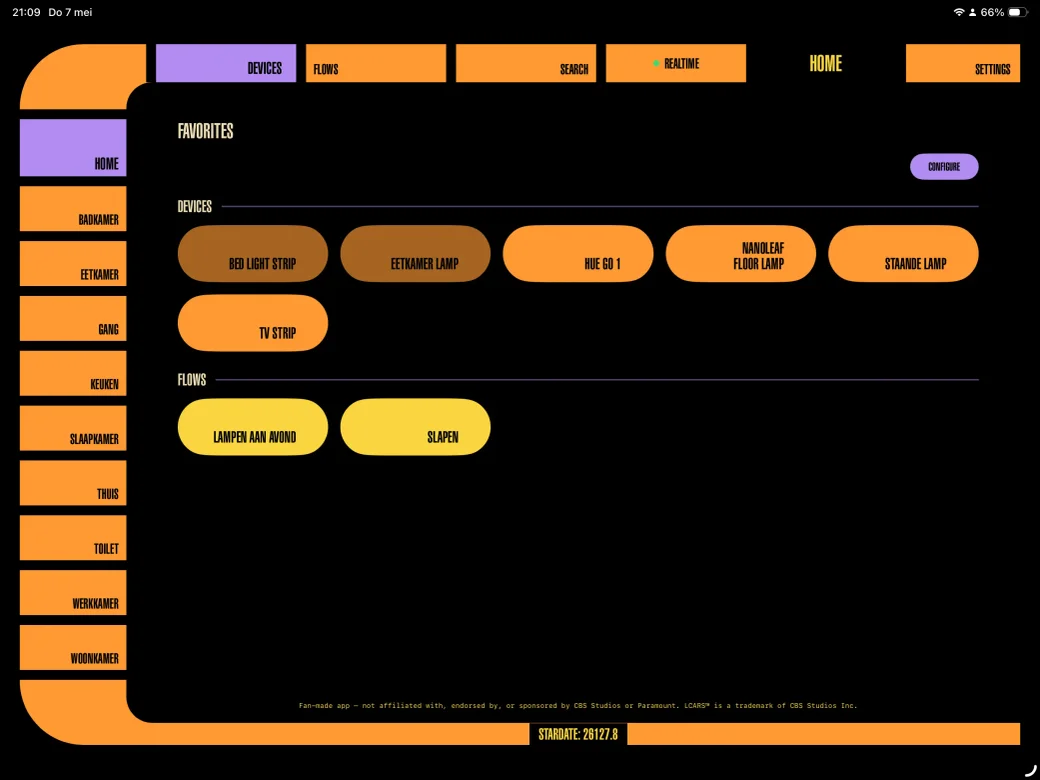
Run any Homey flow directly from the dashboard with a single tap.
Favorites
Pin your most-used devices and flows to the Home screen for instant access.
Real-time updates
The dashboard stays in sync with your home via a live WebSocket connection. When a light turns on via a physical switch, the dashboard updates immediately — no polling, no delay.
Doorbell alerts
When your Homey doorbell flow triggers, a full-screen alert appears on the dashboard.
LCARS interface
Every detail — typography, colors, sounds, animations, and layout — follows the LCARS design language. Built for iPad in landscape orientation as a permanent display.
REQUIREMENTS
Homey smart home hub (Homey Pro or compatible model)
Homey must have local access enabled and a local API key configured
iPad and Homey must be on the same local network
iPad with iOS 17 or later
LIMITATIONS
iPad only — not designed for iPhone
Requires a Homey hub — no other smart home platforms are supported
Local network access only — the app does not connect via the Homey cloud
Adding devices, editing flows, and managing automations require the Homey app
Homey device types not covered by the app's control set are shown as read-only tiles
Doorbell alerts only appear while the app is open in the foreground
PRIVACY
Home Frontier never connects to any external server. All communication happens directly between your iPad and your Homey hub on your local network. Your API key is stored securely in the iOS Keychain and never leaves your device.
Fan-made app. Not affiliated with, endorsed by, or sponsored by Athom B.V., CBS Studios, or Paramount. LCARS™ is a trademark of CBS Studios Inc.
App privacy
What Pieter Van der Woude declares on the App Store about how this app handles data.
-
Data not collected
The developer does not collect any data from this app.
Privacy practices may vary, for example with the features you use or your age.
Information
- Seller
- Pieter Van der Woude
- Category
- Productivity
- Version
- 1.0
- Updated
- May 10, 2026
- Released
- May 10, 2026
- Size
- 1.6 MB
- Requires
- iOS 17.6 or later
- Age rating
- 4+
- Price
- Free
- Languages
- English
- Copyright
- © 2026 Pieter van der Woude
You might also like
-
 Trekkie - AI AssistantChat with Starfleet using AI
-
 Blydan DailyProductivity
-
 HabitBeatWhere focus becomes habit
-
 Major Incident Command AssistMICA
-
 AI Teleprompter: Voice-FollowAuto Scroll for YouTubers
-
 Ai Teleprompter AppAi Generated Tele-prompt
-
 PrintForge – AI 3D ModelsText & Image to 3D Printer
-
 Teleprompter Portablescript recorder & prompter
-
 EML to PDF - Email ConverterOpen & Export MSG Email Files
-
 Hobby Dataslate: Mini TrackerMiniature painting tracker