
honn: Book Tracker & Library
Reading log with AI photo scan
Designed for iPhone, iPad
In-app purchases
- Age rating4+
- CategoryBooks
- DeveloperNAUGHTYTADATAKA
- LanguagesJapanese+ 20 more
- Size13.3 MB
Links to the official App Store page
Download.org hosts no file of honn: Book Tracker & Library. The button opens its official App Store page, published by NAUGHTYTADATAKA. Listing last checked on Nov 24, 2026.
Screenshots
About
Snap a cover. Make it part of your bookshelf.
honn is a book tracker and reading log that adds books from photos, sorts them into To Read, Finished and Wishlist, and keeps completion dates, reviews and passing thoughts with each book. Spend less time typing titles and start with the books in your hands: novels, non-fiction, textbooks, picture books, manga, comics and magazines.
■ Add books from a photo
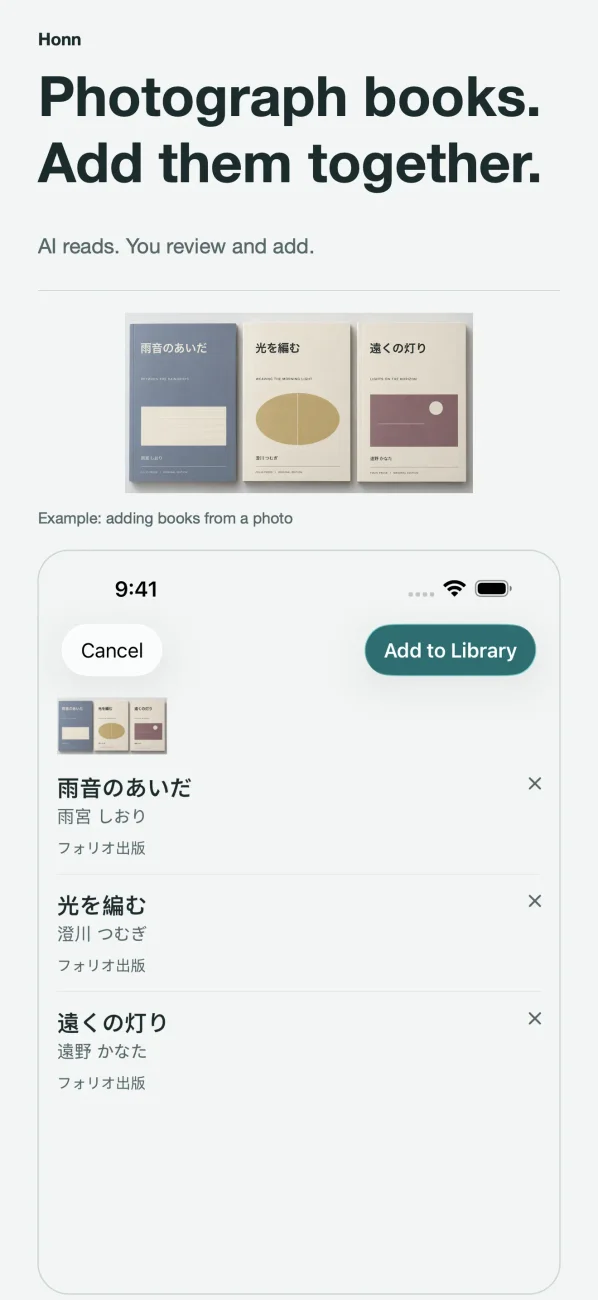
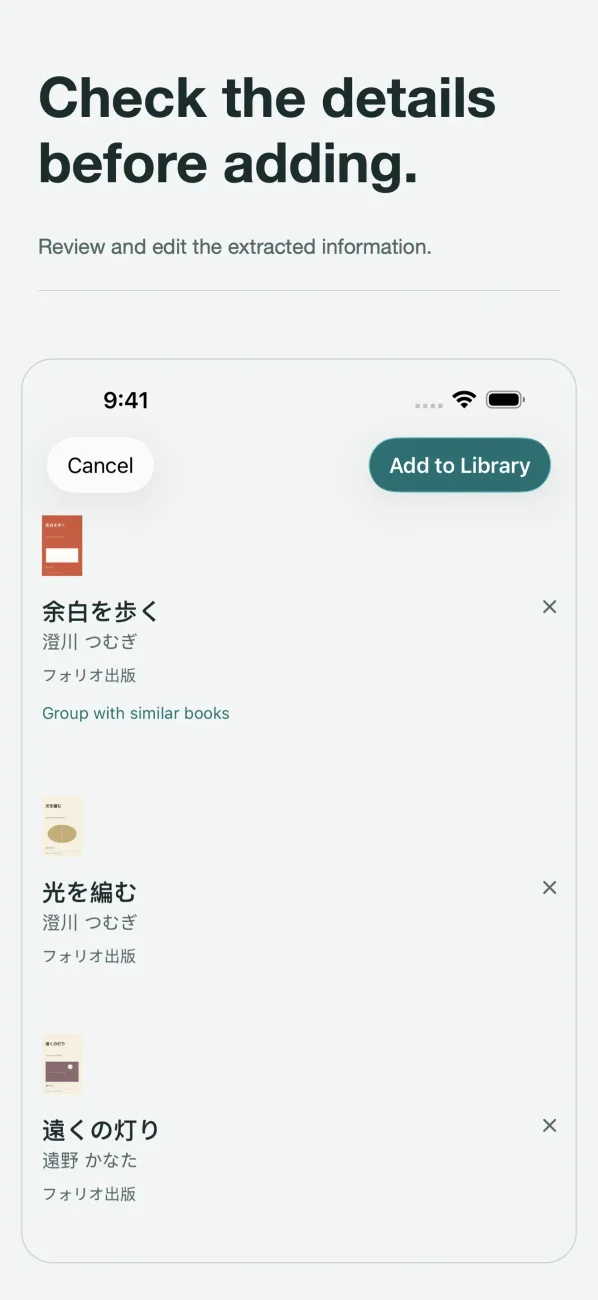
Take a photo of a cover and AI reads the title, volume, author, publisher, page count and publication date. Check the result, fix anything you need, and save. You can also use images from Photos or shared from other apps.
A photo of a shelf or a stack can add several books at once, read from the spines. Handy when moving house or cataloguing a home library.
An optional setting checks readings against a web search, and you choose per book whether to save the search result or what was read from the photo.
Books without a barcode, old editions and imported books can be added if the cover or spine is in the photo, or you can type the title and author.
Photos that could not be read wait On Hold so you can analyse them again later.
■ Share from your browser
Share a book page from your browser or a bookstore app to honn, and it reads the title and author from the page. Add it to your Wishlist and use it at the bookstore or library.
■ Spot duplicates before you add
honn checks whether a similar book is already on your shelf, so you avoid buying the same book twice and can see which volumes of a series you own.
■ Organise your shelf
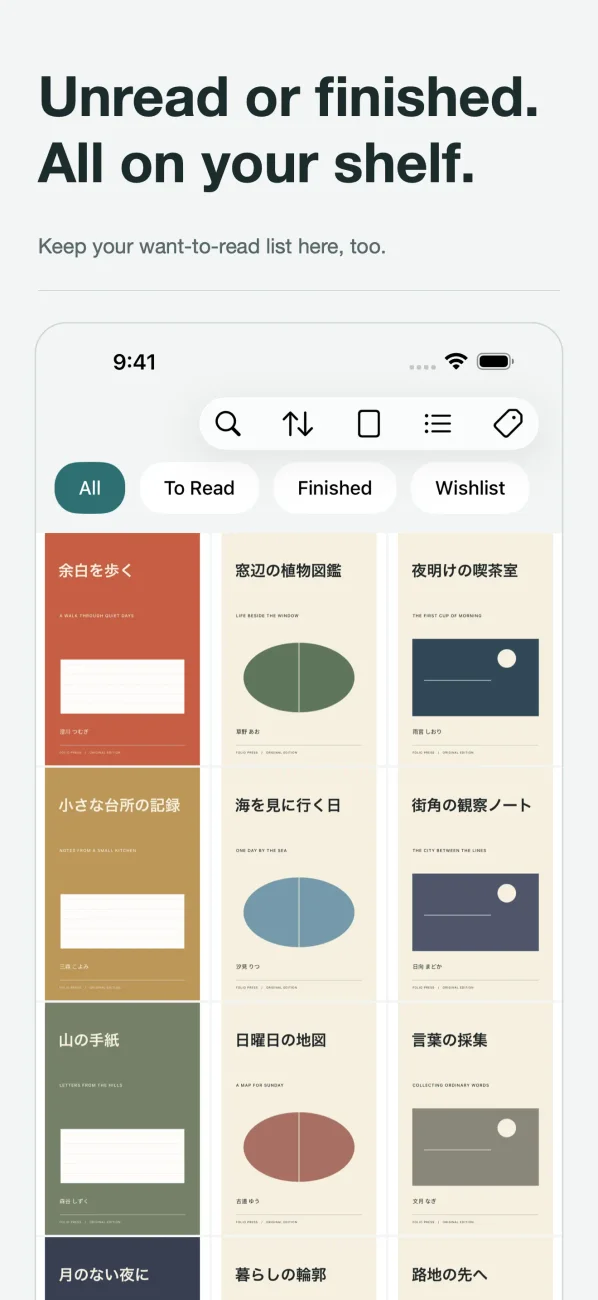
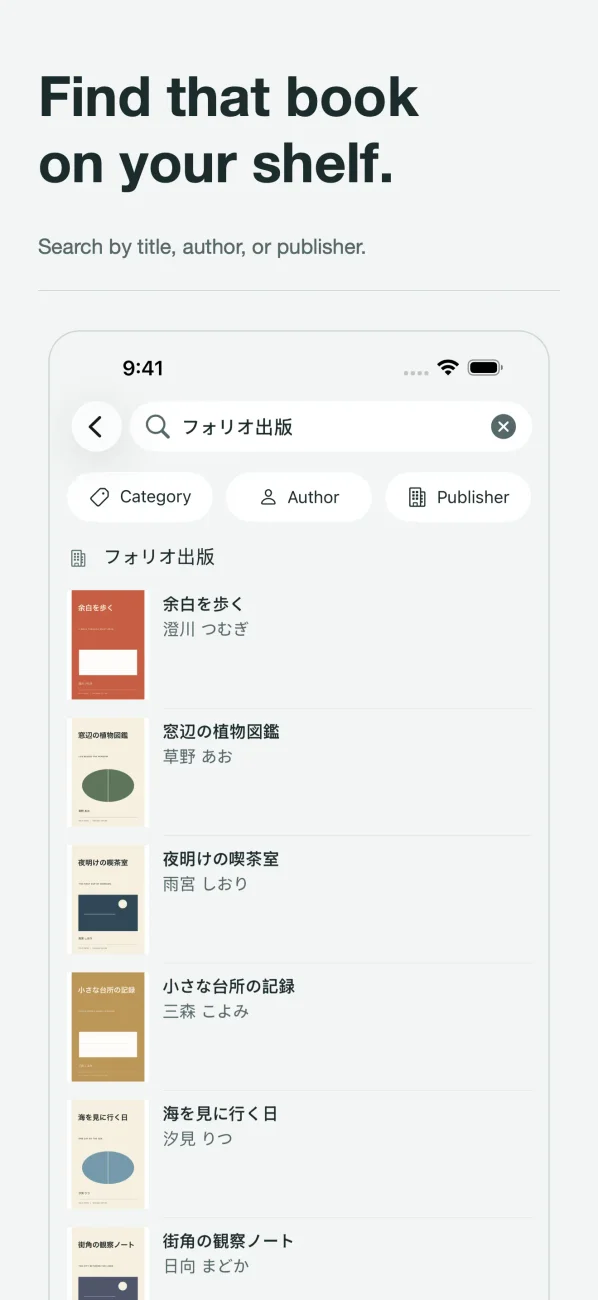
Books go into To Read (your TBR pile), Finished, or Wishlist (to buy or borrow). Switch between a grid of covers and a list, and sort by date added or date finished. Group a series into one stack. Search by title, author or publisher, and narrow by category, author or publisher. Rename or delete authors, categories, publishers and series in one place.
■ Reading journal and notes
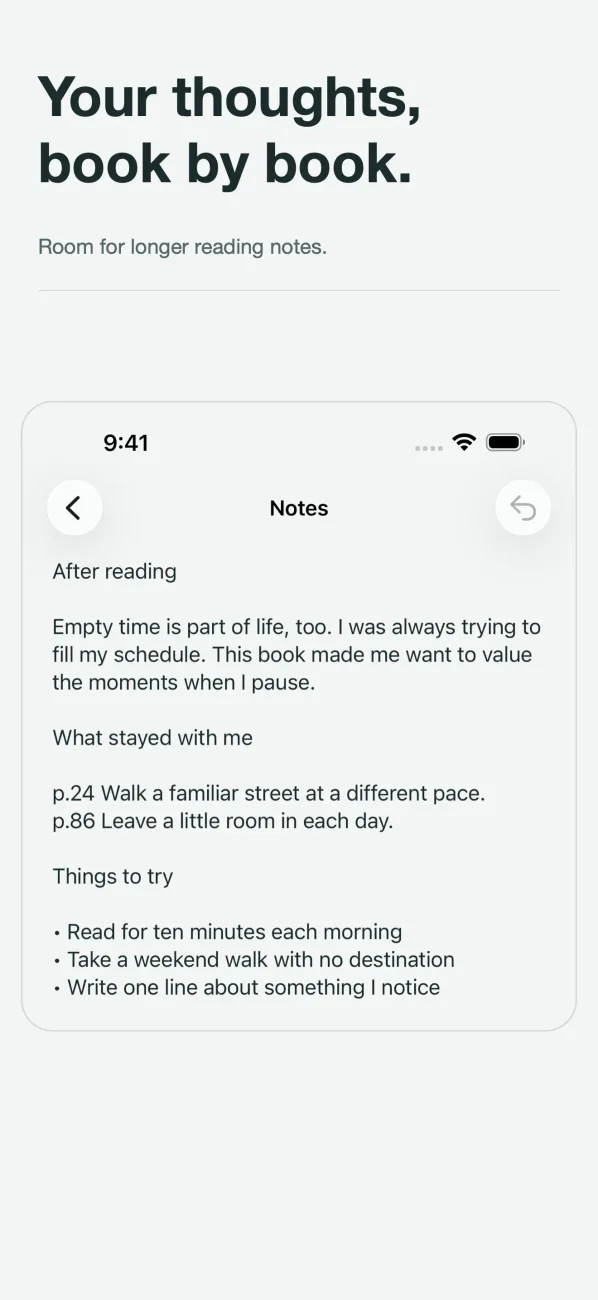
Save a completion date and a reading note for each book: your review, a favourite passage, what you learned.
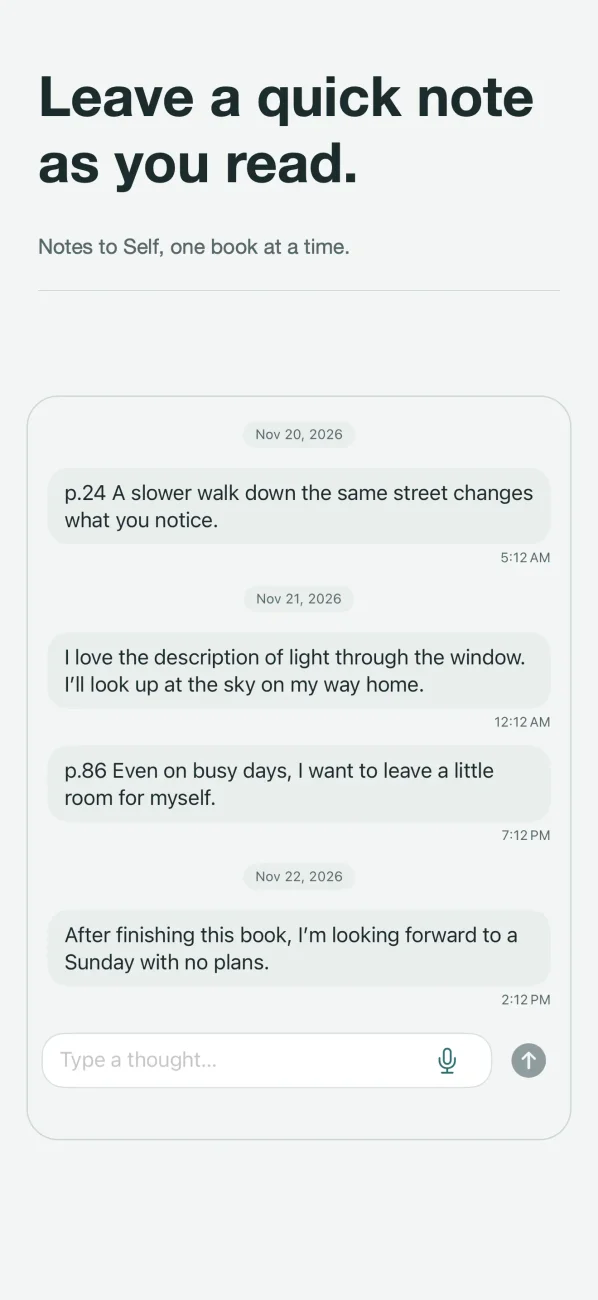
While you read, jot thoughts into Notes to Self, a chat-style log for each book. A page number and a line is enough; later you can follow how your thinking moved.
Notes and Notes to Self support voice input, so you can record without putting the book down.
Edit details any time, including the category and cover image, or check a saved book against a web search to update it.
■ Reading statistics
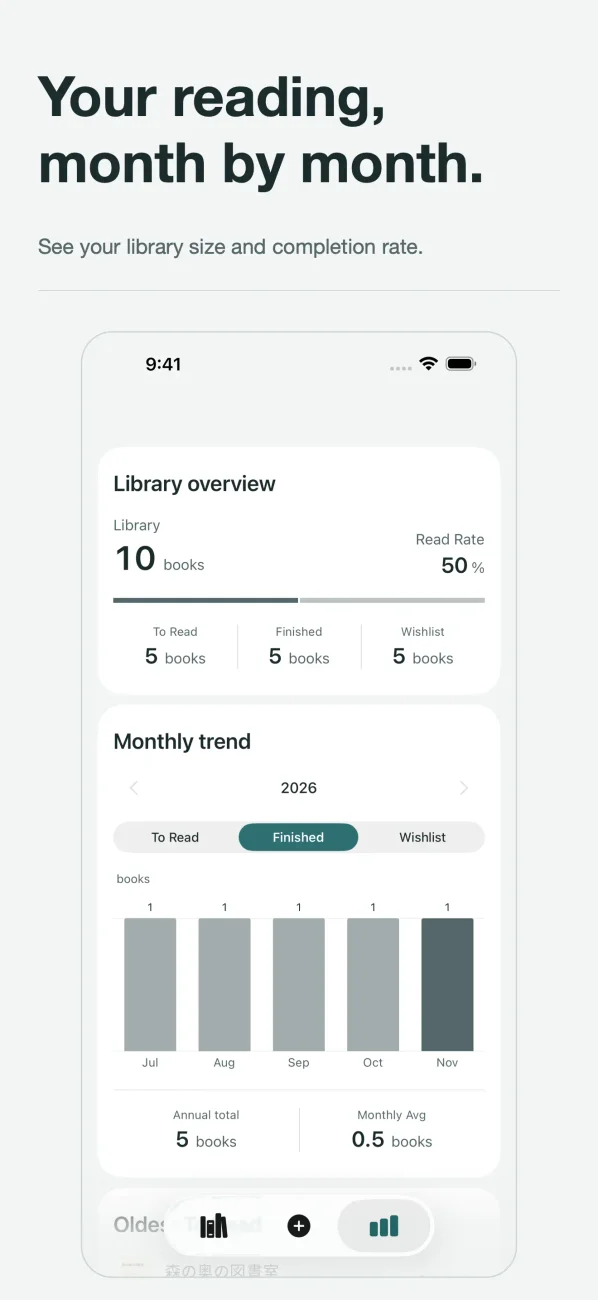
See books finished each month by year, with your monthly average and yearly total. Check your library size, completion rate, the authors and categories you own most, and the book waiting longest on your pile.
■ Home Screen widget
A widget shows the covers of your To Read books in turn, a reminder of what to read next.
■ No account, iCloud sync
No sign-up or login. Turn on iCloud to sync your library across devices on the same Apple Account. Works on iPhone and iPad. All text follows your device's text size setting.
■ Made for you if
- Your TBR pile keeps growing and you have lost track of what you own
- Reading logs in a notebook or spreadsheet never last
- You want to keep reviews for every book you finish
- You want to stop buying duplicates
- You collect manga or comic series
■ FAQ
Q. Does it scan barcodes?
A. No. AI reads photos of covers and spines, so books without a barcode work too.
Q. What if something is read wrong?
A. Fix it before saving, or edit the book later.
Q. Tips for many books in one photo?
A. Keep the spines sharp and choose high resolution and the Accuracy model in the analysis settings.
Q. What if I reach the analysis limit?
A. It resets next month. You can still add books by typing.
■ Pricing
Core features are free. AI photo analysis has a monthly limit. A paid plan raises the limit and removes ads.
Start with the cover of a book you have nearby.
What’s new
Version 3.54 · Nov 23, 2026
- In the list of analysis results, you can now swipe a book to delete it.
- Polished small visual details across the app.
App privacy
What NAUGHTYTADATAKA declares on the App Store about how this app handles data.
-
Data linked to you
May be collected and linked to your identity.
- User content
-
Data not linked to you
May be collected but is not linked to your identity.
- Usage data
Privacy practices may vary, for example with the features you use or your age.
Information
- Seller
- NAUGHTYTADATAKA
- Category
- Books
- Version
- 3.54
- Updated
- Nov 23, 2026
- Released
- Aug 26, 2025
- Size
- 13.3 MB
- Requires
- iOS 18.0 or later
- Age rating
- 4+
- In-app purchases
- Yes
- Languages
- Japanese, Arabic, Italian, Indonesian, Ukrainian, Dutch, Spanish, Thai, Turkish, German, Hindi, French + 9 more
- Copyright
- © 2026 NAUGHTYTADATAKA
You might also like
-
 Book Memo: Reading Log & NotesTrack quotes, summaries, pages
-
 liTrail - Your Reading HistoryBook Tracker: Library & Stats
-
 Mobile Bookshelf – Reading LogBookshelf, always with you.
-
 Arca – 読書管理/本棚アプリBooks
-
 蔵書管理 - ISBNで本棚整理Books
-
 Zosho - 蔵書管理Books
-
 tsumu - 積読管理と読書記録の本棚Books
-
 Reading Memory: Book TrackerBooks
-
 Honyomu - Reading LogReading log and bookshelf app
-
 BookDeck - Reading Log & ShelfBooks