
- Age rating4+
- CategoryBooks
- DeveloperKyoichi Taniguchi
- LanguagesJapanese+ 3 more
- Size55.0 MB
Links to the official App Store page
Download.org hosts no file of Reading Memory: Book Tracker. The button opens its official App Store page, published by Kyoichi Taniguchi. Listing last checked on Nov 24, 2026.
Screenshots


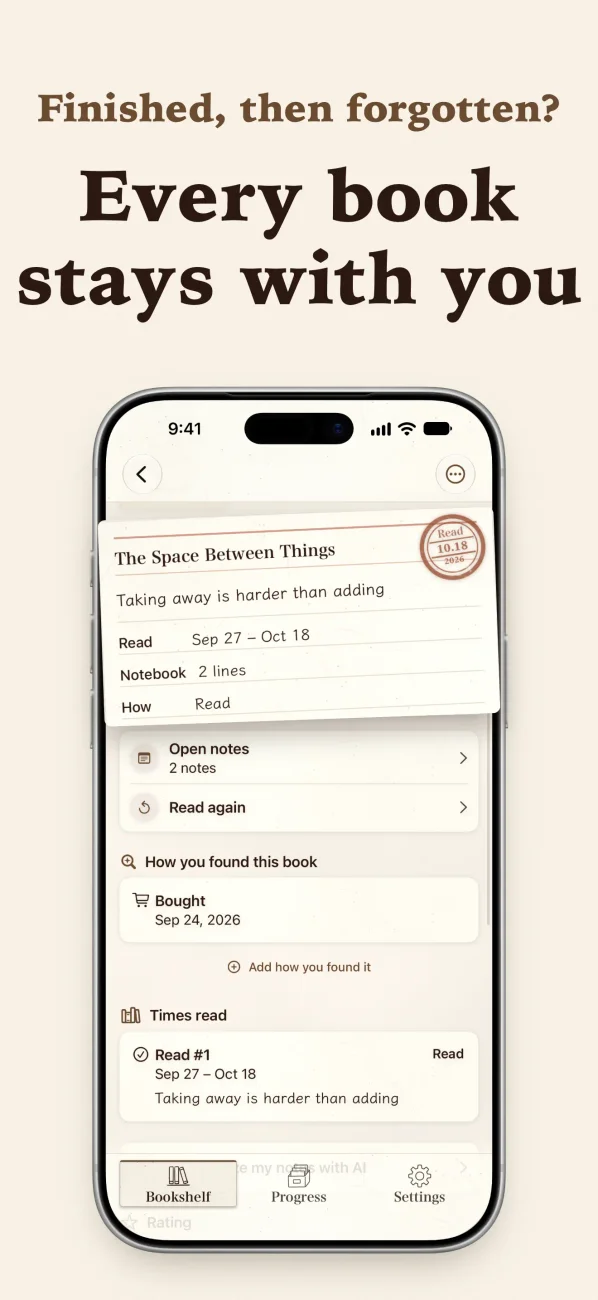
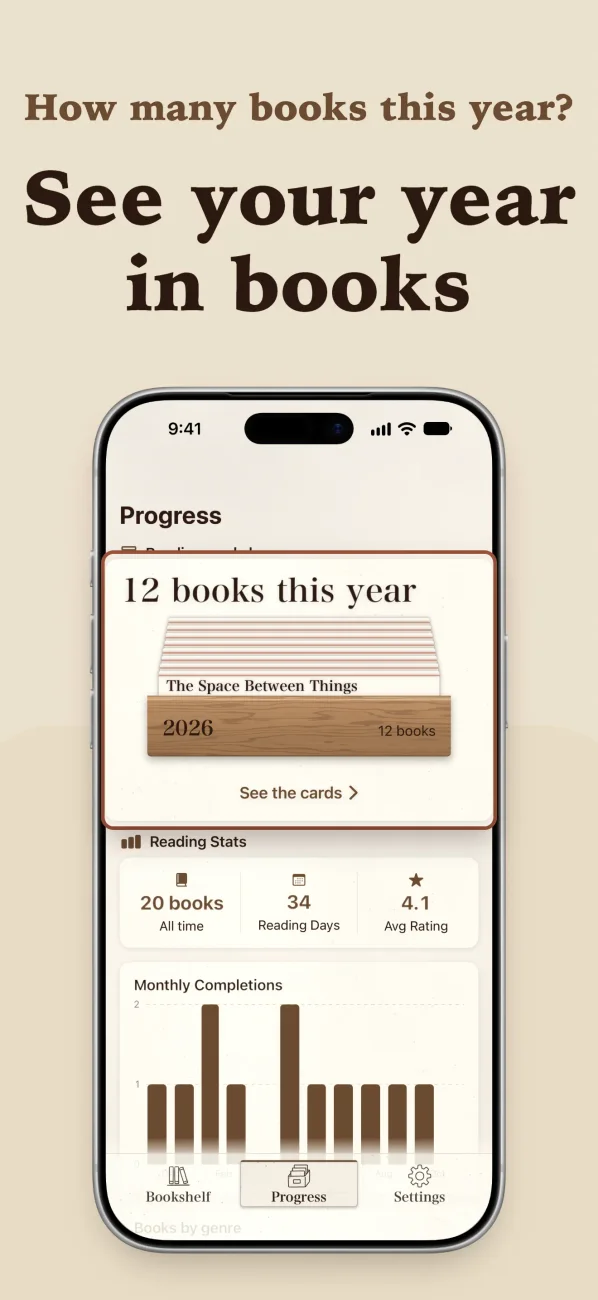
About
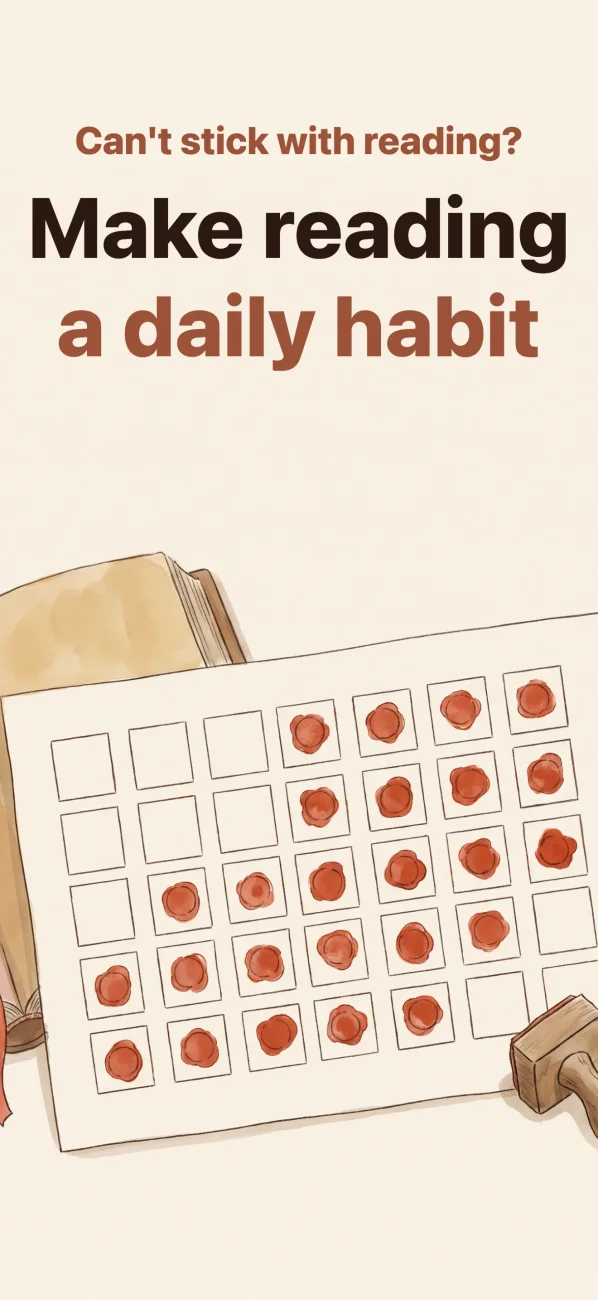
Make reading a daily habit, and remember the books you've read. Reading Memory keeps every book you read and every line you write, one book at a time, on your own bookshelf.
You want to read more, but it never sticks.
You finish a book, then can't recall what was in it.
The books you bought sit on a pile, unread.
Reading Memory is made for that.
MAKE READING A DAILY HABIT
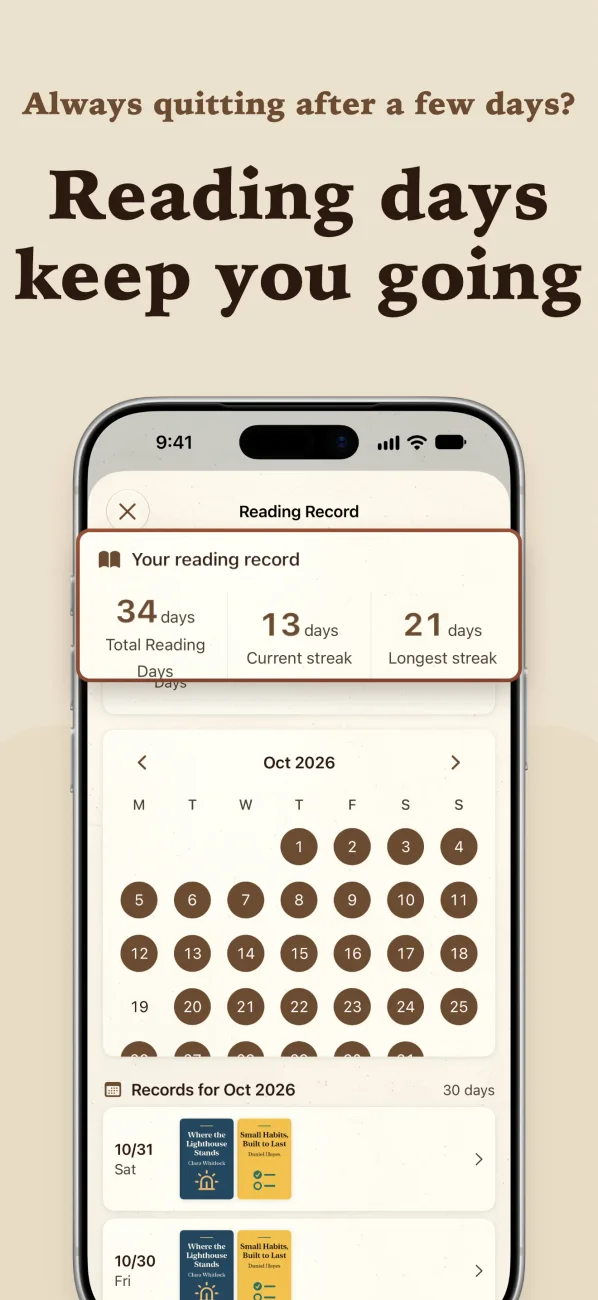
On days you read, tap "Read today" once. Even a day with one page counts. Your reading days fill a calendar, and your streak and the number of books you finished this year go up. You can also tap from Home Screen and Lock Screen widgets.
NEVER FORGET WHAT YOU READ
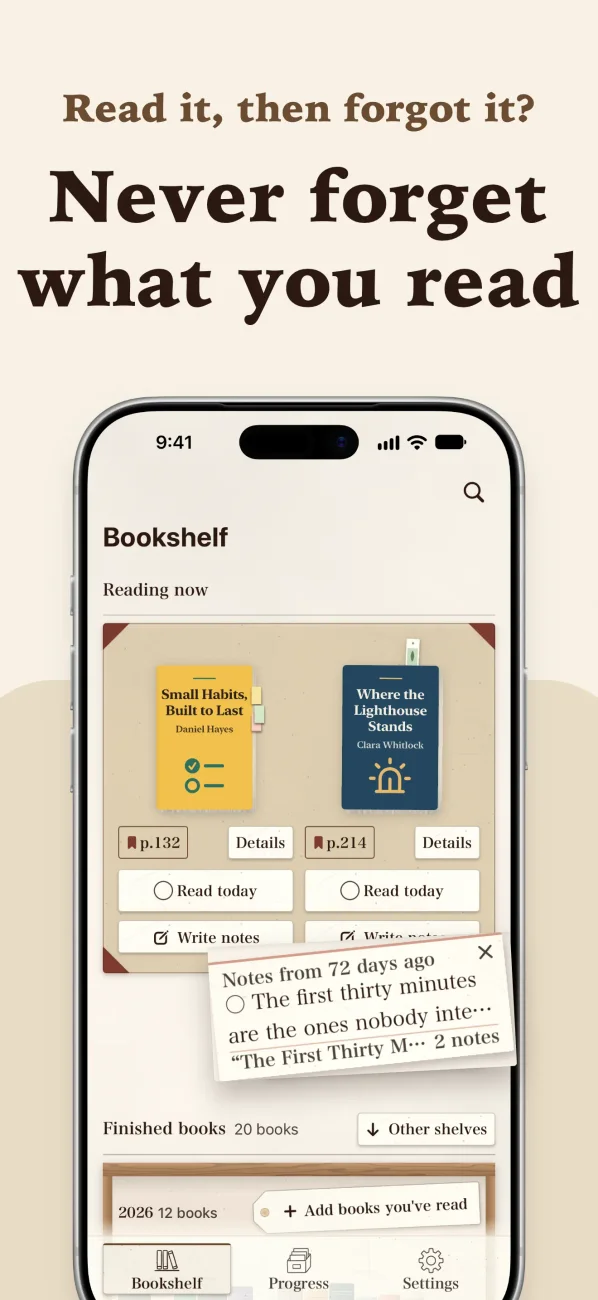
Notes you write while reading show up on your bookshelf a few days later, with how long ago you wrote them ("written 72 days ago"). Read them again and add a line right there. When you reread a book, the notes from your last read are on that book's page.
FINISH YOUR TO-READ PILE, ONE BOOK AT A TIME
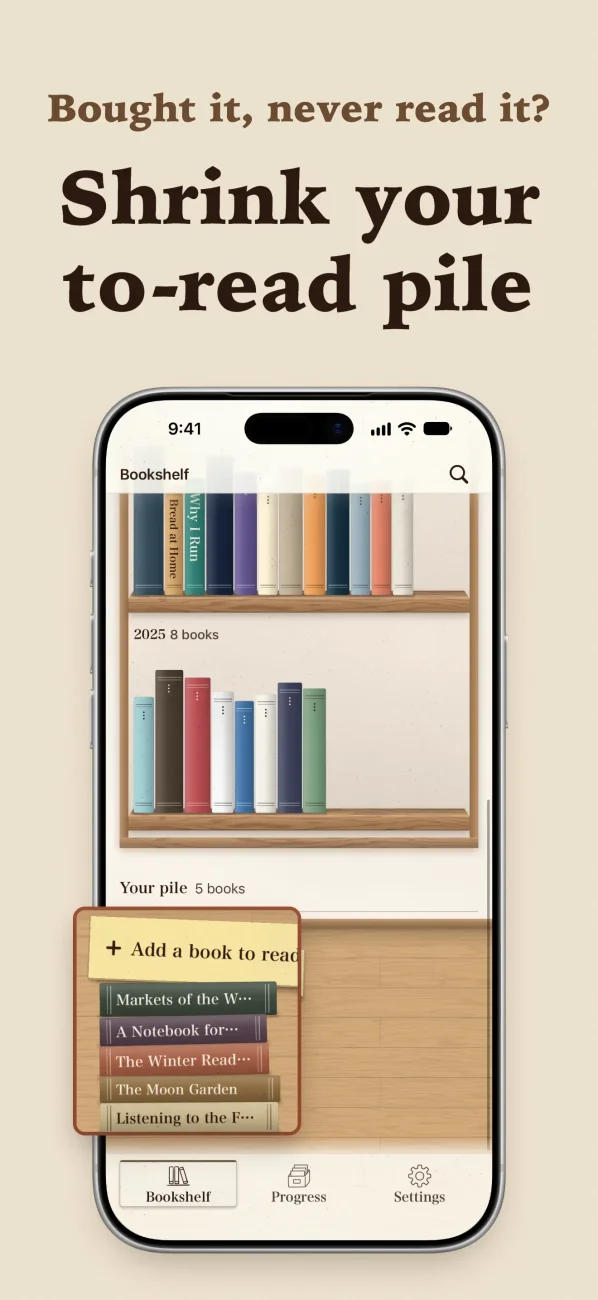
Books you own but haven't started sit in a pile at the bottom of your bookshelf. Tap the pile to start the top book. When you finish one, the app picks the next book from your pile.
PRIVATE BY DESIGN
No social feed, no followers, no public reviews. Only you can read what you write.
—
WHAT YOU CAN DO
◆ Bookshelf
Finished books stand on a shelf for each year. Books you're reading lie face up, and books you haven't started are stacked. You can also add the books you've already read, one after another.
◆ Add books
Search by title or scan the barcode. Book data comes from Google Books, Open Library, openBD, and Rakuten Books. There is no limit on how many books you can add.
◆ Sticky notes for novels
Write about characters, lines you loved, and how you felt on sticky notes, and stick them at the page you're on. Move the bookmark to record your page and "Read today".
◆ A notebook for nonfiction
Write the book's words and your own thoughts with page numbers. Snap a page to read its text and add the lines you pick as the book's words. Vertical Japanese text works too. Export your notebook as text.
◆ A reading card when you finish
When you finish, give stars and write one line. The card goes into that year's card box. Save or send the card as an image.
◆ Reading log and badges
See your reading days on a calendar, your streak, and how many books you finished. Earn badges at milestones.
◆ Want-to-read list
Note who recommended a book or where you saw it.
◆ iPad
Works on iPad, in portrait, landscape, and Split View.
—
MEMORY PLUS (auto-renewable subscription)
Adding books, sticky notes, notebooks, reading text from pages, reading cards, reading status tracking, the calendar, and widgets are free for good. Memory Plus adds:
◆ Look up a word from your notebook across all your books (free shows the number of books and the first line)
◆ Your year in books: everything you read and wrote in a year, in one place
◆ Detailed statistics: books finished per month, genres, ratings, and how books made you feel
◆ Summaries of the notes you wrote (uses AI)
◆ Move more than 200 books from another reading app (free covers up to 200 books in total)
Pricing in the US: $39.99 per year / $3.99 per month. Prices vary by region.
Payment is charged to your Apple ID at confirmation of purchase. The subscription renews automatically at the same price and period unless cancelled at least 24 hours before the end of the current period. Manage or cancel it in Settings › Apple Account › Subscriptions.
Terms of Use (EULA): https://taniguchi-kyoichi.com/en/products/reading-memory/terms
Privacy Policy: https://taniguchi-kyoichi.com/en/products/reading-memory/privacy
—
No account needed to start. Connect Apple or Google in Settings to keep your books when you change phones. No ads.
Feedback and bug reports: tap "Help & Contact" in the app's Settings.
What’s new
Version 1.9.0 · Nov 23, 2026
New in Settings: Help & Contact. Find answers or ask us right in the app, and read our reply there too.
You can now get a notification when we reply.
Send us ideas from Settings > Request a feature.
Plus small improvements.
App privacy
What Kyoichi Taniguchi declares on the App Store about how this app handles data.
-
Data linked to you
May be collected and linked to your identity.
- Purchases
- Contact info
- User content
- Identifiers
- Usage data
- Diagnostics
-
Data not linked to you
May be collected but is not linked to your identity.
- Location
Privacy practices may vary, for example with the features you use or your age.
Information
- Seller
- Kyoichi Taniguchi
- Category
- Books
- Version
- 1.9.0
- Updated
- Nov 23, 2026
- Released
- Nov 26, 2025
- Size
- 55.0 MB
- Requires
- iOS 26.0 or later
- Age rating
- 4+
- In-app purchases
- Yes
- Languages
- Japanese, German, English, Korean
- Copyright
- © 2026 Kyoichi Taniguchi
You might also like
-
 liTrail - Your Reading HistoryBook Tracker: Library & Stats
-
 honn: Book Tracker & LibraryReading log with AI photo scan
-
 Arca – 読書管理/本棚アプリBooks
-
 Mobile Bookshelf – Reading LogBookshelf, always with you.
-
 おうち本棚 - 読書記録・読書管理 積読 整理 参考書 資格Books
-
 tsumu - 積読管理と読書記録の本棚Books
-
 Booklog - 本の進捗管理アプリBooks
-
 Honyomu - Reading LogReading log and bookshelf app
-
 Yomiroku - 読書記録Books
-
 いつどこ本棚Books